[Resolved] Split: I lost the styling settings in a Global Section
This thread is resolved. Here is a description of the problem and solution.
Problem: The client reported that after translating their site using WPML, the styling settings in a Global Section (Cover) from the Rey theme for the headers of the categories were lost. These headers are built with Elementor and use a Dynamic title to generate the title. Although the titles were translated, the styling did not carry over, even after resaving/republishing in both English and Portuguese. Solution: We recommended editing the Portuguese category where the options for the cover are located at the bottom. We provided a screenshot for guidance and made the change for one specific category as a demonstration, which corrected the problem on the front end. We asked the client to confirm if the issue was resolved.
If this solution does not apply to your case, or if it seems outdated, we highly recommend checking the related known issues, verifying the version of the permanent fix, and confirming that you have installed the latest versions of themes and plugins. Should the problem persist, please open a new support ticket.
This is the technical support forum for WPML - the multilingual WordPress plugin.
Everyone can read, but only WPML clients can post here. WPML team is replying on the forum 6 days per week, 22 hours per day.
1 - on the translated site, I lost the styling settings in a Global Section (Cover), from the Rey theme, for the headers of the categories. They are built in elementor and use what is called a Dynamic title, to generate the title. The titles have been translated but the styling does not carry over. I have followed WPML documentation, and tried resaving/republishing in both english and portuguese versions and it doesn't get solved.
I assume you are referring to this global section: hidden link
The original hidden link">English cover and the translated hidden link">Portuguese cover are similar in style as far as I can see. I'm sorry, but I don't see how it is a WPML issue. If you have lost the styling for original English global section, then I really can't see how it is a WPML issue. Please consider contacting the Rey theme support on this issue.
It is worth noting that the Rey theme is not included in our compatibility list; however, this doesn't necessarily imply that it is incompatible, just that our team has not yet tested it. On the other hand, the author does claim to be compatible: hidden link. They should be the best source for help with this issue.
Please let me know if you have any further questions or if I have missed something.
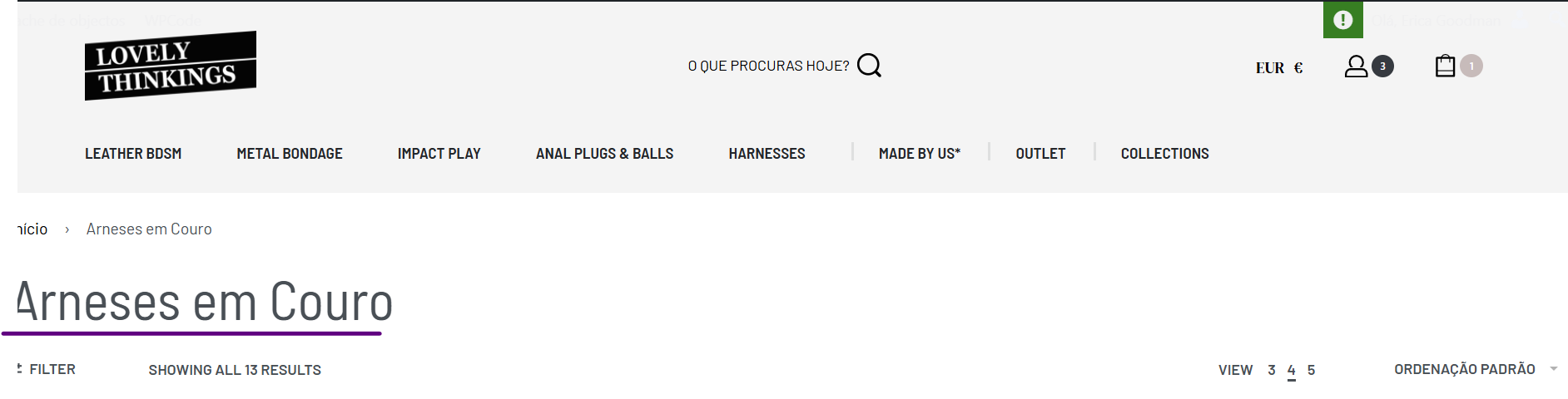
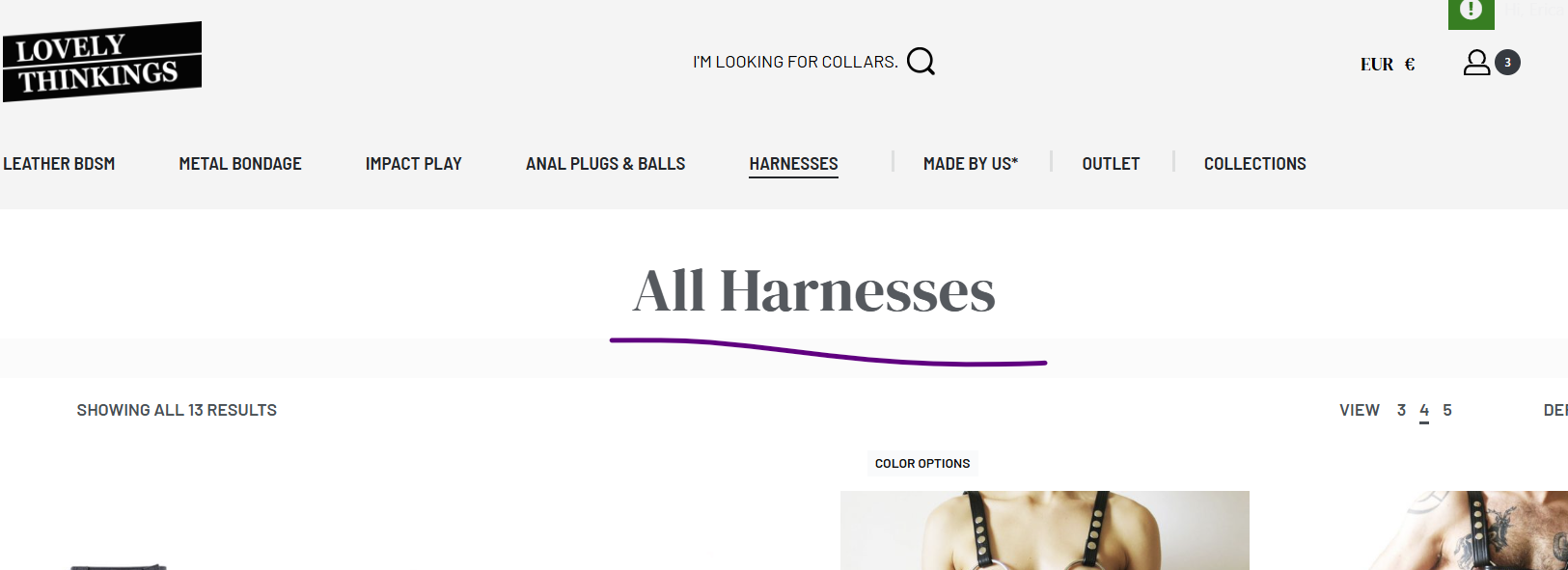
Perhaps I can rephrase, the styling was not lost per se. Nothing has changed on the English default cover, but the translated/PT version does not have the same styling.
I have tried opening the cover in Elementor in the PT version, to see the styling there which does appear the same, but on the front end it is not.
So I do not see this as being a theme issue at all, rather having to do with settings within WPML.
I've attached two screenshots for you to see the difference.
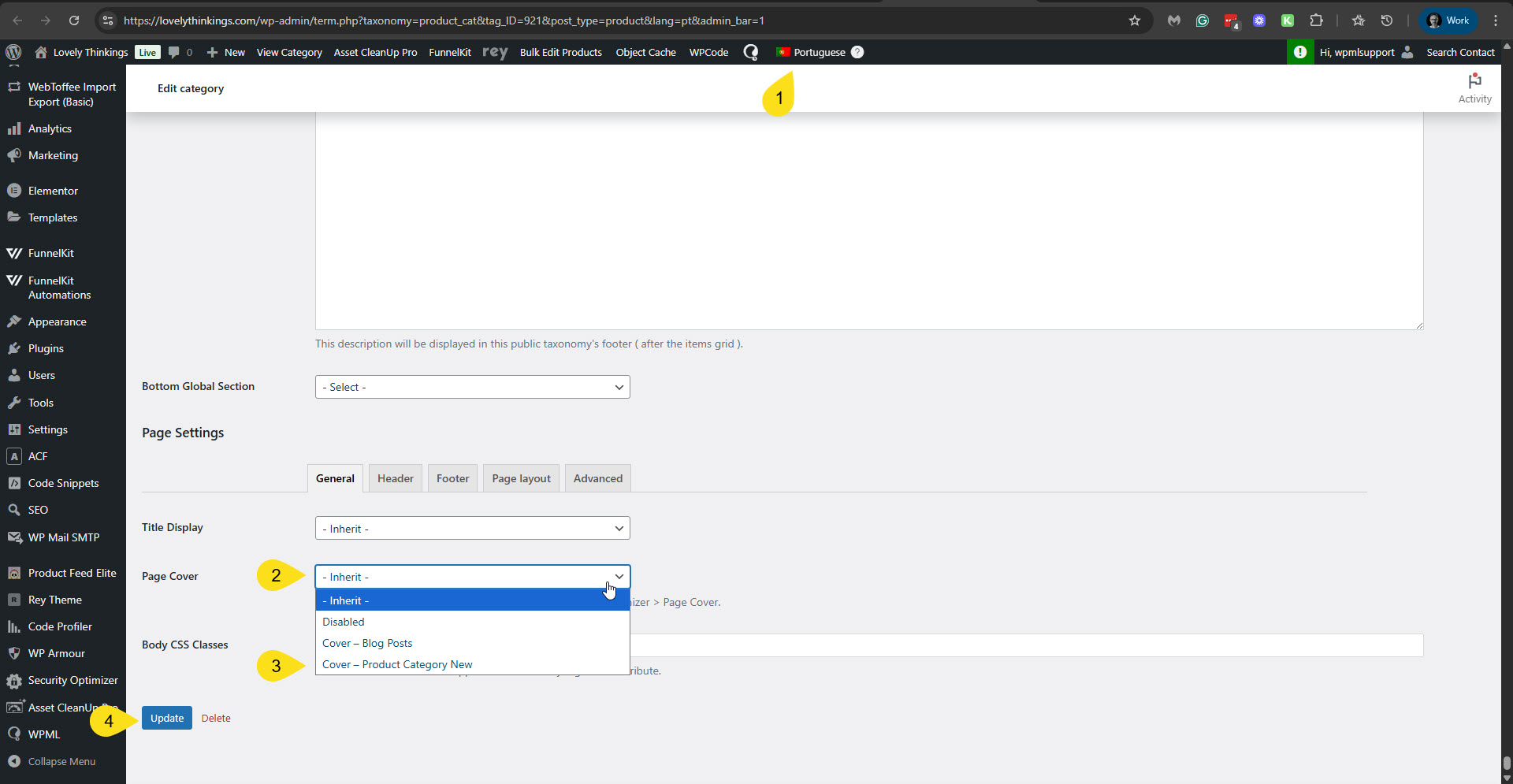
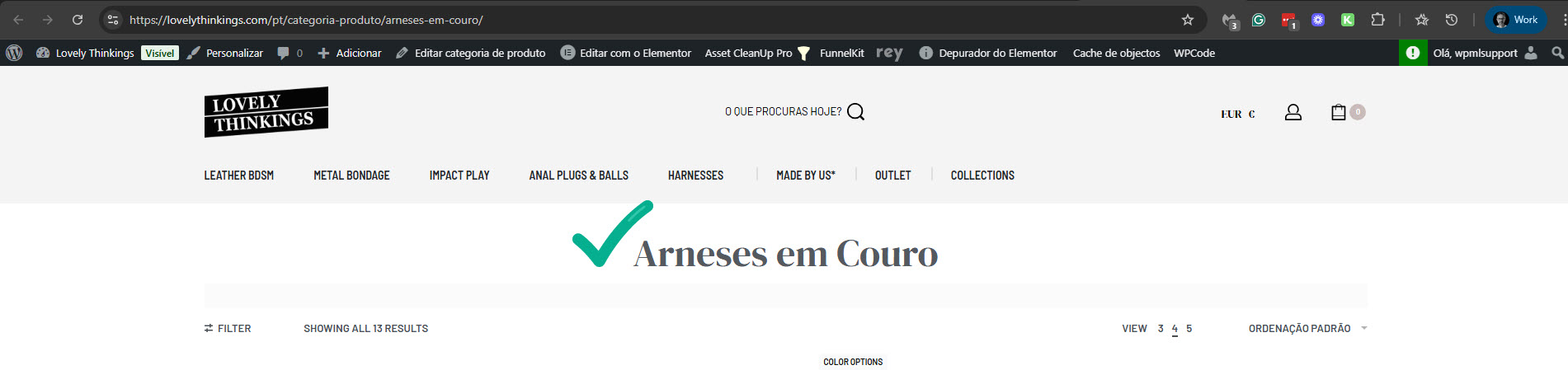
You can change it by editing the Portuguese category. The options for the cover are there at the bottom. Please see the attached screenshot change-to-cover-product.jpg. For this specific category, I've done it for you and can see that it corrected the problem on the front end. Please see the attached screenshot pt-category-ok.jpg.
Can you please confirm that this issue is solved now?
Thank you, I understand where to make the change and it does work!
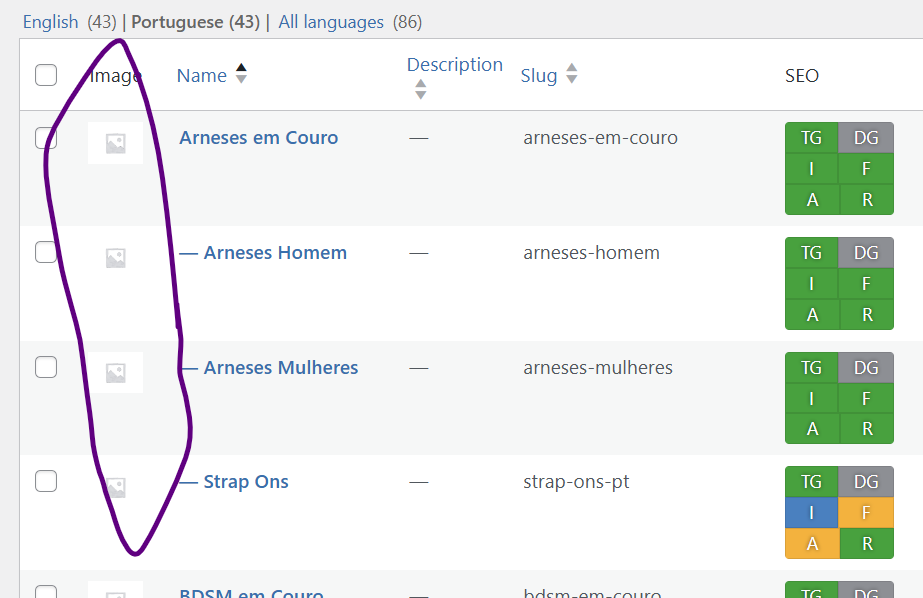
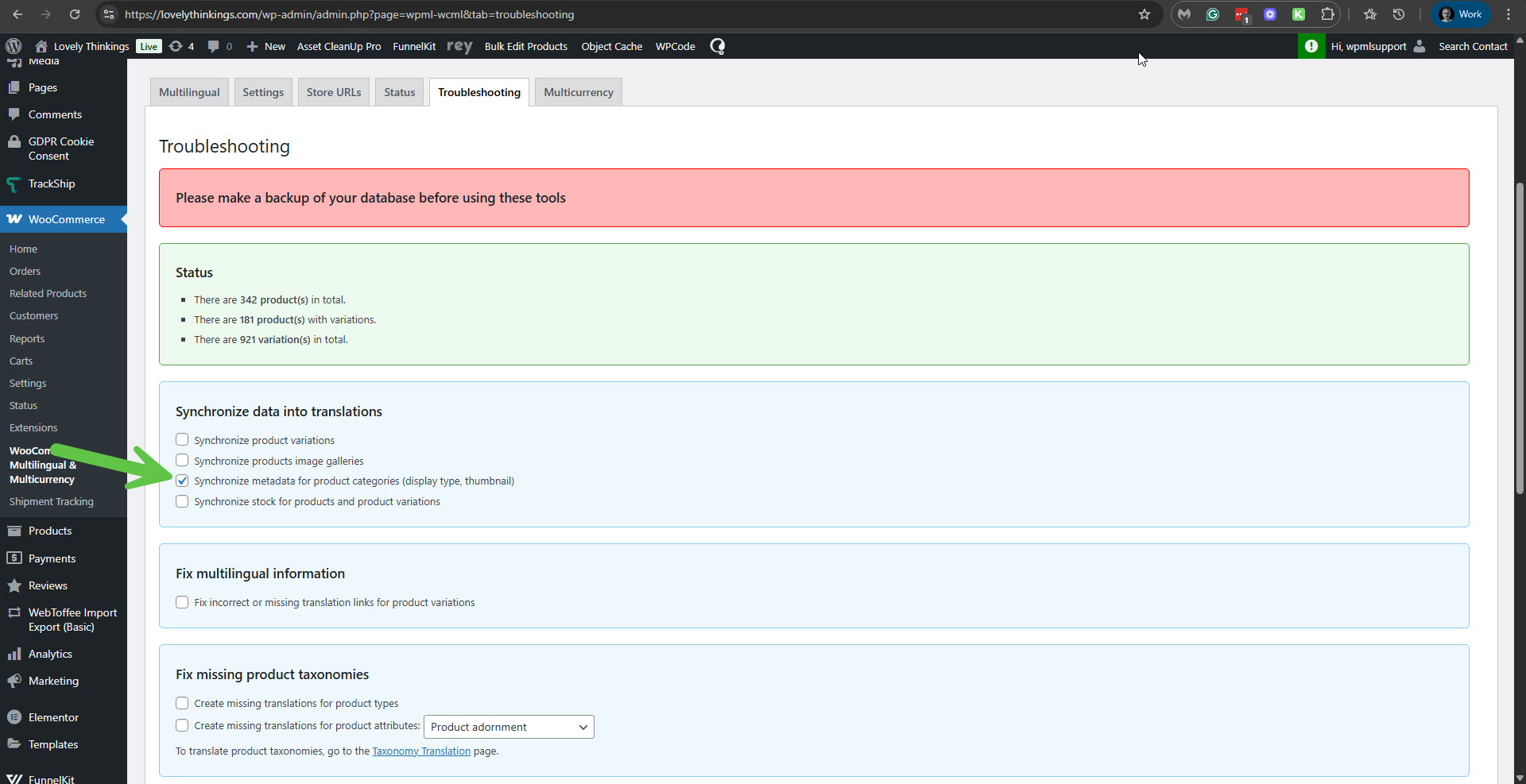
I noticed another thing to solve though: the images set for the category products did not copy over. Is there a setting in the customizations so I can copy these over (like the color swatches), without having to upload each again one by one?