This thread is resolved. Here is a description of the problem and solution.
Problem: You've created custom Gutenberg blocks and are facing issues with the translation of the title field in your 'Text Image Item' block. While the title translates correctly in the editor, it does not translate on the frontend and remains in German. Solution: We recommend updating your WPML configuration for the custom blocks. Here is the correct XML code you should use:
Add this code in WPML -> Settings -> Custom XML Configuration by replacing the current code for this Text Image block that does not work. Additionally, consider using our Multilingual Tools plugin to generate WPML configurations. For more information, please visit https://wpml.org/documentation/support/multilingual-tools/.
If this solution does not resolve your issue or seems outdated, please check related known issues at https://wpml.org/known-issues/, verify the version of the permanent fix, and confirm that you have installed the latest versions of themes and plugins. We highly recommend opening a new support ticket for further assistance at https://wpml.org/forums/forum/english-support/.
This is the technical support forum for WPML - the multilingual WordPress plugin.
Everyone can read, but only WPML clients can post here. WPML team is replying on the forum 6 days per week, 22 hours per day.
I've built several custom, static Gutenberg blocks. Most of them follow the same structure: a dedicated title field plus InnerBlocks for the content. Here’s one example:
In save.js, everything renders correctly — except for one thing:
gets translated on the frontend exactly as expected, but the title rendered via
refuses to translate. It stays in German, even though the editor detects and translates it without any issues.
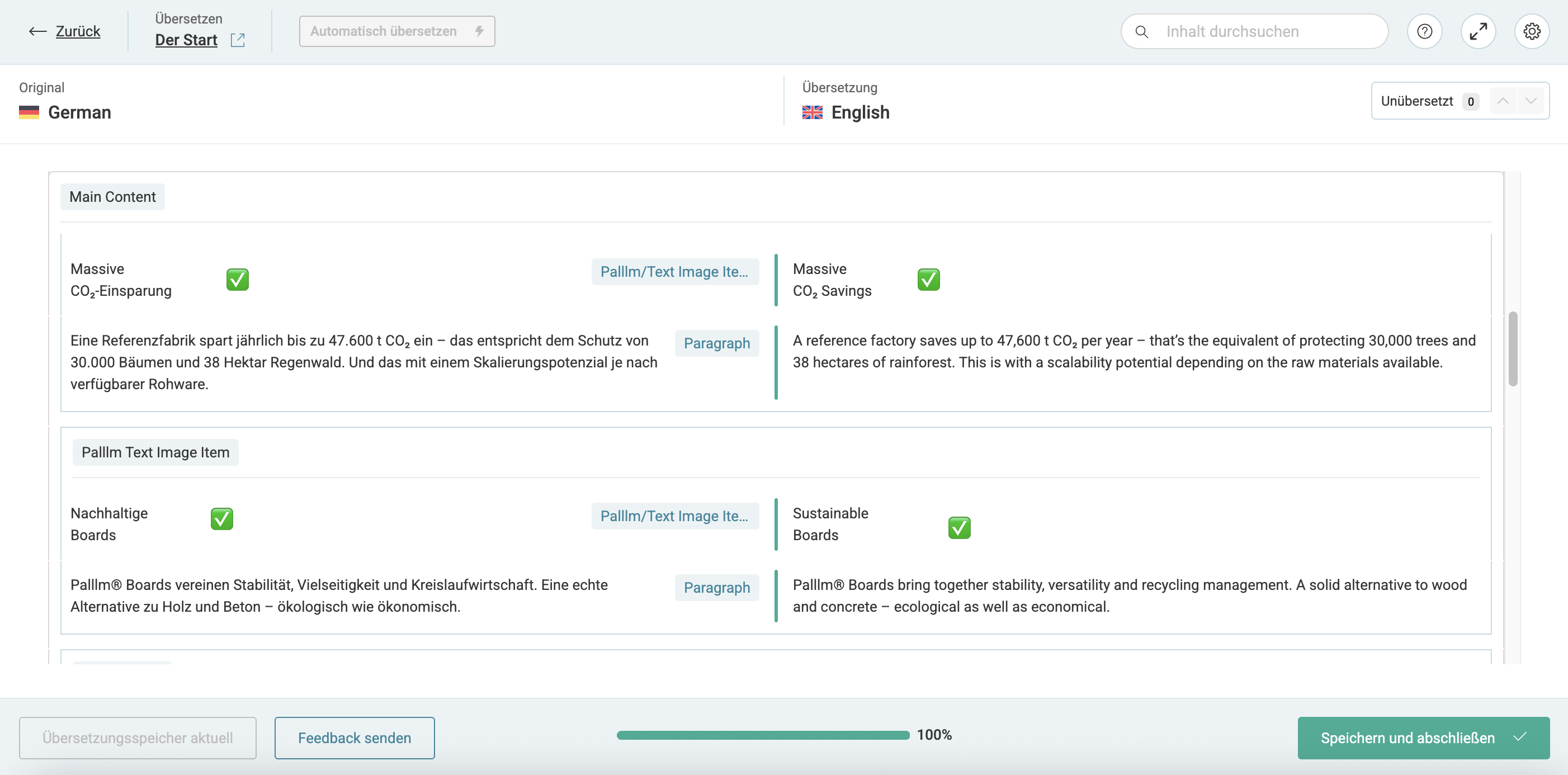
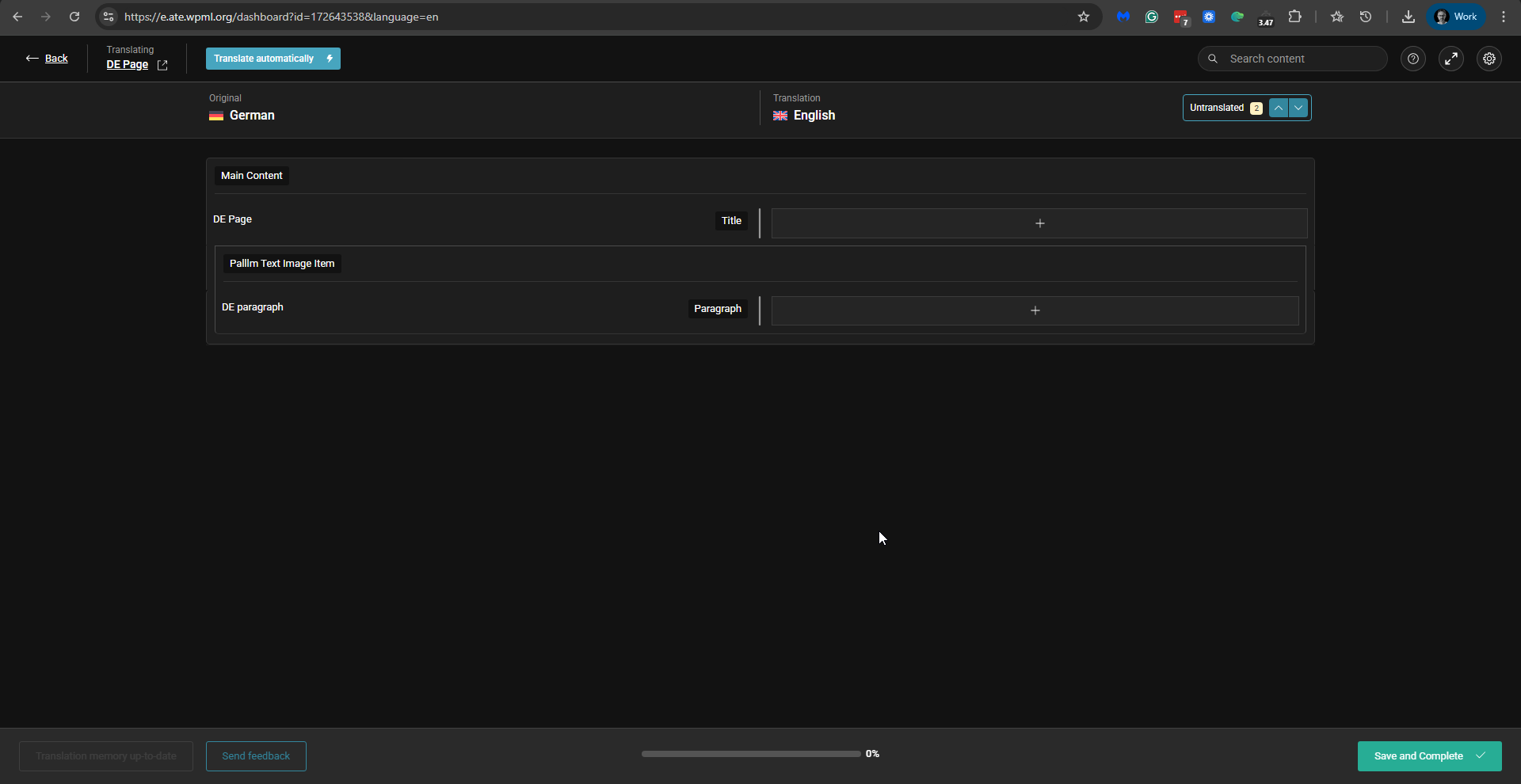
In the first screenshot you can see that it's correctly translated in the editor. In the 2nd screen you can see that only the paragraph is translated.
If you need further help with this, please share the access details to your site with me. I'm enabling a private message for the following reply.
Privacy and Security Policy
We have strict policies regarding privacy and access to your information. Please see: https://wpml.org/purchase/support-policy/privacy-and-security-when-providing-debug-information-for-support/ **IMPORTANT**
- - Please back up the site files and database before providing us access. --
-- If you have a staging site where the problem can be reproduced, it is better to share access to the staging site.--
Today we've released WPML 4.9 beta version. This version includes a fix for the problem you described. Please read about it in the following post: https://wpml.org/changelog/2025/12/custom-elementor-widgets-now-translatable-wpml-4-9-beta/. See the section entitled "Widget Translations Missing or Disappearing on the Frontend". So the first thing I tried on your staging site was installing the 4.9 beta and testing whether it fixed the problem. Unfortunately, it did not fix the problem. I then reverted to the latest stable version of WPML and Strings Translation and proceeded to investigate this issue. I created a new page with your custom Text Image block and translated it. However, now the Pallm Text Image Item headline does not show in the Advanced Translation Editor. Only the paragraph is available for translation. Please see the attached screenshot. You can check my latest test page here: hidden link
Have you changed something in your custom code that might have caused this?
If so, can you please revert it to the state where the headline displayed for translation in the Advanced Translation Editor?
Thanks for checking! I didn’t change anything in the code, but I can see that the WPML plugin files were modified (I’m using Git on this project). The headline also isn’t showing up in the WPML Editor anymore :-/
Since this is a bit time-sensitive, we’ll stick with the old way to translated pages via the Gutenberg editor for now since it seems to work.
Still, it would be great if you could provide a working example of a custom Gutenberg block that includes an InnerBlocks content area and one (or more) separate RichText fields e.g. like a headline.
Should we keep this ticket open, or should I open a new one? I’ll probably run into the same issue in another project soon.