
This is the technical support forum for WPML - the multilingual WordPress plugin.
Everyone can read, but only WPML clients can post here. WPML team is replying on the forum 6 days per week, 22 hours per day.
| Sun | Mon | Tue | Wed | Thu | Fri | Sat |
|---|---|---|---|---|---|---|
| - | - | 9:00 – 18:00 | 9:00 – 18:00 | 9:00 – 18:00 | 9:00 – 18:00 | 9:00 – 18:00 |
| - | - | - | - | - | - | - |
Supporter timezone: America/Lima (GMT-05:00)
Tagged: Known issue
This topic contains 17 replies, has 1 voice.
Last updated by Andreas W. 1 day, 18 hours ago.
Assisted by: Andreas W..
| Author | Posts |
|---|---|
| November 22, 2025 at 7:21 pm #17601394 | |
 stephanM-24 |
Background of the issue: Symptoms: Questions: |
| November 22, 2025 at 7:34 pm #17601408 | |
|
stephanM-24 |
Please help me get my pages translated. |
| November 23, 2025 at 3:27 am #17601539 | |
 Andreas W. WPML Supporter since 12/2018 Languages: English (English ) Spanish (Español ) German (Deutsch ) Timezone: America/Lima (GMT-05:00) |
Hello, This seems to be about blocks from the "Ultimate Addons for Gutenberg" plugin (formerly Spectra), and we have a known issue where certain blocks cannot be translated: Go to WPML > Preferences and click on the "Custom XML Configuration" tab. Add the following markup:
<wpml-config>
  <gutenberg-blocks>
    <gutenberg-block type="uagb/info-box" translate="1">
      <xpath>//*[contains(@class, "uagb-ifb-title")]</xpath>
      <xpath>//p[contains(@class, "uagb-ifb-desc")]</xpath>
      <xpath>//span[contains(@class, "uagb-inline-editing")]</xpath>
      <key name="tempHeadingDesc" />
      <key name="ctaText" />
    </gutenberg-block>
    <gutenberg-block type="uagb/image-gallery" translate="1">
      <key name="mediaGallery">
        <key name="*">
          <key name="id"/>
          <key name="url" type="link" />
          <key name="alt" />
          <key name="link" type="link" />
          <key name="caption" />
        </key>
      </key>
      <key name="mediaIDs">
        <key name="*" />
      </key>
    </gutenberg-block>
    <gutenberg-block type="uagb/tabs" translate="1">
      <key name="tabHeaders" />
      <xpath>//*[contains(@class, "uagb-tab")]/a/div</xpath>
    </gutenberg-block>
    <gutenberg-block type="uagb/tabs-child" translate="1">
      <key name="header" />
      <key name="tabHeaders">
        <key name="*" />
      </key>
    </gutenberg-block>
    <gutenberg-block type="uagb/modal" translate="1">
      <xpath>//span[contains(@class, "uagb-inline-editing")]</xpath>
      <xpath type="link">//a[contains(@class, "uagb-modal-button-link")]/@href</xpath>
      <key name="buttonText"/>
    </gutenberg-block>
  </gutenberg-blocks>
</wpml-config>
Next, please open the original page and edit one of the infobox blocks. Then save the page again and open the translation editor. You should now be able to translate the blocks. If this doesn't solve the problem, please let us know. Best regards, |
| November 29, 2025 at 5:21 pm #17619804 | |
|
stephanM-24 |
I inserted the code. This part of your recipe was not possible: "Next, please open the original page and edit one of the infobox blocks. Then save the page again and open the translation editor. You should now be able to translate the blocks." Instead, I saw this error message: There used to be a pane with English/Leftside and German/Rightside. The entrance to that pane is exceptionally well hidden, almost as if you intentionally wanted to prevent users from finding it. I cannot find it. |
| November 29, 2025 at 5:41 pm #17619829 | |
|
stephanM-24 |
OK, I found access to the translation pane (it is really well hidden; why do you make it so hard to find it?) However, the block from the "Ultimate Addons for Gutenberg" plugin (formerly Spectra) is still not shown on the translation pane. Thus, I cannot translate it. |
| November 29, 2025 at 5:41 pm #17619830 | |
|
stephanM-24 |
OK, I found access to the translation pane (it is really well hidden; why do you make it so hard to find it?) However, the block from the "Ultimate Addons for Gutenberg" plugin (formerly Spectra) is still not shown on the translation pane. Thus, I cannot translate it. |
| November 29, 2025 at 6:21 pm #17619845 | |
|
Andreas W. WPML Supporter since 12/2018 Languages: English (English ) Spanish (Español ) German (Deutsch ) Timezone: America/Lima (GMT-05:00) |
Hello, I'd like to request temporary access (wp-admin and FTP) to the website to investigate the issue further. You'll find the necessary fields below the comment section if you log in to leave the next reply. The information you provide will be private, meaning only you and I will be able to see and access it. IMPORTANT If you don't see the "wp-admin / FTP" fields, your login credentials for the post and website will be set to "PUBLIC." Do NOT publish the information unless you see the required wp-admin / FTP fields. The private reply form looks like this: hidden link When replying again, click "I still need assistance". Video: Please note that we are required to request this information individually on each ticket. We are not permitted to access any login information that was not specifically provided in the private reply form for this ticket. Best regards, |
| November 30, 2025 at 6:52 pm #17620860 | |
|
Andreas W. WPML Supporter since 12/2018 Languages: English (English ) Spanish (Español ) German (Deutsch ) Timezone: America/Lima (GMT-05:00) |
Obtaining a working config for those nested blocks seems to be quite more complicated than I expected. I am still working on a solution and need to ask you for some more patience. |
| December 2, 2025 at 9:19 am #17625186 | |
|
Andreas W. WPML Supporter since 12/2018 Languages: English (English ) Spanish (Español ) German (Deutsch ) Timezone: America/Lima (GMT-05:00) |
I have tried to replicate this issue on a new test site, but the issue does not occur here. I can translate the Info Box Blocks without adding an additional config: One-Click-Login: I suspect that what is breaking the translations here are the emojis at the beginning of each heading. Would it be possible to test translating the page without using emojis? Further (likely not linked to this issue): Currently, it only contains: AUTH_SALT: Salt for the authentication cookie It should look like this: You can create a new entry at hidden link and replace it in your wp-config.php file. Please give this a test. |
| December 3, 2025 at 1:11 pm #17630925 | |
|
stephanM-24 |
According to your profile, you are familiar with the German language. hidden link As you can see, more than 50% of the content is still in English. |
| December 3, 2025 at 1:22 pm #17630950 | |
|
stephanM-24 |
Addendum: And WPML's own translation engine, which is expressly recommended for use and costs the most credits, cannot even write German text in the informal ("Du") form. |
| December 3, 2025 at 2:06 pm #17631142 | |
|
stephanM-24 |
I updated the config file. |
| December 3, 2025 at 7:07 pm #17632078 | |
|
Andreas W. WPML Supporter since 12/2018 Languages: English (English ) Spanish (Español ) German (Deutsch ) Timezone: America/Lima (GMT-05:00) |
Testing: Example: hidden link Would this be an acceptable workaround? Note that translating emojis is not yet widely supported and can cause unexpected issues. If not using emojis is not an option for you, I can offer to replicate the issue and escalate it. About formal German: Now, as your site uses PTC, usually I would suspect it would use formal German by default, which seems not to be the case on your site. Anyhow, on my test site, PTC uses formal German (see screenshot), so I am not sure why you have different results. Do you mind if I add some credits to the site and run a few tests? 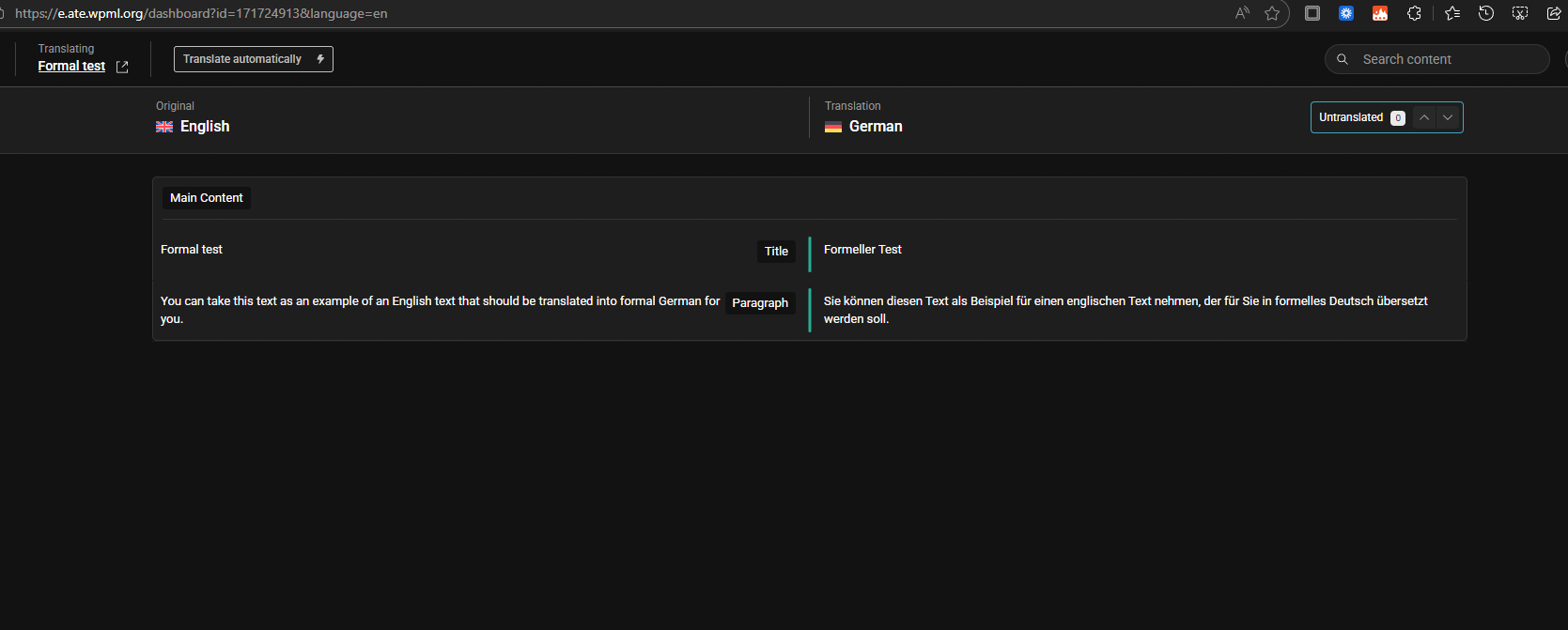 |
| December 8, 2025 at 8:42 am #17643017 | |
|
stephanM-24 |
It is the horror: 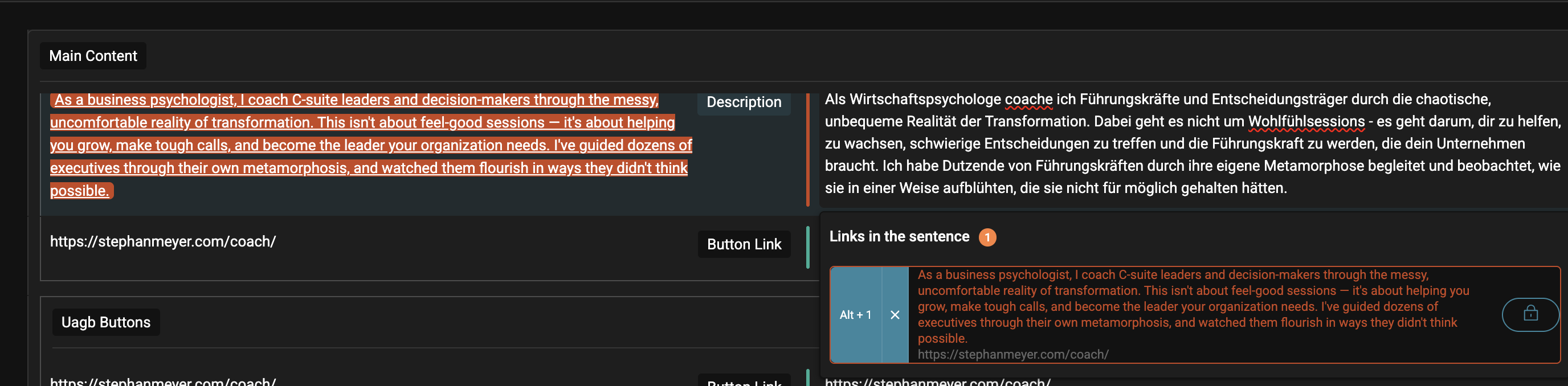 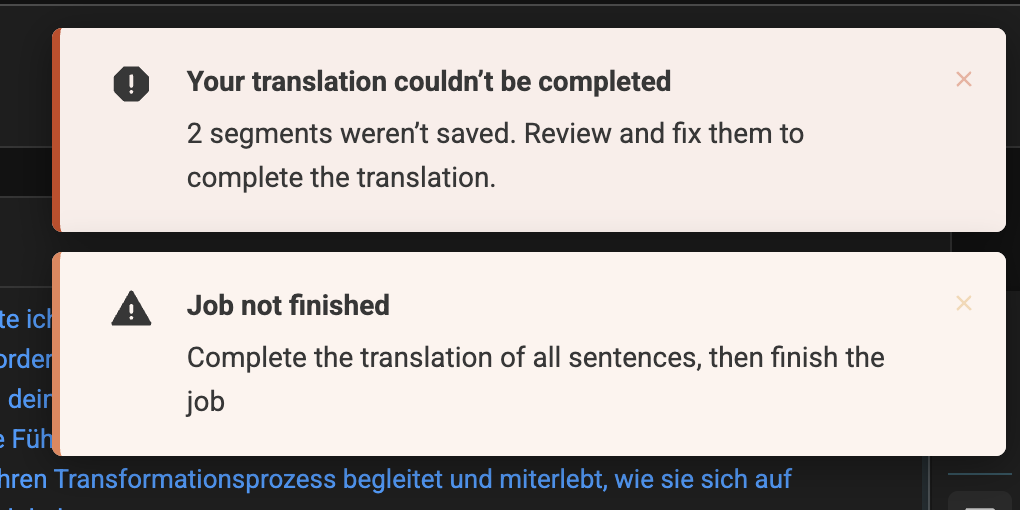  |
| December 8, 2025 at 8:44 am #17643065 | |
|
stephanM-24 |
Your duplicated page is not visible. Also, I switched to DeepL translation, since you confirmed that WPML translation is incapable of using informal German, which I want to have on my site. |