Skip to content Skip to sidebar

This thread is resolved. Here is a description of the problem and solution.

Problem:
1. The 'Blog' menu item shows as 'uncategorized'.
2. The 'Need help' button on the menu is not translated, and the popup form does not appear on translated sites.
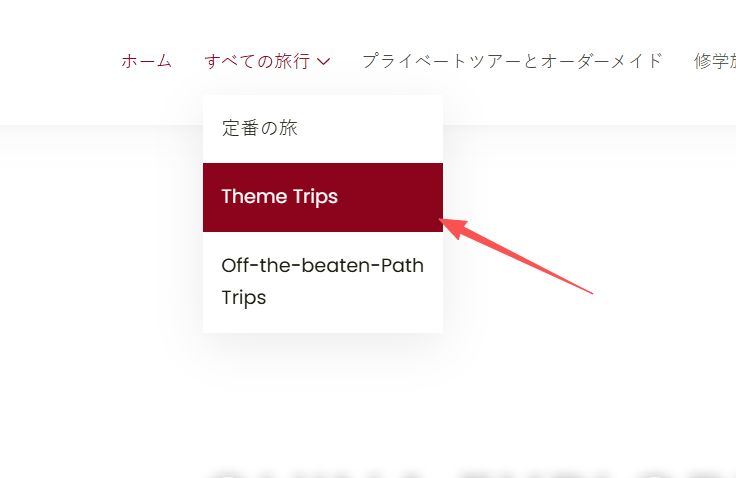
3. All sub-pages under 'theme trip' are missing.
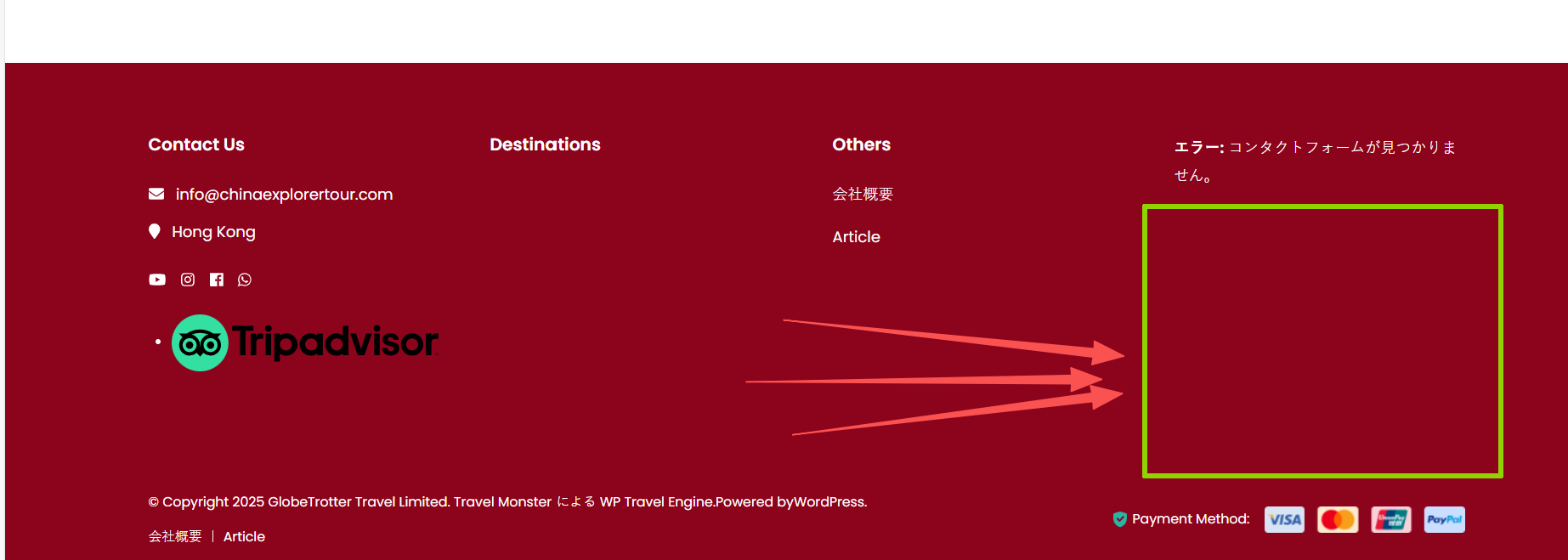
4. The bottom of the home page is not translated, and the contact us form is missing.
Solution:
1. For the 'Need help' button, translate it using WPML-> Strings Translation-> Admin Screen Texts. For detailed steps, refer to this guide.
2. Ensure that the menus and the pages used in the menus are translated to see the correct items in different languages. For more information, visit this guide.
3. To translate the footer form, navigate to WPML-> Translations Dashboard, select the form, and send it for translation. More details can be found in this guide.

Please note that the solution provided might be outdated or not applicable to your case. We highly recommend checking related known issues at https://wpml.org/known-issues/, verifying the version of the permanent fix, and confirming that you have installed the latest versions of themes and plugins. If the issue persists, do not hesitate to open a new support ticket at WPML support forum.

This is the technical support forum for WPML - the multilingual WordPress plugin.

Everyone can read, but only WPML clients can post here. WPML team is replying on the forum 6 days per week, 22 hours per day.

Tagged: 

This topic contains 3 replies, has 0 voices.

Last updated by Osama Mersal 1 week ago.

Assisted by: Osama Mersal.

Author Posts
December 25, 2025 at 3:22 am #17687475

wanniC

1.Menu - Blog show as "uncatogary"
2. on the menu section, the "Need help" buttom is not translated, and also the popup form is not showing up on the translated sites.
3. all sub-page under "theme trip" are gone and not showing up
4. the bottom of the home page is not translated, also the contact us form is gone

December 25, 2025 at 11:07 am #17687682

Osama Mersal
WPML Supporter since 02/2020

Languages: English (English ) Arabic (العربية )

Timezone: Africa/Cairo (GMT+02:00)

Hi,

Thanks for contacting WPML forums support. I'll be glad to help you today.

I would need to look closely at your site, so I would need to request temporary access (WP-Admin and FTP)
Preferably to a test site where the problem has been replicated.

Your answer will be private, meaning only you and I can access it.

❌ Please back up your database and website ❌

✙ I need your permission to deactivate and reactivate plugins and themes, and to change site configurations. This is also why the backup is critical.

✙ I also need your permission to take a local copy of your site to debug the issue without affecting your live site.

Best regards,
Osama

December 28, 2025 at 12:27 pm #17690446

Osama Mersal
WPML Supporter since 02/2020

Languages: English (English ) Arabic (العربية )

Timezone: Africa/Cairo (GMT+02:00)

Hi,

Apologies for the delayed response due to the weekend.

Could you please verify the access details? I'm receiving the following error. (Error: The password you entered for the email address *** is incorrect.)

Best regards,
Osama

December 30, 2025 at 11:00 am #17696560

Osama Mersal
WPML Supporter since 02/2020

Languages: English (English ) Arabic (العربية )

Timezone: Africa/Cairo (GMT+02:00)

Hi,

Thanks for the access details. I checked the issues and found the following:

1- The header button is added using theme options, so it can be translated using WPML-> Strings Translation-> Admin Screen Texts.

Please refer to this guide for more information on translating admin texts.

2- The menus are not translated, so please translate them and translate the pages used in the menu in order to see the translated menu items correctly.

Please refer to this guide for more information on translating menus.

3- The footer form is not translated, so please go to WPML-> Translations Dashboard, select the form, and send it for translation.

Please refer to this guide for more information on translating forms.

4- If you want to have a live chat, please open a new ticket, and if there is an available chat supporter, the AI support agent will automatically redirect you to a live chat.

Best regards,
Osama