[Resolved] Text areas in my DIVI templates are not translated
This thread is resolved. Here is a description of the problem and solution.
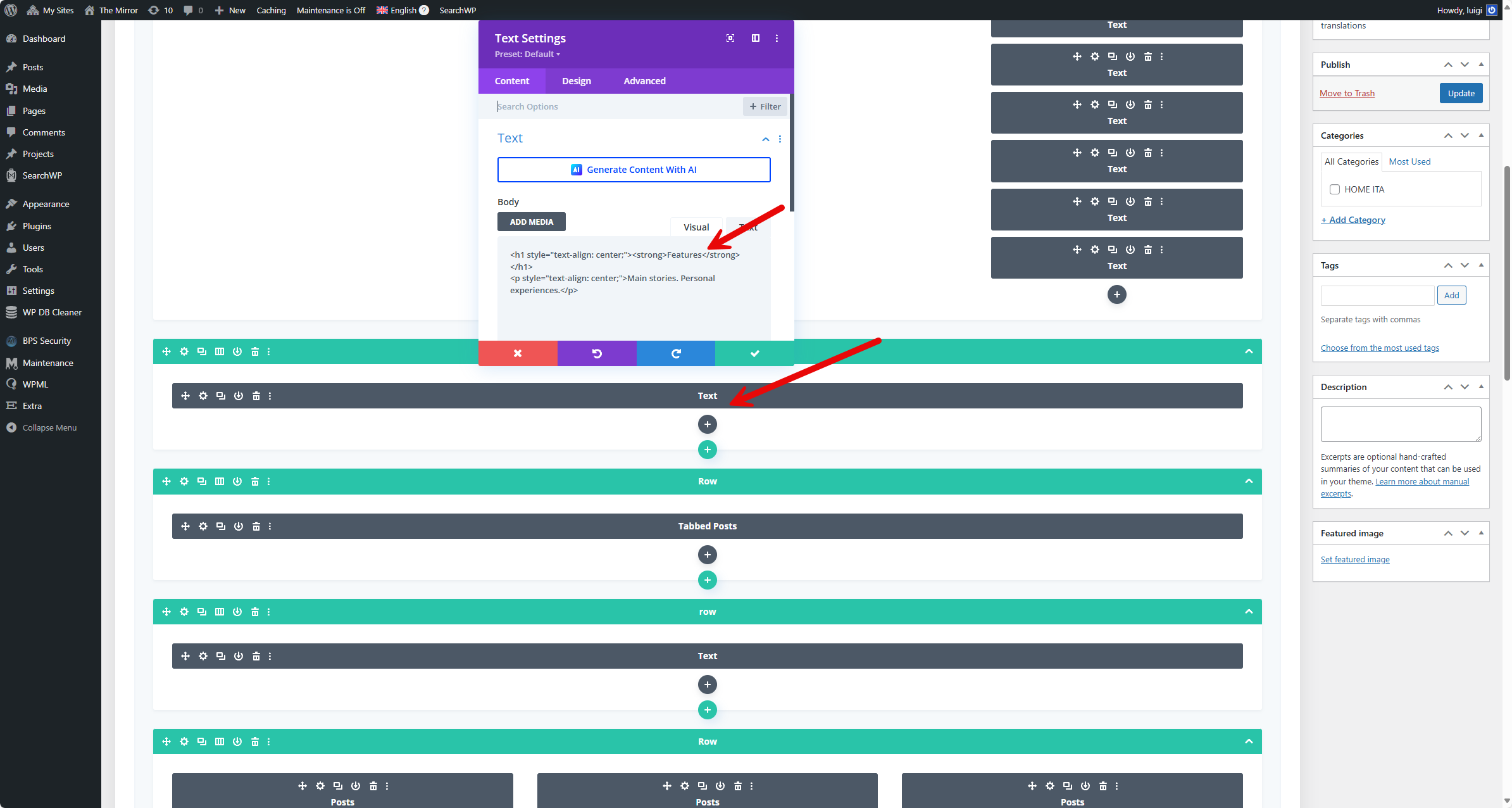
Problem: You are trying to translate text fields in DIVI templates using WPML, but some sections are not translating correctly, such as 'Features - Main stories. Personal experiences.' which does not change between the English and Italian versions. Solution: We recommend following these steps to resolve the issue: 1. Navigate to WPML >> Settings >> Post Types Translation section. 2. Set the “Category Layouts (layout)” post type to Translatable and press the Save button. 3. Go to Extra >> Category Builder page. 4. Click on the plus icon and translate the “PRODUCTION Homepage” layout. This should display the correct translation on the frontend. For more detailed guidance, please refer to our documentation on Translating Custom Posts.
If this solution does not apply to your case, or if it seems outdated, we highly recommend checking related known issues at https://wpml.org/known-issues/, verifying the version of the permanent fix, and confirming that you have installed the latest versions of themes and plugins. Should you need further assistance, please do not hesitate to open a new support ticket at WPML support forum.
This is the technical support forum for WPML - the multilingual WordPress plugin.
Everyone can read, but only WPML clients can post here. WPML team is replying on the forum 6 days per week, 22 hours per day.
Background of the issue:
I am trying to translate content on my site hidden link using WPML. Most of the content translates correctly, but some sections in the DIVI templates with TEXT fields are not translating.
Symptoms:
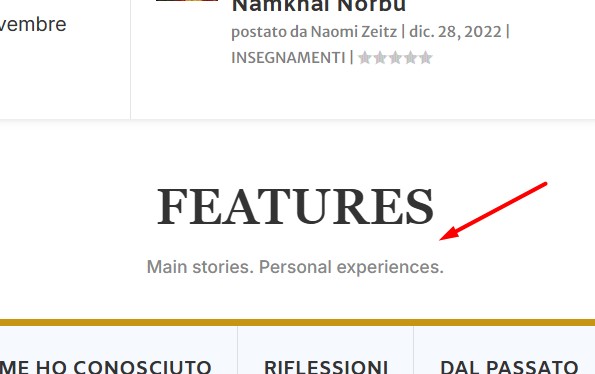
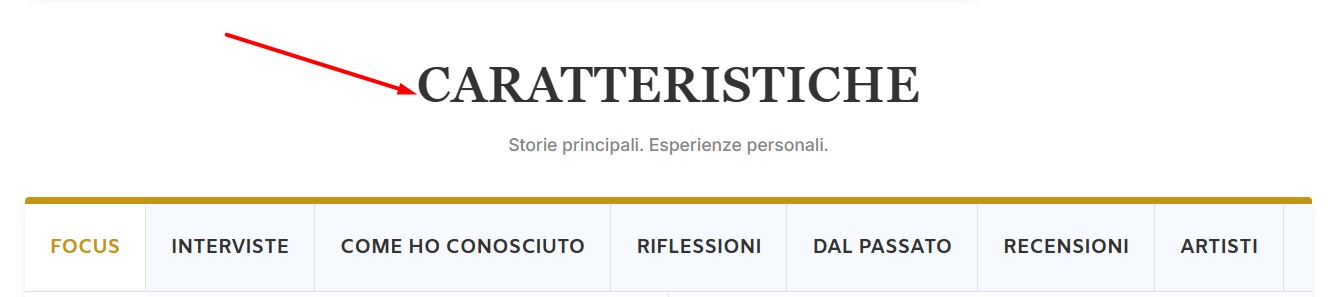
For example : rhe text 'Features - Main stories. Personal experiences.' does not change between the English and Italian versions, and I don't know where to set such translation.
Questions:
How can I translate text fields in DIVI templates using WPML?
Where do I set translations for specific text sections in DIVI templates?
Thank you for contacting WPML Support. I can see an untranslated string on the Italian language home page: hidden link as you can see in the attached screenshot.
Could you please try to follow the below procedure and let me know how it goes:
1. Open the default language Divi template in Edit mode.
2. Make a small change, for example, add a space or + sign in title.
3. Save the template.
4. Now, please remove that small change that did in step #2.
5. Update the template again.
6. Now, please send the template for translation from WPML >> Translation Management page and see if this resolves the issue.
I made the change to the template from the EXTRA > Category Builder.
The change appeared on the site, then removed it, I exported the Category Layout to a fresh new template. Then went into WPML , Translation Management, and updated the translation for the newly created Layout.
Unfortunately, no change, the issue is still present.
Thanks for trying the above suggested steps and sharing the debug info of your site.
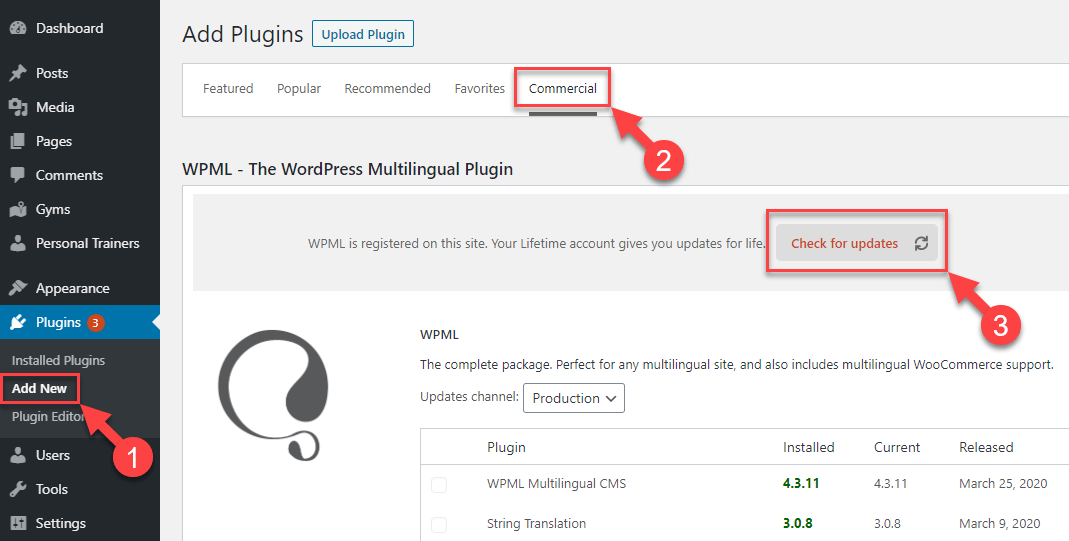
- We have recently released WPML 4.7.5, Could you please take a backup of your site and update it to the latest version. You can update it from Plugins >> Add New Plugin page, click the Commercial tab, and then click the “Check for updates” button.
- Also, please make sure you have followed the below doc: hidden link
- If the issue persists, please provide temporary access (WP-Admin and FTP Login info) to your site (preferably staging site), so that I can look into your setup and debug the issue.
Your next answer will be private, meaning only you and I can access it.
=== Please backup your database and website ===
✙ I would additionally need your permission to deactivate and reactivate Plugins and the Theme and to change configurations on the site. This is also a reason the backup is essential.
Sorry for the delay, I was off during the weekend (Friday-Saturday). Thanks for providing the login details. I’m debugging this issue on your site and will get back with an update soon.