This thread is resolved. Here is a description of the problem and solution.
Problem: The client needed to maintain the existing URL structure when moving posts to WPML, including the use of specific language codes (en_US, es_ES, pt_BR) in the URLs, keeping the category and slug in English for every language, and ensuring the English default language code 'en' appears in the URL.
Solution: 1. To customize the language code in the URL, we suggested using a custom language. Since the same locale cannot exist twice in the database, the client should use a different locale for the custom language or change the locale of an existing default language, then create a custom language with the desired locale. Afterward, the original default language can be removed.
3. For the issue of the default English language code not appearing in the URL, we opened a new support ticket to address the slug translation question separately, as per our support policies.
If this solution doesn't look relevant, please open a new support ticket here: WPML support forum.
This is the technical support forum for WPML - the multilingual WordPress plugin.
Everyone can read, but only WPML clients can post here. WPML team is replying on the forum 6 days per week, 22 hours per day.
Tell us what you are trying to do?
So, we have a site with many many posts that are already translated with the following urls:
hidden link hidden link hidden link
We want to move all the posts to WPML, but of course we need to keep the urls untouched. Before going to the database, I am trying to create at least one post from fresh with the same structure as I showed above.
as you can see I think I am facing three issues may be:
1. the language code (don´t know is that is the right term) is not en, es, or pt, but en_US, es_ES and pt_BR. How can I customize that?
2. I need to keep the category, and the slug in english for every language. Is that possible?
3. Finally, because english is our default language, the code "en" doesn't show at all.
I asked if this was possible before buying the plugin, and Adrés told me it was. I just need a little help to achieve. I think the experience with WPML is pretty easy, but I am having troubles doing what I just mentioned.
Is there any documentation that you are following?
no
Is there a similar example that we can see?
no
What is the link to your site?
it is a development local site.
---
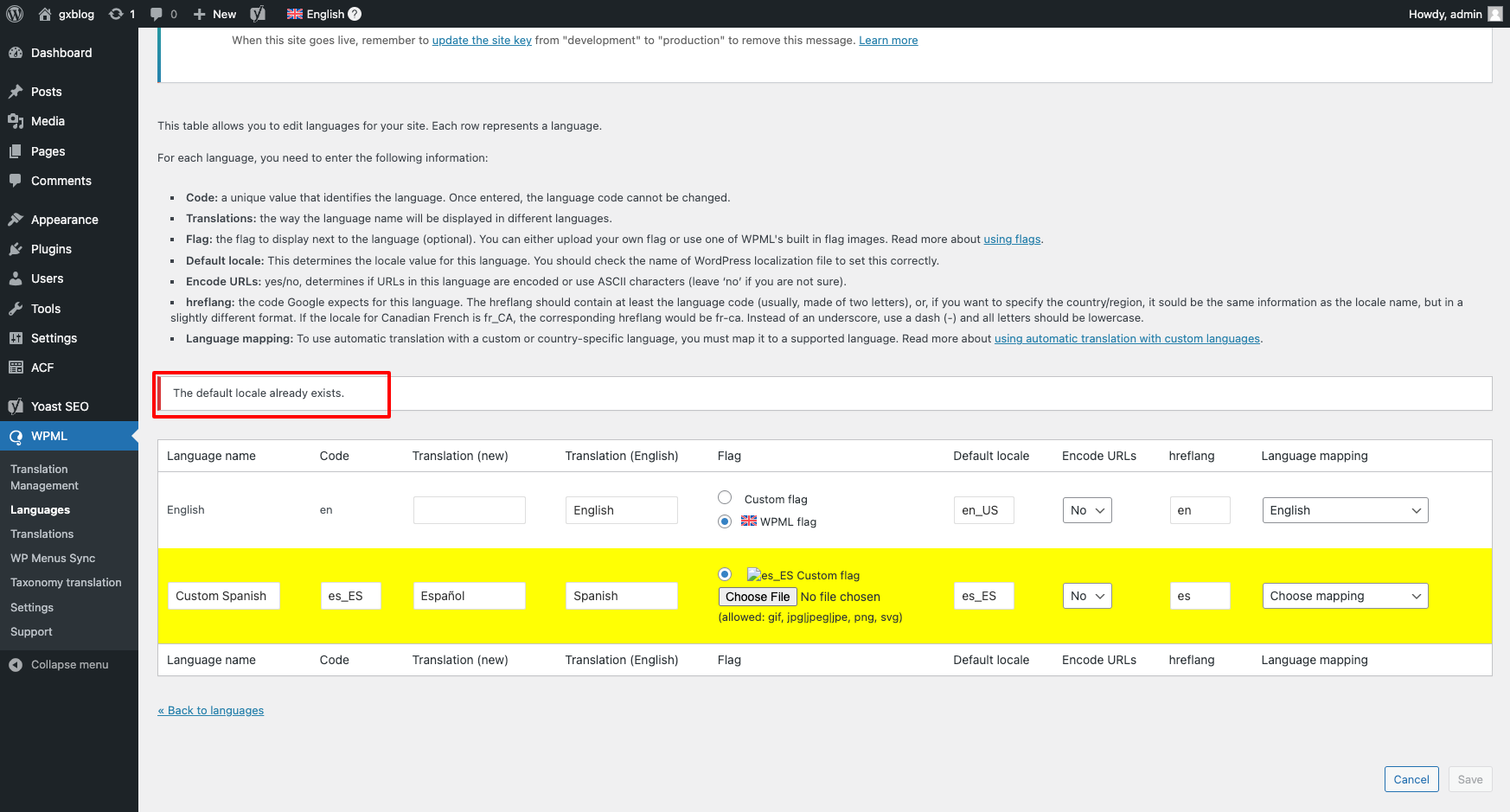
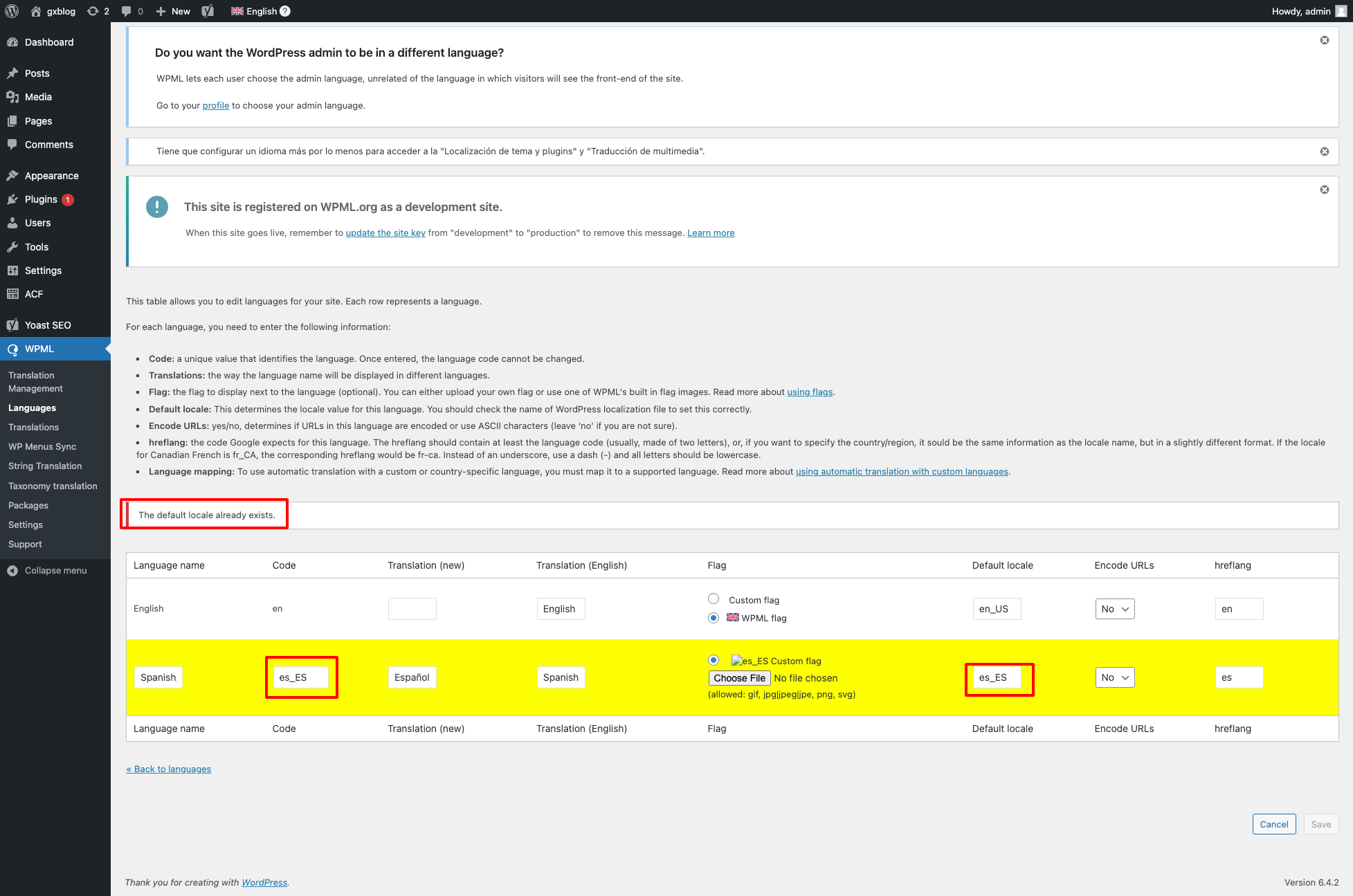
I also tried to create a custom language for es_ES, but I am getting "The default locale alredy exists". (see image attached, please).
Just as a note, we are under the 30 days try, so I would appreciate if we can get an asap anwser, since we have to decide if we are keeping the pluing or not. If we do keep it, there are many years ahead, the company is growing. (tech industry). Thank you!
pd: feel free to writte me to bsastre@genexus.com
I disabled email notifications because the person that bought the license, is not me (I am the developer).
Thank you for contacting the support forum.
Before your ticket is assigned to one of my colleagues, please allow me to walk you through some initial debugging steps. This will help speed up the support process.
1. the language code (don´t know is that is the right term) is not en, es, or pt, but en_US, es_ES and pt_BR. How can I customize that?
For the first part, you already know that it is possible using custom language. But since the same locale can not exist in the database then you need to use different locale for custom language or add the WPML's default language e.g. EN, change the locale of this language to something different then you can have a custom language with that locale. Later you can remove the WPML's default language.
2. I need to keep the category, and the slug in english for every language. Is that possible?
Hi Sumit,
Thank you very much for your quick response, i really appreaciate it. However, I would like to wait to get a more detailed walkthrough, specially for the locale issue. I didn´t quite understand how to acomplish what you are suggesting.
Then for the slug translation, I need to keep the original/default langauge slug for every language, so I guess I just don't have to do nothing there.
Thanks!
New threads created by Bigul and linked to this one are listed below:
Thank you for the updates. To help you faster, I've enabled debug information for this support ticket. Please see this link for how to get this information from your site and give it to us: http://wpml.org/faq/provide-debug-information-faster-support/
Hope you have tried the steps suggested here to create the custom languages - hidden link
The default locale field is unique, so we can't create more than one language with a default locale, for example, *en_US*. But we can edit the default locale value of an existing language. Please check it and let us know your feedback.
For your kind updates, I have opened a new ticket for the Slug Translation question. As per our support policies, we can only handle one issue per ticket. It will help us to serve you better and we can avoid discussing multiple problems in one ticket. I will get back to you soon on the latest ticket. Please wait.
@Bigul, thank you for your help. To be clear, I don't think I need a custom language, the languages we use already exist on WPML: english, spanish, and portuguese. I just need to customize the language "part" of the url/slug. I don't know if that is called "hreflang" or "Code".
current url structure on my development site with WPML: hidden link
I need "/es/" to be "/es_ES/". I think that part is the hreflang (?).
I have updated hreflang to es_ES, but I keep seeing /es/ on the url:
Please see image attached: hidden link
My url after updating hreflang: hidden link
As you can see the part of the slug that indicates the language, is still "es". I would expect to be "es_ES".
On the other hand, the custom language, which is english, does not display anything. I need to display en_US before the slug, if the post is in the default langauge (english).
I think I need to create a new language in the end, because the part that I need to change, is the "Code", and that part is aparently fixed. Now the issue I have is that WPML tells me that the "default locale already exists". How should I proceed? Thanks in advace.
Anoter update:
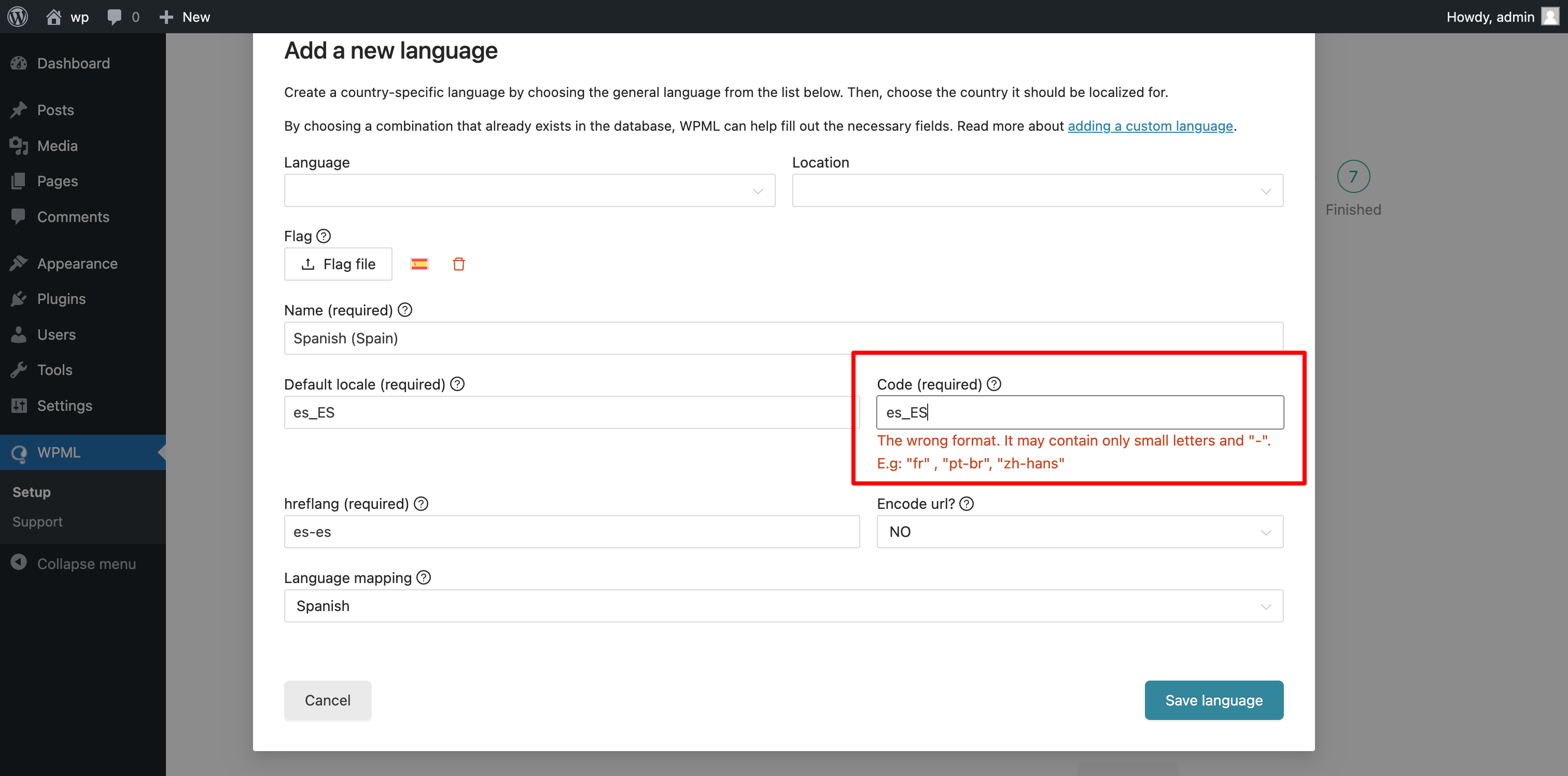
I have tried doing everything again but on a brand new site, because may be the "deafult locale already exists" issue is because I installed regular spanish before. Now I am getting a warning, tellin me that the code es_ES is a wrong format. How should I proceed?
I have decided to use default WPML languages instead of creating my own, and use redirects, to save the old links. I will redirect /en_US/ pages to /es/ with a re-direct rule. This seems to be a more elegant and easy solution.