Skip to content Skip to sidebar

This is the technical support forum for WPML - the multilingual WordPress plugin.

Everyone can read, but only WPML clients can post here. WPML team is replying on the forum 6 days per week, 22 hours per day.

Sun Mon Tue Wed Thu Fri Sat
- 9:00 – 13:00 9:00 – 13:00 9:00 – 13:00 9:00 – 13:00 9:00 – 13:00 -
- 14:00 – 18:00 14:00 – 18:00 14:00 – 18:00 14:00 – 18:00 14:00 – 18:00 -

Supporter timezone: Europe/Kyiv (GMT+02:00)

Tagged: 

This topic contains 9 replies, has 0 voices.

Last updated by josephN-9 3 days, 2 hours ago.

Assisted by: Andrey.

Author Posts
January 9, 2026 at 3:39 pm #17716678

josephN-9

I'm using Pen news theme.
I see I translated footer text from "string translation"
[theme_mods_pennews-child]penci_footer_copyright
[theme_mods_pennews-child]penci_footer_text
but It not works on frontend

January 9, 2026 at 4:31 pm #17716769

Andrey
WPML Supporter since 06/2013

Languages: English (English ) Russian (Русский )

Timezone: Europe/Kyiv (GMT+02:00)

Thank you for contacting WPML support.

Can you try adding the following to the WPML → Settings → Custom XML configuration and check if it helps?

<wpml-config>
    <admin-texts>
        <key name="theme_mods_pennews-child">
            <key name="penci_footer_copyright" />
            <key name="penci_footer_text" />
        </key>
    </admin-texts>
</wpml-config>

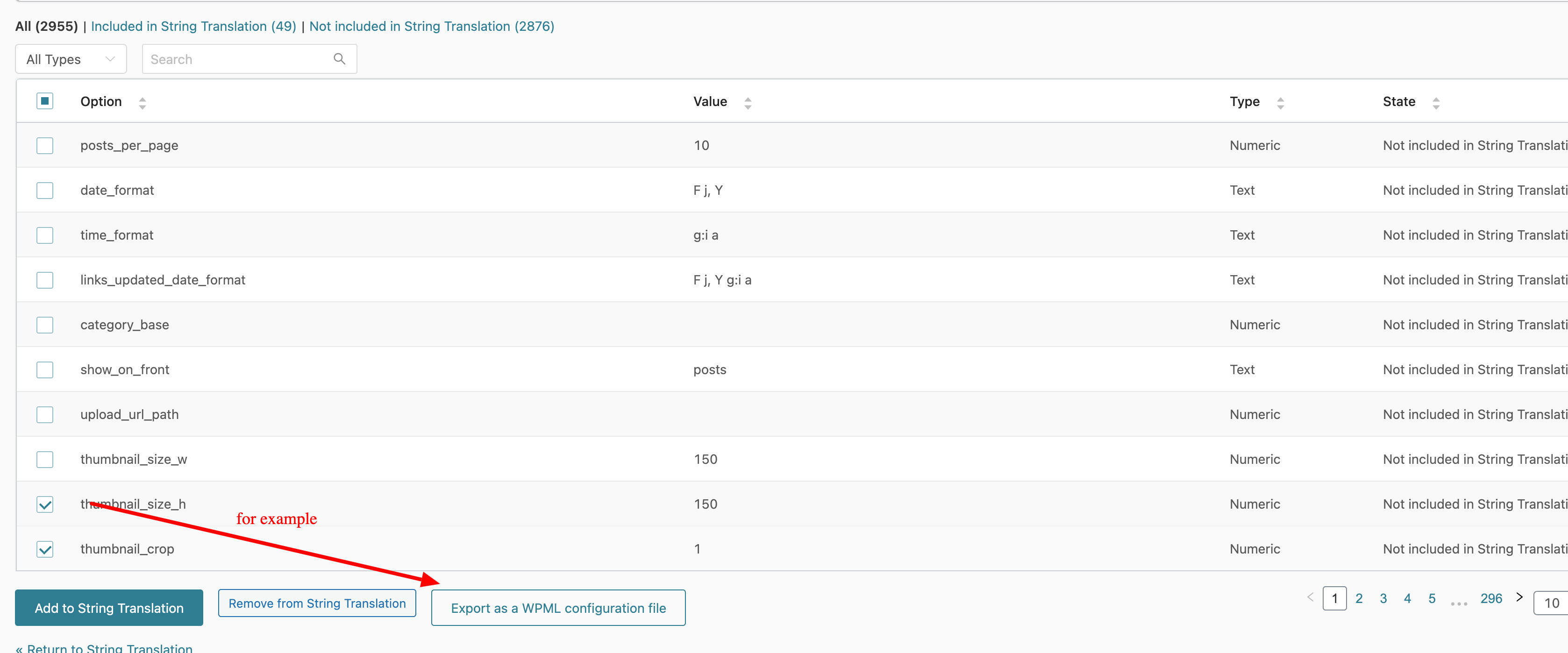
To make sure the config is correct, go to WPML → String Translation, open the "Not seeing strings that you are looking for?" tab, and click "Admin Texts Translation". On the Admin Texts Translation page, find your footer text and "Export as a WPML configuration file". Attached the screenshot. Then, you can add it to WPML → Settings → Custom XML configuration.

String-Translation-‹-woosite-—-WordPress.png
January 11, 2026 at 1:07 pm #17719086

josephN-9

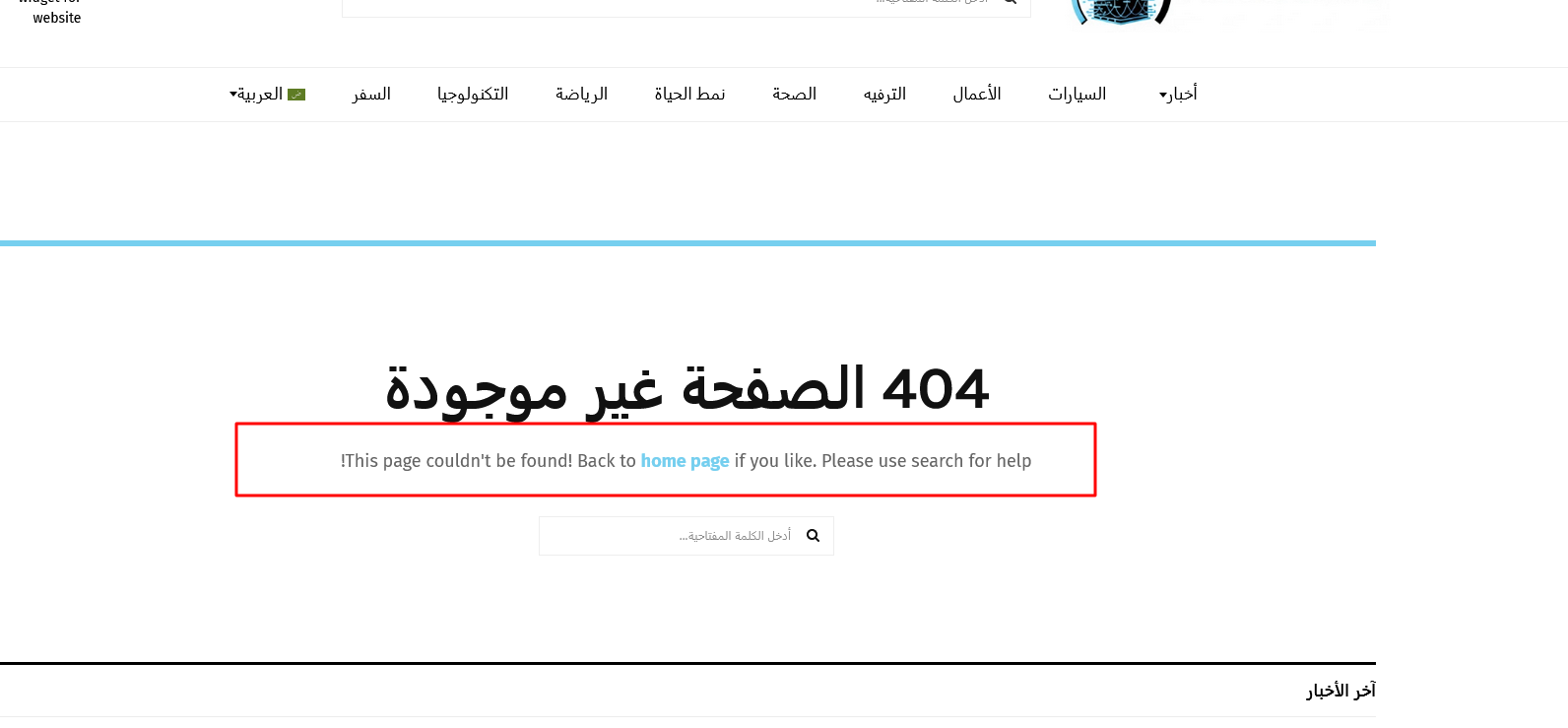
But the problem is - I cannot even find below string :
"This page couldn't be found! Back to home page if you like. Please use search for help!"

You can see here: hidden link
I found above header one(404 الصفحة غير موجودة) but not this one

What is the issue ?
I have this option enabled " Untranslated strings that I encounter while logged in recommended "

I have revisit many times but still it not registered under" string translation"

If you want I can share , login credential to check it from your end

Screenshot(255).png
January 12, 2026 at 11:55 am #17721338

Andrey
WPML Supporter since 06/2013

Languages: English (English ) Russian (Русский )

Timezone: Europe/Kyiv (GMT+02:00)

Thank you for your feedback.

I need to request temporary access (wp-admin and FTP) to your site—preferably to a test site where the problem has been replicated if possible—in order to be of better help. When you log in to leave your next reply, you will find the needed fields below the comment area. The information you will enter is private, meaning only you and I can see and access it.

January 13, 2026 at 10:00 am #17724338

Andrey
WPML Supporter since 06/2013

Languages: English (English ) Russian (Русский )

Timezone: Europe/Kyiv (GMT+02:00)

Thank you for providing the information.

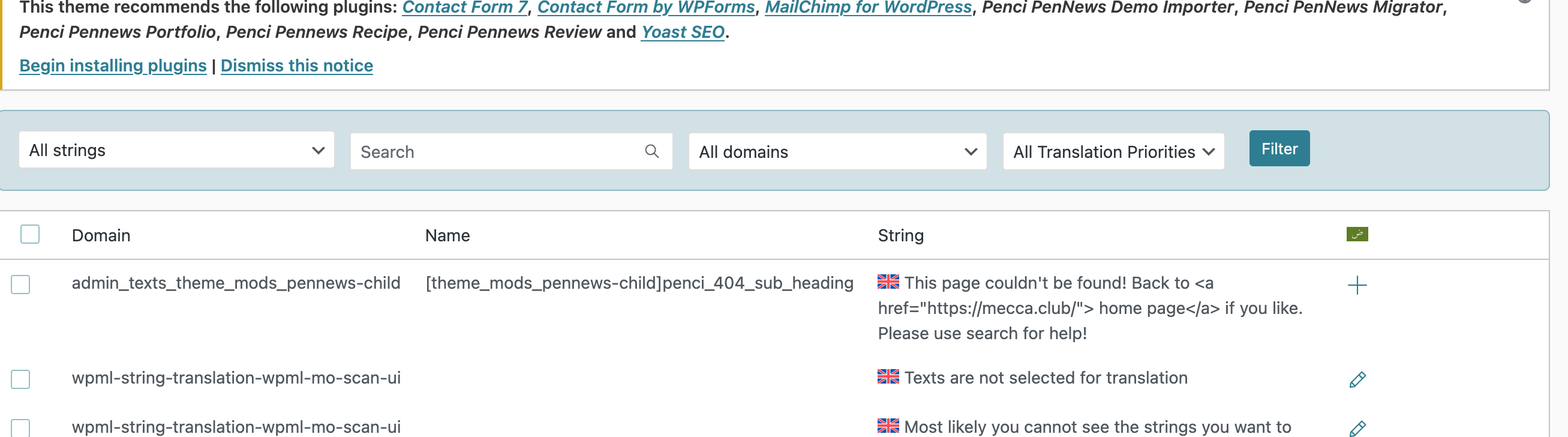
I have made the following config for translating penci_404_sub_heading and added it to the WPML → Settings → Custom XML Configuration:

<wpml-config>
  <admin-texts>
    <key name="theme_mods_pennews-child">
      <key name="penci_404_sub_heading" />
    </key>
  </admin-texts>
</wpml-config>

More information:
https://wpml.org/documentation/support/language-configuration-files/

Now, you can translate it in WPML → String Translation.

String-Translation-‹-The-Mecca-Club™-—-WordPress.png
January 13, 2026 at 6:32 pm #17727089

josephN-9

Thank you for your help.
but I want to ask you , how you added this string on "string translation".

What is the process to make this type solution?
I had tried many times , many times visit and even I don't find it on admin text area ?

how you added this string on "string translation". ?

January 13, 2026 at 7:22 pm #17727213

Andrey
WPML Supporter since 06/2013

Languages: English (English ) Russian (Русский )

Timezone: Europe/Kyiv (GMT+02:00)

The text wasn’t available in Admin Texts or registered in WPML.

If you can’t find it there, you need to register it manually by creating a configuration for the relevant theme option.

Here’s an outline of the steps:
1. Go to your database and open the wp_options table.
2. Find the option with the name theme_mods_pennews-child.
3. In the option value, locate the key that stores the text you want to translate.
4. In your case, this key is penci_404_sub_heading.
5. Using the following documentation:
https://wpml.org/documentation/support/language-configuration-files/translate-strings-in-wp-options-table/
I created this configuration as an example and added it to WPML → Settings → Custom XML Configuration on your site:

<wpml-config>
  <admin-texts>
    <key name="theme_mods_pennews-child">
      <key name="penci_404_sub_heading" />
    </key>
  </admin-texts>
</wpml-config>

6. After adding this configuration, the option became registered and is now available for translation in WPML → String Translation.

January 14, 2026 at 1:11 pm #17729471

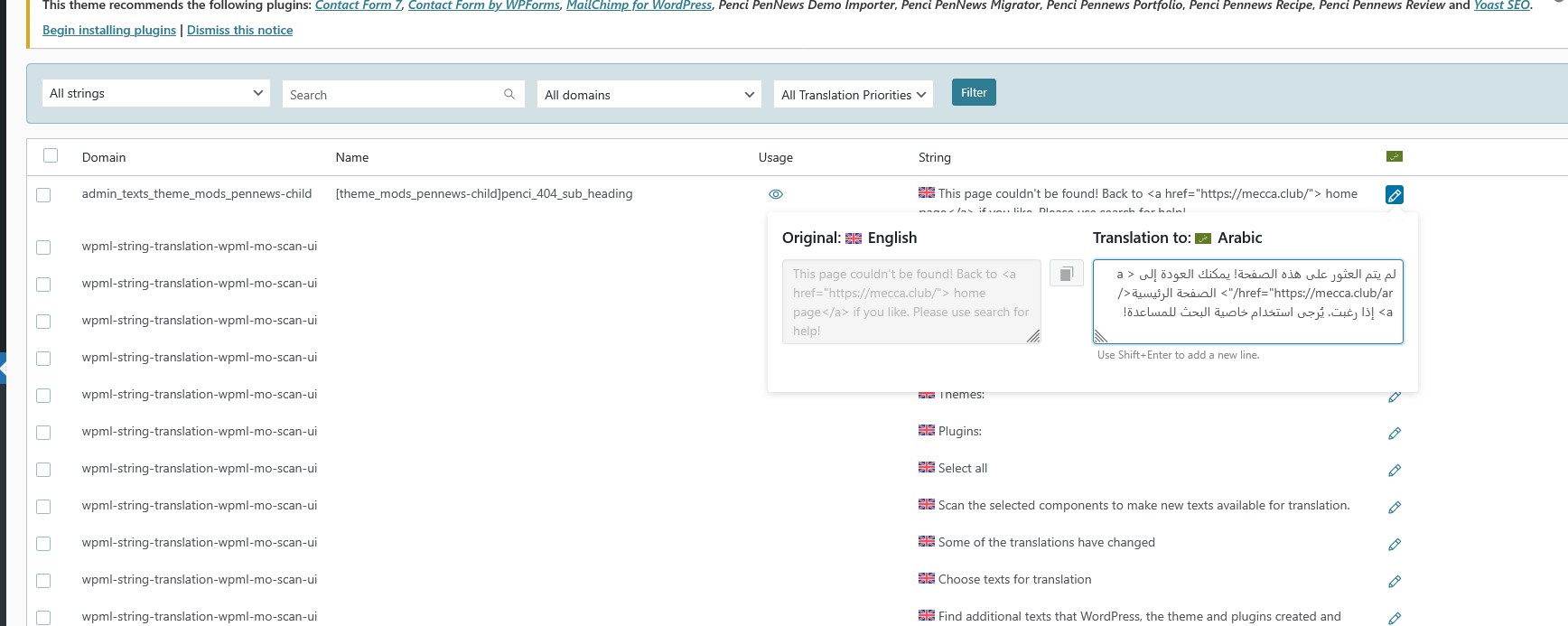
josephN-9

hidden link
I have translated that string but still not change on frontend

Screenshot(259).png
January 15, 2026 at 1:04 pm #17733527

Andrey
WPML Supporter since 06/2013

Languages: English (English ) Russian (Русский )

Timezone: Europe/Kyiv (GMT+02:00)

I have looked at this, but I do not see the appropriate reason why the translations do not appear.

I want to ask you about the possibility of replicating your site locally. I'll need to install a "Duplicator" temporarily or "All In One Migration" plugin on your site. This will allow me to create a copy of your site and your content. If you prefer to do it independently, you can provide the snapshot and send me the zipped package you downloaded.

Let me know how you feel about this.

January 15, 2026 at 5:34 pm #17734958

josephN-9

Please go ahead, you can replicate