
This is the technical support forum for WPML - the multilingual WordPress plugin.
Everyone can read, but only WPML clients can post here. WPML team is replying on the forum 6 days per week, 22 hours per day.
| Sun | Mon | Tue | Wed | Thu | Fri | Sat |
|---|---|---|---|---|---|---|
| 10:00 – 14:00 | 10:00 – 14:00 | 10:00 – 14:00 | 10:00 – 14:00 | 10:00 – 14:00 | - | - |
| 16:00 – 20:00 | 16:00 – 20:00 | 16:00 – 20:00 | 16:00 – 20:00 | 16:00 – 20:00 | - | - |
Supporter timezone: Asia/Jerusalem (GMT+02:00)
Tagged: Compatibility
This topic contains 13 replies, has 0 voices.
Last updated by motiP 1 day, 12 hours ago.
Assisted by: Itamar.
| Author | Posts |
|---|---|
| December 6, 2025 at 6:57 pm #17640712 | |
 motiP |
Hello, I ran a full site translation; Thanks in advance for any help available. 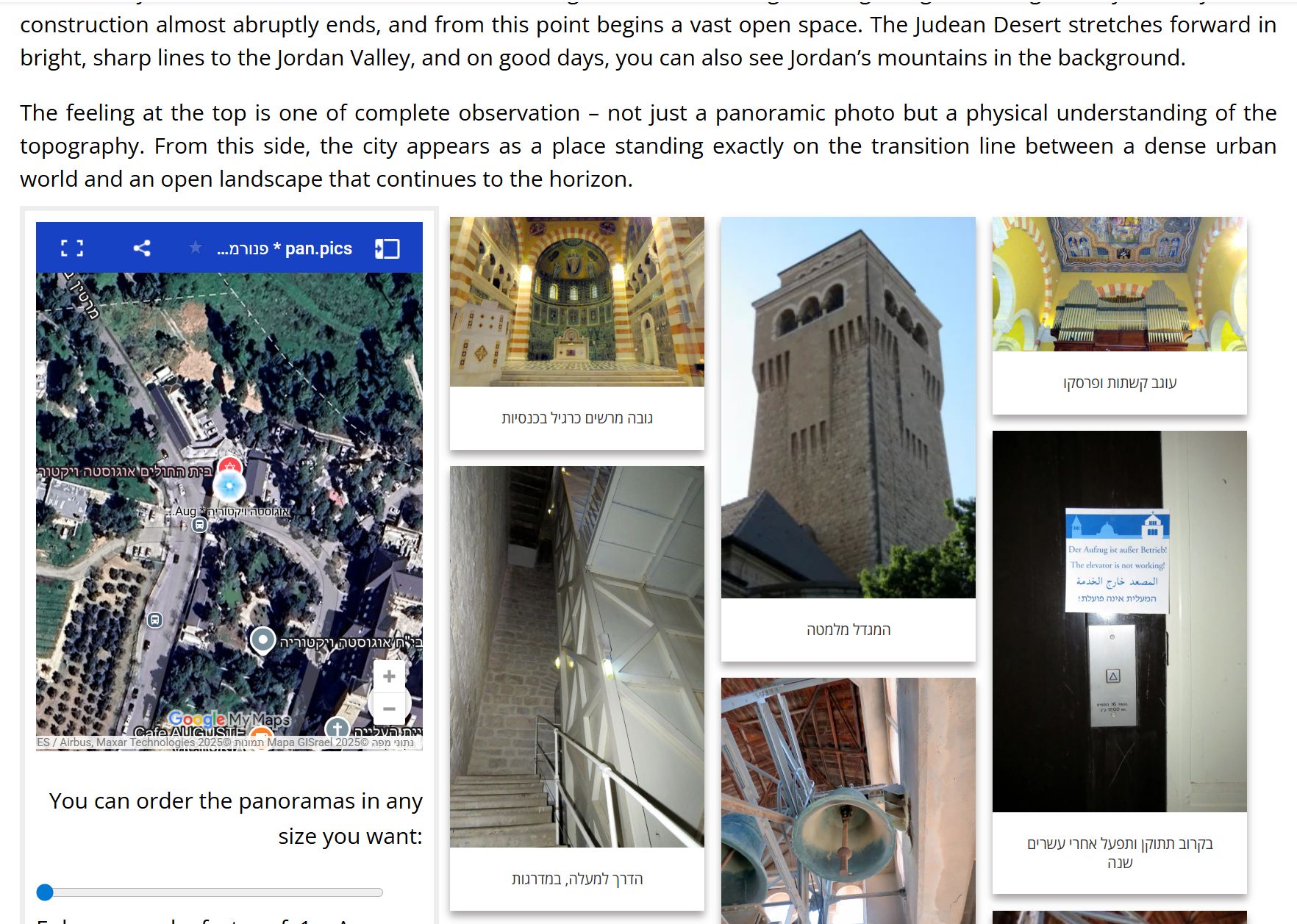 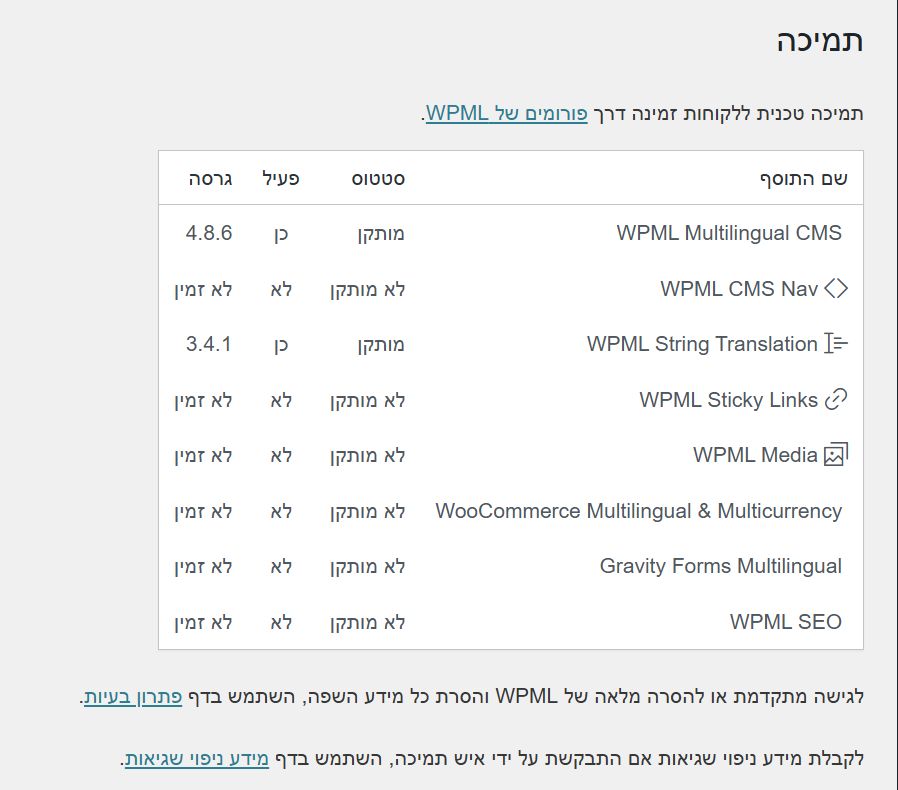 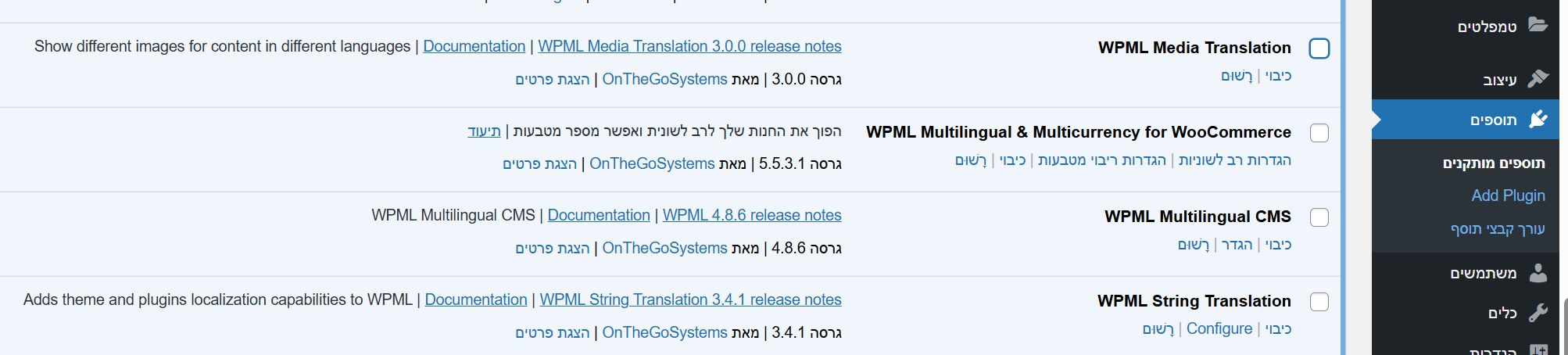 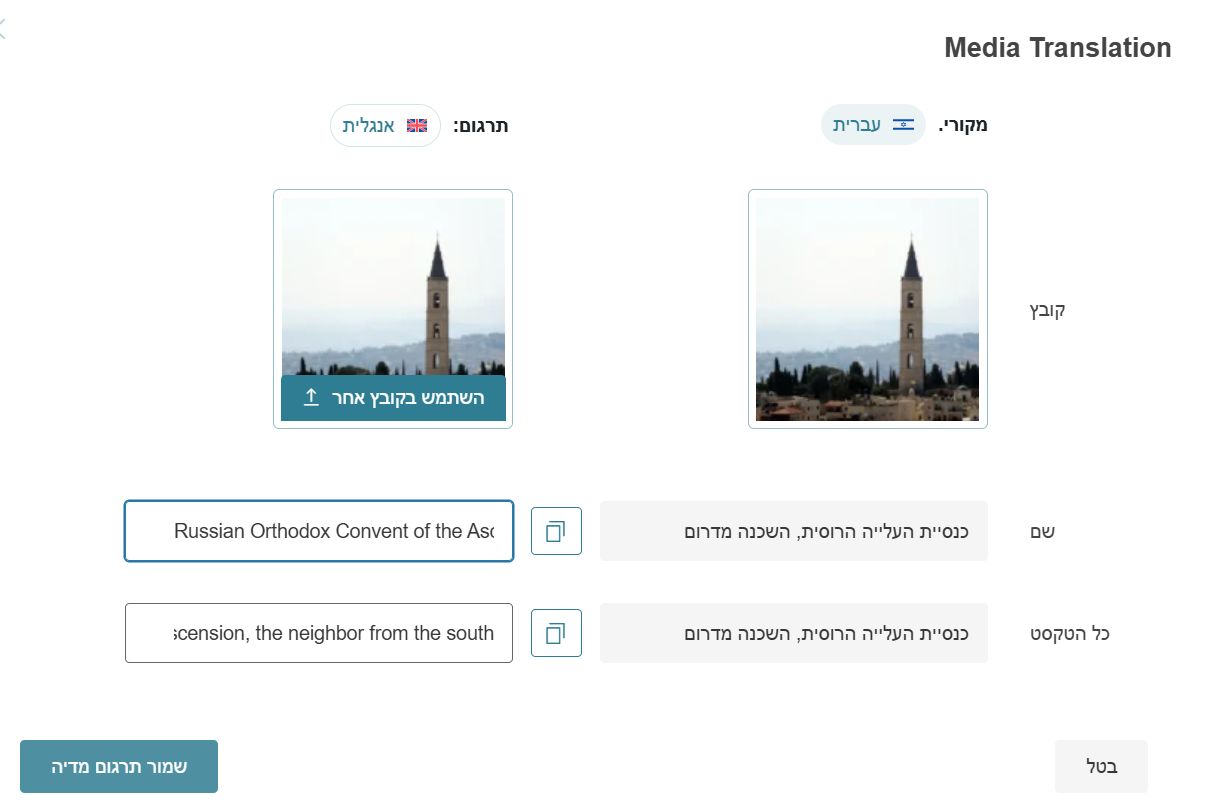 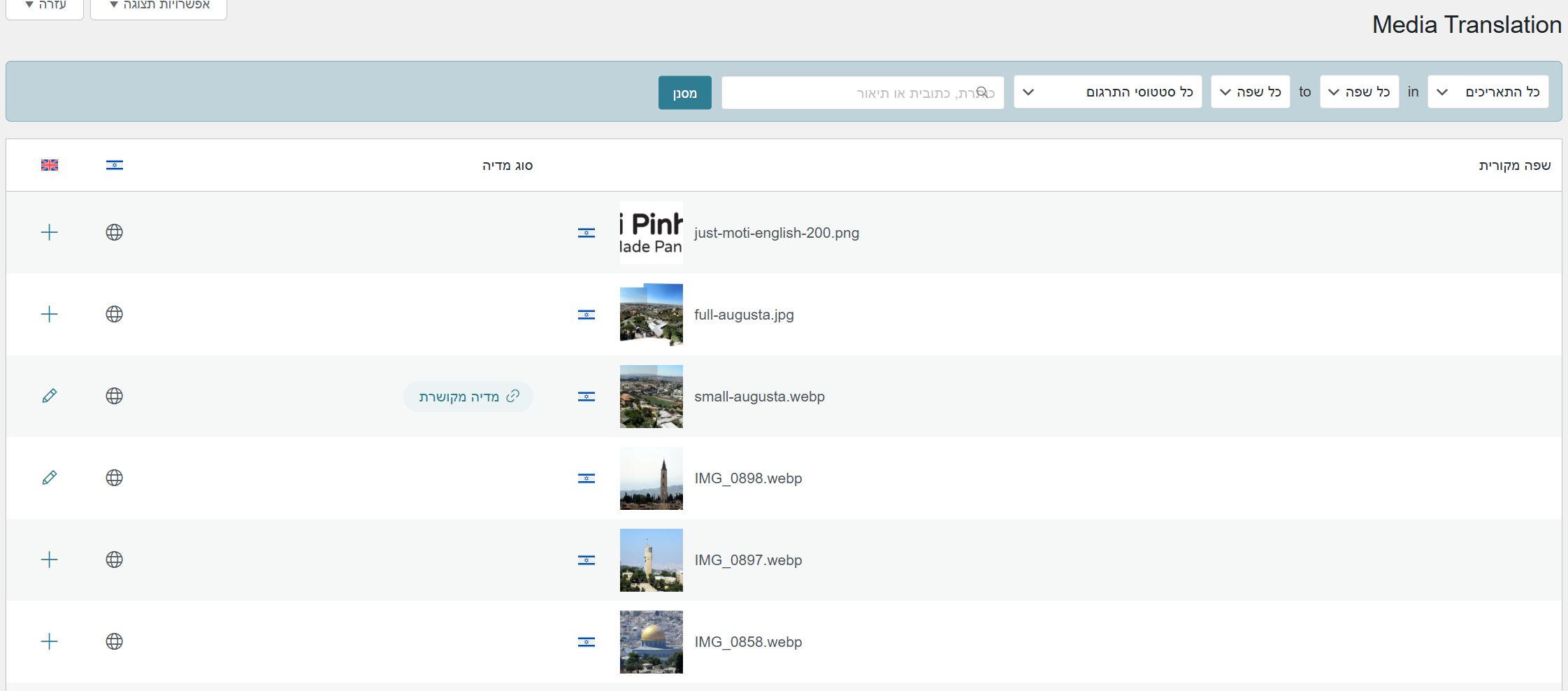 |
| December 7, 2025 at 8:15 pm #17642355 | |
 Itamar WPML Supporter since 02/2016 Languages: English (English ) Timezone: Asia/Jerusalem (GMT+02:00) |
Hi, Most likely, we are facing a compatibility issue with the Robo Gallery plugin that is unknown to us. This plugin is not officially compatible with WPML and is unknown to us. However, before we jump to this conclusion, please let me check your site to see if I can find a way to make it work. If you need further help with this, please share the access details to your site with me. I'm enabling a private message for the following reply. Regards, |
| December 10, 2025 at 8:14 pm #17653796 | |
|
Itamar WPML Supporter since 02/2016 Languages: English (English ) Timezone: Asia/Jerusalem (GMT+02:00) |
Hi, and thanks for the access details. I edited the page you provided as an example of the problem with Elementor, and I could see you are using a shortcode to display the Robo Gallery. Please see the attached screenshot robo-gallery-short.jpg. From that, I learned that you have the post type robo_gallery_table, which is used to create galleries. You need to create a translation for the Hebrew gallery so it shows its English version. The robo_gallery_table post type is not set to be translated. You need to go to PWML -> Settings -> Post Types Translation, and put it to:ניתן לתרגום (הצג רק פריטים מתורגמים). Please see the attached screenshot trans-robo.png. Then you will be able to translate the galleries in RoboGalleries -> Manage Galleries. Later, since you are adding the gallery with a shortcode, you will need to translate the shortcode ID when you translate the page where you added the gallery. Please see the attached screenshot gallery-id.jpg. If you are not sure how to proceed, I can make those changes and check if it is working. Please let me know. Regards, 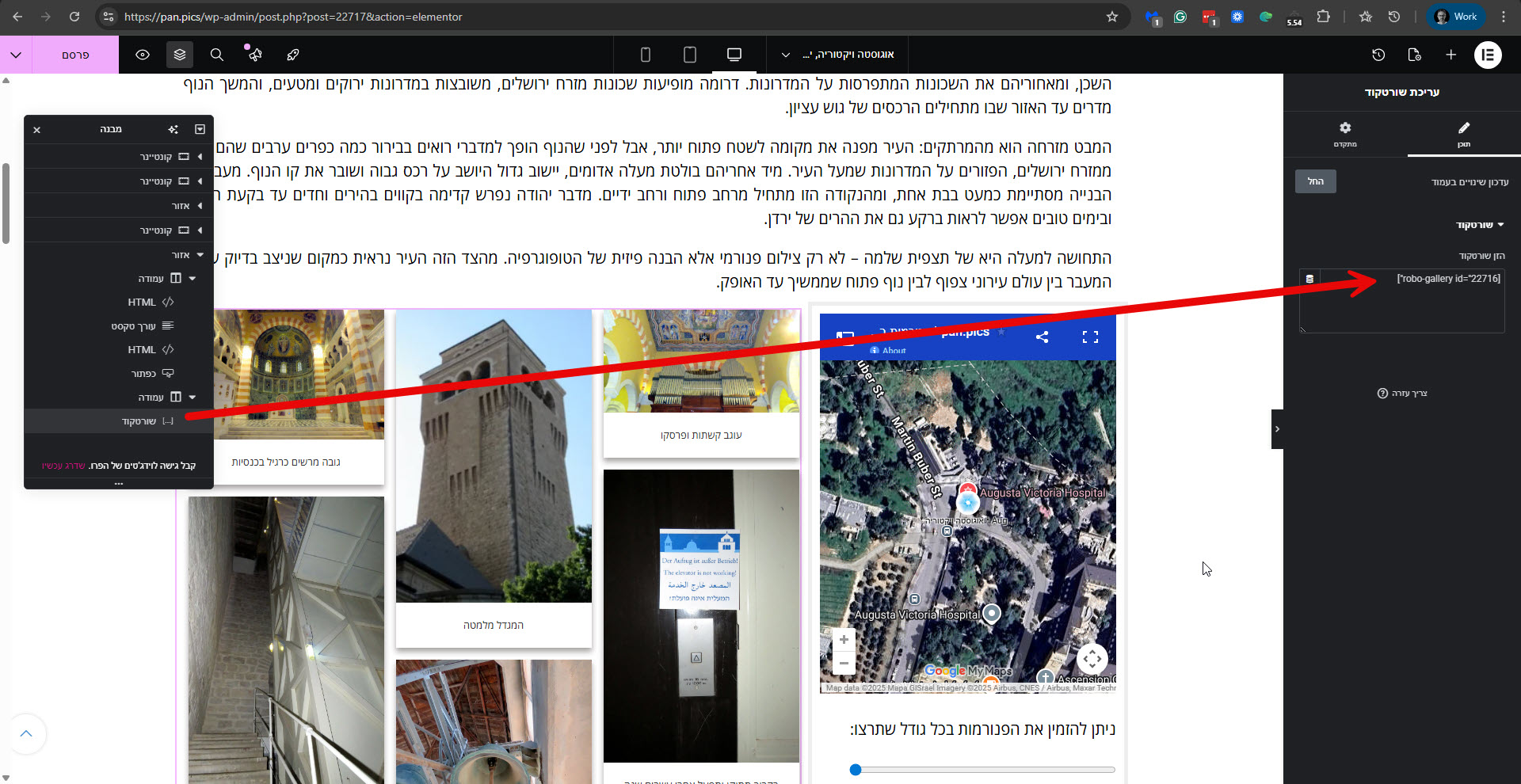 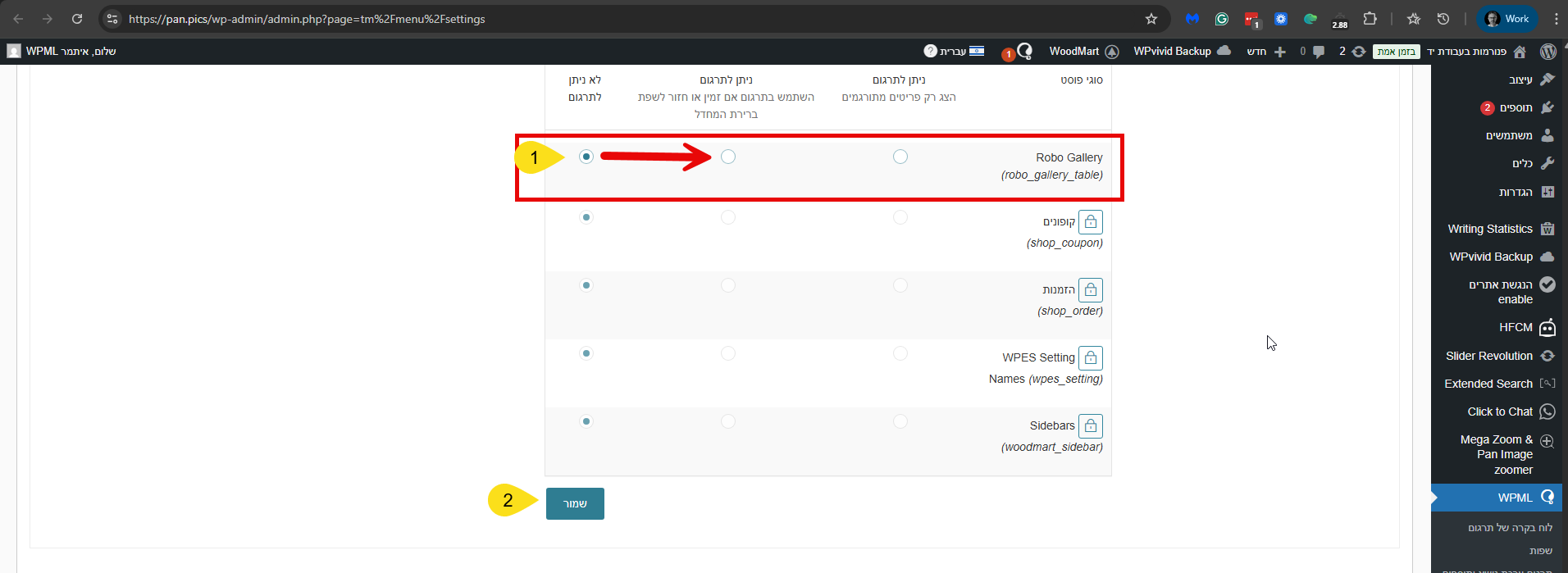 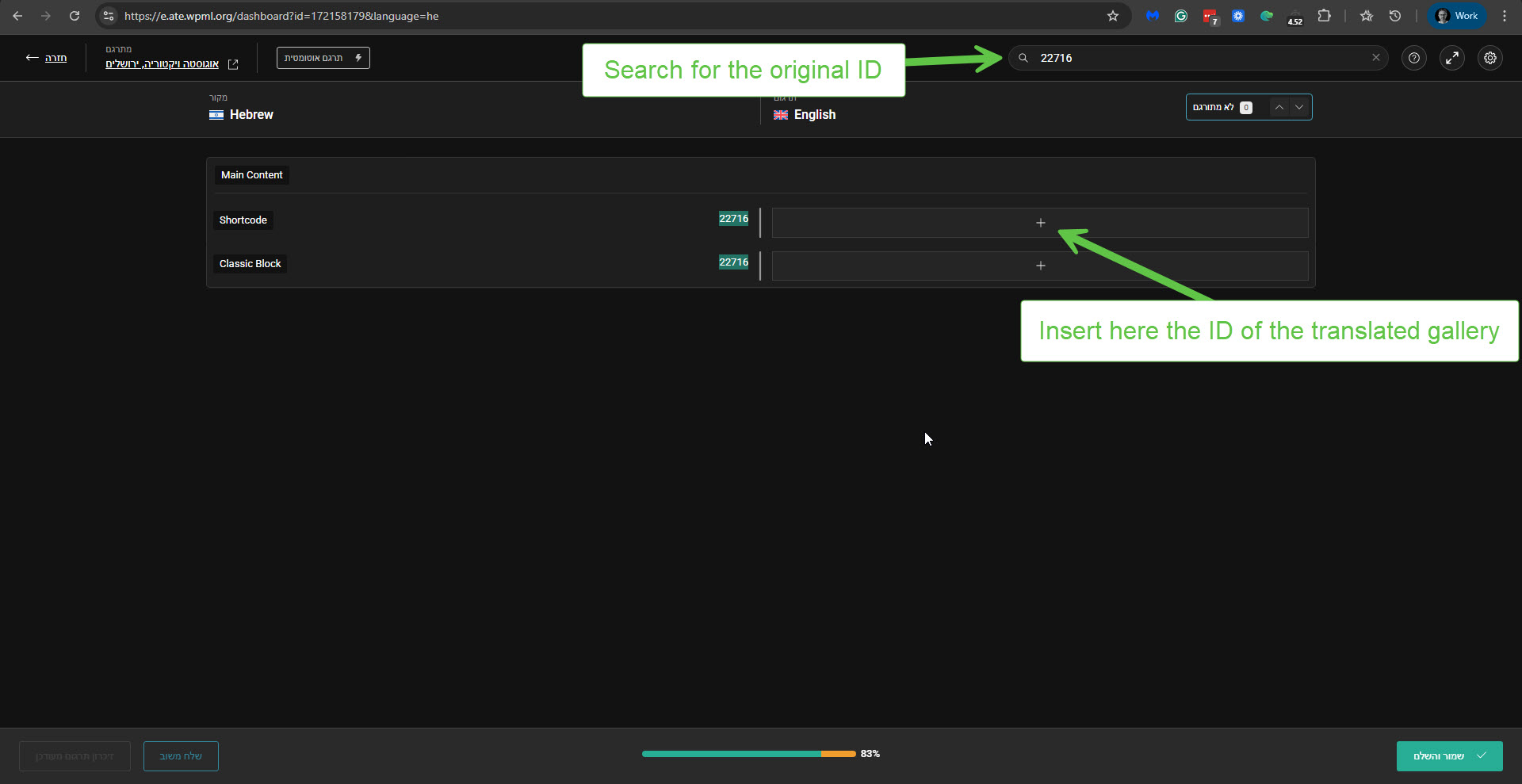 |
| December 10, 2025 at 10:51 pm #17653960 | |
|
motiP |
Thanks Itamar, I followed your instructions, and I see in the robo gallery management that the list has doubled and now there is an English gallery for each. I changed the shortcode and this is the result: Apparently, all the Robo Galleries are copied and their title is translated, but their content is not - not the images nor the settings (i.e. polaroid etc.). I tried to re-translate the page, but I still got the same result. There goes 3,804 credits :/ Furthermore, checking the media translation page I've notice that none of the media titles didn't translate automatically. Thanks 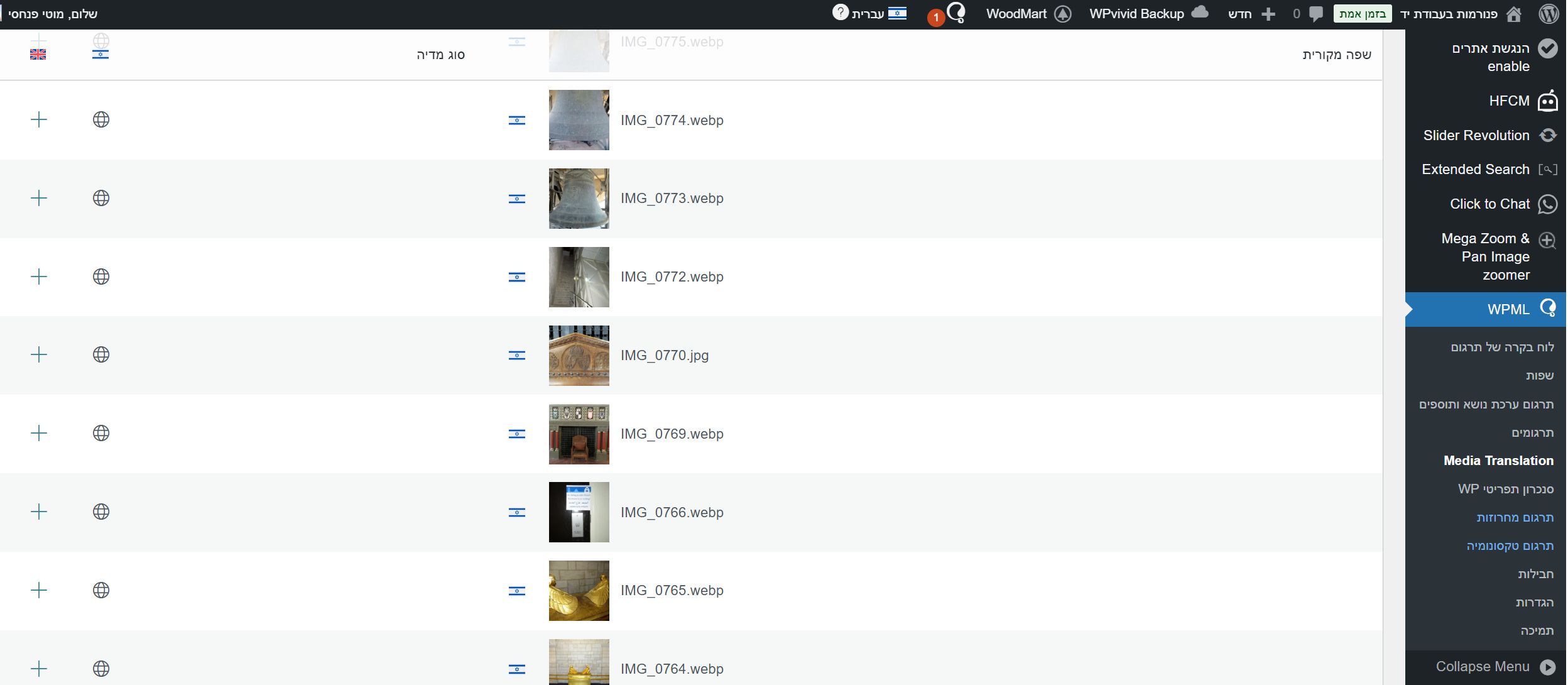 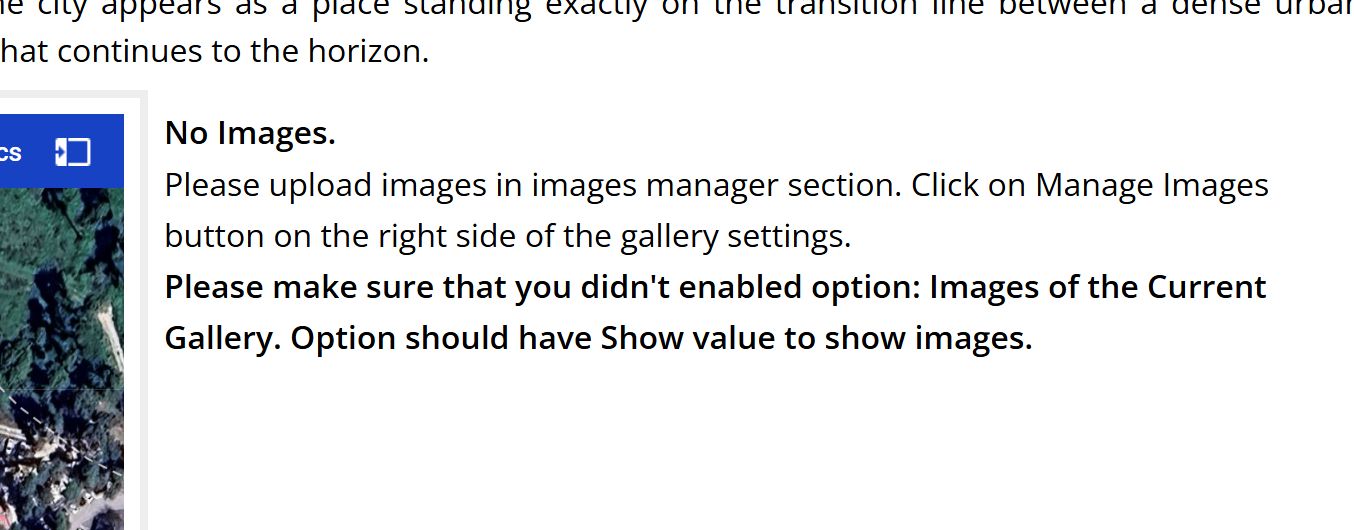 |
| December 11, 2025 at 8:46 pm #17657464 | |
|
Itamar WPML Supporter since 02/2016 Languages: English (English ) Timezone: Asia/Jerusalem (GMT+02:00) |
Hi, No problem, as an act of goodwill, we added 4000 automatic translation credits to your site. We need to replicate this issue on a fresh WordPress installation. Then I'll be able to escalate it to our compatibility team. For this, I created a test website with a clean WordPress install. You can access it through this link: hidden link With this link, you'll be directly logged in. Could you please install the Robo Gallery plugin, and I'll take it from there? Important! Do not import your site to the test site. We must replicate the problem on a fresh, clean WordPress installation. Thanks, |
| December 11, 2025 at 9:03 pm #17657568 | |
|
motiP |
Installed, thanks. |
| December 14, 2025 at 6:36 pm #17662332 | |
|
Itamar WPML Supporter since 02/2016 Languages: English (English ) Timezone: Asia/Jerusalem (GMT+02:00) |
Hi, Thanks for installing the Robo Gallery on the sandbox site. It seems that this plugin has compatibility problems with WPML. However, I have found that if you create a separate gallery in English, it can work, and you can display the images with English titles. The process in this case would be less automatic and more manual. Here is what you can do. 1. Translate the images' text in WPML -> Media translation. 2. Go to Robo Gallery -> Manage Galleries, and switch to English using the admin Language Switcher at the top admin bar. 3. Create a standalone English gallery. (A gallery which is not a translation of a Hebrew gallery.) 4. Insert the translated English images in this gallery. (When you upload images to this gallery, you will get the media library in English.) 5. Publish this gallery and copy its shortcode. 6. Insert the English gallery shortcode in the translated English page and update. Please do it first on a test gallery and a test page, and not on one of your existing pages. You can make tests on the sandbox site. If needed, you can install Elementor on it. Regarding the 3804 credits you lost while trying my suggestion, I compensated you with an extra 4000 credits. You had 47040 credits on your site, and now, if you check, you see 51040. Regards, |
| December 14, 2025 at 10:48 pm #17662481 | |
|
motiP |
Hello Itamar, I thought I found a solution when I noticed "copy content" and "switch content", I prefer switch since if I change anything I want it to synchronize. but it just copied the Hebrew ones without the translation, even for those who had translation. I opened a ticket also at Robo Gallery, let's see who solves this issue first 😀 |
| December 16, 2025 at 2:30 pm #17668080 | |
|
Itamar WPML Supporter since 02/2016 Languages: English (English ) Timezone: Asia/Jerusalem (GMT+02:00) |
Hi, I've escalated this issue with the Robo Gallery plugin to our compatibility team. They will check if we can provide a fix or a workaround to this problem. Otherwise, the developers of the Robo Gallery plugin might need to cooperate. I'll update you here once I have news from our compatibility team. I appreciate your patience. |
| December 16, 2025 at 2:46 pm #17668142 | |
|
motiP |
OK thanks I'll await the Robo Gallery issue. What about the auto translation of all media? |
| December 16, 2025 at 4:56 pm #17668810 | |
|
Itamar WPML Supporter since 02/2016 Languages: English (English ) Timezone: Asia/Jerusalem (GMT+02:00) |
Hi, At the moment, there is no option to send all images from the Media Library for automatic translation of their captions, alt, and descriptions. However, those metadata fields will be automatically translated when any image is added to a page or post. You can see it on this test page. hidden link. When I translated it from Hebrew, the images' text got automatically translated (when I chose this option). Please see the attached screenshot. If you want to use the built-in Gallery block of WordPress, it can work. But unfortunately, as I mentioned, the image translation when translating a Robo Gallery isn't working. And you said you need to use this plugin. We'll keep you updated on any news from our compatibility team regarding this issue. Regards, |
| December 18, 2025 at 5:27 pm #17675988 | |
|
Itamar WPML Supporter since 02/2016 Languages: English (English ) Timezone: Asia/Jerusalem (GMT+02:00) |
Hi, I have a reply from our compatibility team. Our compatibility developer says that, unfortunately, there is no way to retrieve the image text from a gallery included in the Advanced Translation Editor. This means it can't be translated automatically. Our developer further explains that the post type robo_gallery_tablegallery doesn't need to be set to translatable. This is because it is inserted into a post with a shortcode (gallery ID 49, for example, will be used in HE and EN. Fortunately, the gallery stores the image IDs in a custom field rsg_galleryImages. So we can automatically translate the image ID, but the caption and title will still require manual translation in Media translation. Here are the steps to follow. 1. Go to WPML -> Settings -> Custom XML Configuration (tab). 2. Insert this XML code.
<wpml-config>
  <custom-fields>
    <custom-field action="copy" type="post-ids" sub-type="attachment">rsg_galleryImages</custom-field>
  </custom-fields>
</wpml-config>
3. Click the Save button. 4. Go to WPML -> Media translation, and translate the images' text. Please see the attached screenshot trans-in-mt.jpg. 5. Scan the content to be reflected on the pages and posts. Please see the attached screenshot scan-content.jpg. Now the images' text will show translated on the English pages. Please let me know if you have any further questions. Regards, 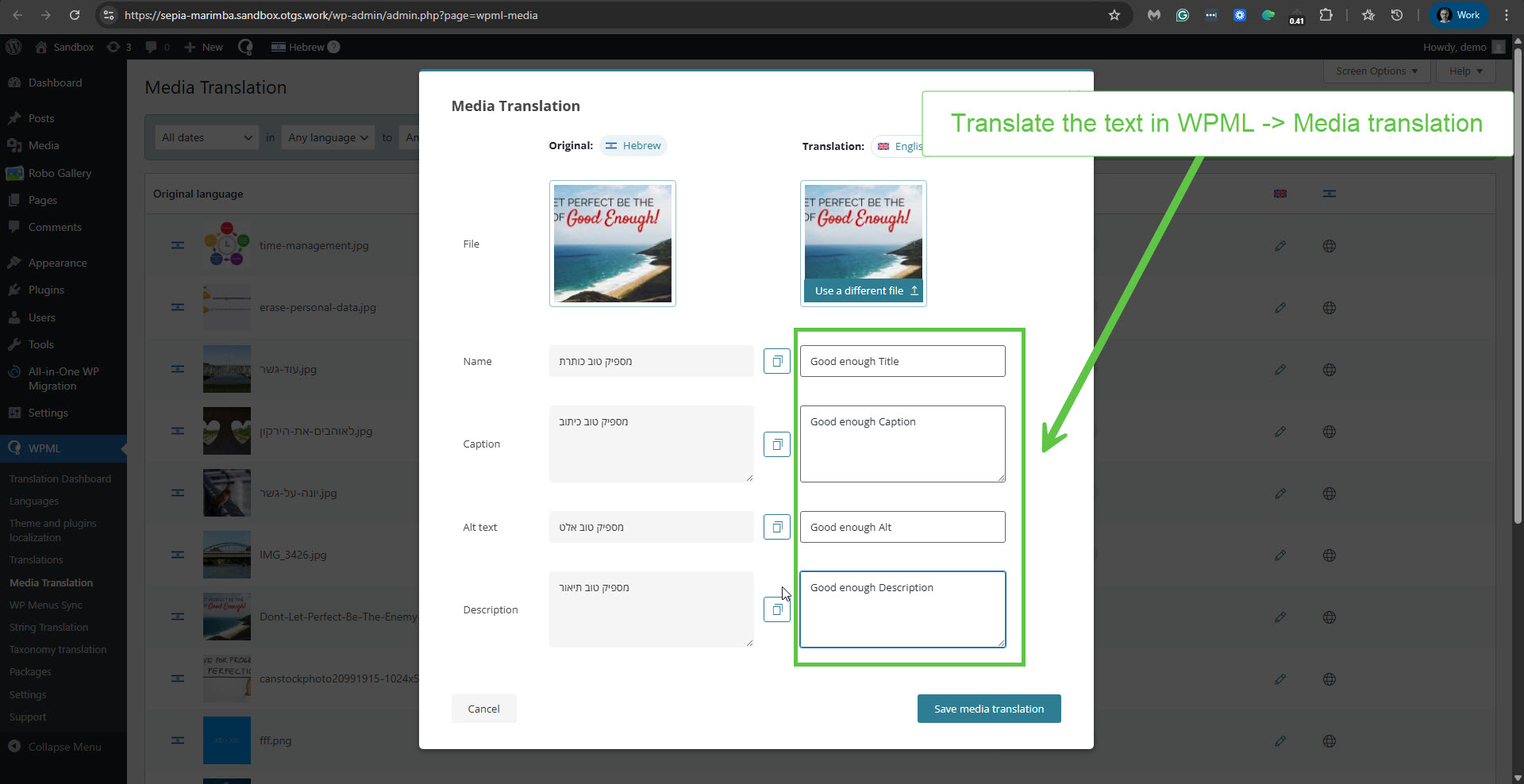 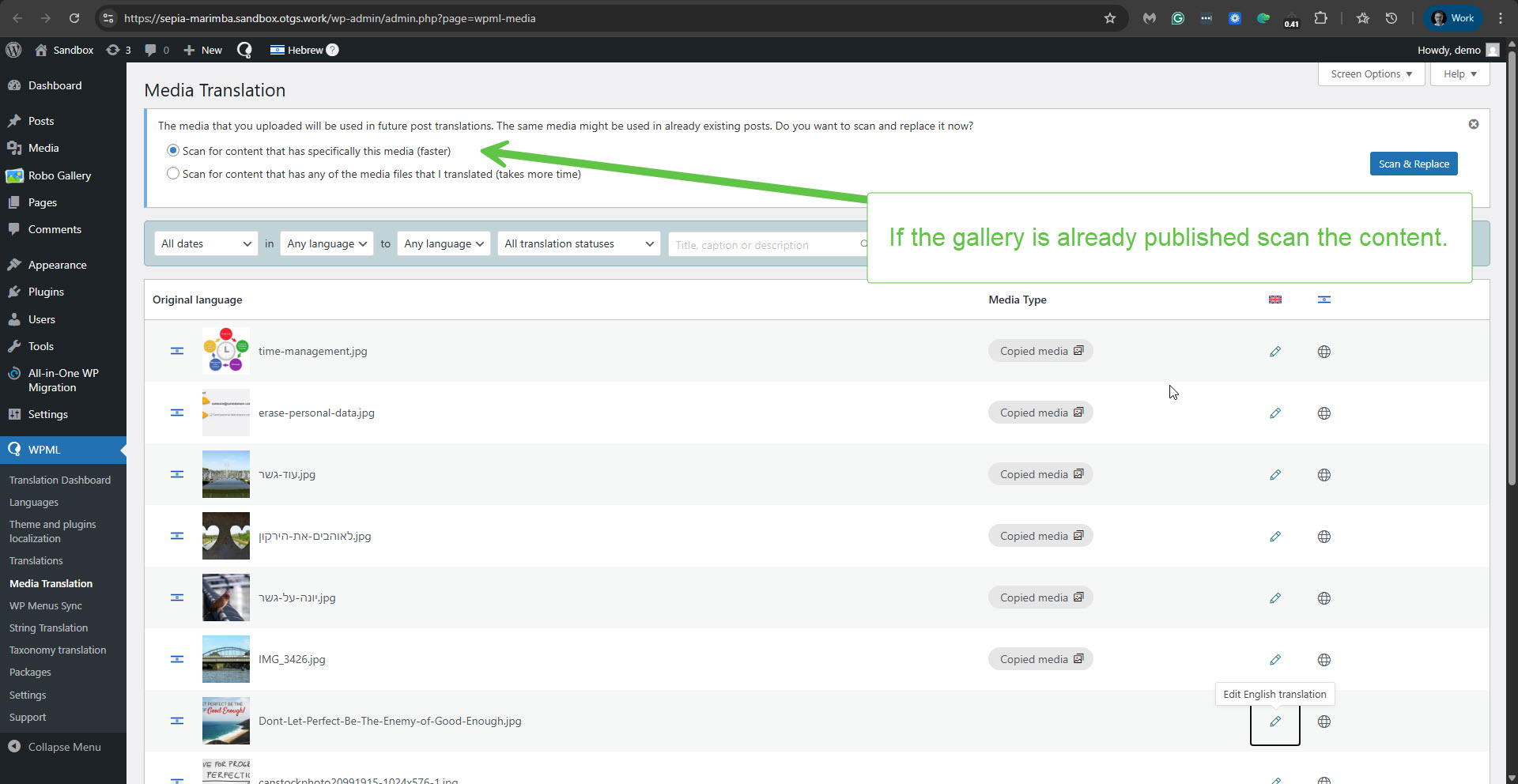 |
| December 19, 2025 at 5:18 pm #17678753 | |
|
motiP |
Yes, this resolves. It works even without scanning. However it is very annoying that I need to translate manually over 1000 media files. I wouldn't mind if the media translation UI/UX was so horrible. No "next" button, not responsive so I can't do it on my phone... (see attached picture). Such a bad experience. Is there ANY way to improve this? 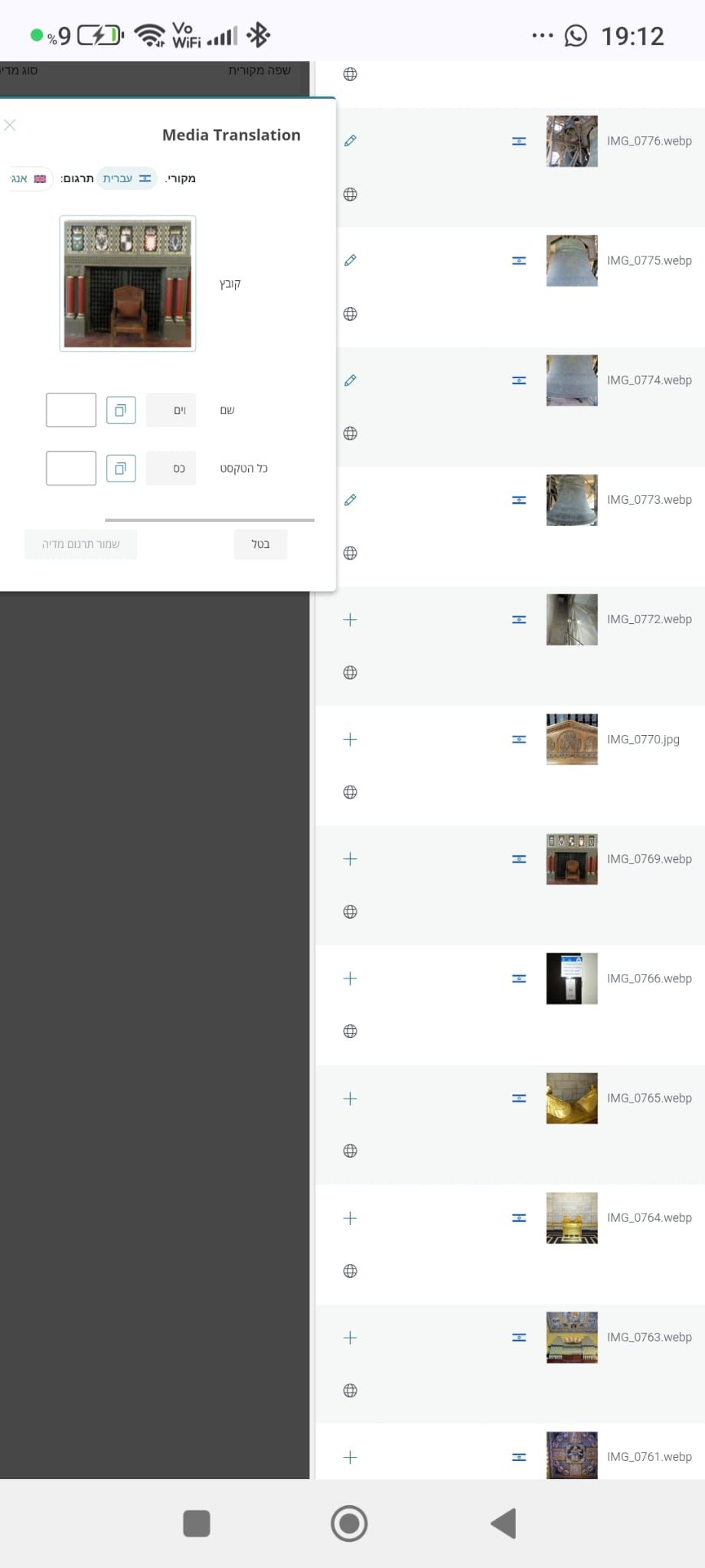 |
| December 19, 2025 at 9:13 pm #17679188 | |
|
motiP |
I've answered to myself - well if this Robo Gallery is not so compatible, perhaps I'll use one of the recommendations. So I installed Justified Image Grid, which I took from WPML's site: And... SAME RESULTS. The picture titles do not translate automatically, it does work when I add a translation manually (did for one picture), without that all the titles stay in hebrew. |






