Home›Support›English Support›[Resolved] Issue with Automatic Translation Credits consumption due to missing strings
[Resolved] Issue with Automatic Translation Credits consumption due to missing strings
This thread is resolved. Here is a description of the problem and solution.
Problem: You are experiencing an issue where, despite having fully translated your pages/posts in the Advanced Translation Editor and completing the process, the translation status icon remains a red exclamation mark (or "needs update" sign) instead of changing to the green checkmark. Solution: We recommend checking if there is obsolete content data in your posts. You can do this by selecting a problematic post, editing it, and simply clicking on 'Update' to save the current content to the database. After updating, try sending the post to automatic translation again. If the status correctly displays green checkmarks (completed), the issue is resolved. For other posts or pages, you can use the bulk edit option on the listings page to update them without making any changes, and then send them to automatic translation on the Translation Dashboard.
If this solution does not resolve your issue or seems irrelevant due to being outdated or not applicable to your case, we highly recommend checking related known issues at https://wpml.org/known-issues/, verifying the version of the permanent fix, and confirming that you have installed the latest versions of themes and plugins. Additionally, if you need further assistance, please do not hesitate to open a new support ticket at WPML support forum.
This is the technical support forum for WPML - the multilingual WordPress plugin.
Everyone can read, but only WPML clients can post here. WPML team is replying on the forum 6 days per week, 22 hours per day.
I am writing because we have consumed a significant amount of Automatic Translation Credits without achieving the desired results.
The system translated parts of the site, but because several strings were incorrectly registered in the code (or missing from String Translation), the translations are incomplete or inconsistent. We essentially paid for 'half-finished' results because the theme's text domains weren't correctly recognized before the translation started.
Could you please check our account and see if there is any possibility of a credit refund?
Languages: English (English )Vietnamese (Vietnamese )
Timezone: Asia/Ho_Chi_Minh (GMT+07:00)
Hi Christoph,
I'm Long from the WPML Development team, I'm happy to help you with this issue.
Can you please share some screenshots of the state below so I can understand the issue?
"several strings were incorrectly registered in the code (or missing from String Translation), the translations are incomplete or inconsistent"
I've checked your recent translations in March, mostly on March 11 and they are post/page/template content and not the strings. You can check the used credits by generating the report in WPML > Translation Dashboard > Payments and Maintenance > Automatic translation usage reports.
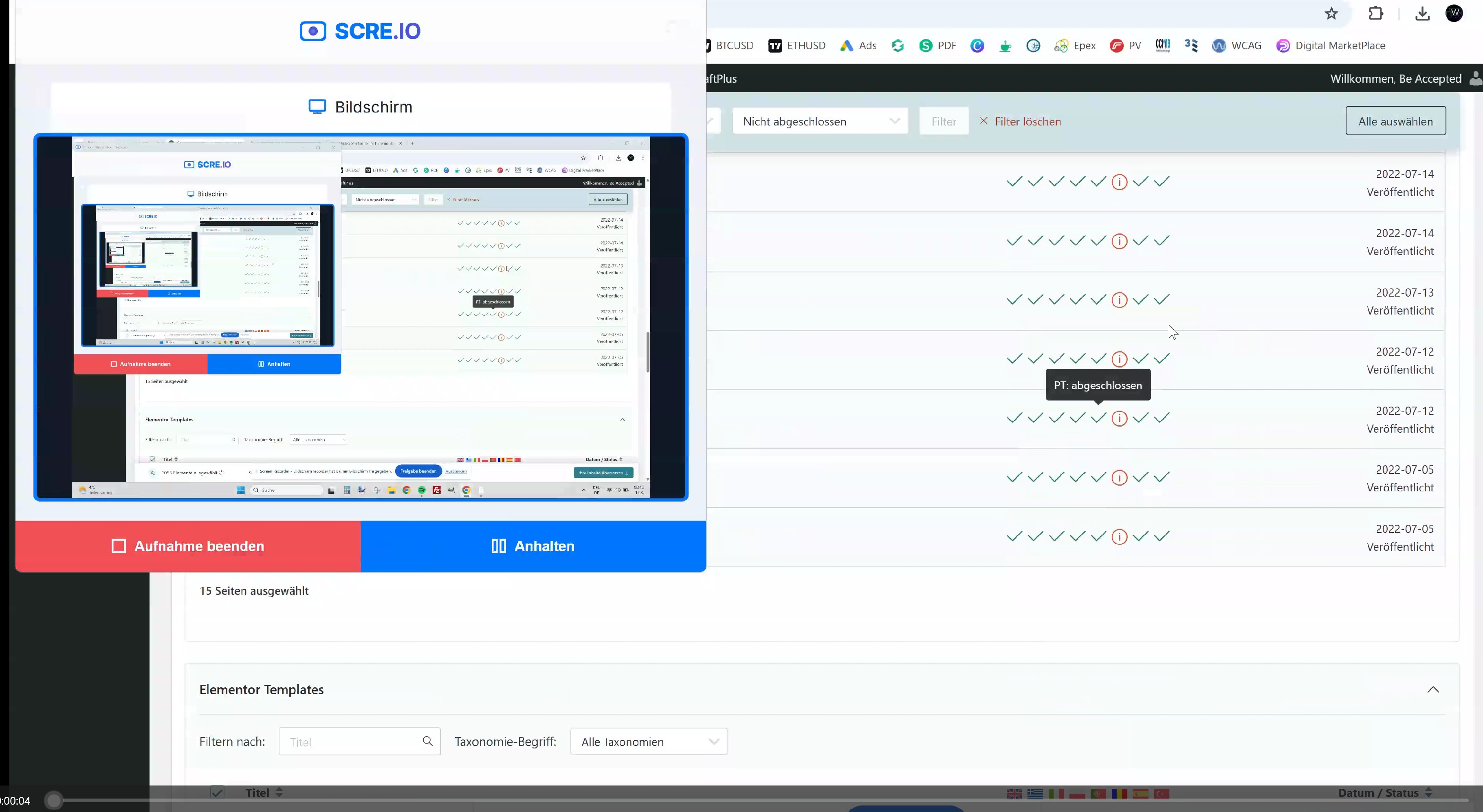
I am experiencing an issue with the translation status of my pages/posts. Despite having fully translated the content, the status icon remains a red exclamation mark (or "needs update" sign) instead of the green checkmark.
Steps I have already taken:
Completed the translation to 100% in the Advanced Translation Editor.
Clicked "Finish" and "Complete".
Cleared the cache.
I have attached a short video to show you exactly what happens when I try to save the translation and how the status remains stuck on the exclamation mark.
Could you please help me identify why the status is not updating to "Completed"?
Languages: English (English )Vietnamese (Vietnamese )
Timezone: Asia/Ho_Chi_Minh (GMT+07:00)
Hi,
To investigate the issue further with translation status, I would like to request temporary access (wp-admin and FTP) to your site. Your next reply is set to private to share the info.
Languages: English (English )Vietnamese (Vietnamese )
Timezone: Asia/Ho_Chi_Minh (GMT+07:00)
Hi,
I can see the issue when selecting a post (for example "Akupunktur") and send it to automatic translation. There is an error message "Some of the content that you selected for translation includes fields that are encoded. Translators will not be able to work on this kind of content, so we removed it from the job."
It looks like the obsolete content data of the post and I edit the post and just click on Update to save the current content to the database. Then I can send the post to automatic translation and the status displays green checkmarks (completed) as well. Please check the attached screenshots.
For other posts, pages ... you can bulk edit them on the listings page and just update without any changes. Then send them to automatic translation on the Translation Dashboard.