This thread is resolved. Here is a description of the problem and solution.
Problem: The client added string translations in the domain admin_texts_woocommerce-ppcp-settings for [woocommerce-ppcp-settings]description, but despite setting the original language to German, the shop displayed the text in English. Solution: We recommended enabling the 'Look for strings while pages are rendered' option in WPML -> String Translation, visiting the page to trigger string detection, and then refreshing the String Translation page to locate and translate new strings. If this did not resolve the issue, we suggested deleting both the German and English strings from the screenshot and re-registering and translating them. Ultimately, the solution involved selecting the misregistered German string, changing its language to German at the bottom of the string table, and then adding the English translation.
If this solution does not apply to your case, it might be outdated or not relevant. We highly recommend checking related known issues at https://wpml.org/known-issues/, verifying the version of the permanent fix, and confirming that you have installed the latest versions of themes and plugins. If the issue persists, please open a new support ticket at WPML support forum.
This is the technical support forum for WPML - the multilingual WordPress plugin.
Everyone can read, but only WPML clients can post here. WPML team is replying on the forum 6 days per week, 22 hours per day.
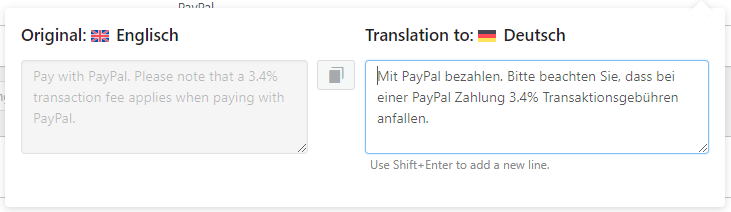
I added some string translations in the domain admin_texts_woocommerce-ppcp-settings, in this case for [woocommerce-ppcp-settings]description, see screenshot_wpml1, the translation is there, even when it looks "special" because the original language should be in german.
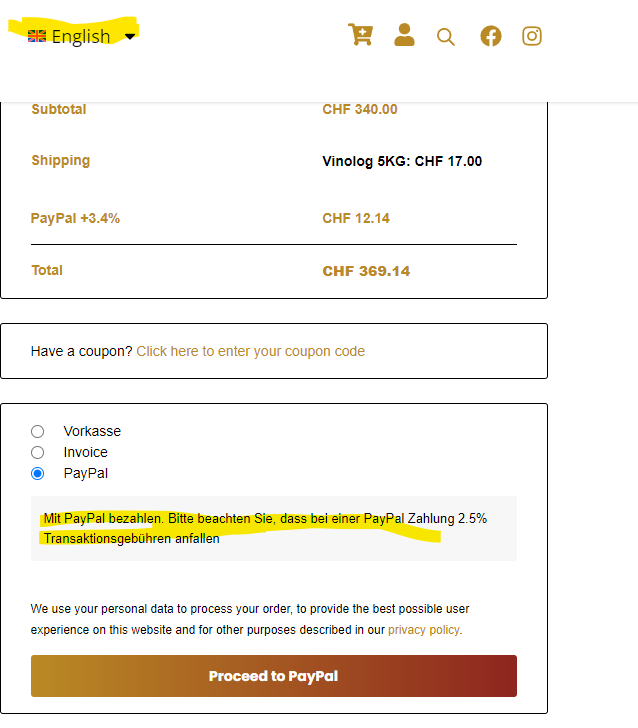
I don't know why, but in the shop, always the English text is shown, also if the language is "German"
Languages: English (English )Portuguese (Brazil) (Português )
Timezone: America/Sao_Paulo (GMT-03:00)
Hello there,
It is possible that the string is coming from a different domain.
Please go to WPML -> String Translation and enable the option "Look for strings while pages are rendered", then visit the page in which that text is located and go back to the String Translation, refresh the page and check if you'll be able to locate new strings now. (Please don't forget to uncheck the option "Look for strings while pages are rendered" once you're done). Translate the new strings and see if it gets the issue fixed.
If it doesn't, I would like to request temporary access (wp-admin and FTP) to your site to take better look at the issue. You will find the needed fields for this below the comment area when you log in to leave your next reply. The information you will enter is private which means only you and I can see and have access to it.
Our Debugging Procedures
I will be checking various settings in the backend to see if the issue can be resolved. Although I won't be making changes that affect the live site, it is still good practice to backup the site before providing us access. In the event that we do need to debug the site further, I will duplicate the site and work in a separate, local development environment to avoid affecting the live site.
- Please make a backup of site files and database before providing us access.
- If you do not see the wp-admin/FTP fields this means your post & website login details will be made PUBLIC. DO NOT post your website details unless you see the required wp-admin/FTP fields. If you do not, please ask me to enable the private box. The private box looks like this: hidden link
Please, let me know if you need any additional details. Have a nice day.
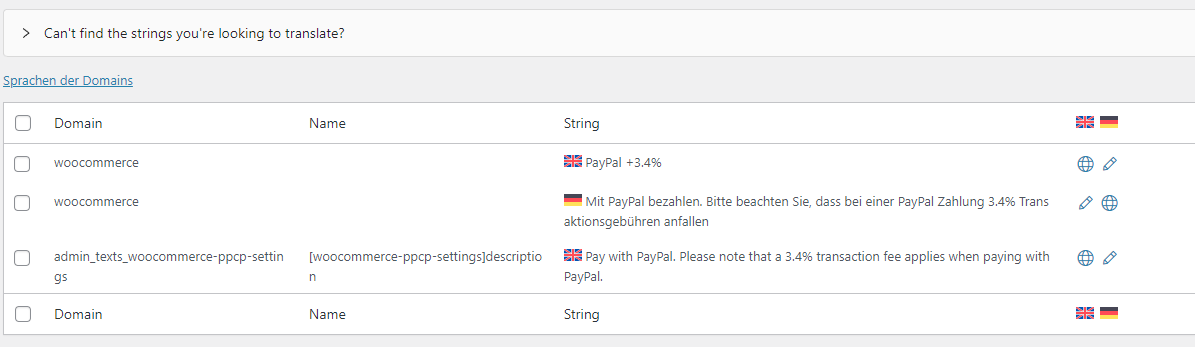
- You are right, the String occurs in different domains, see screenshot, but this is just visible since I activated the "Look for strings while pages are rendered" option.
- with the option: "Look for strings while pages are rendered" active, the text is looked up correctly once, but then I'm not able to shift the language. See screenshot 3
I wondering is the translation in domain woocommerce really required, don't know where is one is coming. Edited only the other one actively
Unfortunately not, the problem still exists. Interestingly is: the detected String is in the wrong language, and has German text but is identified as English, which is not the site's default language.
Can you provide an E-Mail Address please? I create a own admin user for you.
Languages: English (English )Portuguese (Brazil) (Português )
Timezone: America/Sao_Paulo (GMT-03:00)
Hello there,
I checked it and the process to fix was almost done.
We had to remove the string and add it again like you did.
However, as you noticed, the German string as registered wrongly as an English text in String Translation.
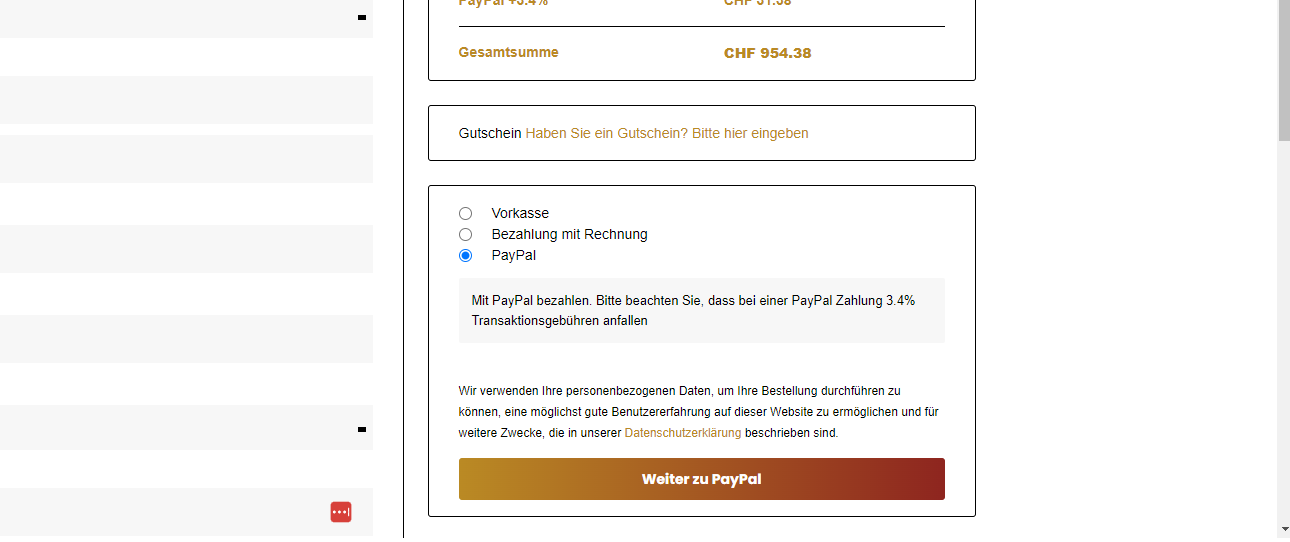
I selected it and changed its language at the bottom of the string table to German, then I added the English translation and it got the issue fixed, please check the screenshot.