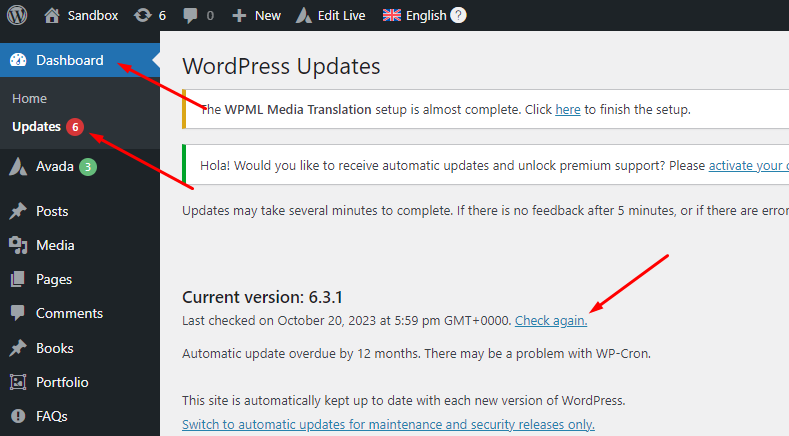
this is the link to my website.On my wordpress dashborad I have this notifications. But on my profile in wpml, there is no website under development, all are production.
Thank you for contacting WPML Support. Could you please delete the existing site key and create a new one by below steps:
1. Please login to your WPML.org account >> Go to the Sites page: https://wpml.org/account/sites/
2. Delete the existing site key.
3. Please login to your site and go to the Dashboard >> Plugins >> Add new plugin > Commercial tab and click the Unregister WPML from this site link if that link exists.
4. Then please click the Register WPML link.
5. Click the Get a key for this site link.
6. It will generate the Key for your site.
7. Copy the key, and paste it back into the input box, and press the Register button.
If the “WPML plugin cannot connect to wpml.org” notification still exists then please follow the below steps:
1. Please go to Dashboard Menu >> Updates.
2. Press the "Check again" link as you can see in the attached screenshot.
3. Now please go to the Plugins page and see if that notification still exists or not.