[Resolved] Attributes are switched between languages
This thread is resolved. Here is a description of the problem and solution.
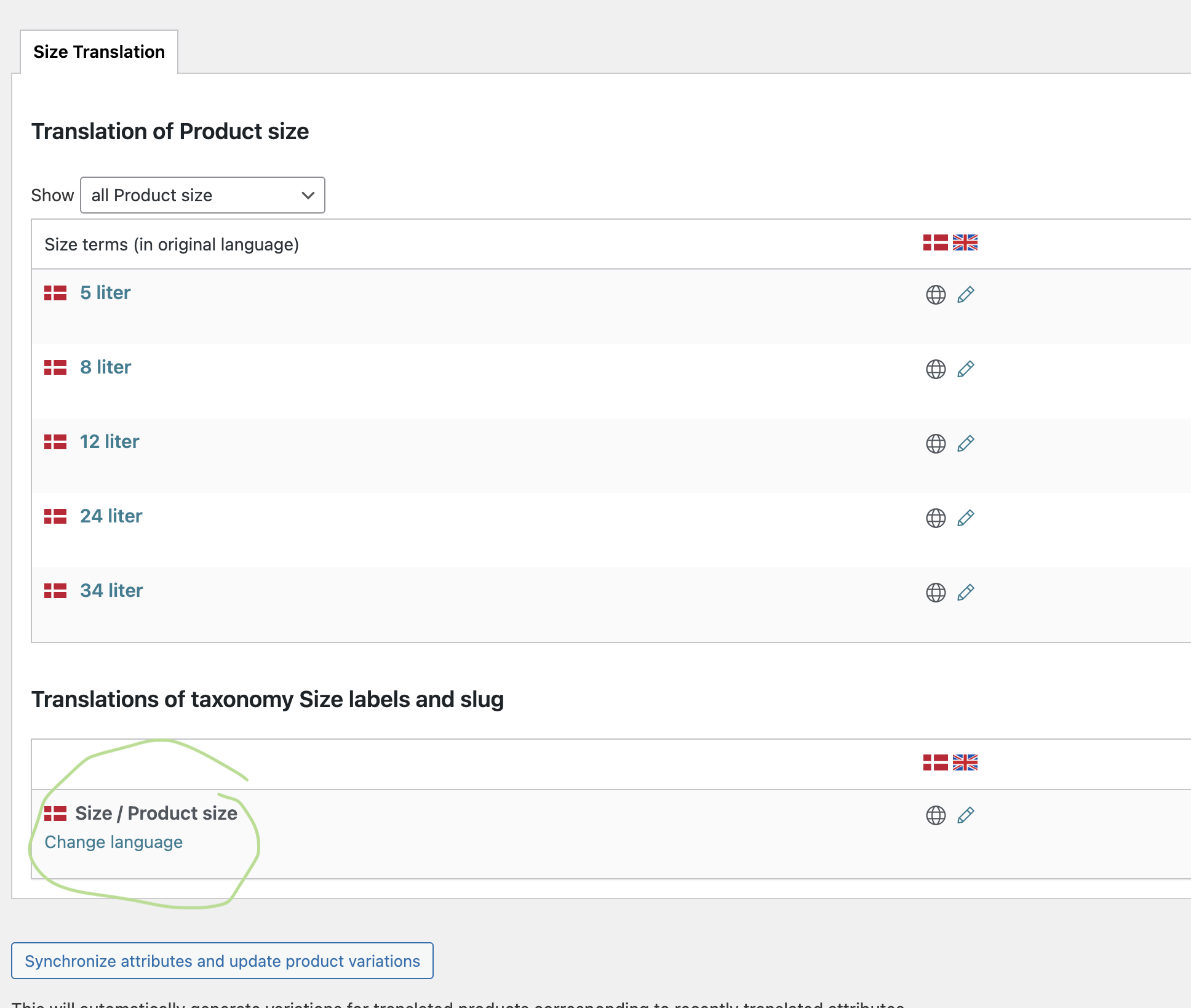
Problem: The Danish and English attributes for WooCommerce are switched for some attributes and not for others. Solution: If you're experiencing this issue, we recommend you go to WPML-> Taxonomy Translation, select the product attributes, and ensure that they are in the correct language.
Please note that this solution might be outdated or not applicable to your case. We highly recommend checking related known issues at https://wpml.org/known-issues/, verifying the version of the permanent fix, and confirming that you have installed the latest versions of themes and plugins. If the problem persists, please open a new support ticket at WPML support forum.
This is the technical support forum for WPML - the multilingual WordPress plugin.
Everyone can read, but only WPML clients can post here. WPML team is replying on the forum 6 days per week, 22 hours per day.
Go to WooCommerce -> WCML -> Settings (tab) and scroll down and click the Troubleshooting link. There try WCML's troubleshooting options. If it does not help, please also try WPML's main troubleshooting section.
1. Take a backup of the DB of your site.
2. Go to WPML -> Support -> Troubleshooting (link)
3. Once on the troubleshooting screen, press the following buttons and check if it helps. Press each button at a time and wait for the process to complete.
- 'Disable cache for language switcher templates'
- 'Clear language information and repopulate languages' button (if it is showing)
- 'Synchronize posts taxonomies' for 'Products'
- 'Clear the cache in WPML'
- 'Remove ghost entries from the translation tables'
- 'Fix element_type collation'
- 'Fix WPML tables collation'
- 'Synchronize local job ids with ATE jobs'
- 'Set language information'
- 'Reset languages' Press this button only if you didn't add a custom language!
- 'Fix terms count'
- 'Fix post type assignment for translations'
- 'Cleanup and optimize string tables'
- 'Clear invalid strings'
*** Please make a backup of your database before using this.***
You shared the access to the staging site in a public message. I've hidden this reply. Please share it in the private message below; otherwise, I'm not allowed to access your site.
If needed, please allow me to take a copy of your site. To do this, I must install a plugin such as Duplicator or All-in-One Migration. Please let me know if you agree. Privacy and Security Policy
We have strict policies regarding privacy and access to your information. Please see: https://wpml.org/purchase/support-policy/privacy-and-security-when-providing-debug-information-for-support/ **IMPORTANT**
- - Please back up the site files and database before providing us access. --
-- If you have a staging site where the problem can be reproduced, it is better to share access to the staging site.--
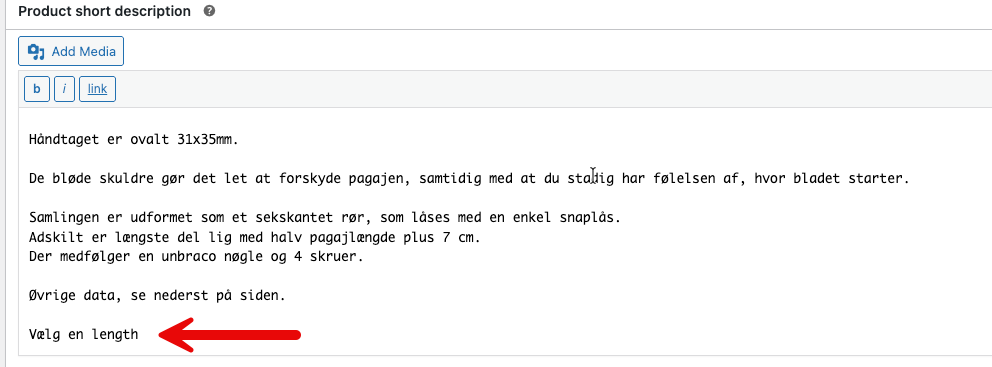
Thanks for the access details. I checked the issue and found that this string is added to the hidden link">product's short description. (Kindly check the attached screenshot)
Please edit it there and re-translate the product. Let me know if that fixed the issue for you.