Skip to content Skip to sidebar

This is the technical support forum for WPML - the multilingual WordPress plugin.

Everyone can read, but only WPML clients can post here. WPML team is replying on the forum 6 days per week, 22 hours per day.

Sun Mon Tue Wed Thu Fri Sat
- - 9:00 – 18:00 9:00 – 18:00 9:00 – 18:00 9:00 – 18:00 9:00 – 18:00
- - - - - - -

Supporter timezone: America/Lima (GMT-05:00)

Tagged: 

This topic contains 11 replies, has 0 voices.

Last updated by Andreas W. 5 days, 15 hours ago.

Assisted by: Andreas W..

Author Posts
March 5, 2026 at 3:24 pm #17875496

celyphosC

no one replied for this #17869151

March 5, 2026 at 10:09 pm #17876325

Andreas W.
WPML Supporter since 12/2018

Languages: English (English ) Spanish (Español ) German (Deutsch )

Timezone: America/Lima (GMT-05:00)

Hello,

I can see you are being attended my Marcel on:
https://wpml.org/forums/topic/celyphos-com-5/

May we close this ticket here or would you like to report a different issue?

Best regards
Andreas

March 9, 2026 at 2:40 pm #17882370

celyphosC

ok
hidden link

how can i translate the form? it is made with metfroms

March 9, 2026 at 2:41 pm #17882373

celyphosC

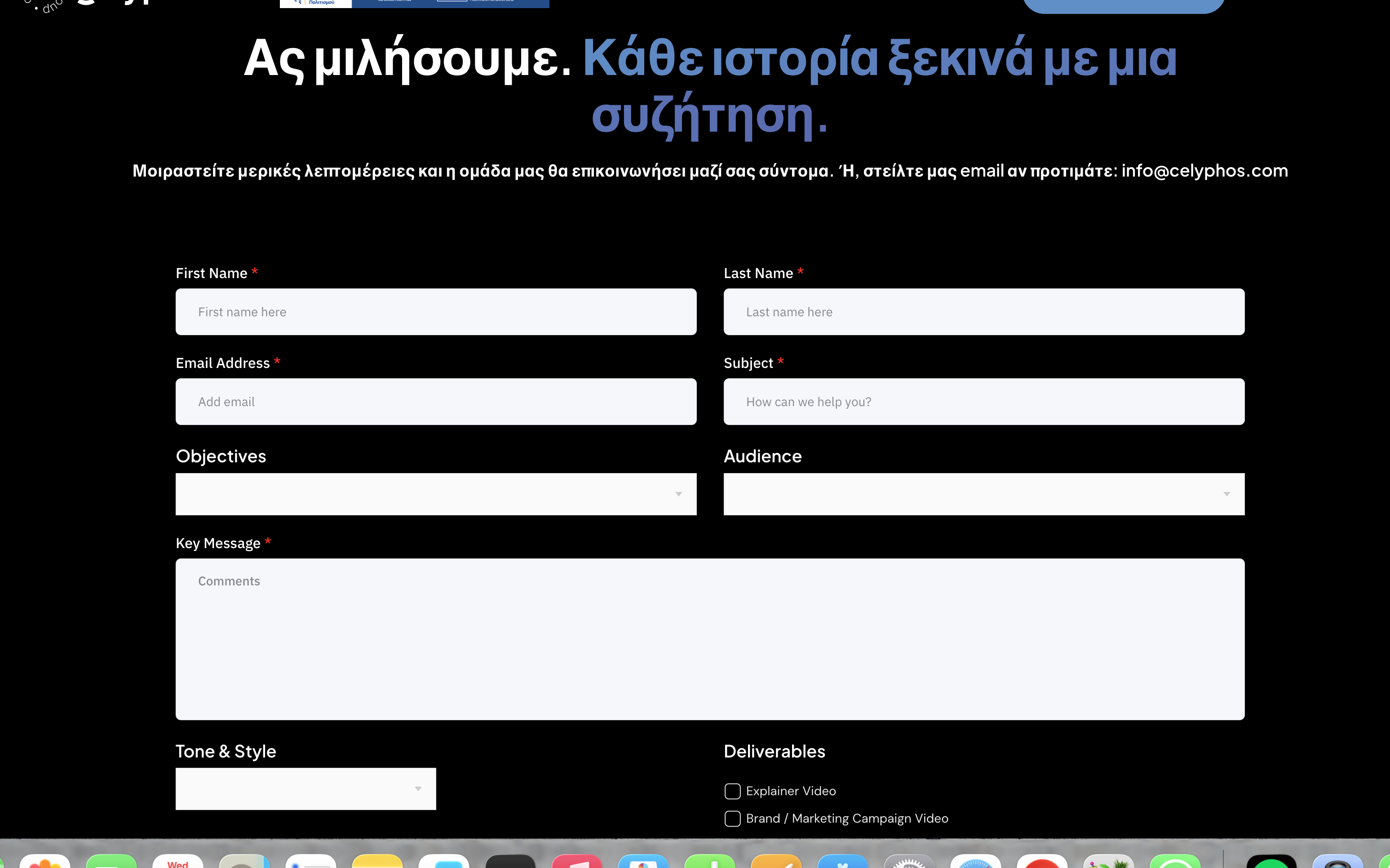
image here
i want fields in greek

Screenshot 2026-03-09 at 4.39.39 PM.png
March 10, 2026 at 9:43 am #17884575

Andreas W.
WPML Supporter since 12/2018

Languages: English (English ) Spanish (Español ) German (Deutsch )

Timezone: America/Lima (GMT-05:00)

In WPML > Settings > Post Type Translation, I have set "Forms (metform-form)" to "Translatable, only show translated items".

Now translate your forms at Metform > Forms. Note that your translated forms will have a unique Shortcode. You will need to manually place the proper shortcode on each page in each language.

March 11, 2026 at 3:33 pm #17889454

celyphosC

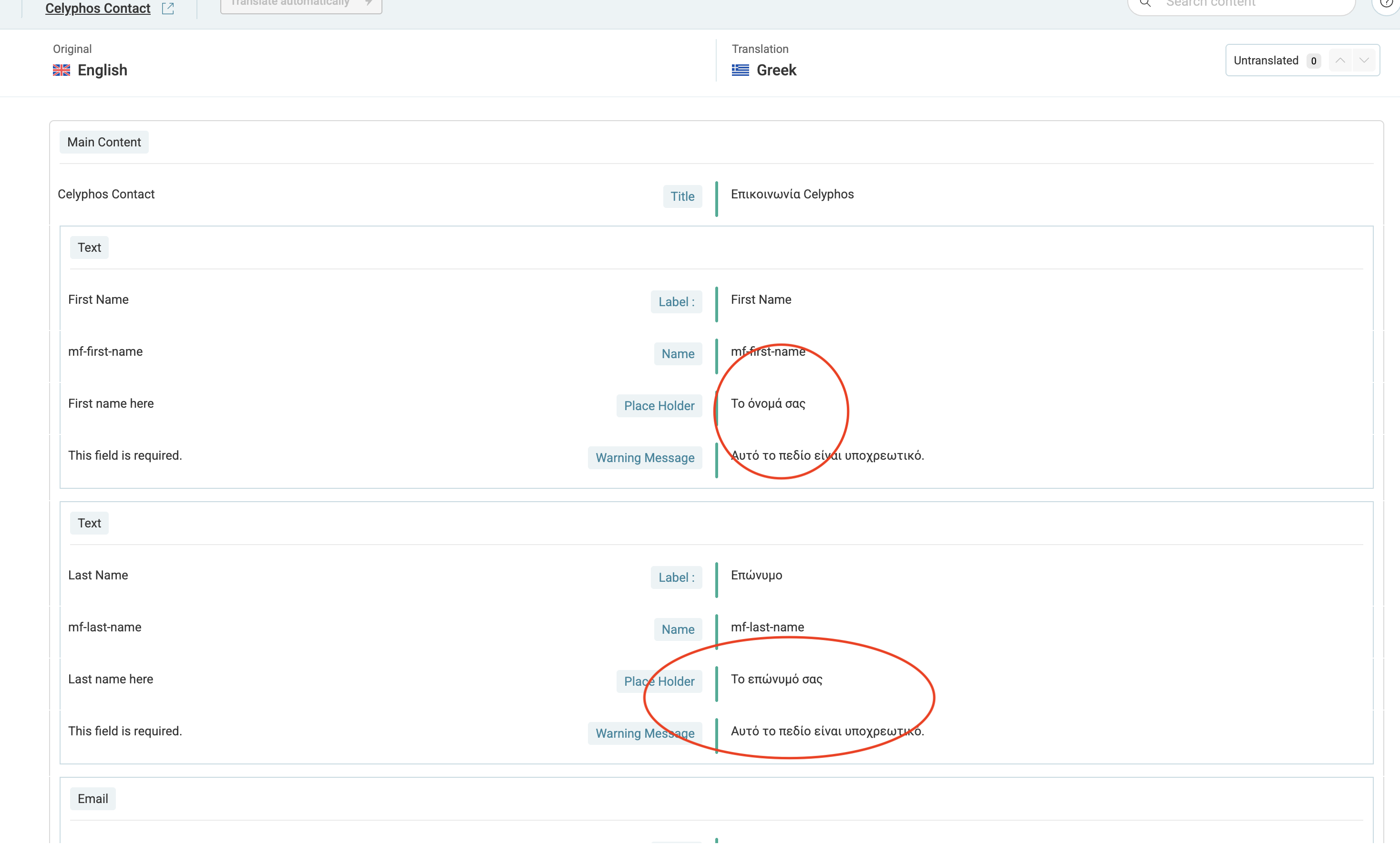
i automatically translated the from/ screen 1

translated fields do not show / screen 2

form in english but cannot find in greek [metform form_id="5402"]
screen 3

i do not understand how to add it

3.png
2.png
1.png
March 11, 2026 at 6:32 pm #17890169

Andreas W.
WPML Supporter since 12/2018

Languages: English (English ) Spanish (Español ) German (Deutsch )

Timezone: America/Lima (GMT-05:00)

First, make sure that the form is translated to 100% inside the WPML Translation Editor.

While being on your form list, switch the language inside the top admin bar to "Greek".

Now you should see the Greek forms and their shortcodes.

March 12, 2026 at 11:29 am #17892020

celyphosC

i have this error

Screenshot 2026-03-12 at 1.27.18 PM.png
March 12, 2026 at 8:46 pm #17893940

Andreas W.
WPML Supporter since 12/2018

Languages: English (English ) Spanish (Español ) German (Deutsch )

Timezone: America/Lima (GMT-05:00)

Please edit the original form, save it again, and then update the translation to 100%.

If this does not solve the issue, I'd like to request temporary access (wp-admin and FTP) to the website to investigate the issue further.

You'll find the necessary fields below the comment section if you log in to leave the next reply. The information you provide will be private, meaning only you and I can see and access it.

IMPORTANT
Please be sure to create a backup of the website and database before granting us access.

If you don't see the "wp-admin / FTP" fields, your login credentials for the post and website will be set to "PUBLIC." Do NOT publish the data unless you see the required wp-admin / FTP fields.

The private reply form looks like this:
hidden link

When replying again, click "I still need assistance".

Video:
hidden link

Please note that we are required to request this information individually on each ticket. We are not permitted to access any login information that was not specifically provided in the private reply form for this ticket.

March 18, 2026 at 7:40 pm #17909213

Andreas W.
WPML Supporter since 12/2018

Languages: English (English ) Spanish (Español ) German (Deutsch )

Timezone: America/Lima (GMT-05:00)

Sadly, it appears that MetForm is not compatible with the WPML Translation Editor.

You will need to use the WordPress Editor as a translation method and then create each form in Elementor.

Guide:
https://wpml.org/documentation/translating-your-contents/using-different-translation-editors-for-different-pages/

Note that WPML had compatiblity addon various other form plugins, like Contact Form 7, Gravity Forms, WP Forms, or Ninja Forms.

Source:
https://wpml.org/plugin-functionality/form/

What you could do in this case is reach out to the MetForm Team and ask them to join our compatibility program:
https://wpml.org/documentation/support/go-global-program/

March 19, 2026 at 3:59 pm #17911854

celyphosC

how can i leave it in english then?

March 19, 2026 at 4:21 pm #17911940

Andreas W.
WPML Supporter since 12/2018

Languages: English (English ) Spanish (Español ) German (Deutsch )

Timezone: America/Lima (GMT-05:00)

I would suggest that you first try to translate the form using the WordPress Editor as a translation method - specifically, creating a Greek form in Elementor.

Guide:
https://wpml.org/documentation/translating-your-contents/using-different-translation-editors-for-different-pages/

You will then have a Greek form with a unique shortcode that you can place on the Greek page.

After that, scan MetForm for new strings at WPML > Theme & Plugin Localization and revise WPML > String Translation for strings coming from MetForms that would allow you to translate form settings or messages.

I can offer at this step to take another look at the site, if you would like to provide me access again, just make sure first that you have a translated form in the Greek language.

I will leave this ticket open for the next 14 days.

If these suggestions do not solve the issue, it might be worthwhile to use a compatible form plugin, such as Contact Form 7 or WP Forms.

Further, you might consider contacting MetForms and asking them if they have any plans to make their plugin compatible with WPML.

They could join our compatibility program for this purpose:
https://wpml.org/documentation/support/go-global-program/