Background of the issue:
I am trying to set up cross-domain logging for nbnu.ca (EN side) and siinb.ca (FR side). I have admins login from nbnu.ca/login and nbnu.ca/wp-admin or wp-login.php. When a user signs in, they are directed to nbnu.ca/portal/dashboard, which works well. However, when a user selects FR in the language switcher on that page, they are redirected to the French /connexion login page. I have taken several troubleshooting steps, including checking the WPML > languages auto-sign checkbox, verifying cookies in the dev tools, consulting with KINSTA support, adjusting Cloudflare DNS records, removing the maintenance page, and trying a code snippet from a WPML forum. The issue persists. Link to a page where the issue can be seen: hidden link
Symptoms:
When a user logs into the EN side and switches to the FR side, they are prompted to log in again.
Questions:
How can we resolve this?
Why are users prompted to log in again when switching from the EN side to the FR side?
What additional steps can I take to resolve the cross-domain logging issue?
Could you please grant me access to your site and temporarily deactivate the maintenance page so I can see the problem?
I'm enabling a private message for the following reply. Privacy and Security Policy
We have strict policies regarding privacy and access to your information. Please see: https://wpml.org/purchase/support-policy/privacy-and-security-when-providing-debug-information-for-support/ **IMPORTANT**
- - Please back up the site files and database before providing us access. --
-- If you have a staging site where the problem can be reproduced, it is better to share access to the staging site.--
I'm consulting our second-tier supporters about it. When I have their reply, I'll update you here.
If needed and our second-tier supporters ask for it, please allow me to take a copy of your site. For this, I must install a plugin like Duplicator or All-in-One Migration. Please let me know if you agree.
Please note that my weekends are Friday to Saturday. If you need further assistance, I'll be available to continue checking this issue and helping you next week.
Our second-tier supporter reviewed the case and explained the following:
They recommend testing the standard WordPress login page (wp-login.php). If logging in through the normal WordPress login works correctly across domains, then it’s very likely that the issue is specific to the Formidable Forms login process.
WPML normally injects an iframe into the default WordPress login screen to handle cross-domain authentication. This mechanism ensures that all domains remain logged in. However, Formidable Forms does not include this iframe or an equivalent mechanism, which means its custom login form may not trigger cross-domain login properly.
Our second-tier supporter, therefore, asked if you could please test the regular WordPress login workflow to confirm whether it behaves correctly across domains.
**** Important! Please make a full site backup (files and DB) before you proceed with those steps****
*** If your site is live, you might want to try those procedures in a staging environment or a snapshot of your site on your local server or another server. ***
Hi Itamar, I actually tested this as a debugging method before I turned off the login feature within Formidable and tested it and it did the same thing. If you have the cloned website that you mentioned, you can test this for sure (of course please not on the Live Site).
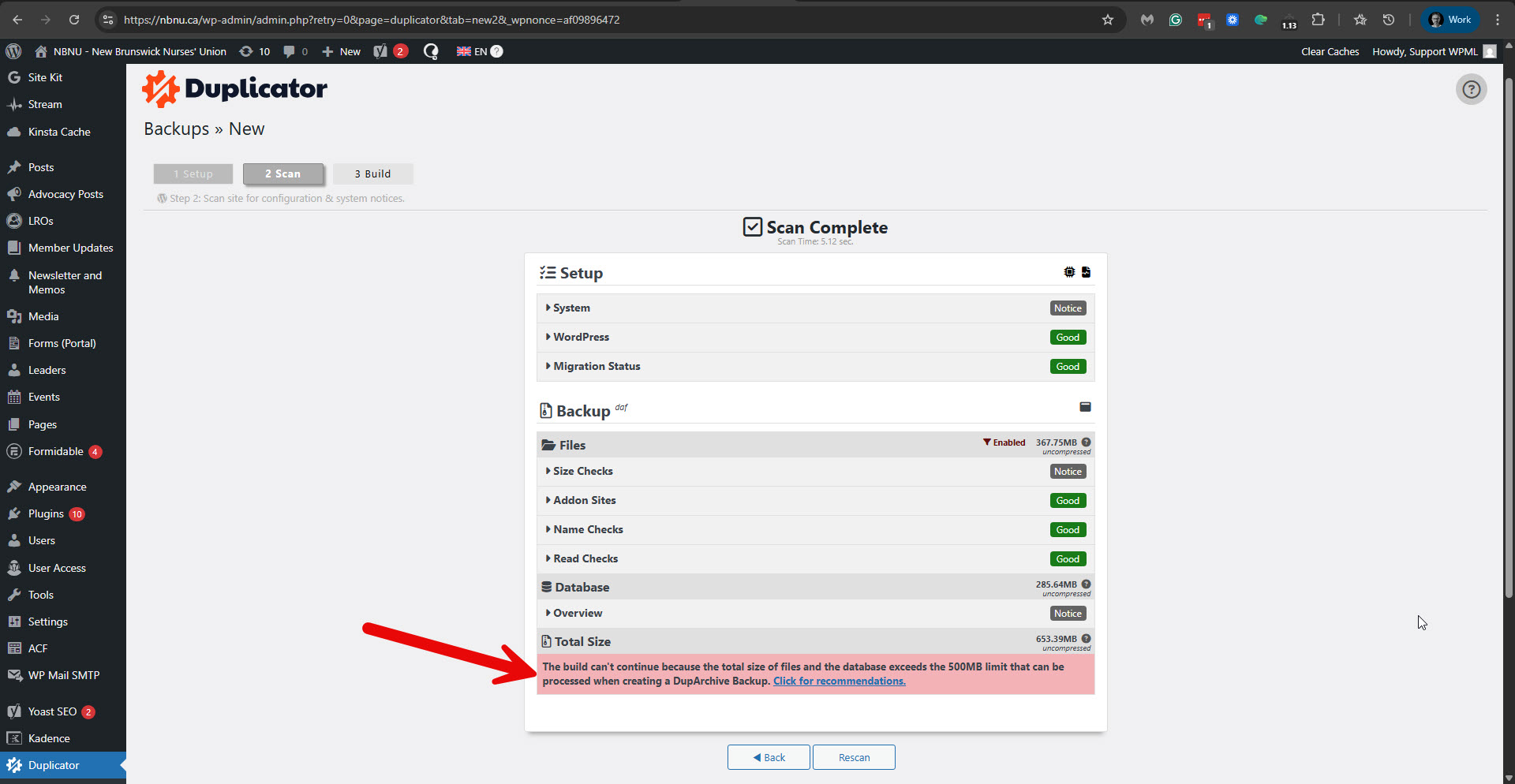
I've made several attempts to back up your site using the Duplicator plugin. Please see the attached screenshot. I tried to install the Pro version, and it is also banded.
Can you please provide us with a package of your site?
You can upload it to a service like Google Drive or Dropbox and share the link with me.
For this, I'll enable private messaging for the following reply.
Regards,
Itamar.
The topic ‘[Closed] Cross-domain logging’ is closed to new replies.