I duplicated one product page for nine different countries, and now I need to translate the headings and some text into each country’s local language. How can I do that?
Thank you for contacting WPML Support. As you only need to change heading and some text you may use the default WordPress Editor for updating the translated products by following these steps:
1. Open that product in the default language as Edit mode.
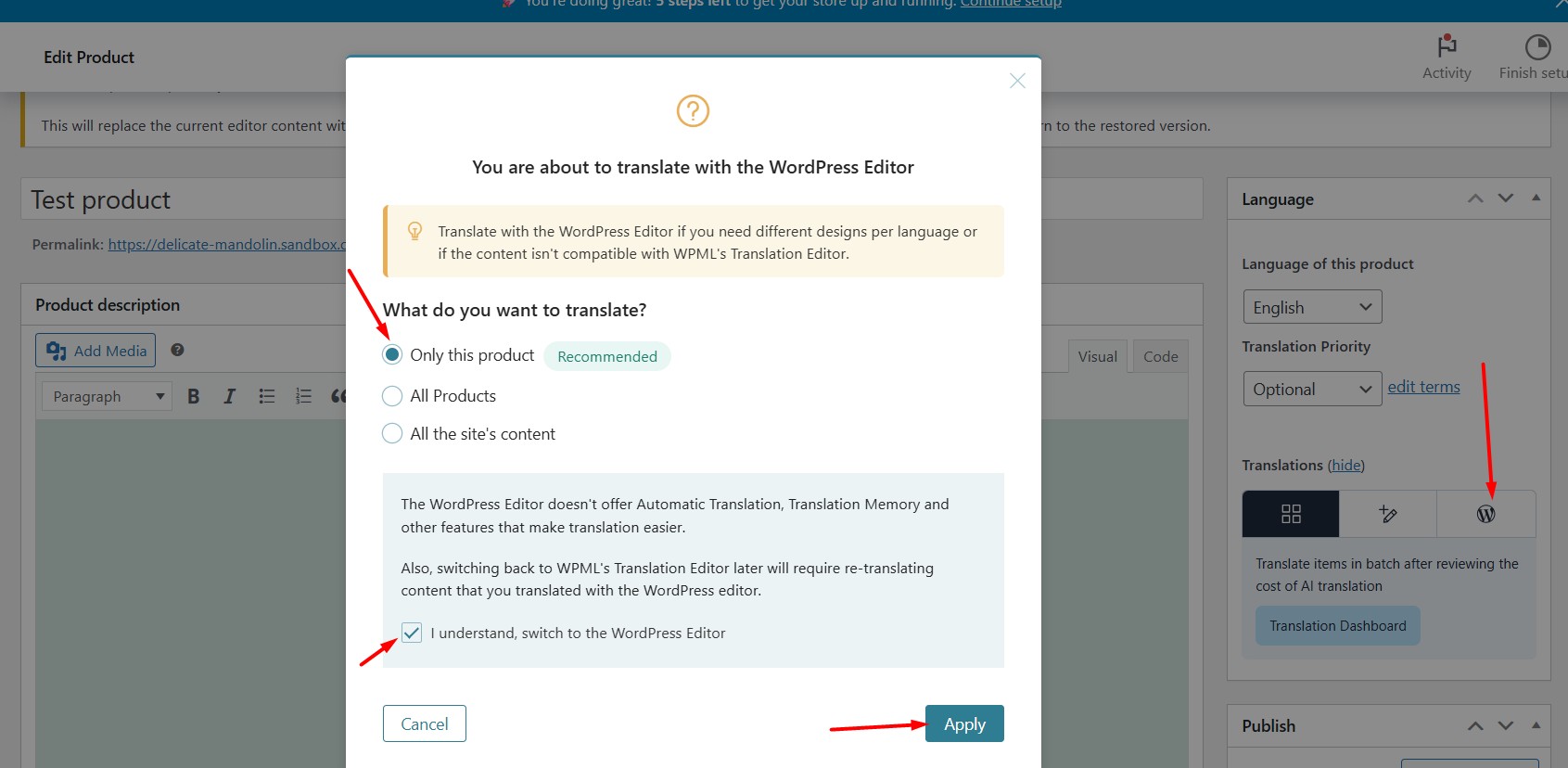
2. Enable the WordPress Editor from Languages metabox as you can see in the attached screenshot.
3. A popup will appear, prompting you to choose whether to apply this setting to just the current product or all products. Select the only for this product option.
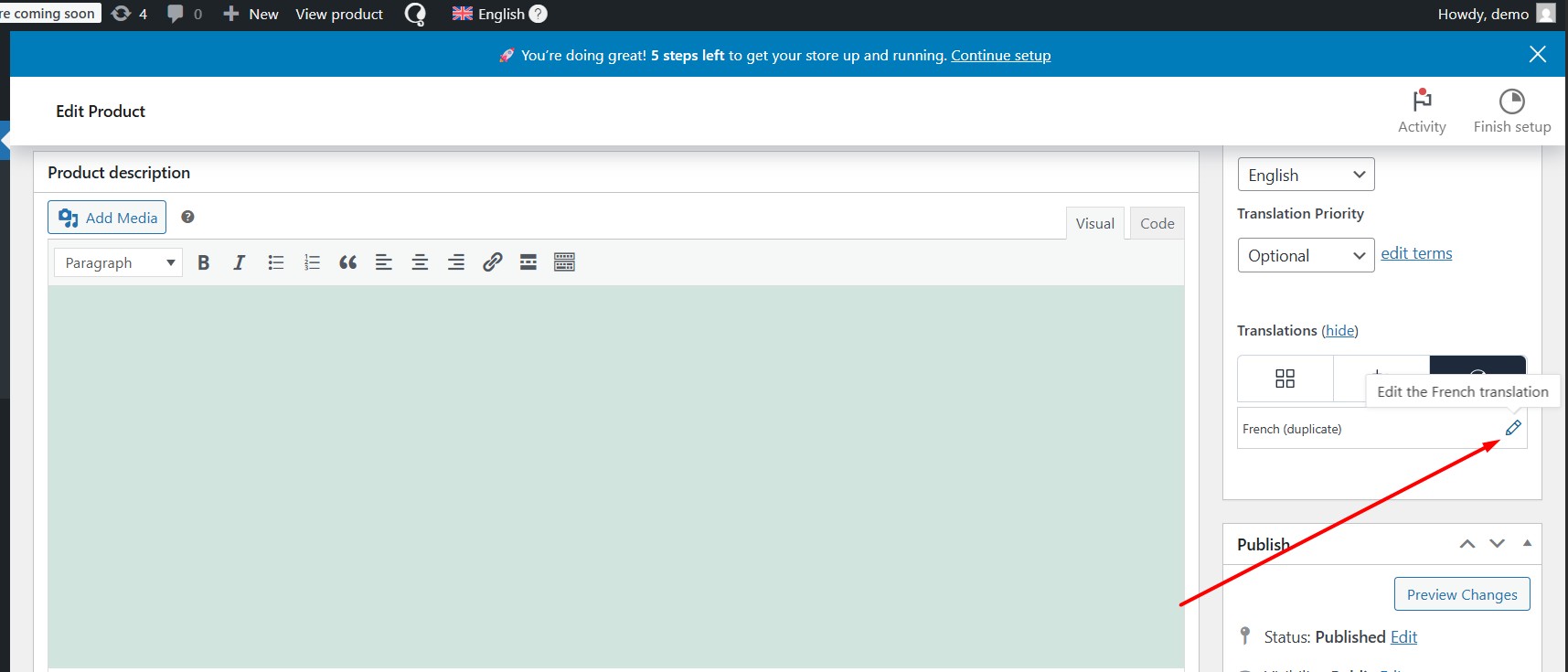
4. Click on the translation icon for the secondary language. This will open the product in the default WordPress Editor.
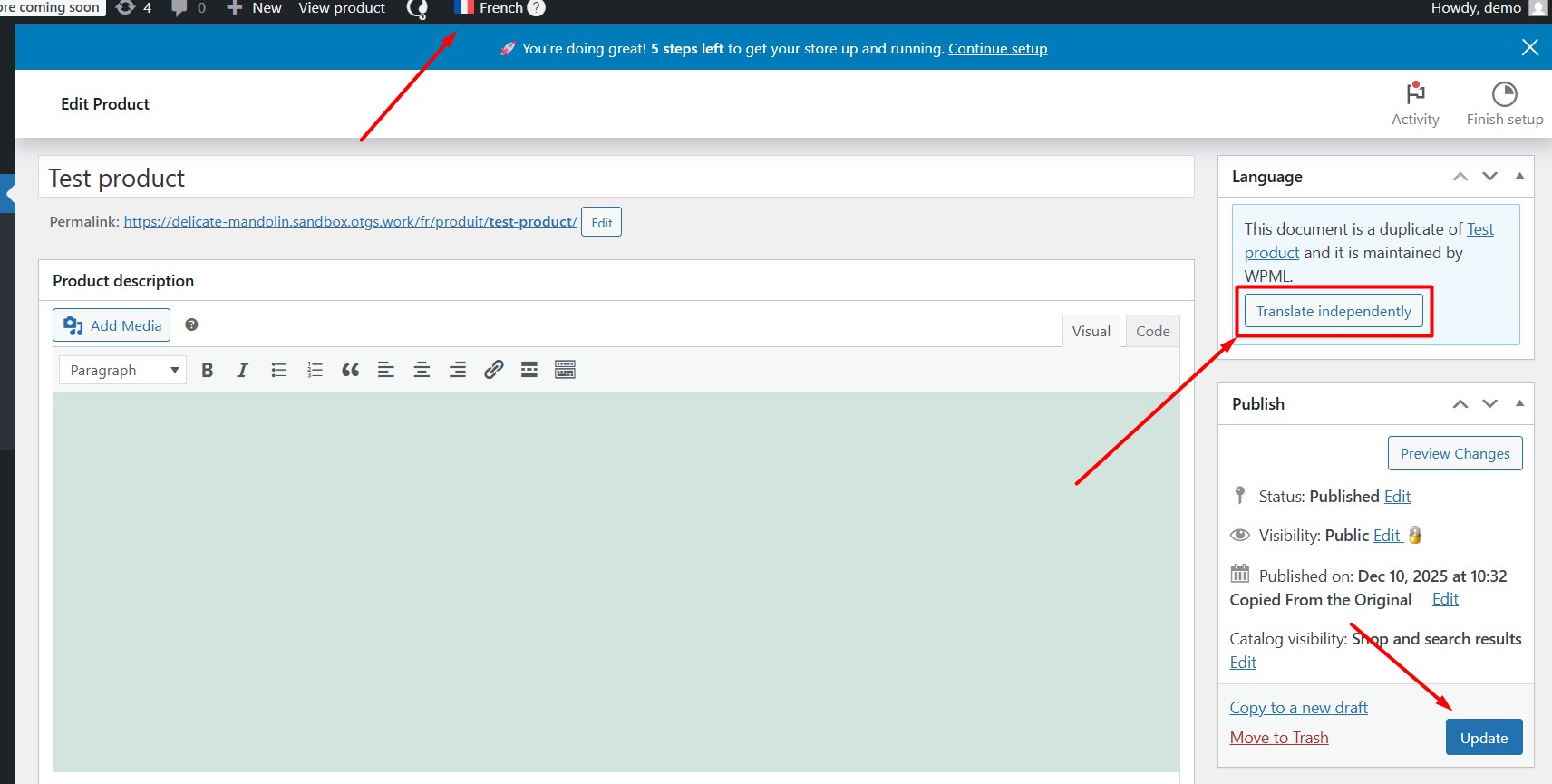
5. Click on the “Translate Independently” button and then you can edit your translation as you did in the default language.