
This is the technical support forum for WPML - the multilingual WordPress plugin.
Everyone can read, but only WPML clients can post here. WPML team is replying on the forum 6 days per week, 22 hours per day.
Tagged: Bug
This topic contains 16 replies, has 0 voices.
Last updated by Itamar 1 week ago.
Assisted by: Itamar.
| Author | Posts |
|---|---|
| November 23, 2025 at 2:24 pm | |
 martinZ-12 |
Background of the issue: Symptoms: Fatal error: Uncaught TypeError: array_walk(): Argument #1 ($array) must be of type array, string given in /www/hosting/till6.dev/fkr/wp-includes/Text/Diff/Engine/native.php:44 Stack trace: #0 /www/hosting/till6.dev/fkr/wp-includes/Text/Diff/Engine/native.php(44): array_walk() #1 /www/hosting/till6.dev/fkr/wp-includes/Text/Diff.php(55): Text_Diff_Engine_native->diff() #2 /www/hosting/till6.dev/fkr/wp-includes/Text/Diff/Renderer/inline.php(167): Text_Diff->__construct() #3 /www/hosting/till6.dev/fkr/wp-includes/Text/Diff/Renderer.php(170): Text_Diff_Renderer_inline->_changed() #4 /www/hosting/till6.dev/fkr/wp-includes/Text/Diff/Renderer.php(143): Text_Diff_Renderer->_block() #5 /www/hosting/till6.dev/fkr/wp-includes/class-wp-text-diff-renderer-table.php(310): Text_Diff_Renderer->render() #6 /www/hosting/till6.dev/fkr/wp-includes/Text/Diff/Renderer.php(170): WP_Text_Diff_Renderer_Table->_changed() #7 /www/hosting/till6.dev/fkr/wp-includes/Text/Diff/Renderer.php(143): Text_Diff_Renderer->_block() #8 /www/hosting/till6.dev/fkr/wp-includes/pluggable.php(3302): Text_Diff_Renderer->render() #9 /www/hosting/till6.dev/fkr/wp-content/plugins/sitepress-multilingual-cms/classes/translation-jobs/class-wpml-tm-field-content-action.php(111): wp_text_diff() #10 /www/hosting/till6.dev/fkr/wp-content/plugins/sitepress-multilingual-cms/classes/translation-jobs/class-wpml-tm-field-content-action.php(79): WPML_TM_Field_Content_Action->get_diff() #11 /www/hosting/till6.dev/fkr/wp-content/plugins/sitepress-multilingual-cms/classes/translation-jobs/class-wpml-tm-field-content-action.php(42): WPML_TM_Field_Content_Action->content_from_elements() #12 /www/hosting/till6.dev/fkr/wp-content/plugins/sitepress-multilingual-cms/classes/menu/translation-editor/class-wpml-translation-editor-ui.php(176): WPML_TM_Field_Content_Action->run() #13 /www/hosting/till6.dev/fkr/wp-content/plugins/sitepress-multilingual-cms/classes/menu/translation-editor/class-wpml-translation-editor-ui.php(91): WPML_Translation_Editor_UI->output_model() #14 /www/hosting/till6.dev/fkr/wp-content/plugins/sitepress-multilingual-cms/classes/menu/translation-queue/class-wpml-translations-queue.php(92): WPML_Translation_Editor_UI->render() #15 /www/hosting/till6.dev/fkr/wp-content/plugins/sitepress-multilingual-cms/classes/class-wpml-translation-management.php(342): WPML_Translations_Queue->display() #16 /www/hosting/till6.dev/fkr/wp-includes/class-wp-hook.php(324): WPML_Translation_Management->translation_queue_page() #17 /www/hosting/till6.dev/fkr/wp-includes/class-wp-hook.php(348): WP_Hook->apply_filters() #18 /www/hosting/till6.dev/fkr/wp-includes/plugin.php(517): WP_Hook->do_action() #19 /www/hosting/till6.dev/fkr/wp-admin/admin.php(260): do_action() #20 {main} thrown in /www/hosting/till6.dev/fkr/wp-includes/Text/Diff/Engine/native.php on line 44 Questions: |
| November 23, 2025 at 3:36 pm #17602273 | |
 Itamar WPML Supporter since 02/2016 Languages: English (English ) Timezone: Asia/Jerusalem (GMT+02:00) |
Hi, The next step to try, please, is the following. We suspect a collision with another plugin might cause this problem. If possible, get your site down to a minimum environment, with no plugins activated except WPML, Strings Translation, and JetElements. Then, please check if the problem persists. If it does not continue, start by activating the plugins individually and checking when the issue comes back, then report to me which plugin was the culprit. |
| November 26, 2025 at 1:02 pm #17612087 | |
|
martinZ-12 |
Hello, it is most likely not a conflict with another plugin. I deactivated all plugins and left only WPML and Strings Translation. I then tested the translations on the WP pages. The fatal error is no longer displayed, but I still see meaningless characters instead of text in the editor. This is actually the same situation we encountered during our initial chat. Of course, if you need my help, I am available. |
| November 27, 2025 at 8:22 pm #17616604 | |
|
Itamar WPML Supporter since 02/2016 Languages: English (English ) Timezone: Asia/Jerusalem (GMT+02:00) |
Hi, and thanks for trying my suggestions. Indeed, it seems to be the same issue as your colleague is experiencing. Our second-tier supporter has debugged the issue. He prepared a fix for this issue but encountered a server issue when applying it. We are currently waiting for you or your colleague to inform us when the gzuncompress function is active on the server. You can read Kor, my colleague's reply here: Regards, |
| November 29, 2025 at 7:54 pm #17619957 | |
|
martinZ-12 |
Hello, the staging website is on the same server, but the production site is on a different server, but from the same hosting provider. Best Regards, |
| December 1, 2025 at 7:55 am #17621508 | |
|
Itamar WPML Supporter since 02/2016 Languages: English (English ) Timezone: Asia/Jerusalem (GMT+02:00) |
Hi, Martin. We need a copy of your site to investigate this issue further. Please allow me to take a copy of your site. For this, I must install a plugin like Duplicator or All-in-One Migration. Please let me know if you agree. Regards, |
| December 1, 2025 at 1:24 pm #17622702 | |
|
martinZ-12 |
Hello, I agree. |
| December 2, 2025 at 12:30 pm #17626309 | |
|
Itamar WPML Supporter since 02/2016 Languages: English (English ) Timezone: Asia/Jerusalem (GMT+02:00) |
Thanks. I now have a copy of your site, and I'll esclate it to our second-tier supporters. I'll keep you updated. I appreciate your patience. |
| December 3, 2025 at 2:48 pm #17631311 | |
|
Itamar WPML Supporter since 02/2016 Languages: English (English ) Timezone: Asia/Jerusalem (GMT+02:00) |
Hi, This ticket has been escalated to our second-tier supporters. I appreciate your patience. |
| December 4, 2025 at 4:27 pm #17635370 | |
|
Itamar WPML Supporter since 02/2016 Languages: English (English ) Timezone: Asia/Jerusalem (GMT+02:00) |
Hi, Our second-tier supporter has prepared a custom plugin to fix the problem on your site. That plugin is similar to what our second-tier supporter tier has successfully used on your colleague's site on the same server. However, there is an error that our second-tier supporter can't see when he tried to use this plugin on your site. This error prevents applying the fix. Our second-tier supporter says that the WordPress debug.log is missing. Can you please check the debug.log and share the error with us? Thanks, |
| December 5, 2025 at 2:41 pm #17639030 | |
|
martinZ-12 |
Hello, I added the dbug.log file, but I don't see any errors. Try what you need to try. If any errors appear, I'll let you know. At the same time, I enabled the gzuncompress function in the PHP settings. It was disabled by default, but a colleague with whom you discussed a similar problem said that it was necessary to activate this function. |
| December 7, 2025 at 9:49 am #17641418 | |
|
Itamar WPML Supporter since 02/2016 Languages: English (English ) Timezone: Asia/Jerusalem (GMT+02:00) |
Hi, Thanks for enabling the gzuncompress function in the PHP settings. This, probably in combination with the fix our second-tier supporter has applied, has fixed the problem. Now, when I check a page and a post that once had this problem, there are no meaningless characters. Please see the attached screenshots. For old translations that were sent for translation before the fix, please go to WPML -> Translation Dashboard -> Translation Jobs, select those jobs, and cancel them. Can you please confirm that this problem is fixed now? Regards, 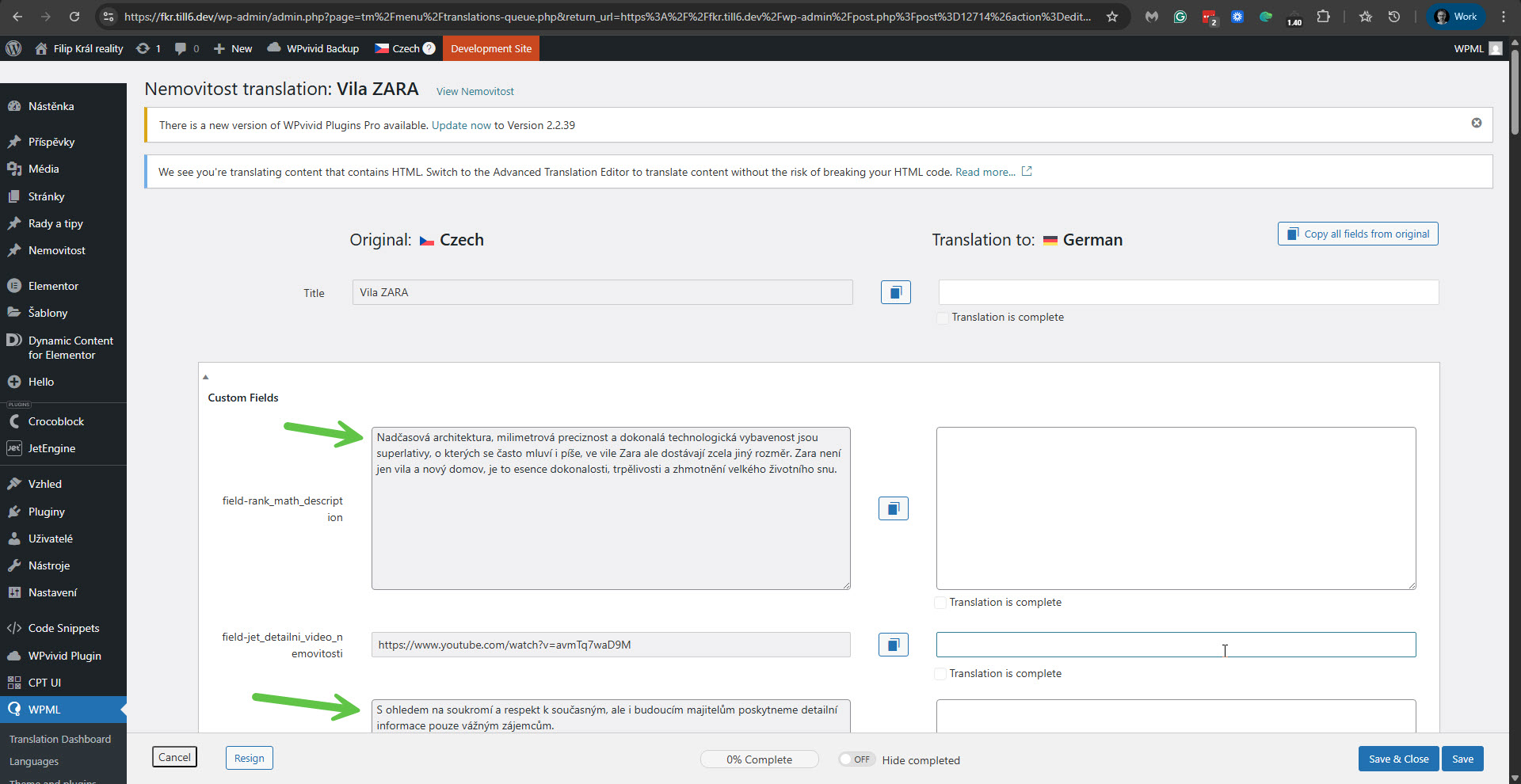 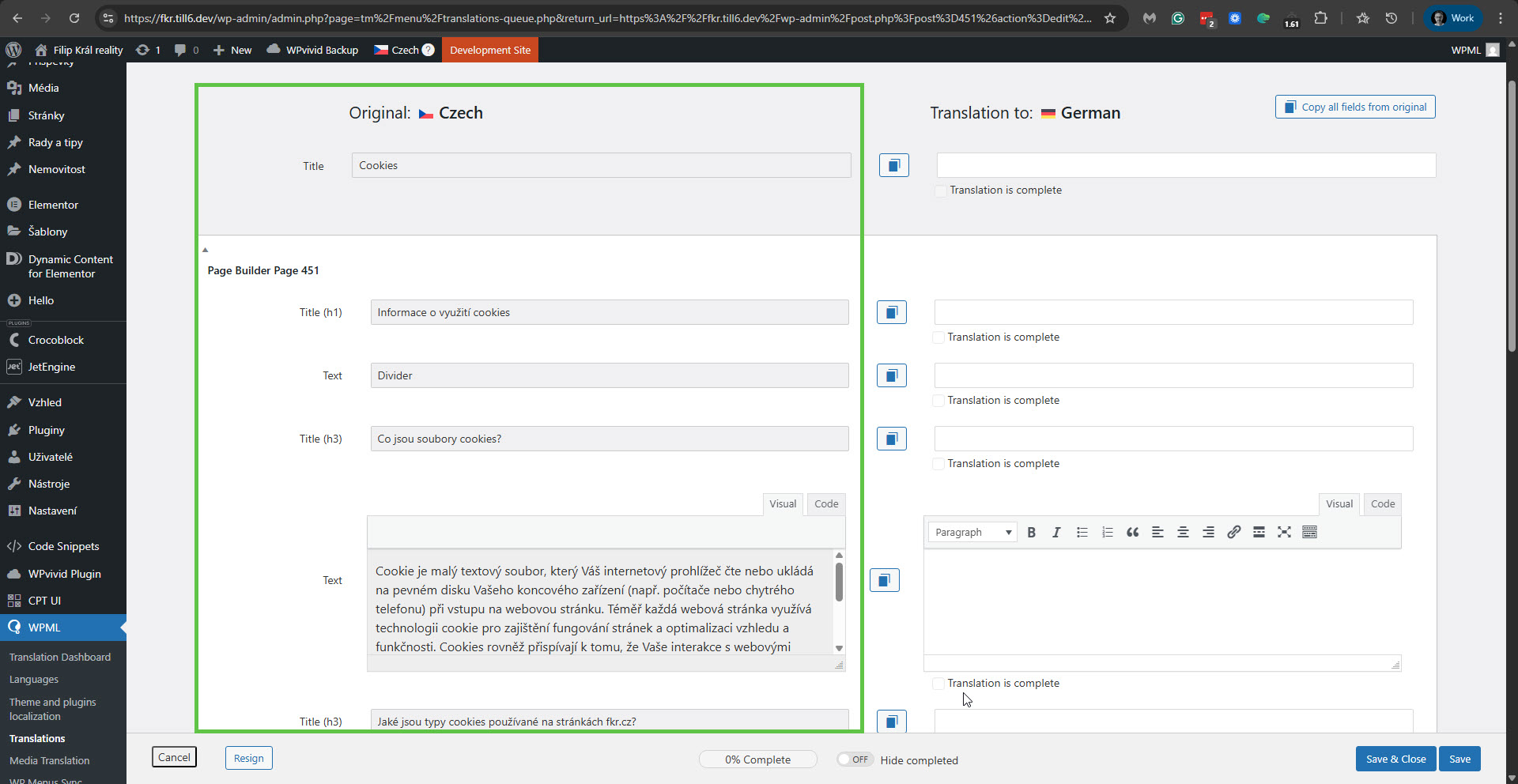 |
| December 7, 2025 at 10:21 am #17641655 | |
|
Itamar WPML Supporter since 02/2016 Languages: English (English ) Timezone: Asia/Jerusalem (GMT+02:00) |
Hi again, In addition to the above, our second-tier supporter explains the following.
I accessed your site and removed the ICL Translate Field Data Fix. Best Regards, |
| December 11, 2025 at 11:43 pm #17657719 | |
|
martinZ-12 |
Hello, I'm afraid the problem has not been solved. I still see those characters in the translation from Czech to English for the first two properties. Could you take a look at it, or send me a link to your ICL Translate Field Data Fix? |
| December 14, 2025 at 3:03 pm #17662170 | |
|
Itamar WPML Supporter since 02/2016 Languages: English (English ) Timezone: Asia/Jerusalem (GMT+02:00) |
Hi, I could see this problem only for the Vila ZARA property. So I canceled the translation of this property that was in progress. I then deleted it, and now you can translate it normally. Please see the attached screenshot. Regards, 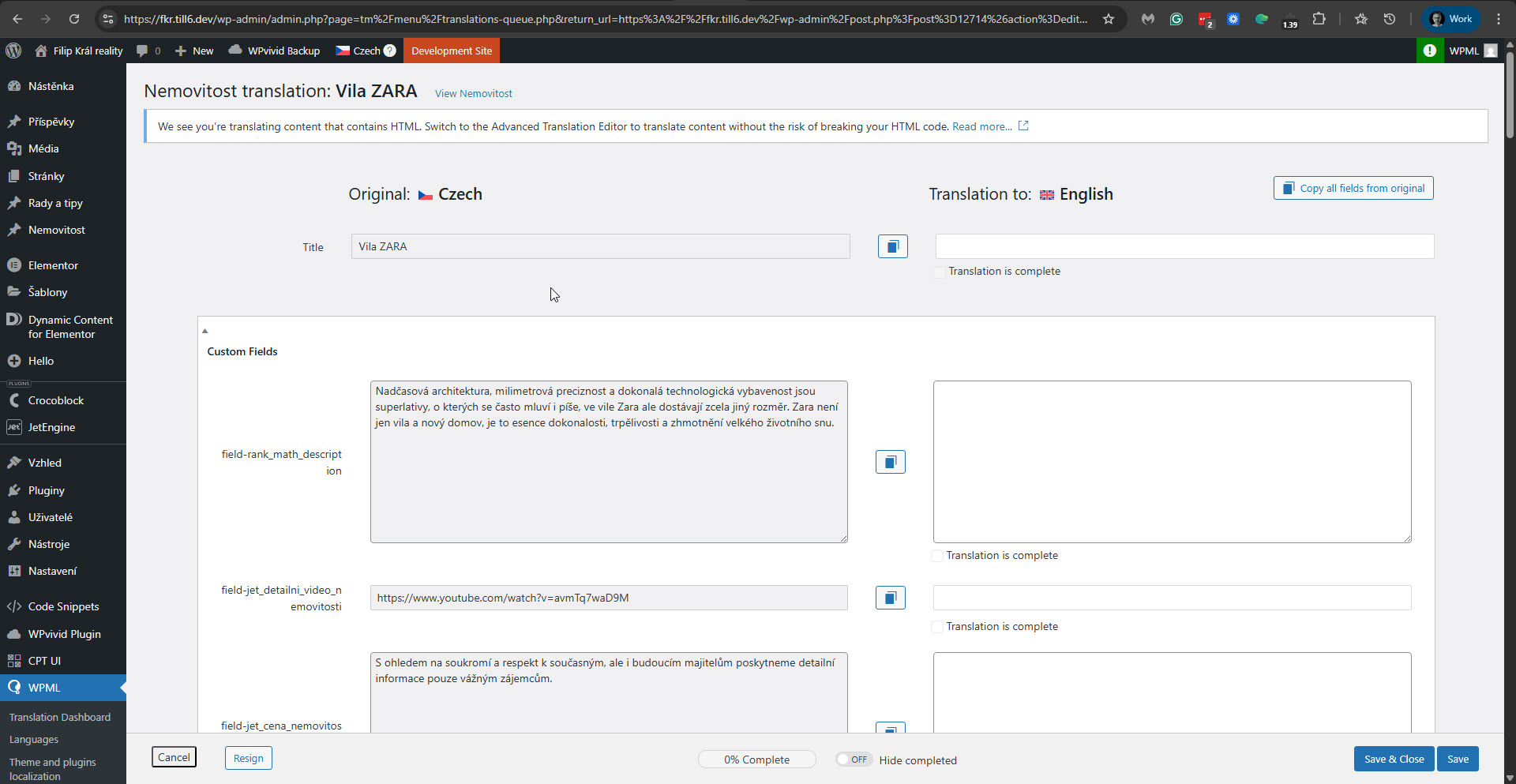 |






