This thread is resolved. Here is a description of the problem and solution.
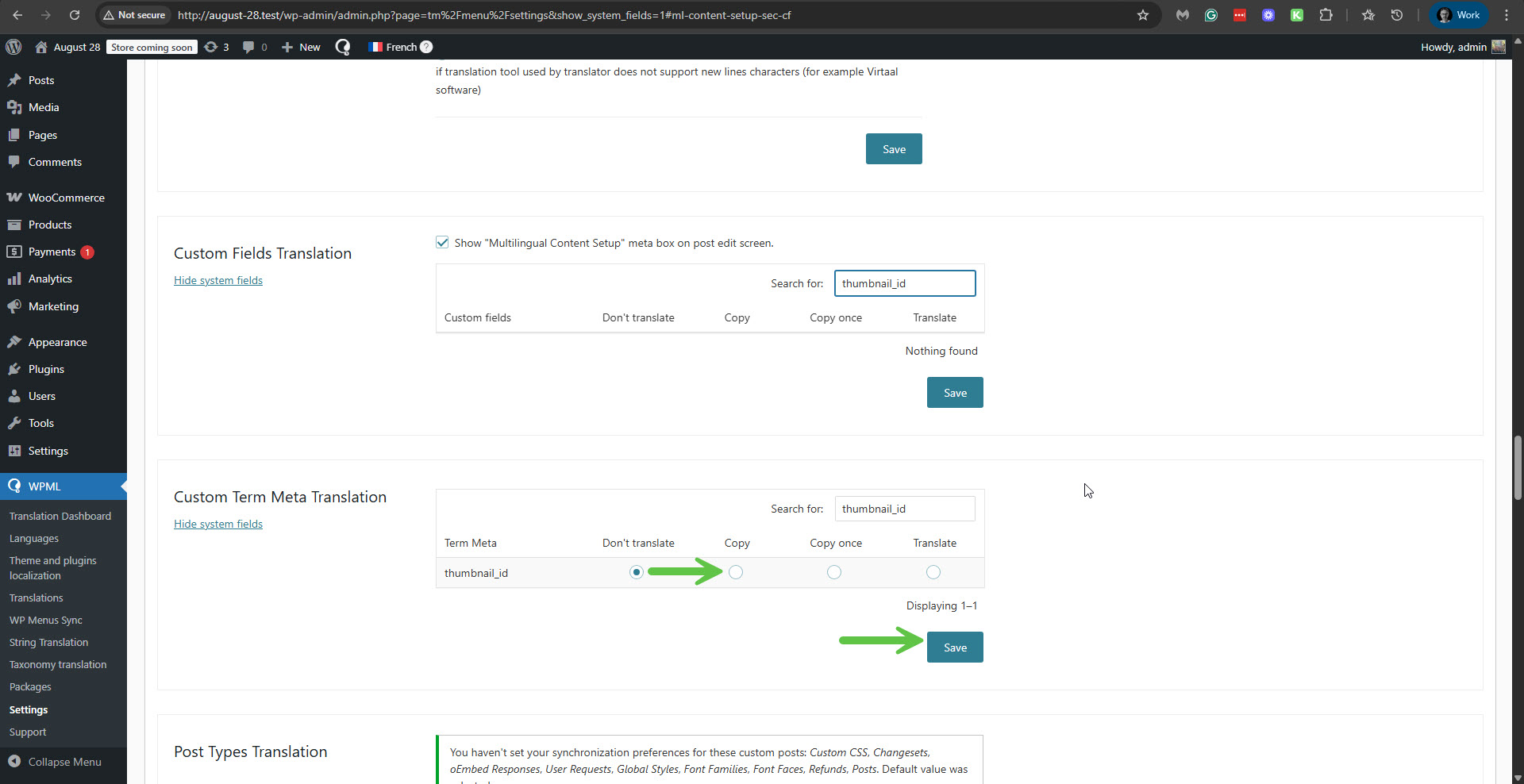
Problem: The category thumbnail is missing in the secondary language. Solution: If you're experiencing this issue, we recommend you try the following steps: 1. Navigate to WPML -> Settings -> Custom Term Meta Translation. 2. Search for
thumbnail_id
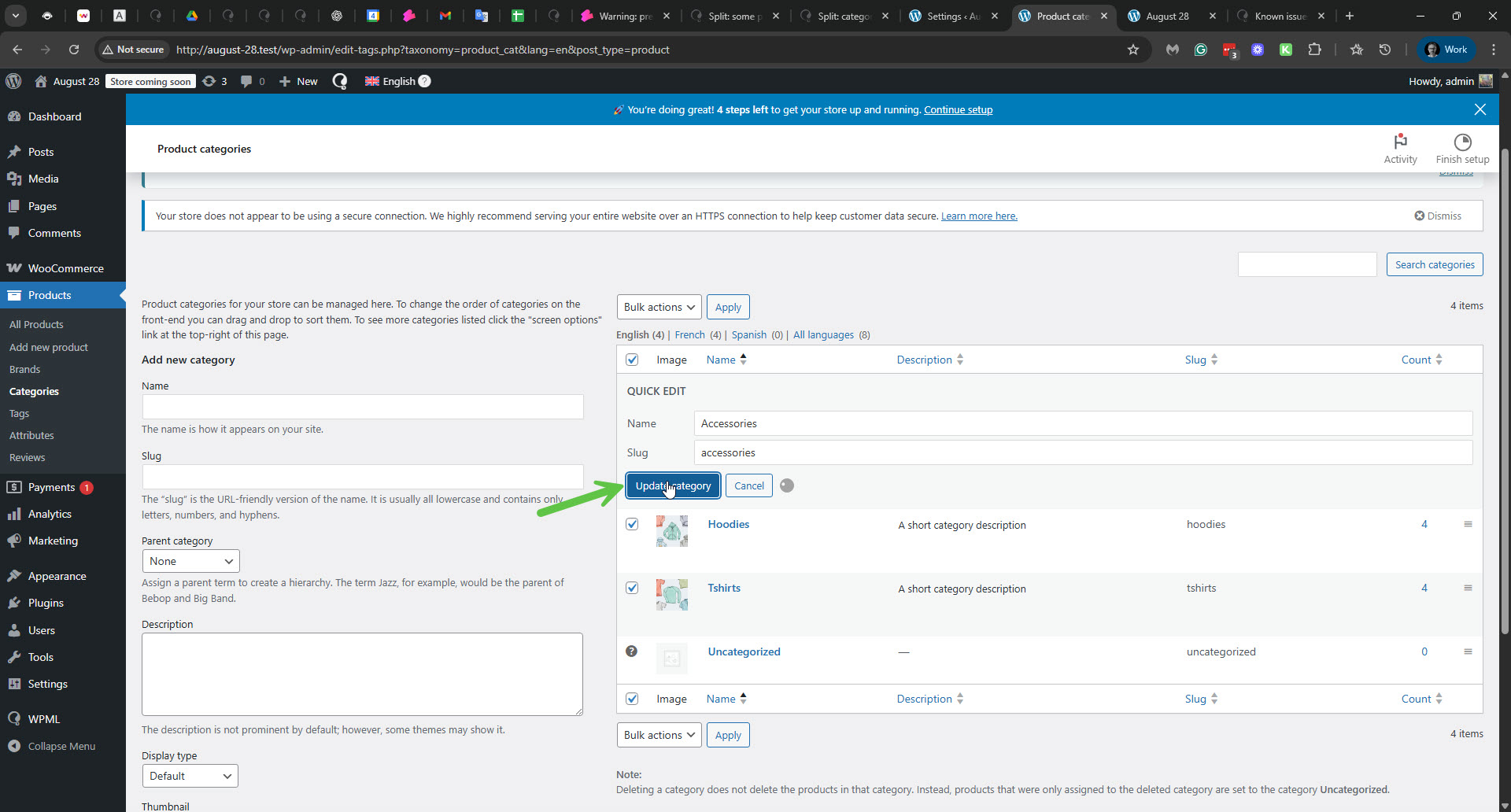
. 3. Change its setting from 'Don't translate' to 'Copy', and then click the Save button. 4. Go to Products -> Categories, and use the 'Quick Update' option by clicking the 'Update category' button. This should ensure that the thumbnails are copied over to the translated terms. Additionally, this issue has been addressed in the latest version of WPML Multilingual & Multicurrency for WooCommerce. We recommend updating to this version to permanently resolve the problem.
Please note that this solution might be irrelevant if it's outdated or not applicable to your case. We highly recommend checking related known issues at https://wpml.org/known-issues/, verifying the version of the permanent fix, and confirming that you have installed the latest versions of themes and plugins. If the issue persists, please open a new support ticket.
This is the technical support forum for WPML - the multilingual WordPress plugin.
Everyone can read, but only WPML clients can post here. WPML team is replying on the forum 6 days per week, 22 hours per day.
Please check your site here: hidden link, click the Check For Updates button, and see that we have a new version 4.8.1 for WPML. Update WPML, and then go to the categories with the problem and update them and their translations to check if it fixes the issue.
**** Important! Please make a full site backup (files and DB) before you proceed with those steps****
Please go to WPML -> Settings -> Media translation and ensure the 'Automatically detect best options for translating image texts' option is enabled. Next, update the original product category term and check if the term's image is duplicated in the translation. You can read about it here: