We’re experiencing an issue where the WPML account and credits do not appear to be properly linked to our site, and we’re seeing conflicting information between WordPress and the WPML account dashboard.
What we’re seeing:
Inside WordPress, WPML shows that automatic translation is enabled and that credits are available.
However, when we go to WPML → Translation Management → Manage Credits, it indicates that no account or no website is linked to the credits being used.
From the WPML account side, it appears as if the site is not properly registered or recognized, even though WPML is installed and actively being used on the site.
This creates a situation where:
Translations appear to be configured and partially working in WordPress
But credit usage and account linkage do not line up in the WPML dashboard
WPML behaves as if the plugin or site is not fully connected to the account
What we need help with:
Confirm whether this site is correctly registered and linked to the correct WPML account.
Identify why credits appear available in WordPress but not in the WPML account dashboard.
Ensure translations and credit usage are properly tied to the correct account going forward.
If you need the site URL, WPML site key, or account email to verify this, let me know and I can provide it right away.
Thank you for your help — we haven’t received a confirmation on our previous outreach, so we wanted to make sure this was properly reviewed.
Could you please let me know which domain you’re working on, and whether you’re still experiencing issues when trying to register the site in your account dashboard at https://wpml.org/account/sites/ ?
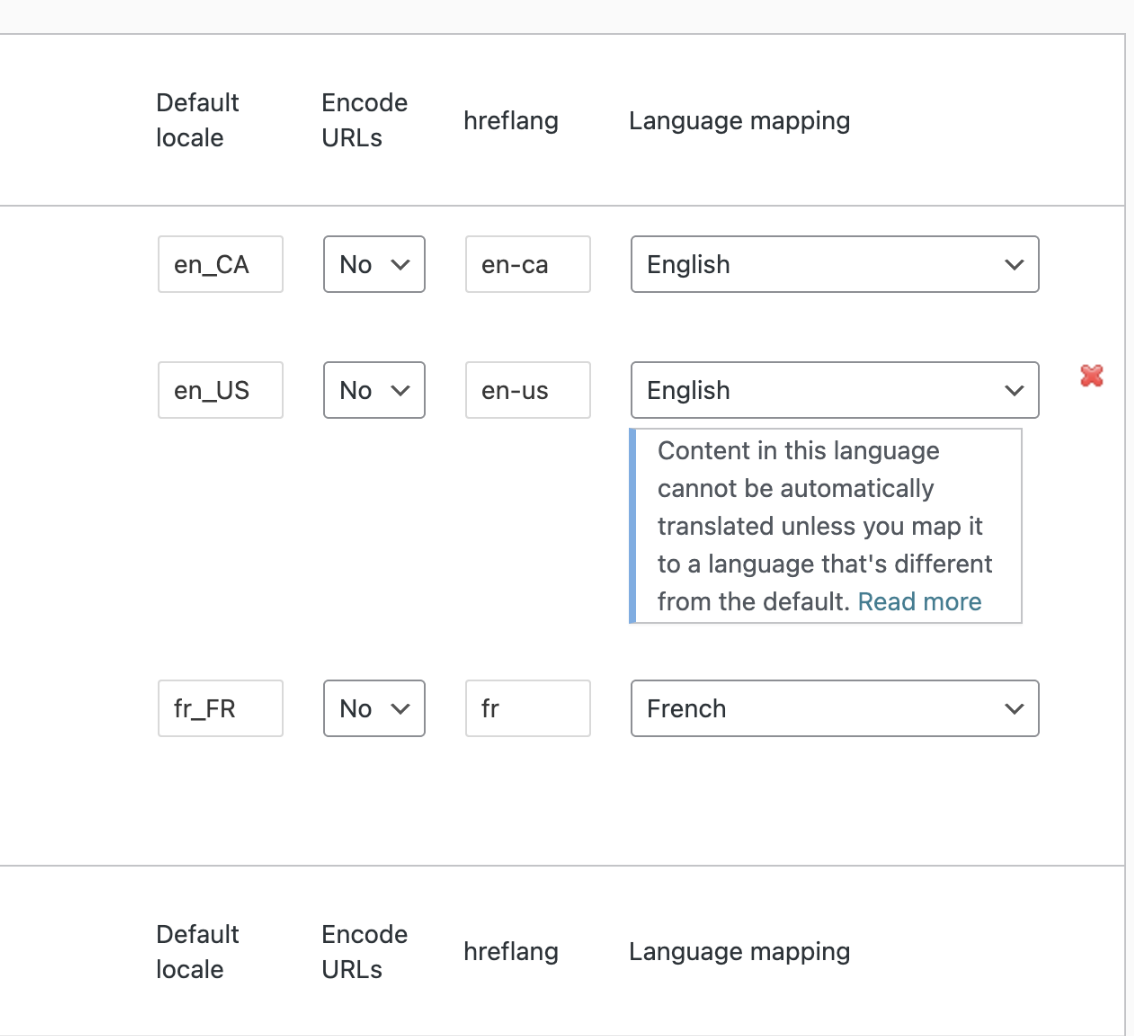
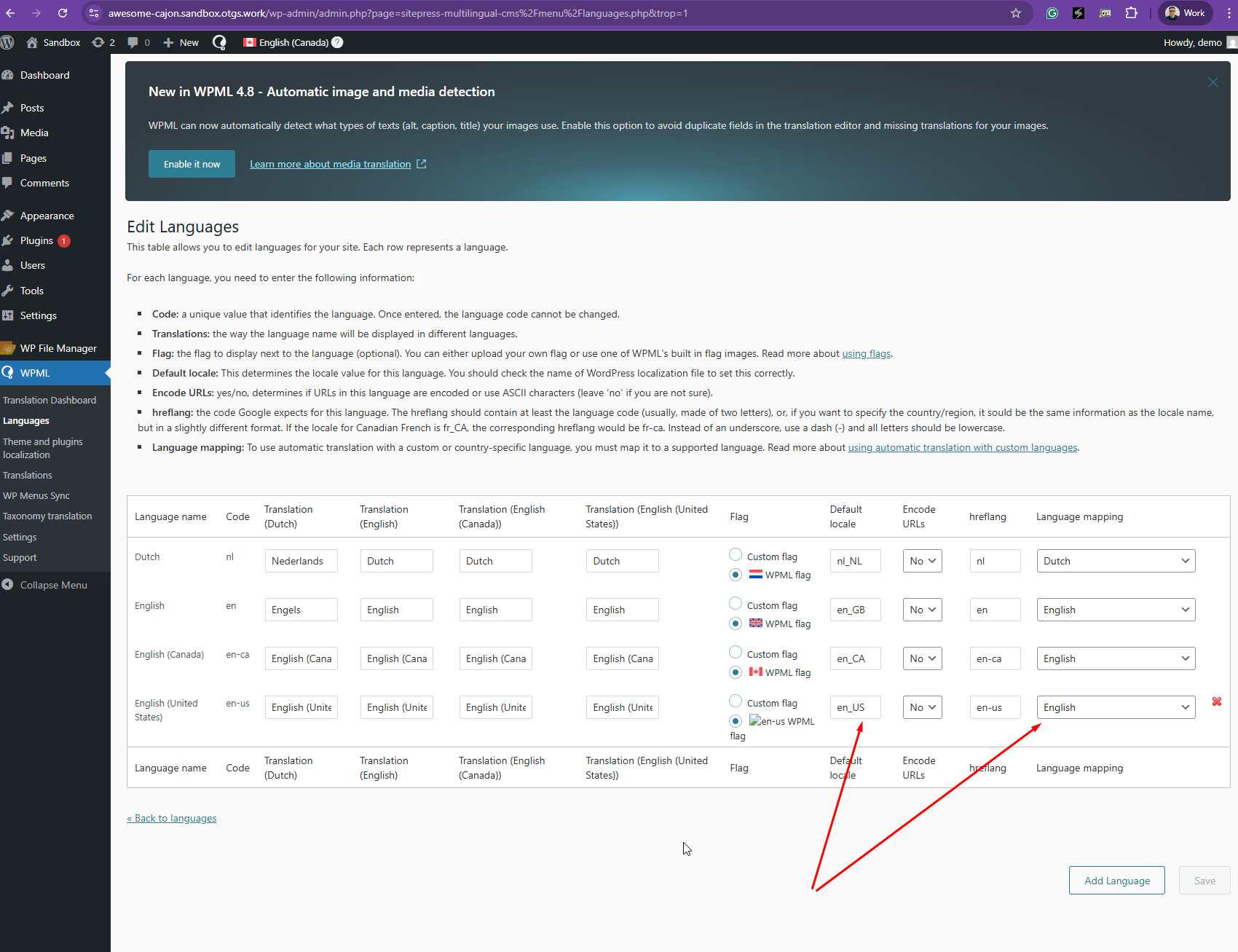
Also, if your default language is set to en_US, you won’t be able to add another language using the same default locale. Could you please double-check this on your end?
Hi Kor,
This is for Carbonaut.ca
Yes I am still having this issue
I use the plugin to set up my website on
- Canadian English - Carbonaut.ca
- Us English- Carbonaut.co
- Canadian French - Carbonaut.fr (hidden from all external users in the time being)
If I cannot set EN for the first 2 translations, what do you recommend?
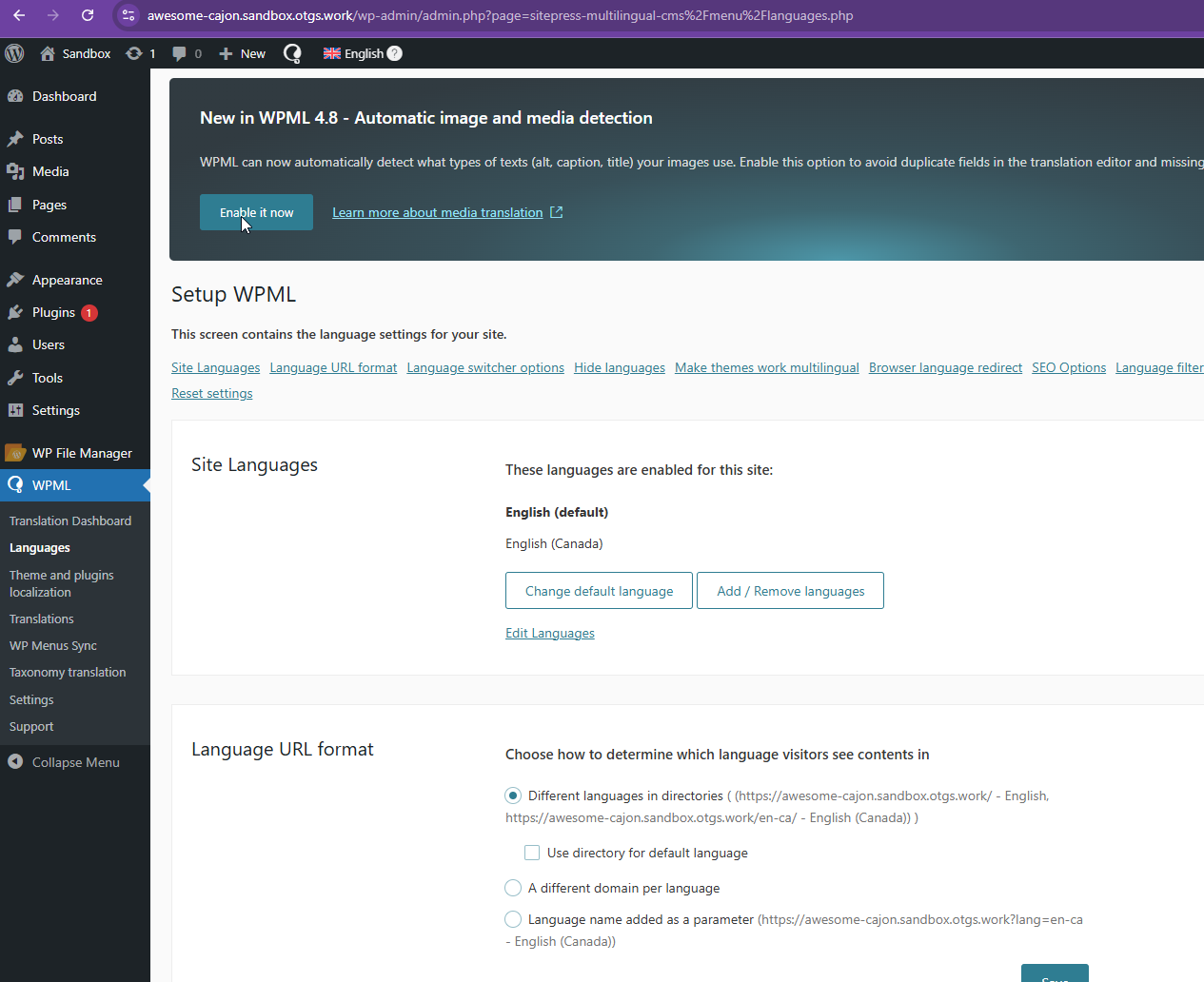
Thanks for your reply. I've tried setting up two languages as listed below, and it works fine on our sandbox site here hidden link
en_US - Default
en_CA - Canadian English
Could you backup and share access to your Website so that I can check your setup?
Your upcoming reply will be treated with confidentiality and will only be visible to you and me.
✙ To resolve the issue, I may need your consent to deactivate and reactivate plugins and the theme, as well as make configuration changes on the site if necessary. This emphasizes the significance of having a backup.
Yes you can access the staging site here hidden link same credentials i shared earlier. Once you're done please send specific instructions of what we need to do on the live site. thanks
Thanks for your patience, and I apologize for the inconvenience. The staging site went down when I temporarily deactivated some plugins while checking for conflicts.
Could you please restore the staging site? Additionally, could you share FTP access to the staging server so I can recover it more easily if the issue happens again?