Skip to content Skip to sidebar

This is the technical support forum for WPML - the multilingual WordPress plugin.

Everyone can read, but only WPML clients can post here. WPML team is replying on the forum 6 days per week, 22 hours per day.

Sun Mon Tue Wed Thu Fri Sat
- 9:00 – 13:00 9:00 – 13:00 9:00 – 13:00 9:00 – 13:00 9:00 – 13:00 -
- 14:00 – 18:00 14:00 – 18:00 14:00 – 18:00 14:00 – 18:00 14:00 – 18:00 -

Supporter timezone: America/Argentina/Buenos_Aires (GMT-03:00)

This topic contains 12 replies, has 0 voices.

Last updated by Otto 1 day, 7 hours ago.

Assisted by: Otto.

Author Posts
January 13, 2026 at 7:40 pm #17727233

agenceS-3

Hello,
I open a case with your support for an issue reported by my customer with the following wesite : hidden link
There are some frontend translation issue reported (language swither and partial content not showing, extensions conflicts...)
To put a more technical context, I noticed these issues occur when the htaccess file is rewriten. I'm not sure how wpml is affected by this event and/or the content of the htaccess. It may be something else but this is for now the most plausible hyphothesis I have.
I would like to ear from you any solutions suggestions about this ongoing issue.
Important note : please include the follow email in the communications : dhc120377@gmail.com
His name is Andre and he is part of support team of my customer. He will take the lead for the rest of communication with you.
Thanks for helping us !

January 13, 2026 at 8:07 pm #17727285

Otto
WPML Supporter since 09/2015

Languages: English (English ) Spanish (Español )

Timezone: America/Argentina/Buenos_Aires (GMT-03:00)

Hello,

In order to include Andre in this conversation, please create a dev account for him:
https://wpml.org/announcements/2020/09/add-other-people-to-your-wpml-cms-or-agency-account

Then, he should be able to subscribe to this ticket or create a new one on his own to follow up.

And regarding the issue you described, it seems related to this:
https://wpml.org/faq/why-is-htaccess-getting-overwritten-with-the-language-folder-on-my-wpml-website/

Can you please give it a try? ❌ Please make a full website backup before proceeding ❌

Let me know how it goes, please.

Best Regards,
Otto

January 14, 2026 at 5:35 pm #17730680

agenceS-3

I have added Andre with Content manager role. According to the documention it should be enought to access the support ticket.
I would like to let him answer to this ticket.

January 14, 2026 at 5:45 pm #17730725

Otto
WPML Supporter since 09/2015

Languages: English (English ) Spanish (Español )

Timezone: America/Argentina/Buenos_Aires (GMT-03:00)

Perfect, thanks!

January 14, 2026 at 7:13 pm #17730965

agenceS-3

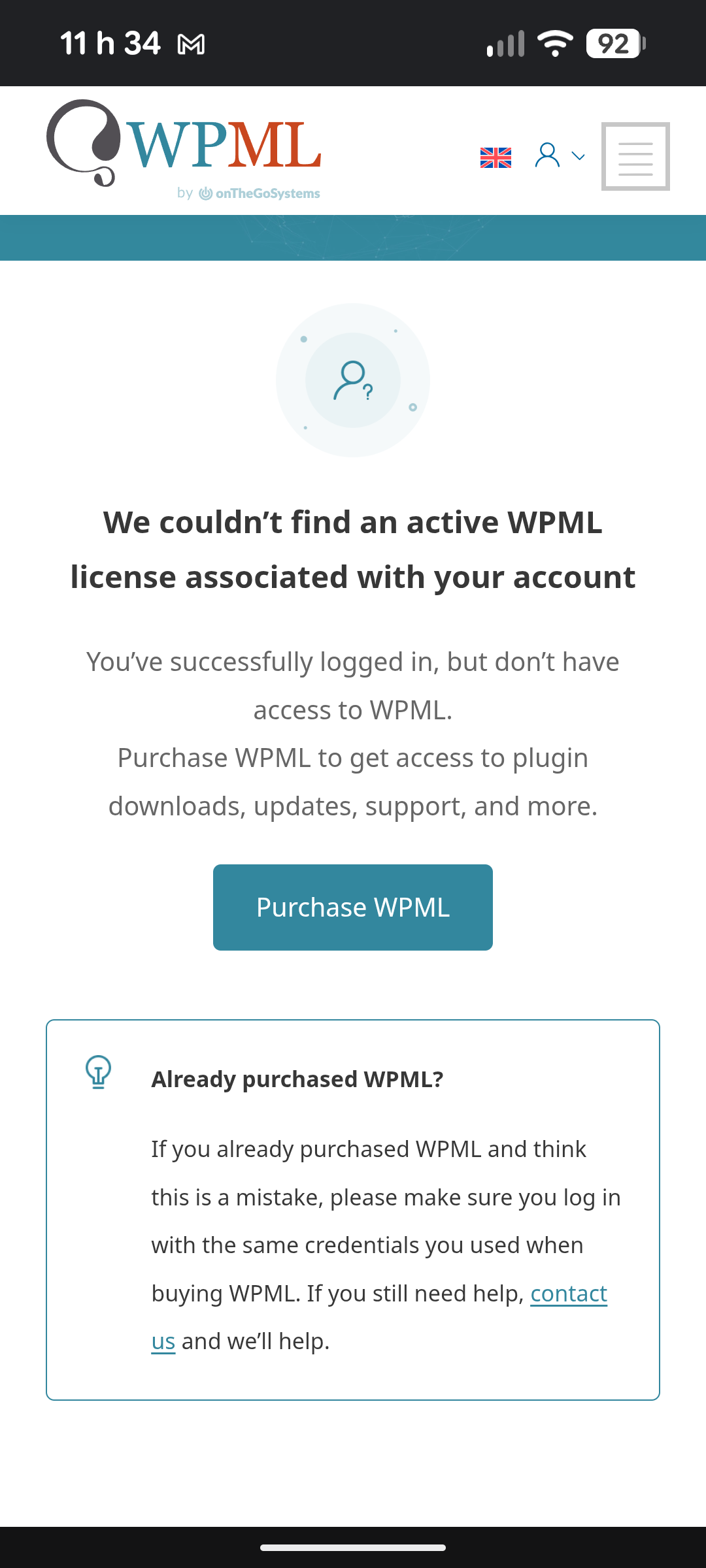
He has completed his account creation under my invitation, I provided him the link to the ticket but it seem's he can't access it (see screenshot)
Did I miss any step ?
Thanks.

image010.png
338590e1-c58c-499b-a52f-8aa58cb7d4c5.png
January 15, 2026 at 8:39 pm #17735289

agenceS-3

Any update about my last message please ?
Thanks.

January 15, 2026 at 8:58 pm #17735296

Otto
WPML Supporter since 09/2015

Languages: English (English ) Spanish (Español )

Timezone: America/Argentina/Buenos_Aires (GMT-03:00)

Hello,

I am sorry, I replied to it yesterday.

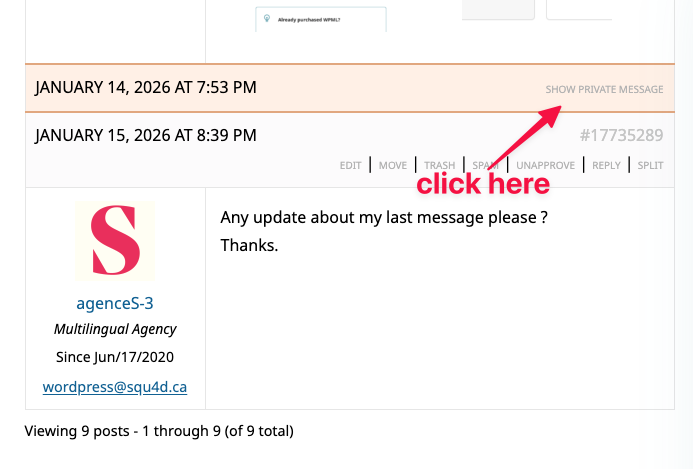
Maybe it was missed because it's a private reply (it contains my email address).

Please check the screenshots attached.

Best Regards,
Otto

CleanShot 2026-01-15 at 17.56.14.png
CleanShot 2026-01-15 at 17.55.29.png
January 15, 2026 at 9:34 pm #17735339

agenceS-3

My bad, I didn't noticed the private message.
I follow your email to Andre,
Thanks !

January 16, 2026 at 12:03 pm #17736727

Otto
WPML Supporter since 09/2015

Languages: English (English ) Spanish (Español )

Timezone: America/Argentina/Buenos_Aires (GMT-03:00)

Hello,

Great, I'll keep an eye on my inbox.

Best Regards,
Otto

January 17, 2026 at 5:55 pm #17739340

Dan Her

Hi, I am Andre, but my real name is Daniel agenceS-3 gave you the wrong name.

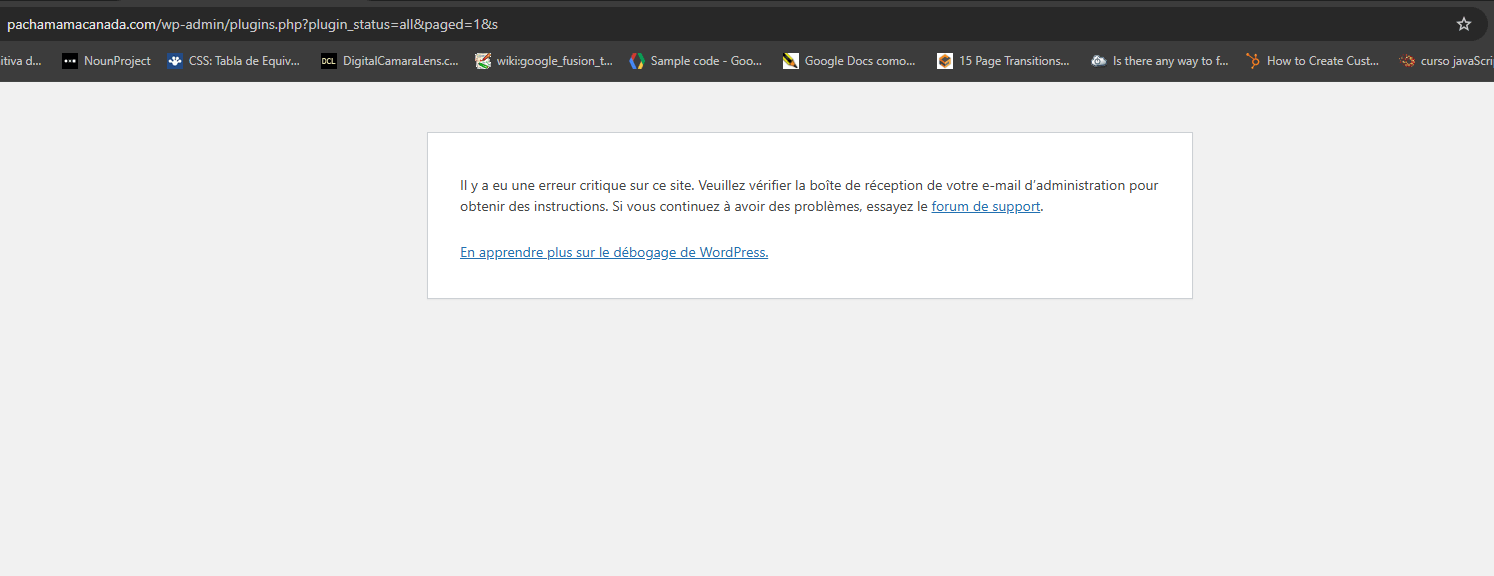
I've run many tests and I've seen that WPML breaks the admin site for the themes and plugins section, for example, deactivate all plugins and activate them one by one until you find when it breaks.

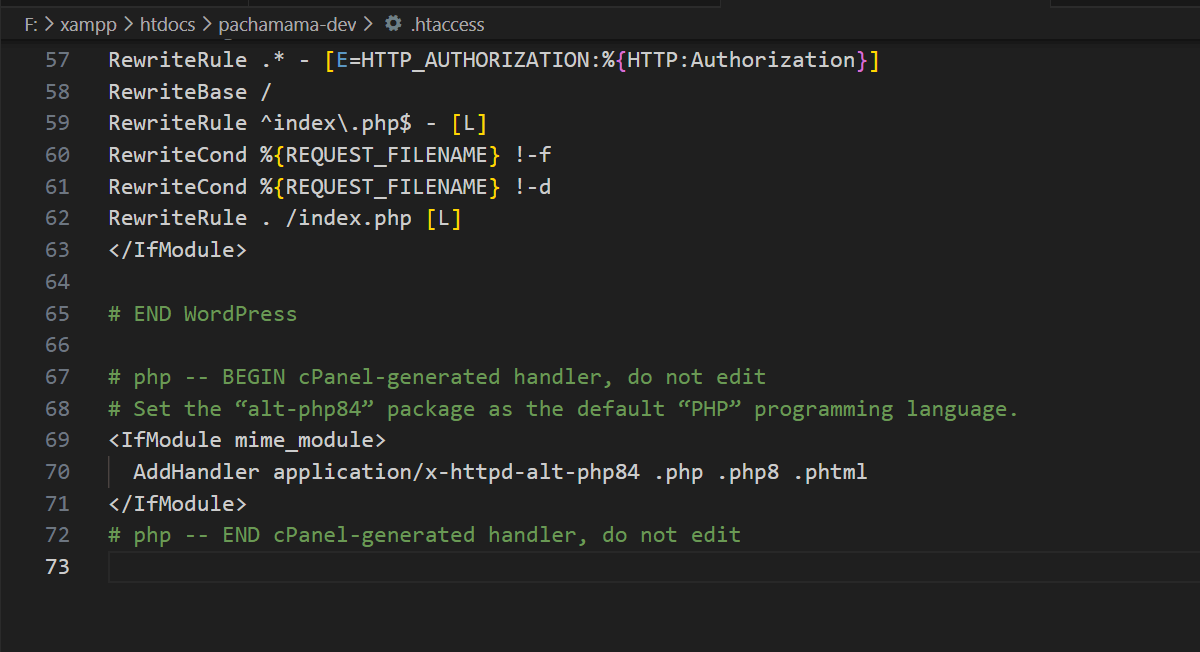
I can confirm that it is WPML Multilingual CMS plugin that fires de bug, but only when cPanel writes the following lines to the .htaccess file.

# php -- BEGIN cPanel-generated handler, do not edit
# Set the “alt-php84” package as the default “PHP” programming language.
<IfModule mime_module>
AddHandler application/x-httpd-alt-php84 .php .php8 .phtml
</IfModule>
# php -- END cPanel-generated handler, do not edit

Other writings on .htaccess do not cause the problem, for example, security plugin rules.

The non-admin area, the part seen by site visitors, shows more subtle errors, all related to WooCommerce. In other words, when WMLP breaks, it causes conflicts with WooCommerce.

It's as, if a few lines of try-catch block are missing somewhere to send an error message instead of breaking the site.

Do you have any ideas on what the fix could be?

Thanks for your help, have good day.

Daniel
dhc120377@gmail.com

January 17, 2026 at 6:06 pm #17739342

Dan Her

Sorry, I forgot to mention that the problem disappears if I create a new .htaccess file to replace the one written by cPanel. The site will work correctly until the next time the server routine writes to the file (twice a week).

January 17, 2026 at 7:18 pm #17739402

Dan Her

here the screen shots of htaccess and the wp error page

vsc-htaccess.png
admin-plugins-error.png
January 19, 2026 at 12:44 pm #17742606

Otto
WPML Supporter since 09/2015

Languages: English (English ) Spanish (Español )

Timezone: America/Argentina/Buenos_Aires (GMT-03:00)

Hello Daniel,

Thanks for the detailed description.

Can you please confirm if you tried this:
https://wpml.org/faq/why-is-htaccess-getting-overwritten-with-the-language-folder-on-my-wpml-website/

If you did and the issue persists, could you please provide me with the full stack trace of the error?

Please follow the instructions mentioned on this page: https://wpml.org/documentation/support/debugging-wpml/
Then, try to reproduce the issue and check your installation's **wp-content** folder to see if a file named **"debug.log"** was created (it will only be generated if a server error occurs).
If the file was created, please upload it to a platform like **Google Drive** or **Dropbox** (whichever you typically use) and share the link with me (ensure it is publicly accessible) so I can analyze it.

Best Regards,
Otto