[Resolved] Article's custom fields are missing in Elementor Loop grid
This thread is resolved. Here is a description of the problem and solution.
Problem:
The client is experiencing issues with displaying translations in English and German for custom fields created with MetaBox IO, using Astra and Elementor's Loop grid. The translations do not appear despite the content being copied and pasted correctly through the translation interface.
Solution:
We recommend following these steps after ensuring you have a full site backup:
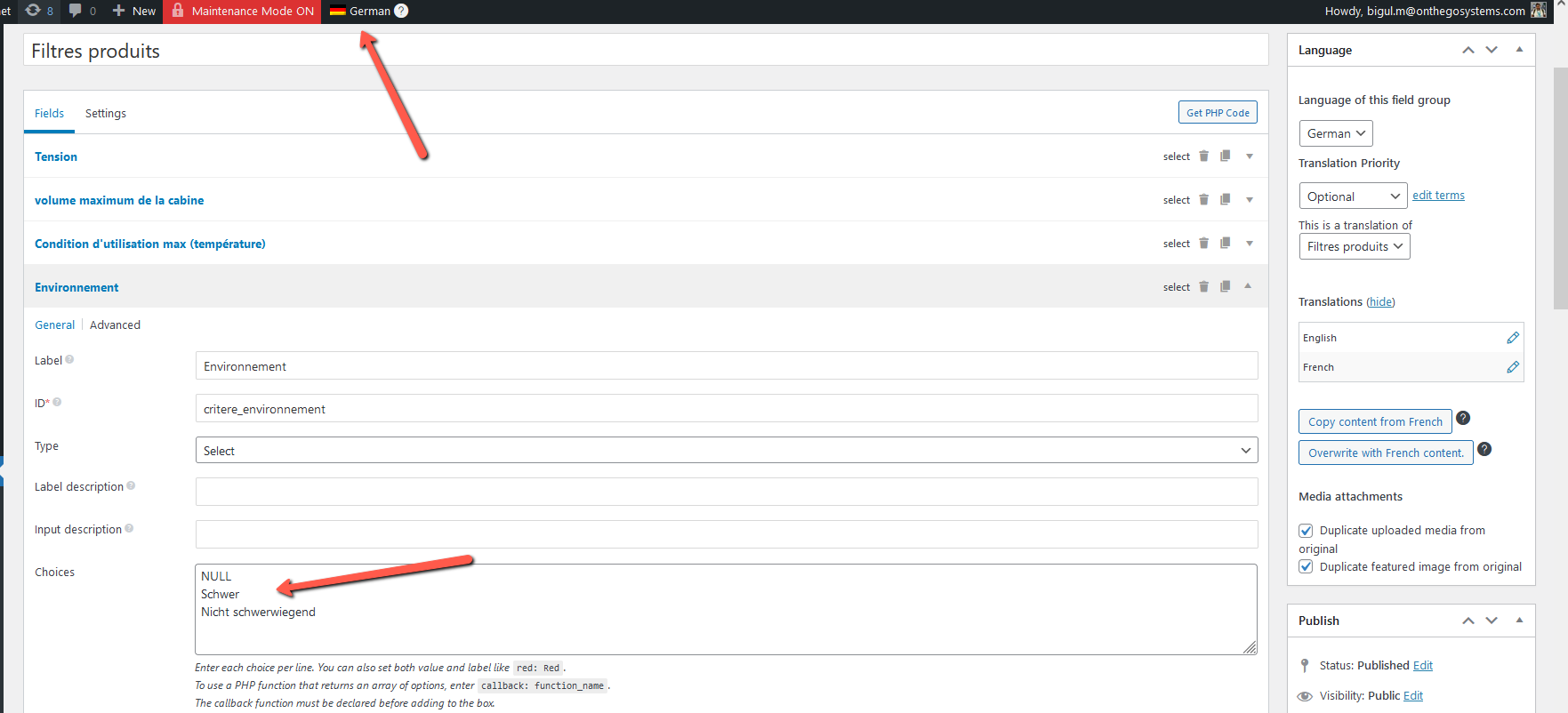
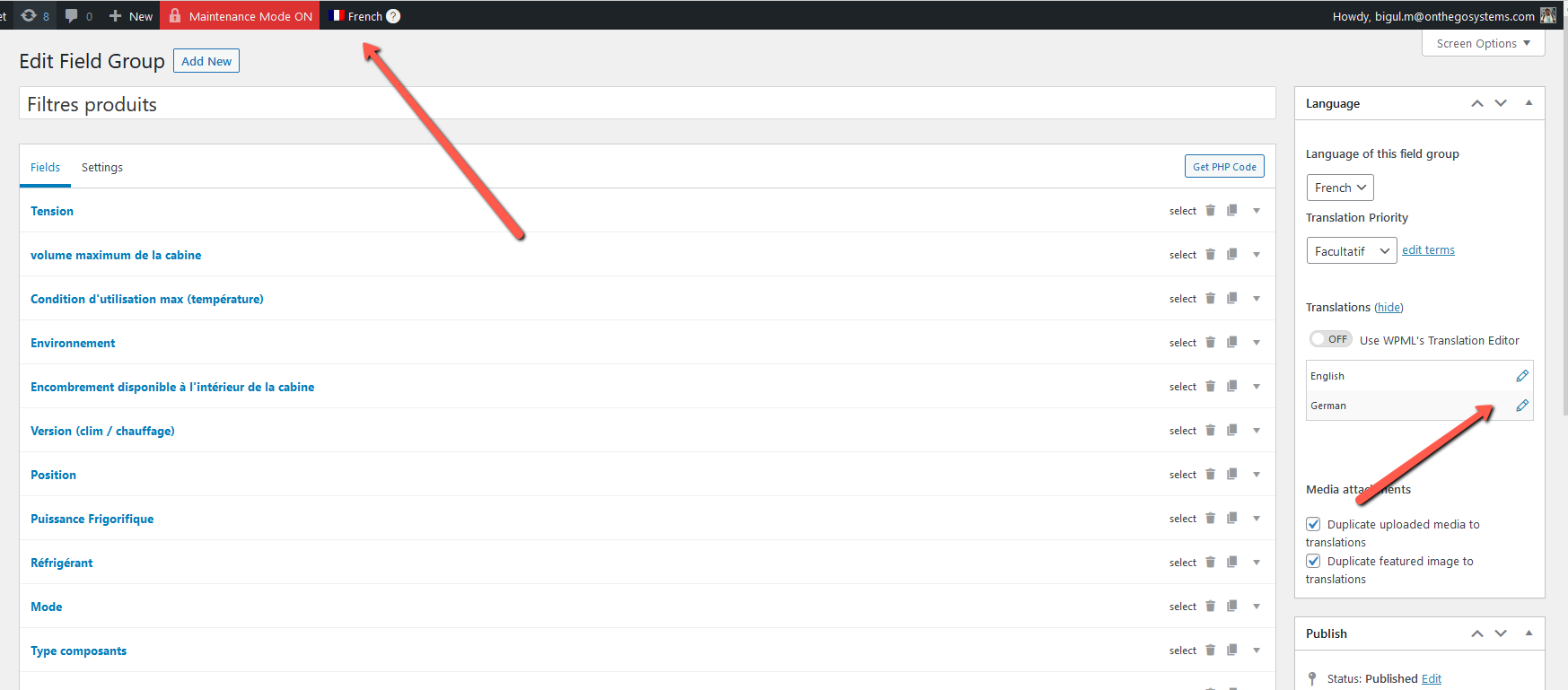
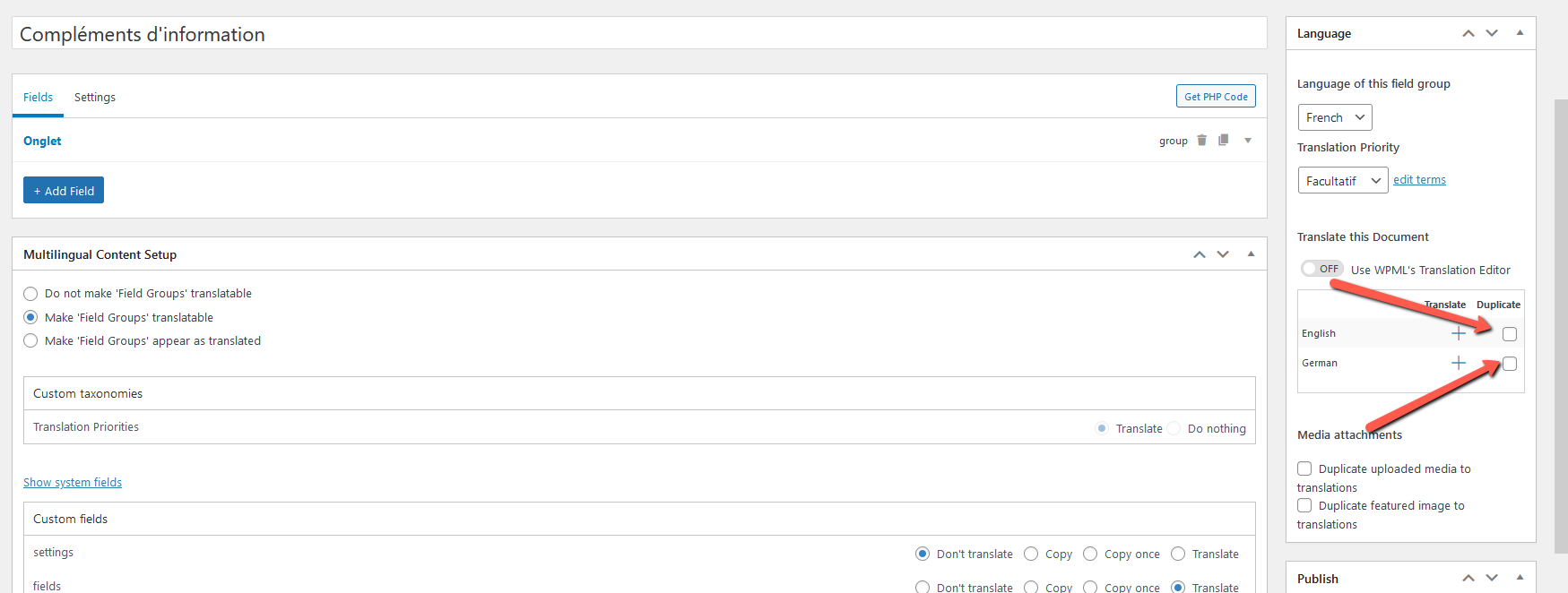
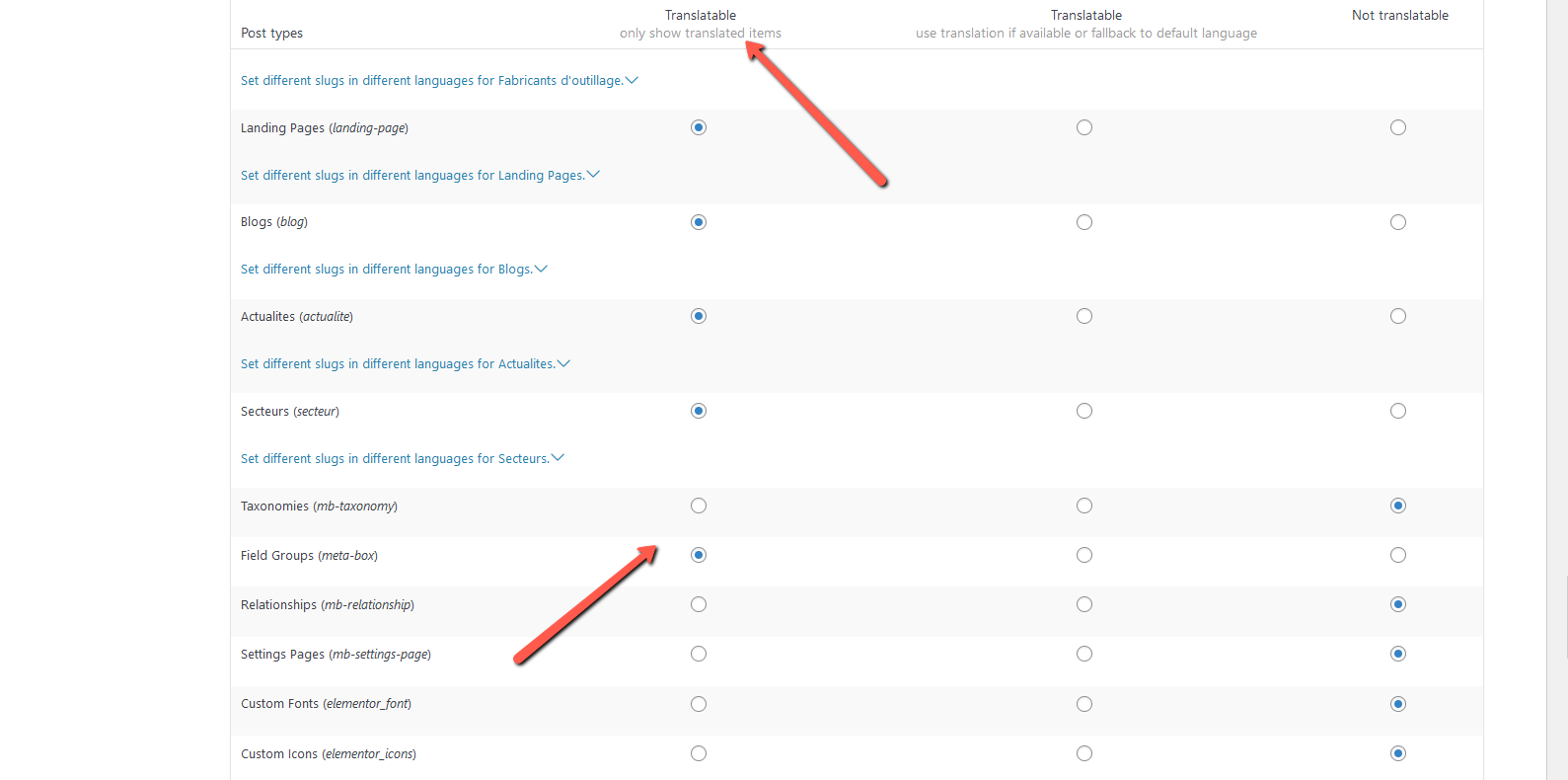
1) Navigate to WPML>>Settings>>Post Types Translation 2) Set the option for Field Groups(meta-box) Post Type to Translatable - only show translated items and save the changes. 3) Go to Meta Box>>Custom Fields 4) Edit the Filtres produits field group. 5) Duplicate the field group for English and German. 6) Use the dashboard language switcher to switch to the German and English field group. 7) Translate the option values to German and English and update the field group. 8) Assign the translated field groups to post types and save the changes. Repeat steps 4 to 8 for all field groups used for the Products Posts.
If this solution does not resolve your issue or seems outdated, we highly recommend checking related known issues at https://wpml.org/known-issues/, verifying the version of the permanent fix, and confirming that you have installed the latest versions of themes and plugins. If further assistance is needed, please open a new support ticket at WPML support forum.
This is the technical support forum for WPML - the multilingual WordPress plugin.
Everyone can read, but only WPML clients can post here. WPML team is replying on the forum 6 days per week, 22 hours per day.
I take the liberty of contacting you because I am having a problem displaying the translation.
I use ASTRA and ELEMENTOR, I implemented the Loop grid recently offered by ELEMENTOR to display a list of articles. Some elements of these article thumbnails are composed of custom fields (METABOX IO). In French, the display is done correctly, but in English and in German the translations do not all appear.
What I realized:
- copy-paste content (via translation interface button) after correctly
- The content entered and therefore different from French is not displayed.
I do not understand where the error comes from, thank you in advance for your help
Thank you for the login information. Please share the exact steps to reproduce the issue on your site(including the page URL). It will be great if you can share a screencast for a better understanding.
Thank you for the details. This requires further testing. So please allow me to make a duplicator copy of your site using the Duplicator plugin(https://wordpress.org/plugins/duplicator/) for debugging the issue on my local server. So we can troubleshoot the issue without affecting your site.
The issue is existing after the initial troubleshooting steps. So consulting with our team for expert opinion. We will get back to you as early as possible. Please wait.
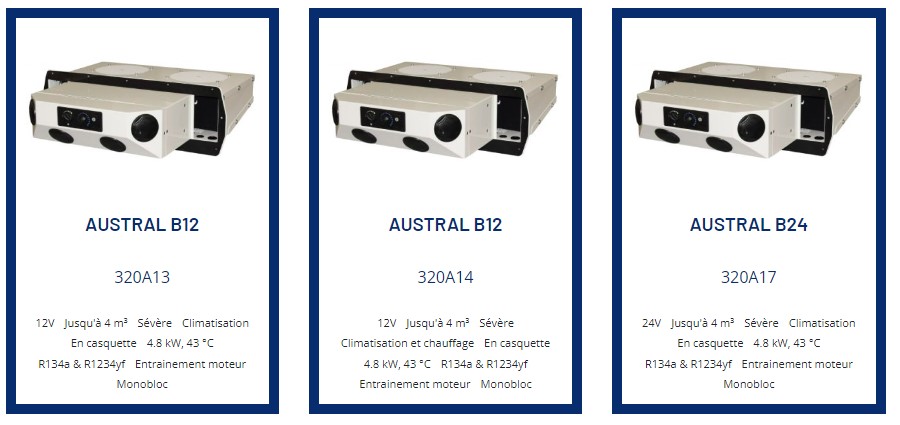
Sorry for the delay because of the weekend. We are still working on this. One doubt. Please check the attached image. Text like *Sévère Climatisation*, *Monobloc* & *Entrainement moteur* is not directly linked to posts like the following. It is missing in the post meta table for these posts and because of that, it is not listed for translation in WPML Translation Editor. So how you are managing it?
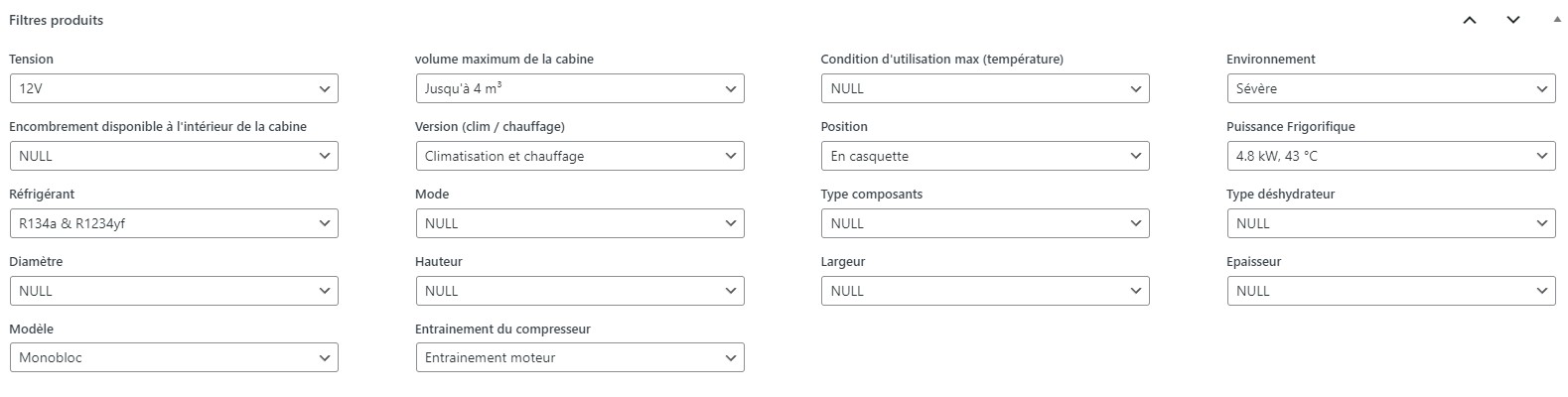
Hello, these parameters are managed on the product sheets via the Metabox custom fields (drop-down list).
I put you the screenshot of the area in which I choose the values
I am getting the expected results in my local copy after the following steps. So please try it after a full site backup and let me know your feedback.
1) Visit WPML>>Settings>>Post Types Translation
2) Choose *Translatable only show translated items* option for *Field Groups(meta-box)* Post Type and save the changes.
3) Go to Meta Box>>Custom Fields
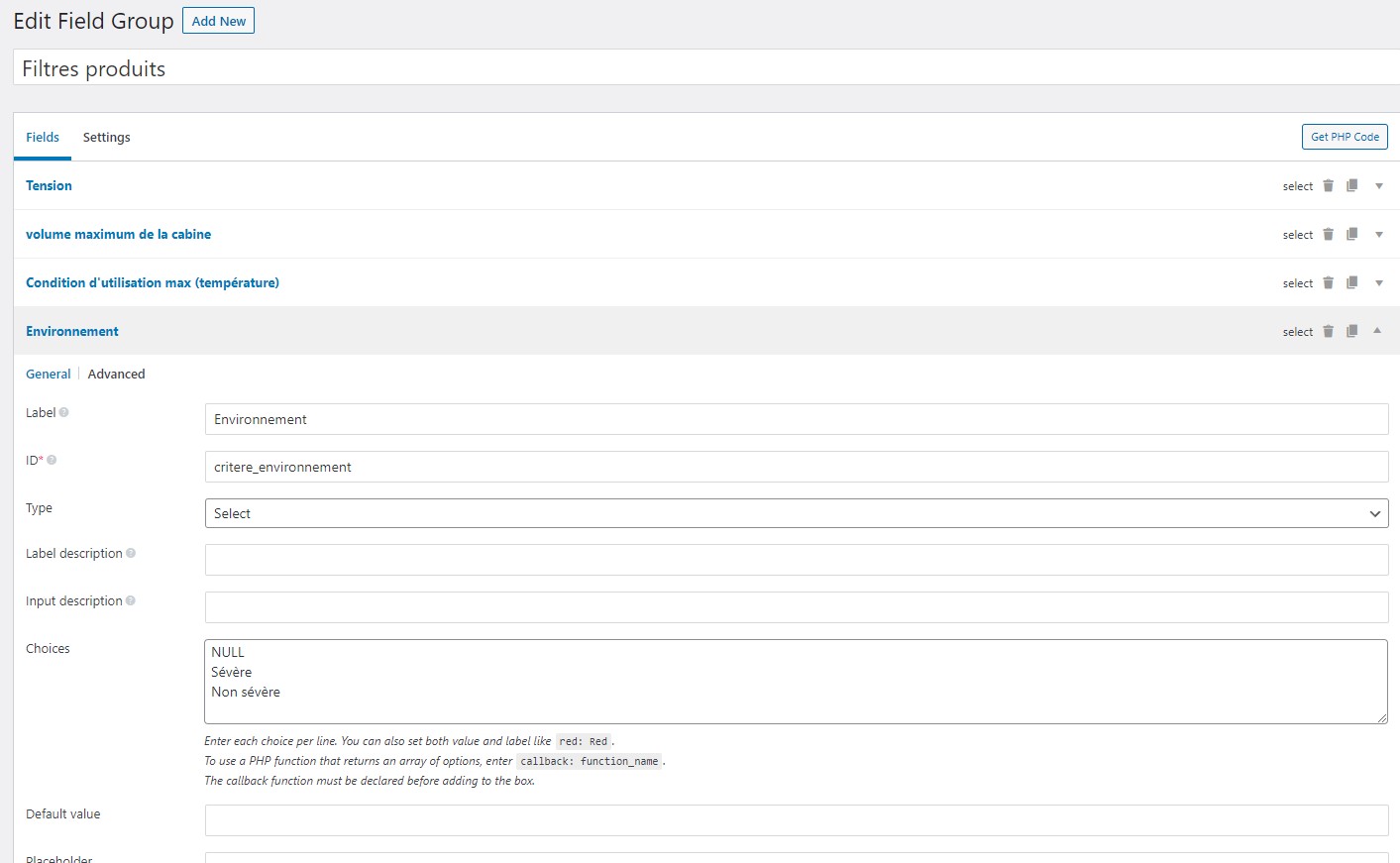
4) Open *Filtres produits* field group for edit
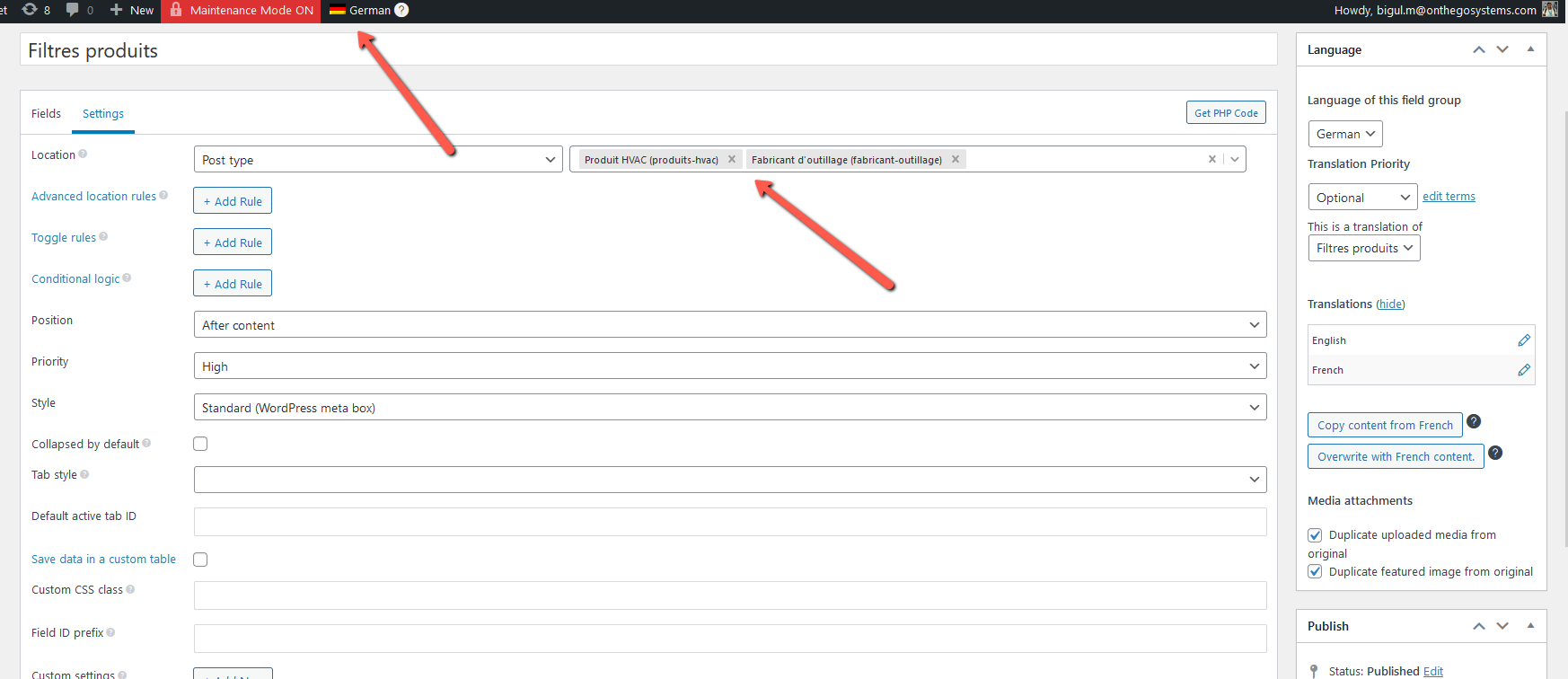
5) Duplicate the field group to English & German
6) Switch to German & English field group via dashboard language switcher(of top header)
7) Translate the option values to German & English and update the field group
8) Set the translated field groups to post types and save the changes
We have to do the same steps(4 to 8) for all the field groups used for the Products Posts. Please refer to the attached images for more details.