Andreas W.
WPML Supporter since 12/2018
Languages:
English (English )
German (Deutsch )
Timezone:
America/Lima (GMT-05:00)
|
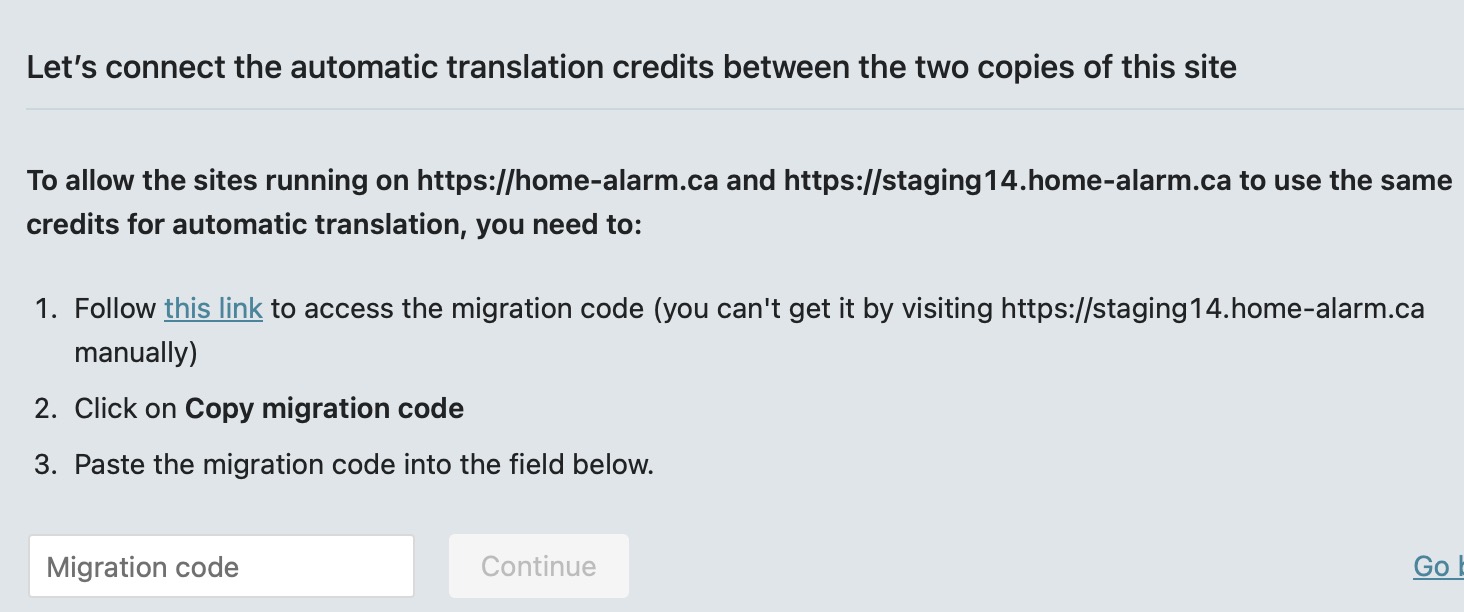
You need to complete this dialog. Is there anything unclear about it?
If you would like the live site and staging tobe connected and share translation memory, glossary, please select "Yes".
The second part of the dialog will ask you if you also want to share pre-paid credits or a Pay-As-You-Go subscription between both sites.
|

ronaldT-5
|
Not exactly what I get. I end up exactly where I was stuck earlier. See that snapshots below:
|
ronaldT-5
|
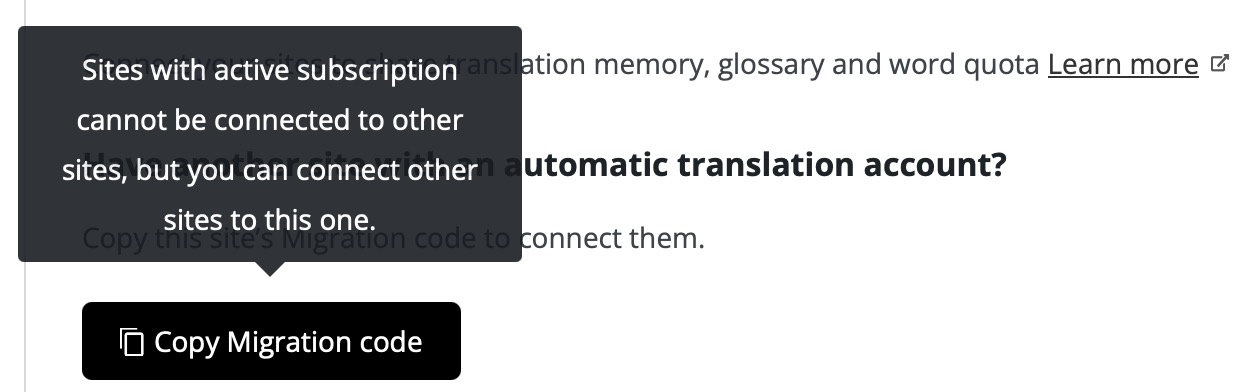
Another snapshot upon trying to obtain a Migration Code:
|
Andreas W.
WPML Supporter since 12/2018
Languages:
English (English )
German (Deutsch )
Timezone:
America/Lima (GMT-05:00)
|
Yes, this says that you can not use this site to get the code, as it has an active susbscription for Pay-As-You-Go.
In this case you would need to go to the other site (Live site), which does not have an active subscription, to get the code and then connect it to the staging site.
|
ronaldT-5
|
Hmmm, I'm already on the live [production] site.
|
Andreas W.
WPML Supporter since 12/2018
Languages:
English (English )
German (Deutsch )
Timezone:
America/Lima (GMT-05:00)
|
Step 1) says you need to get the code from the staging site.
Do you have issues with accessing the code on the staging site?
|
ronaldT-5
|
As a matter of fact, I do. The option is greyed out.
|
Andreas W.
WPML Supporter since 12/2018
Languages:
English (English )
German (Deutsch )
Timezone:
America/Lima (GMT-05:00)
|
I am sorry for the misunderstanding.
The staging site is the one that is having a subscription for Pay-As-You-Go.
You need to get the code on the live site and paste it into the staging site at WPML > Translation Management > Tools > Connected Sites.
|
ronaldT-5
|
Wow, confusing indeed. Anyhow, I just tried it out. Everything worked out, except, when I paste it, is simply leave it blank. What gives? Is it a Safari browser issue?
|
ronaldT-5
|
Okay, I just tried it all on Google Chrome, and everything worked without a hitch. Why didn't tell me it didn't work on Safari? Am I the only one using Safari?
|
ronaldT-5
|
After all this, the issue about losing my translations is still occurring. At least on the Alarm Services Signup page. I will soon find out home many pages have this same issue. It appears to be mostly the image text translations that are affected the most.
|
Andreas W.
WPML Supporter since 12/2018
Languages:
English (English )
German (Deutsch )
Timezone:
America/Lima (GMT-05:00)
|
My apologies, I am not an Apple user and I was not aware of this issue.
I will investigate today if such issue was reported already and create an escalation ticket, if needed.
For the missing translation, could you please name me the permalink (url) of the page where the issue occurs, so that I can compare the old translations on our system?
Take note, that the Advanced Translation Editi will always delete translated segments, if the original content for this segment was edited.
|
ronaldT-5
|
So far, I have found the following pages with issues (non-existent in staging):
hidden link
hidden link
hidden link
hidden link
|
ronaldT-5
|
I have reset those pages in staging, and deployed the staging to production once again.
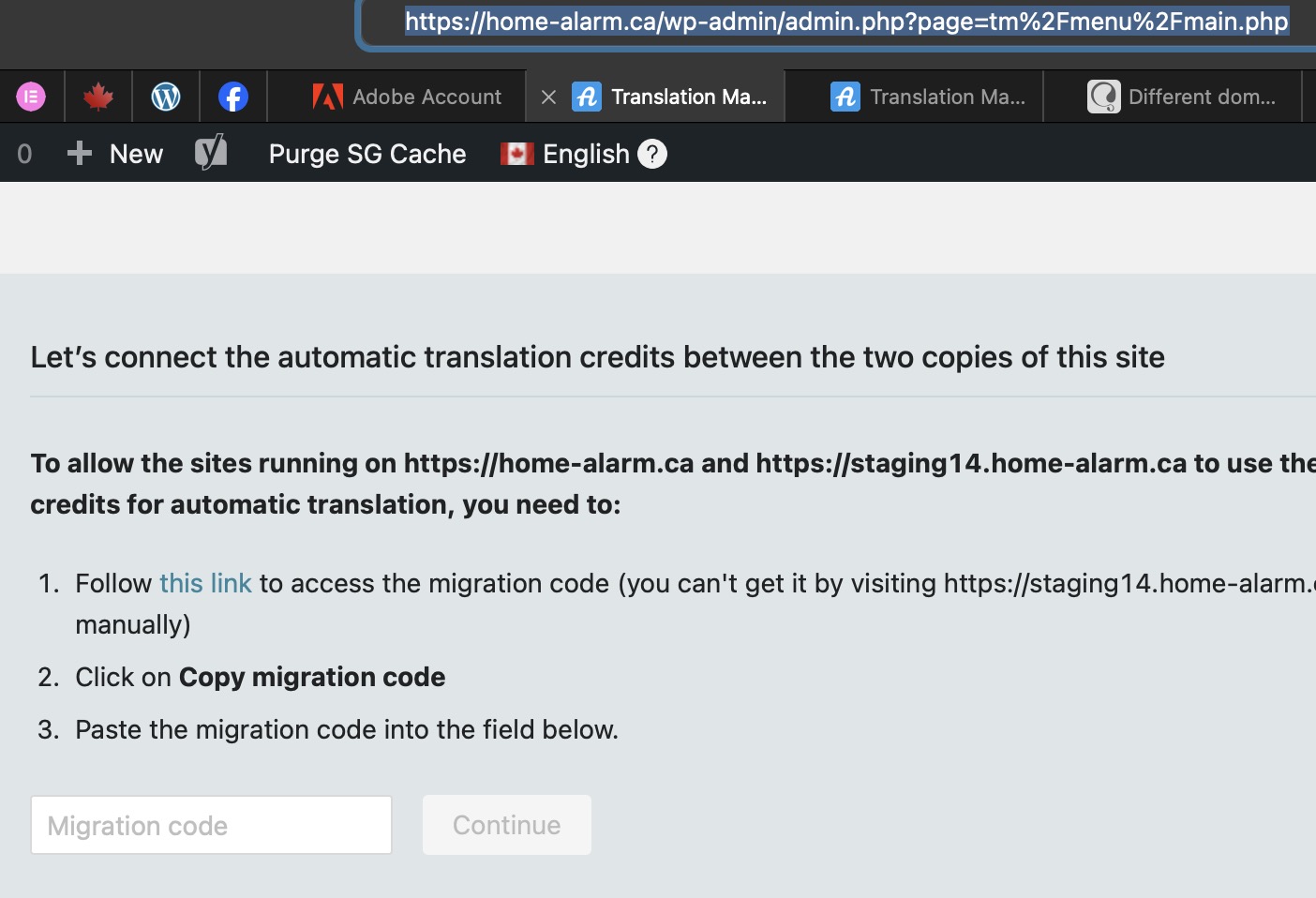
Upon accessing home-alarm.ca/wp-admin in Safari I got the same dialog box as shown in the snapshot below. The issue in Safari is when I click on the button "copy migration code", it does not bring it into the clipboard.
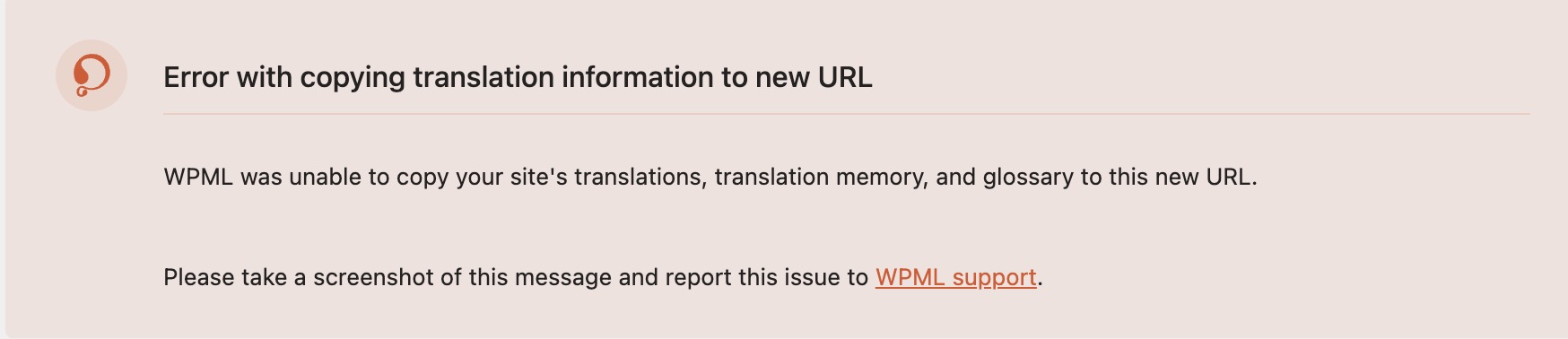
Everything works via Google Chrome, I get the "You're All Set" box, but upon clicking on the "Close" button, the same dialog box as shown below comes right back. And when I click on the Continue button, I get stuck at an error box (see the second snapshot below).
|