Background of the issue:
We are developing a B2B eCommerce marketplace website using WooCommerce, WPML, and WCFM, supporting 20 different languages. It is essential for us to add and update bulk products using CSV files. We plan to use WooCommerce's default product import functionality as described here: https://woocommerce.com/document/product-csv-importer-exporter. We prefer not to use third-party plugins like 'WP All Import' because our vendors will eventually need to handle the CSV imports themselves. Since WCFM supports the default WooCommerce import tool, it is important for us to stick with this method.
Symptoms:
We are unsure how to manage the import of translated products through WooCommerce's default CSV import feature.
Questions:
Could you please guide us on how to import translated products using WooCommerce’s default CSV import feature in conjunction with WPML?
I’m honestly shocked at the lack of attention being paid to my concerns. It’s clear the WPML support team isn’t bothering to read what I’ve written. Instead, it feels like you’re just matching keywords and spitting out articles without addressing the actual issue. This is beyond frustrating and completely unacceptable.
I specifically stated that we do not want to use third-party plugins like 'WP All Import' because our vendors will need to manage CSV imports themselves. Yet, you’ve sent me an article pushing 'WP All Import' as a solution, completely ignoring my request.
We’ve already tried 'WP All Import' with WPML, and it’s not user-friendly. Please take the time to properly read my concern and provide a solution that aligns with what we actually need.
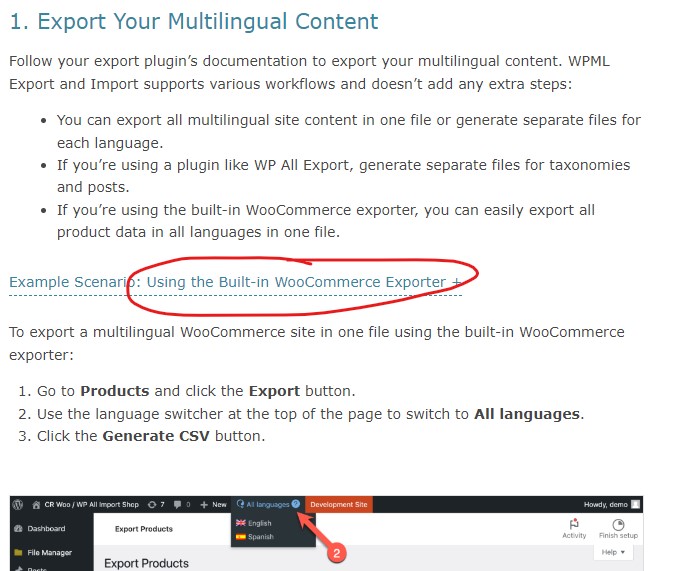
If you’re using the built-in WooCommerce exporter, you can easily export all product data in all languages in one file.
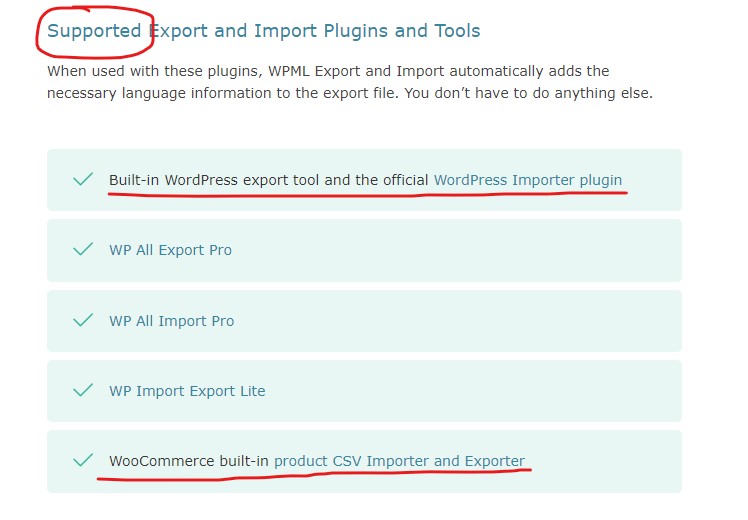
Same goes for "Import Your Multilingual Content" section, which just explains that how you need to import, based on your export method, without emphasizing on any 3rd party plugin. However, it emphasizes on the use of "WPML Export and Import" plugin in the end:
Until you run WPML Export and Import, you’ll see all imported content under the default language and in Draft status. Learn more about how and why WPML Export and Import manages imported content visibility.
These both sections, even providing an example for "Built-in WooCommerce Exporter or Importer" (see attached).
Can you please explain or show where in this guide, it is misleading you to WP All Import? So I can check again.
Otherwise, I'd request to follow the guide with your CSV methods, try and let me know for any related issues. I'll try my best to further assist you on the matter.
This guide (link also available in the previously mentioned guide), also addresses methods using a 3rd party plugin, built-in methods or preparing the CSV on your own.
The topic ‘[Closed] Guidance Needed for Importing Translated Products via WooCommerce's Default Product Import Function…’ is closed to new replies.