milijanM
|
Issue 2)
You do not see this option, as you are watching an original product. The mentioned option will only be available on the translations when editing them with the WordPress Editor.
I see here you still see unexpectedly the Advanced Translation Editor when opening the translation.
In such case, you needed to switch the translation method back to "WPML Translation Editor", then cancel the job at WPML > Translation Management > Jobs, and then switch the translation method for the page back to "WordPress Editor".
>>> Can you help me with this, I tried but failed to do it? The only thing left to do is to return the Instagram Plate product to WordPress Editor
Issue 3)
You can change the source languages for taxonomy labels and slugs. See screenshot. Please give this a try.
>>> I did it, thanks for the instructions on Issue 3
|

Andreas W.
WPML Supporter since 12/2018
Languages:
English (English )
German (Deutsch )
Timezone:
America/Lima (GMT-05:00)
|
I actually fixed this issue yesterday for the mentioned product already but I see today it occurred again.
The only solution I found, was switching back to WPML Translation Editor as the translation method, completing the job, and then switching back to WordPress Editor as the translation method.
Note, that there is a known issue, that causes translations that use the WordPress Editor to open on the Advanced Translation Editor if you create a job on WPML's Translation Management Dashboard.
Errata:
https://wpml.org/errata/sending-post-translated-with-native-editor-from-the-translation-management-dashboard-will-open-ate/
|
milijanM
|
I don't understand, can I now translate that product with the help of WordPress editor as I planned or not?
|
Andreas W.
WPML Supporter since 12/2018
Languages:
English (English )
German (Deutsch )
Timezone:
America/Lima (GMT-05:00)
|
You should be able to translate it with the WordPress Editor. It was working the last time I accessed the site.
Please give it a try and let me know if further assistance is needed.
|
milijanM
|
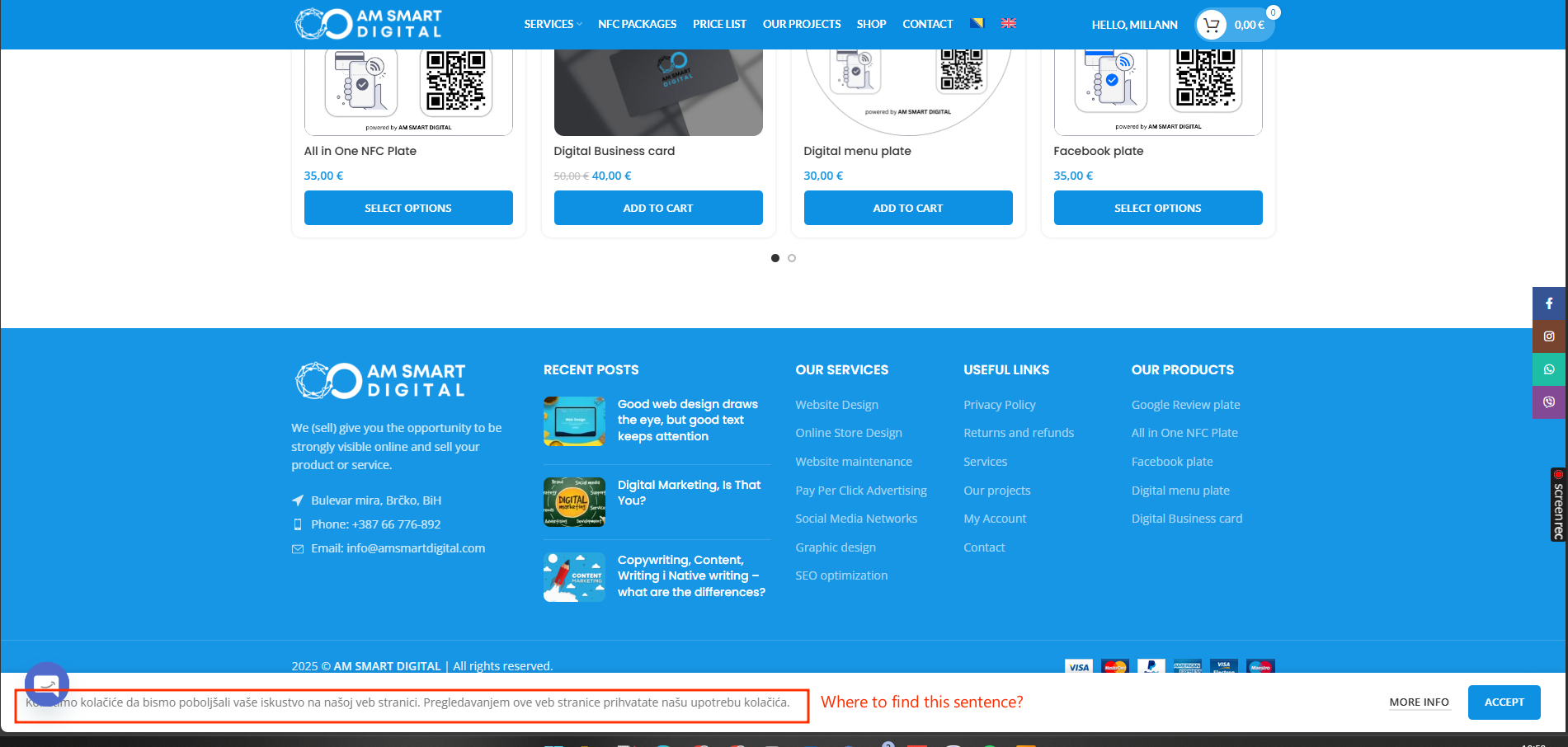
I did it, it works now and I have translated the page. I still need help with this sentence that I can't find and we are done. Sorry for waiting 5 days for a reply but I was away.
|
Andreas W.
WPML Supporter since 12/2018
Languages:
English (English )
German (Deutsch )
Timezone:
America/Lima (GMT-05:00)
|
Awesome, I am glad to hear that it worked out!
The string on your footer bar will need to be translated with WPML > String Translation, as it is a string coming from a theme or plugin.
Please go to WPML > Translation Management > Dashboard > Other texts (String) and search for the string.
If the string can not be found, please follow this guide:
https://wpml.org/documentation/getting-started-guide/string-translation/finding-strings-that-dont-appear-on-the-string-translation-page/#register-admin-and-setting-strings-for-translation
Once the string is found and registered in WPML > String Translation, make sure to confirm that it is using the correct source language:
https://wpml.org/documentation/getting-started-guide/string-translation/how-to-change-the-source-language-of-strings/
If this does not solve the issue, please let me know.
|
milijanM
|
Thank you for your help and cooperation, and I'm sorry if I was rude at times.
Do you have any information on when the problem with the String Translation plugin will be solved? The problem is described in this post by your colleague:
NOMAN:
Based on what I've observed, this may be related to a known issue reported here: https://wpml.org/errata/editing-translated-posts-directly-can-result-in-lost-content/
To confirm this, could you please:
1. Take a backup of your site for safety reasons.
2. Temporarily deactivate the “String Translation” plugin.
3. Then try replicating the issue again and check if the issue still occurs.
- If the issue no longer appears after deactivating the plugin, then it's most likely due to the same bug our development team is already working on resolving.
- If it still persists, we'll need to escalate this to our 2nd tier support. For that, we'd need your permission to take a full copy of the site using the All-in-One Migration or Duplicator plugin, as the test site isn't performing reliably on our end.
Looking forward to your confirmation, we're committed to getting this sorted for you as soon as possible.
|
Andreas W.
WPML Supporter since 12/2018
Languages:
English (English )
German (Deutsch )
Timezone:
America/Lima (GMT-05:00)
|
The issue you refer to is solved already in WPML version 4.7.6.
You can find the update at Plugins > Add new Plugin on the commercial tab by clicking on "Check for WPML Updates".
About my earlier comment:
It is expected that strings coming from themes and plugins will need to be translated with WPML > String Translation.
This is the purpose of this module. If you have issues with finding the string, please try to follow this guide:
https://wpml.org/documentation/getting-started-guide/string-translation/finding-strings-that-dont-appear-on-the-string-translation-page/
If you still need my assistance, I can offer to take a look at it.
|
milijanM
|
Plase check if i have done everything ok, if it is ok then we can close this Topic. Thank you in advance.
|
Andreas W.
WPML Supporter since 12/2018
Languages:
English (English )
German (Deutsch )
Timezone:
America/Lima (GMT-05:00)
|
What I can point out at the moment:
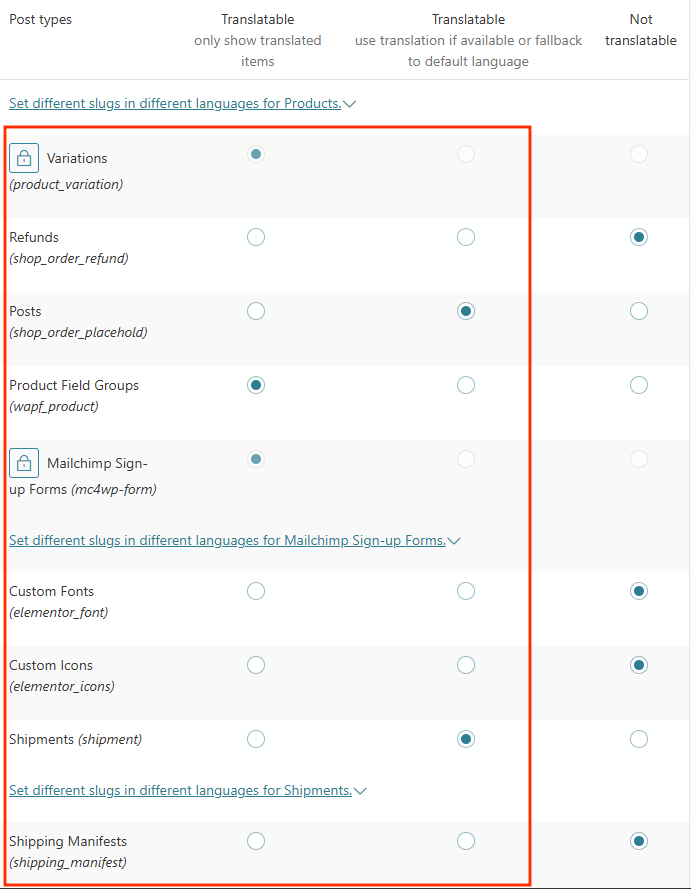
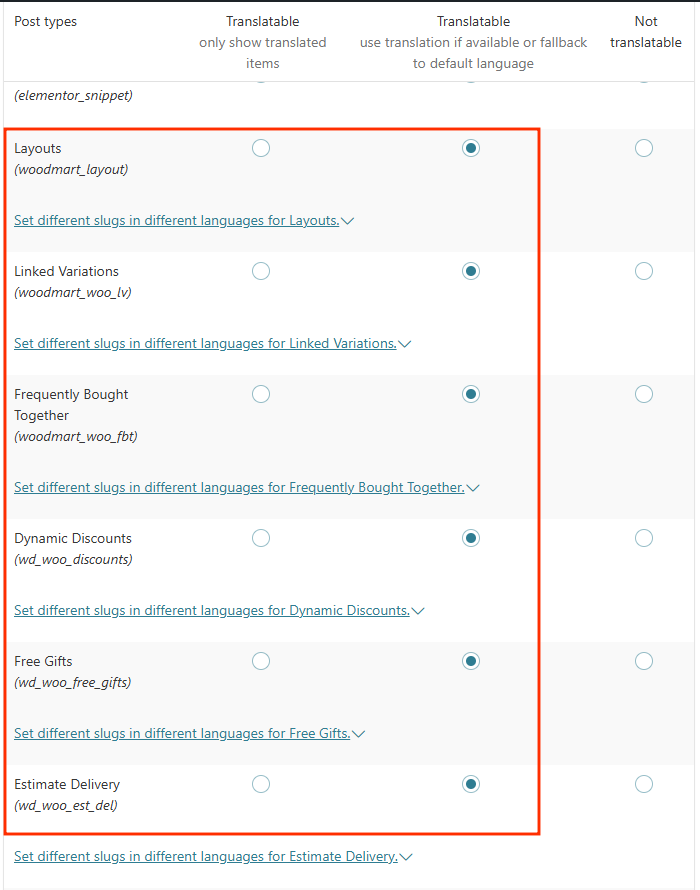
At WPML > Settings > Post Type translation, you have set various types to "Translatable
use translation if available or fallback to default language" including Products and Woodmart Templates.
I would not suggest doing this if you plan to translate all products.
Also, I can not suggest this setting for the templates. The templates need to be translated to work as expected.
As all your products and templates are translated, I suggest you use the setting "Translatable only show translated items".
Also, take note that we released an update for our WooCommerce Multilingual addon today, which I already installed on your site.
More details here:
https://wpml.org/compatibility/2025/06/woocommerce-multilingual-5-5-0/
If you spot any further issues, please let me know.
|
milijanM
|
Hi,
Did you mean these elements?
|
Andreas W.
WPML Supporter since 12/2018
Languages:
English (English )
German (Deutsch )
Timezone:
America/Lima (GMT-05:00)
|
Exactly, this is the section.
I suggest not using "Translatable - use translation if available or fallback to default language" for products and templates.
|
milijanM
|
Ok, thank you for your cooperation.
|
Andreas W.
WPML Supporter since 12/2018
Languages:
English (English )
German (Deutsch )
Timezone:
America/Lima (GMT-05:00)
|
You are welcome 😉
|