This thread is resolved. Here is a description of the problem and solution.
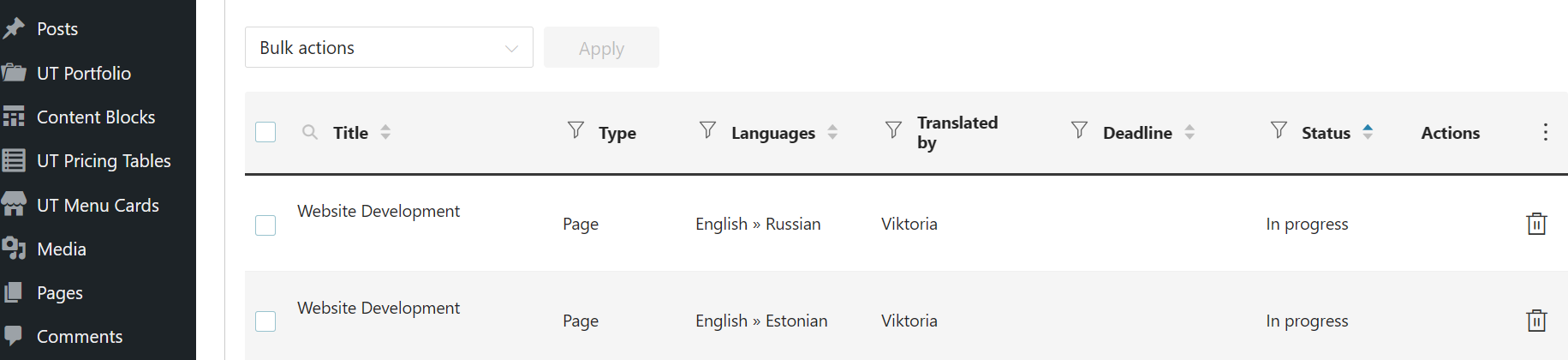
Problem: You have translations that are stuck in 'In progress mode' and are not visible on your website despite being 100% ready. The original language is English with translations into Estonian and Russian. Solution: We recommend applying the workaround from our errata page. Specifically, you can try the solution provided here: https://wpml.org/errata/divi-php-8-2-fatal-error-uncaught-typeerror-htmlspecialchars_decode/. After applying this workaround, please check if the translations are now visible.
If this solution does not resolve your issue or seems irrelevant due to being outdated or not applicable to your case, we highly recommend checking related known issues at https://wpml.org/known-issues/, verifying the version of the permanent fix, and confirming that you have installed the latest versions of themes and plugins. If the problem persists, please open a new support ticket with us for further assistance.
This is the technical support forum for WPML - the multilingual WordPress plugin.
Everyone can read, but only WPML clients can post here. WPML team is replying on the forum 6 days per week, 22 hours per day.
Background of the issue:
I have a stuck translation for this page: hidden link. Original language is English, and I did translations to Estonian and Russian languages. Translations are 100% ready, but they are stuck in 'In progress mode' and therefore not visible on the website. I have tried to follow advice from the WPML website (removing them from the Job list and make small webpage changes, but it didn't help).
Symptoms:
Translations are stuck in 'In progress mode' and not visible on the website.
Questions:
How can I resolve the issue of translations being stuck in 'In progress mode'?
Why are my translations not visible on the website despite being 100% ready?
Thanks for reaching us. Kindly backup the site and update all WPML plugins to the latest version. If you do not see an update option, navigate to WP > Plugins > Add New > Commercial Tab . Then, click on "Check Updates".
Once it's updated, please try cancelling the translation job and retranslate it again and see if it works.
I will need to closely examine your website. Therefore, I will require temporary access (WP-Admin and FTP) to a test site where the problem has been replicated, if possible. This will enable me to provide better assistance and determine if any configurations need to be modified.
Please note that it is important to have a backup for security purposes and to prevent any potential data loss. You can use the UpdraftPlus plugin (https://wordpress.org/plugins/updraftplus/) to fulfill your backup requirements.
Your upcoming reply will be treated with confidentiality and will only be visible to you and me.
✙ To resolve the issue, I may need your consent to deactivate and reactivate plugins and the theme, as well as make configuration changes on the site if necessary. This emphasizes the significance of having a backup.
Hello, I have sent a reply with all necessary information on Friday but got no response. Could you please check my last message with logins/passwords I have provided you to check the website?
I've made backup and give my consent to deactivate any plugins to find out what can be the problem. Hope to get support.
Thank you so much!
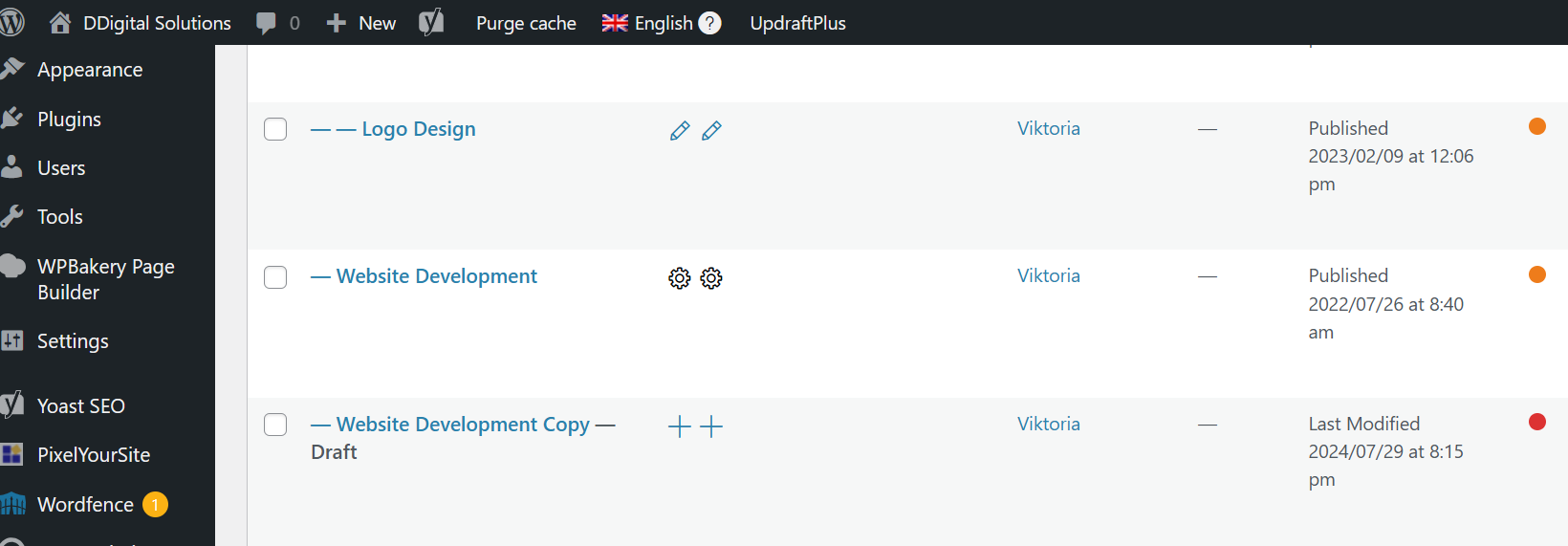
Hello, I have just checked the webpage - unfortunately the issue is not solved. After I did minor modifications to translations (Estonian and Russian), I see the gear and the translations is stuck again.
I have now tried to make corrections to another page Services, and there's the same issue - after I have updated translations, the gear appears and the translation is stuck.
It looks like you're facing an issue similar to this https://wpml.org/errata/impreza-theme-encoded-urls-appearing-in-wpmls-advanced-translation-editor-ate/ . But you're using another theme and to proceed with troubleshooting, I kindly ask for a snapshot of the site. Alternatively, with your permission, I can create one myself. For this purpose, I typically recommend using the free plugin "Duplicator." If you're already familiar with Duplicator (https://wordpress.org/plugins/duplicator/), please skip the following steps and simply send me the archive file you downloaded.
To guide you further, please adhere to these instructions:
1. View the Duplicator instructions video: hidden link
3. If the archive file exceeds 400MB, please use Duplicator's file filters to exclude cache, wp-uploads directory, media, and archive files.
Once you have the archive file ready, kindly share the link with us. You can utilize platforms like Google Drive, Dropbox, or similar for file sharing, as the snapshot file might be large.
Please note that your next reply will be private, visible only to you and me. You can paste the file link there. Rest assured that once the issue is resolved, I will delete the local site.
Thank you for your patience. I now have the duplicator copy of the site and will investigate the issue further. I’ll get back to you once I have more information.
When I entered WordPress, I saw that the gear has disappeared, and I wanted to test that now everything is working fine:
I have made a minor correction to the main English version (removed the dot and then added it again). After that I went to the Estonian and Russian translation pages, which requested me to refresh them after corrections were done to EN version.
And now there's a gear again. Please see screenshot numer 22 attached.
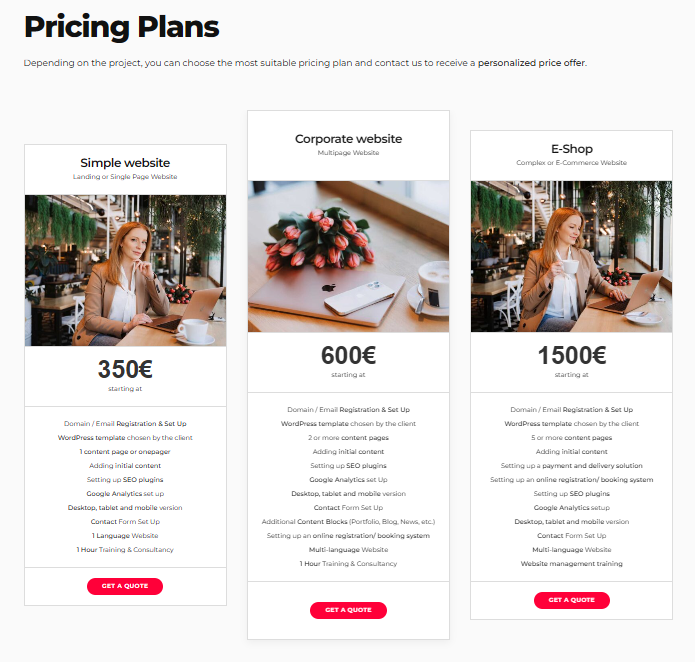
And moreover when I check translations in the pricing tables - Estonian and Russian are different from English. When I visit the translation page, I see correct translations there. But for some reason they do not appear on the page and get stuck.