This thread is resolved. Here is a description of the problem and solution.
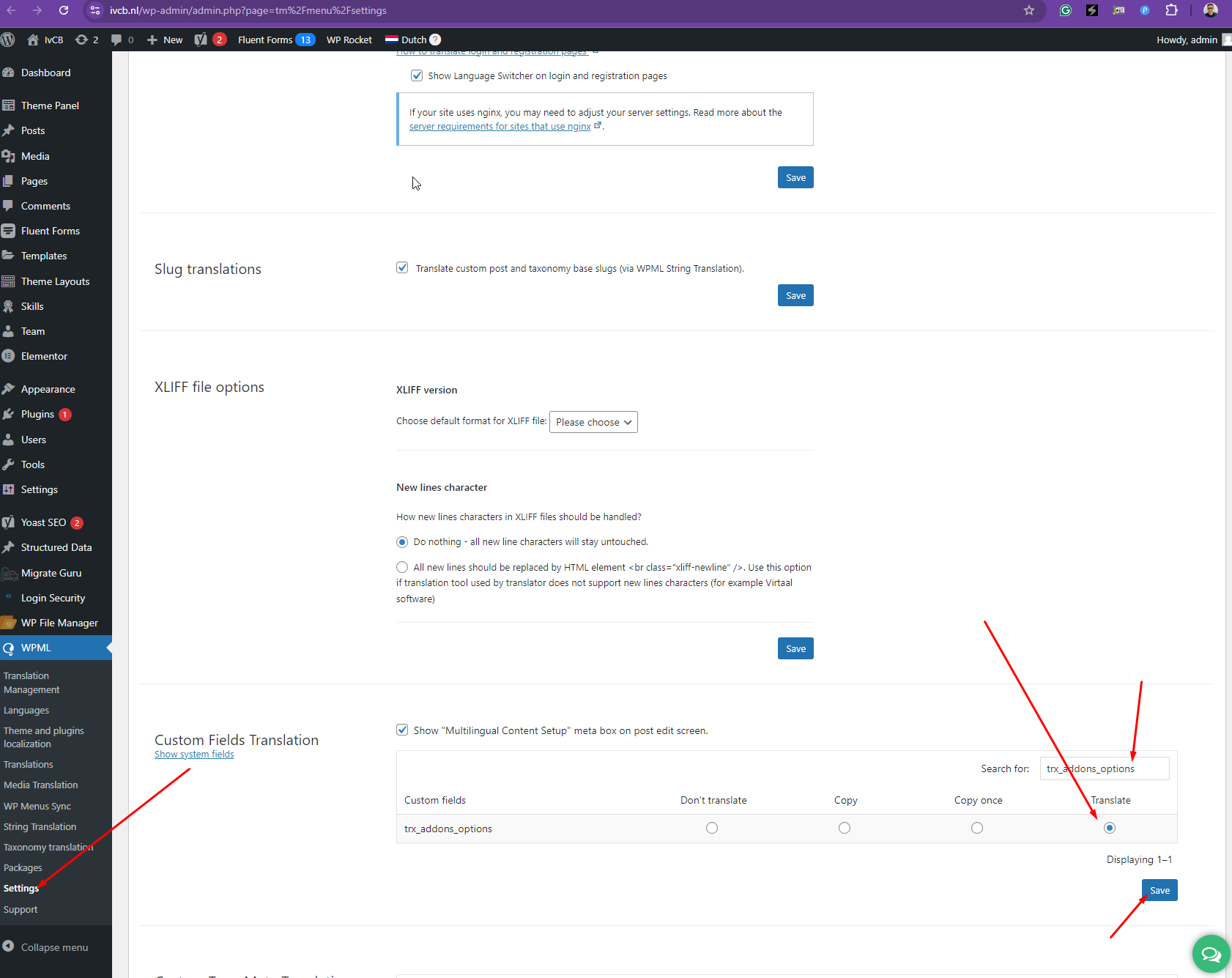
Problem: The client is unable to change the role of a team member on the English version of their website. The role automatically reverts back to the original language (Dutch) even after translating it on an Elementor Pro page. Solution: 1. Ensure that all translations are completed for the team's information by checking the team's admin page. This can be done by navigating to the custom post type for the team on the website's admin panel. 2. Enable 'Translation' for the 'trx_addons_options' custom fields. This setting allows the specific fields within the Elementor page to be translatable and should resolve the issue of roles reverting to the default language.
If this solution does not resolve your issue, or if it seems outdated or irrelevant to your case, we recommend opening a new support ticket. Additionally, we highly recommend checking related known issues at https://wpml.org/known-issues/, verifying the version of the permanent fix, and confirming that you have installed the latest versions of themes and plugins. For further assistance, please visit our support forum at WPML Support Forum.
This is the technical support forum for WPML - the multilingual WordPress plugin.
Everyone can read, but only WPML clients can post here. WPML team is replying on the forum 6 days per week, 22 hours per day.
Background of the issue:
We have a question about a website of one of our clients, we have purchased WPML a long time ago and it works fine with the theme that we use (Qwery) and with Elementor Pro plugin. We have a team page, and every team member has their own page. Normally, when we change a role of a team member in Dutch, we can change the role to English on the English page.
Symptoms:
We can't change the role of a team member in the English version; it is automatically reverting back to English.
Questions:
Why can't we change the role of a team member in the English version?
How can we fix the issue where the role reverts back to English automatically?
Thanks for your reply. Sorry, I cannot see any videos. Could you share them here again? If you're having issues sharing it, please try uploading the video to Google Drive and share the link with me here.
I can see what's going on now and I will need to closely examine your website. Therefore, I will require temporary access (WP-Admin and FTP) to a test site where the problem has been replicated, if possible. This will enable me to provide better assistance and determine if any configurations need to be modified.
Please note that it is important to have a backup for security purposes and to prevent any potential data loss. You can use the UpdraftPlus plugin (https://wordpress.org/plugins/updraftplus/) to fulfill your backup requirements.
Your upcoming reply will be treated with confidentiality and will only be visible to you and me.
✙ To resolve the issue, I may need your consent to deactivate and reactivate plugins and the theme, as well as make configuration changes on the site if necessary. This emphasizes the significance of having a backup.
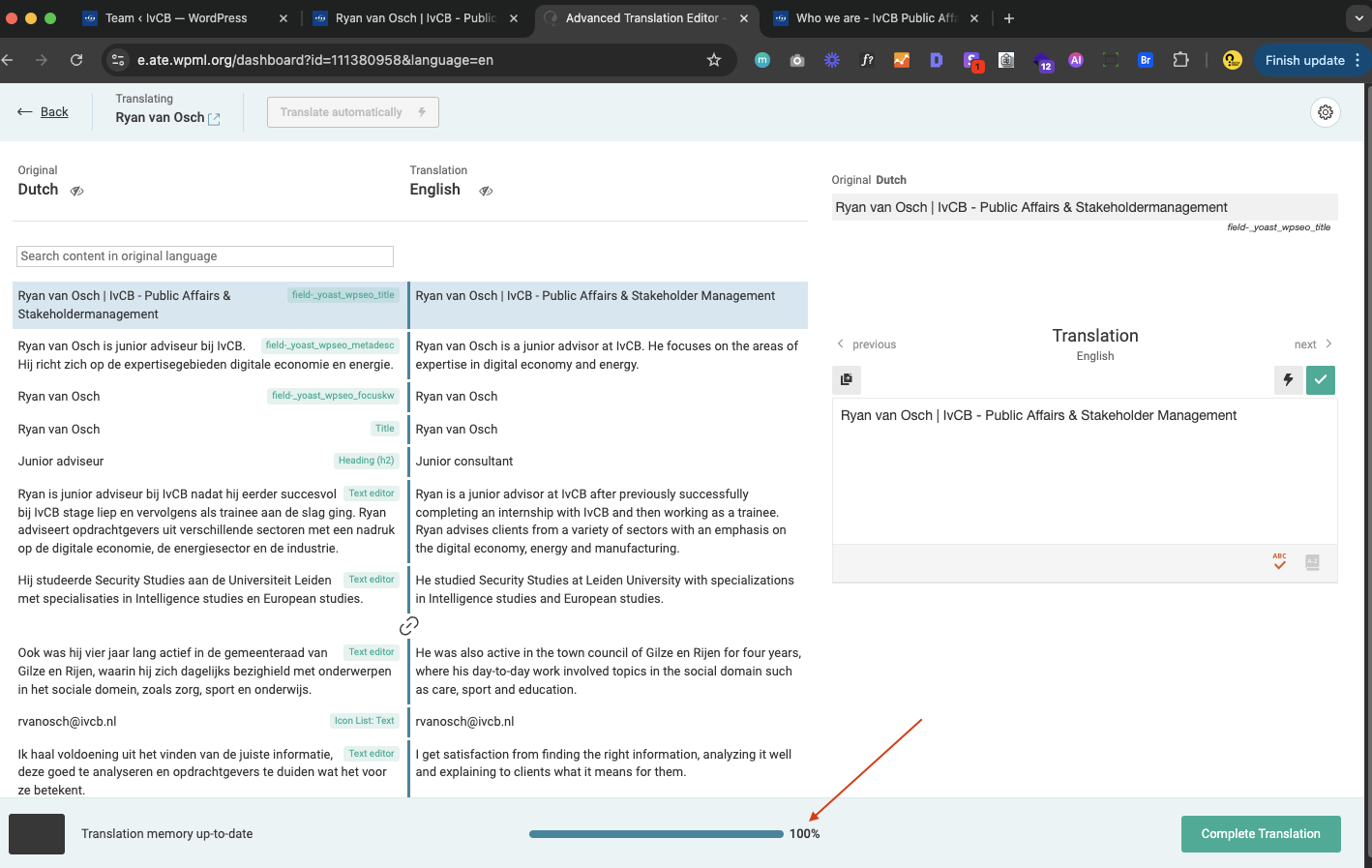
That doesn't work, see the screenshot in the attachment, the translation is complete, and it is still showing the same text as in Dutch.
Also, the translation is for the Elementor page itself, did you go to edit team member, scroll down to item options and then Position, that text is not changing.
I've enabled "Translation" for the "trx_addons_options" custom fields as shown in the attached screenshot and it should be working fine now. hidden link