Home›Support›English Support›[Resolved] LearnDash course translations lose assigned lessons, create ghost duplicates, and show trashed conte...
[Resolved] LearnDash course translations lose assigned lessons, create ghost duplicates, and show trashed conte...
This thread is resolved. Here is a description of the problem and solution.
Problem: The client is experiencing issues with translating LearnDash courses using WPML on a site using the Kadence theme with Gutenberg. Specifically, when translating courses, the English versions lose their assigned lessons/topics/quizzes after saving, creating duplicate lessons and displaying 'trashed' lesson URLs in the Advanced Translation Editor. The course builder also reverts to an empty state, and the internal structure is lost on every save. Solution: We found that the client had not followed the correct procedures for translating LearnDash courses with WPML. Here are the steps to correctly translate LearnDash elements: 1. Ensure that lessons and quizzes are added in the builder tab for the translated courses. 2. Manually translate questions and add answers directly in the translated question screens. 3. Use the Translation Dashboard of WPML with the Advanced Translation Editor to translate courses, lessons, quizzes, and questions. For more details, refer to our guide on translating answers and building courses. Note that trashed lessons and quizzes appearing is a LeanDash behavior and not related to WPML. If you do not want these items to appear, they must be permanently deleted from the trash section.
If this solution does not resolve your issue or seems outdated, please check related known issues at https://wpml.org/known-issues/, verify the version of the permanent fix, and confirm that you have installed the latest versions of themes and plugins. We highly recommend opening a new support ticket if the problem persists. For further assistance, you can also visit our support forum at WPML support forum.
This is the technical support forum for WPML - the multilingual WordPress plugin.
Everyone can read, but only WPML clients can post here. WPML team is replying on the forum 6 days per week, 22 hours per day.
Background of the issue:
I am trying to set up LearnDash course translations using WPML on my site, which is hosted on an IONOS Managed Server. The site uses the Kadence theme with Gutenberg, and the default language is German with English as the secondary language. I have disabled 'Translate Everything Automatically' for manual control. The issue can be seen on this page: hidden link. I have attempted several troubleshooting steps, including cleaning WPML tables, fixing post type assignments, and testing code-level fixes to prevent auto-duplication and preserve course_id relations.
Symptoms:
When translating LearnDash courses and lessons with WPML, the English versions lose their assigned lessons/topics/quizzes after saving. Duplicate English lessons are created, and 'trashed' lesson URLs appear in the Advanced Translation Editor. The course builder reverts to an empty state, and the internal structure is lost on every save. Despite troubleshooting, the issue persists.
Questions:
What is the current, officially supported workflow for translating LearnDash courses and maintaining their structure across languages?
Is there a known issue between the latest WPML and LearnDash versions regarding course_id relations?
Can you provide or review a synchronization script to ensure English courses retain linked English lessons and learndash_course_steps are synchronized between languages?
If you need further help with this, please share the access details to your site with me. And explain to me the steps to replicate this problem. It would be much preferable if you could share access to a staging site where the problem occurs, rather than your live site. I'm enabling a private message for the following reply.
Privacy and Security Policy
We have strict policies regarding privacy and access to your information. Please see: https://wpml.org/purchase/support-policy/privacy-and-security-when-providing-debug-information-for-support/ **IMPORTANT**
- - Please back up the site files and database before providing us access. --
-- If you have a staging site where the problem can be reproduced, it is better to share access to the staging site.--
I can see the problem on the English Course here: hidden link.
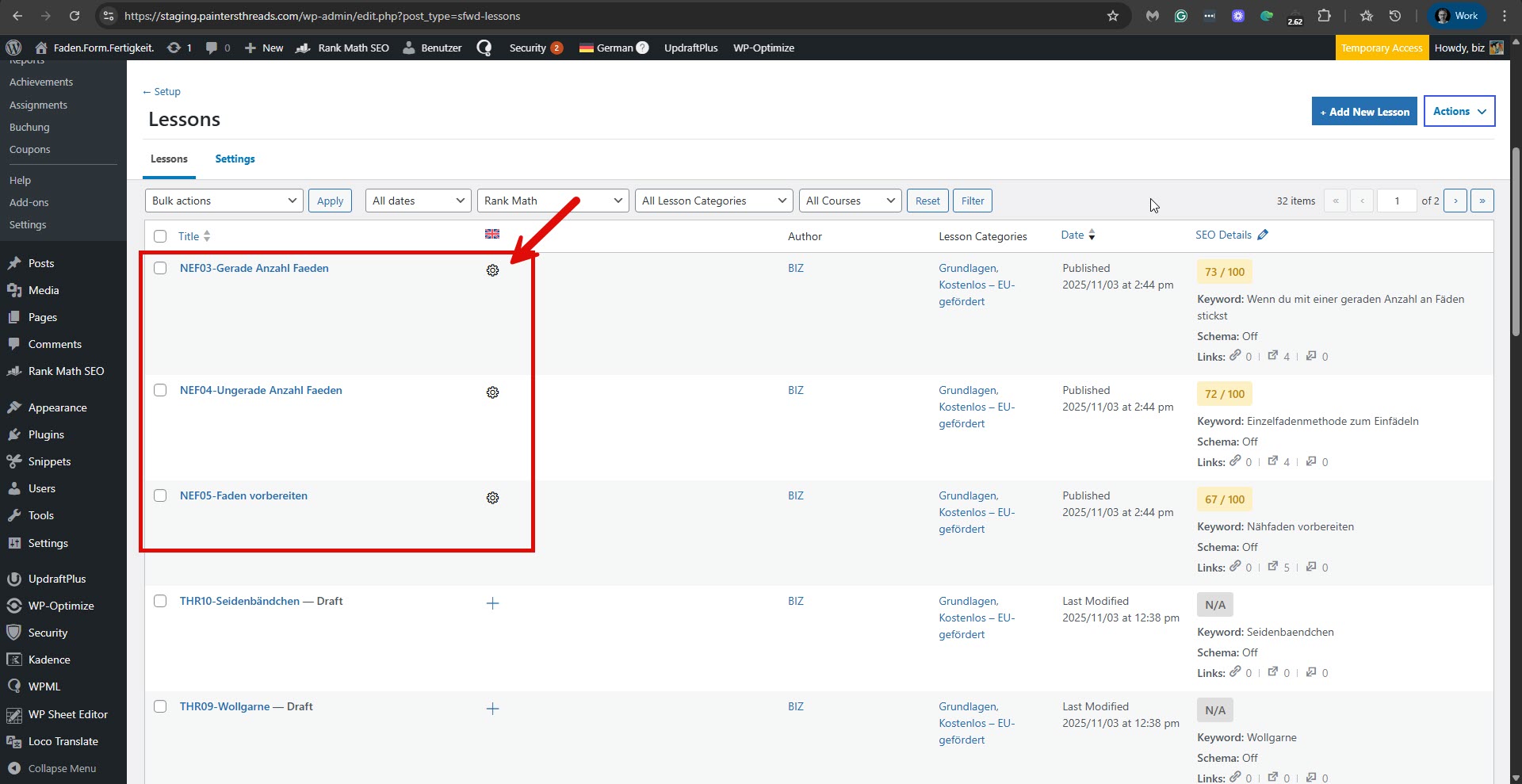
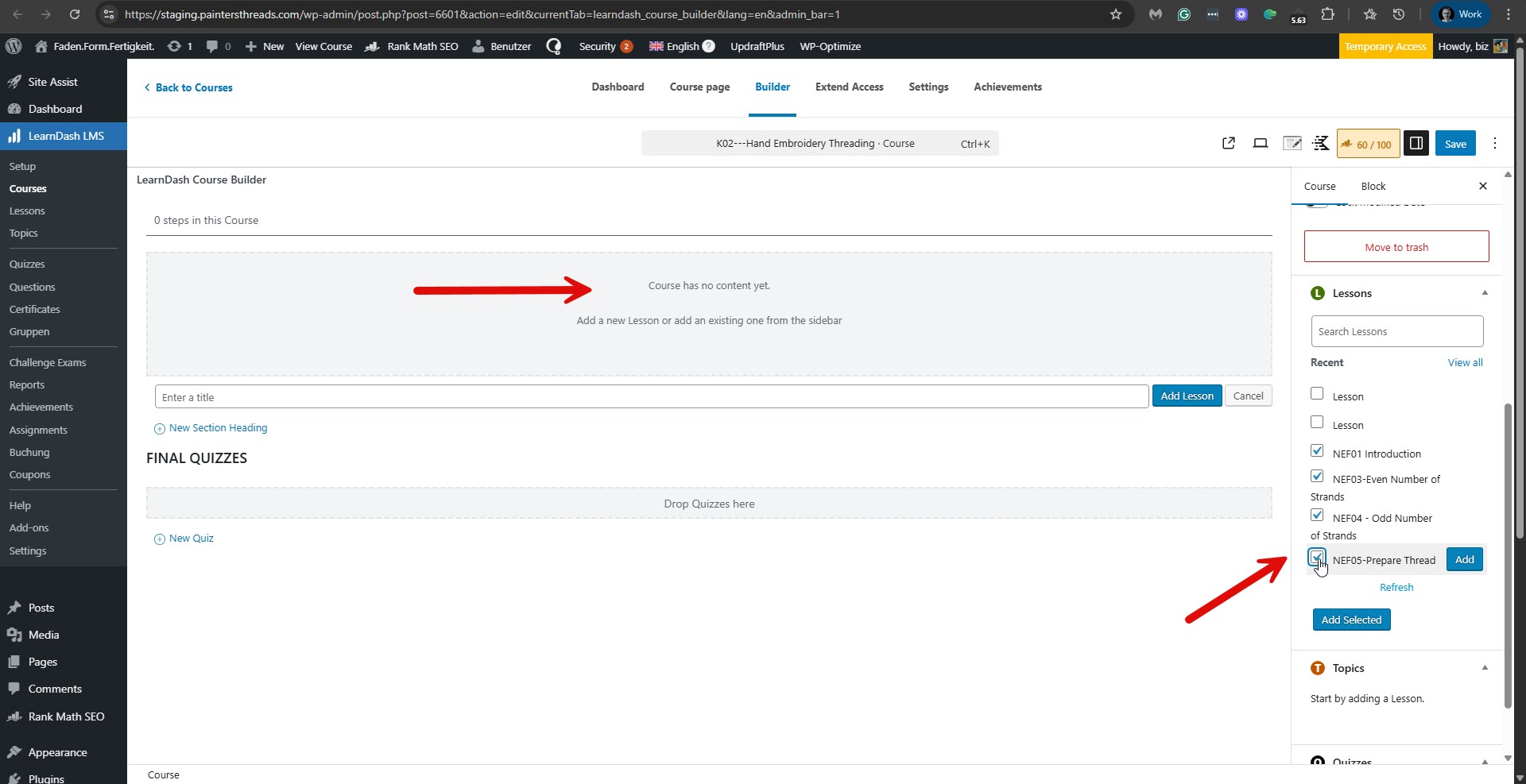
I could see that some lessons had the translation in progress. Please see the attached screenshot, untranslated-lessons.jpg. I completed the lessons and added them to the English course. Please see the attached screenshot, missing-lessons.jpg. But still no lessons show for the English course.
We suspect a collision with the theme or another plugin might cause this problem. If possible, get your site into a minimum environment, switching to a default WordPress theme like TwentyTwenty-Four and activating only WPML.
First, check whether the problem persists when only the theme is switched to TwentyTwenty-Four (for example). If it persists, deactivate all plugins except WPML and its add-ons and WooCommerce without any extensions. Then, please check if the problem persists. If it does not continue, start by activating the plugins individually and checking when the issue comes back, then report to me which plugin was the culprit.
**** Important! Please make a full site backup (files and DB) before you proceed with those steps****
*** If your site is live, you might want to try those procedures in a staging environment or a snapshot of your site on your local server or another server. ***
Alternatively, you can try to replicate this issue on a fresh WordPress installation. Then I'll be able to escalate it to our compatibility team. For this, I created a test website with a clean WordPress install. You can access it through this link:
hidden link
With this link, you'll be directly logged in.
I configured WPML on this site and installed the LearnDash plugin.
Are you able to replicate the problem on the sandbox site?
If so, please describe the steps you took to replicate it.
When everything is finished and you can replicate the problem, please let us know. Important! Do not import your site to the test site. We must replicate the problem on a fresh, clean WordPress installation.
thank you very much for looking into this issue so thoroughly and for setting up the sandbox.
I followed all of your instructions on my staging site, but unfortunately switching to a standard WordPress theme did not solve the problem nor did deactivation all plugins.
I also reproduced the issue in the sandbox you provided.
Steps taken:
Set up one course in the original German language
Added two lessons and one quiz (with questions) using the builder
→ German version works perfectly
Manually translated everything into English (following WPML’s “Edit anyway” recommendation)
course
lessons
quiz
questions
all items added in the builder exactly as in German
Result: the translated course does not show any lessons or quizzes.
After deleting and recreating the course, the same issue occurred — and when adding lessons again, the builder even listed items from the trash, exactly as on my live/staging site.
This clearly looks like a compatibility issue between WPML and LearnDash.
And just as a note to your developers: having to manually translate every single LearnDash element is not a sustainable workflow for multilingual environments. In 2025, automatic or at least streamlined translation support should be expected — especially for organizations like ours that depend on multilingual communication and gladly invest in such tools.
Please escalate this issue to your compatibility team as soon as possible.
I urgently need to find a solution before my project partners (and the EU) start chasing me!
Thank you again for your time and effort — I truly appreciate your help.
Thanks for trying to replicate the problem on the sandbox site.
However, I checked, and as far as I can see, you have not precisely followed the instructions for using LeanDash and translating it with WPML. Here is an explanation of what I have found.
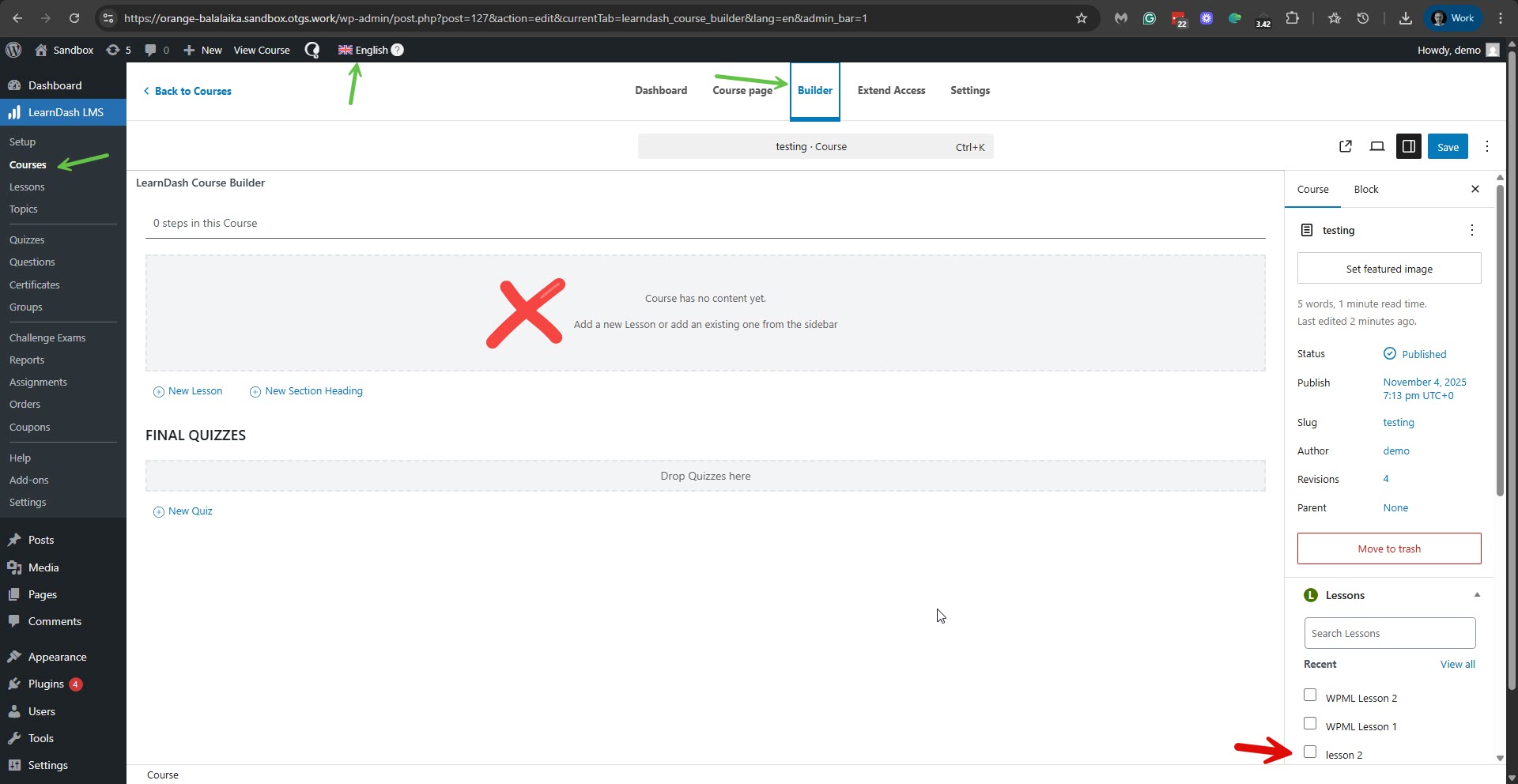
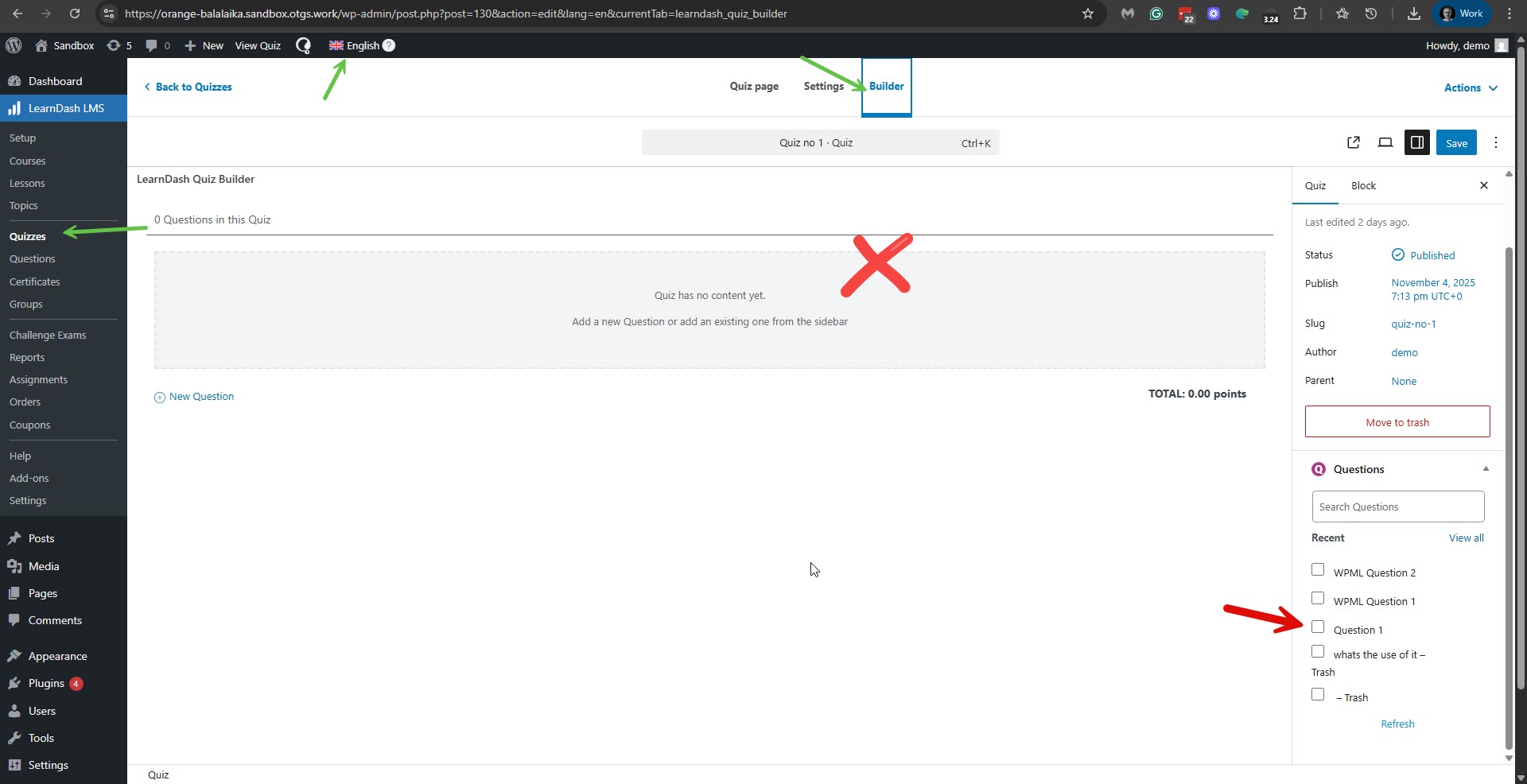
A. When I edited the translated 'testing' course in English, I found that in the builder tab, you have not added the lessons. Please see the attached screenshot no-lessons.jpg.
B. Moreover, I found that you have not added questions to the translated English quiz. Please see the attached screenshot no-questions.jpg.
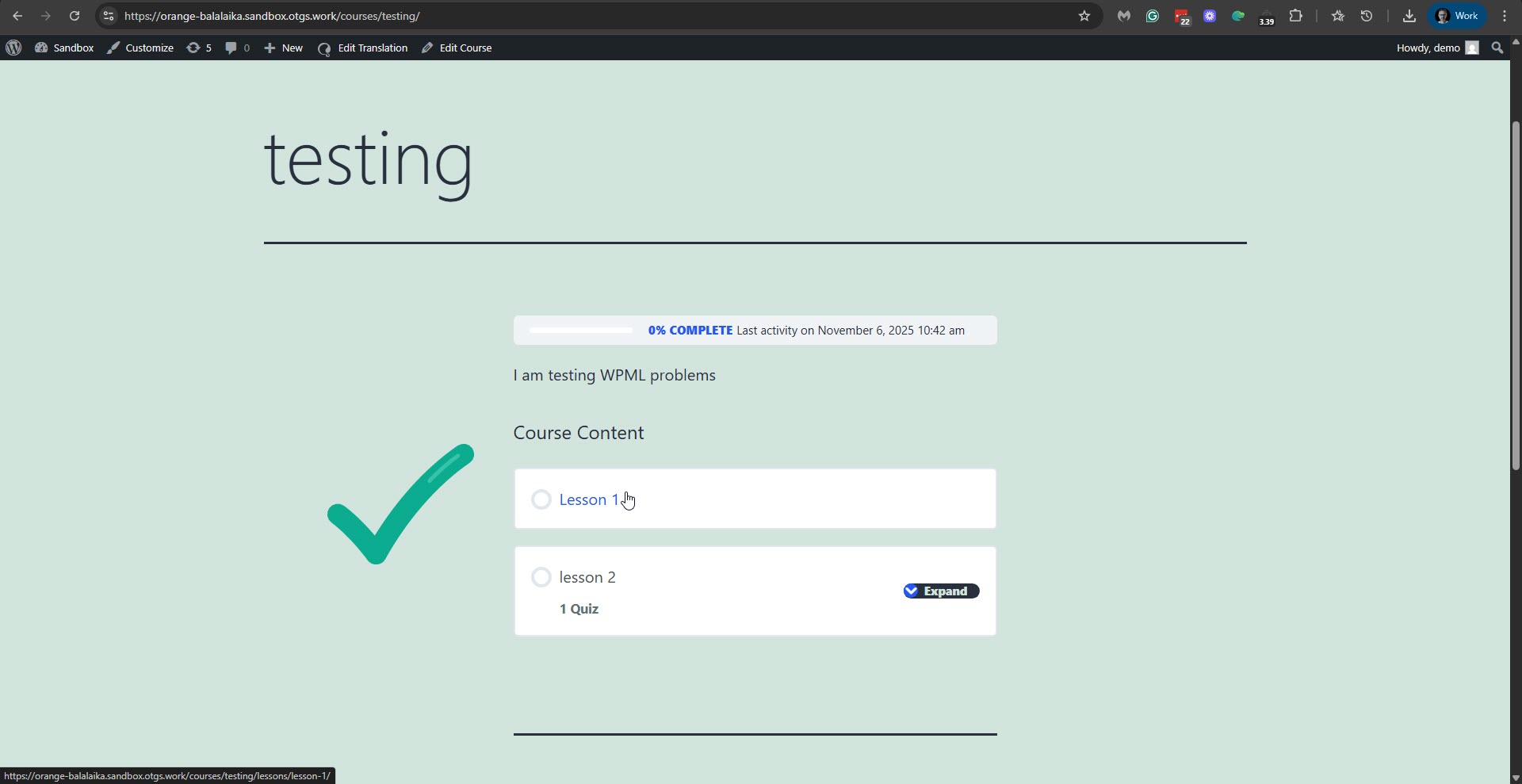
C. After adding the lessons and quiz in English, the course displays the translations. Please see the attached screenshot en-course-ok.jpg.
You wrote:
And just as a note to your developers: having to manually translate every single LearnDash element is not a sustainable workflow for multilingual environments.
I'm sorry if things weren't clear to you; however, that is not true. As explained in our guide, you can translate the courses, lessons, quizzes, and questions from the Translation Dashboard of WPML with the Advanced Translation Editor. Or directly from the editing screens. The only exception is translating the answers to the questions. For the answers, please switch to the translated question and add them manually, as explained in our guide here: https://wpml.org/documentation/plugins-compatibility/how-to-create-multilingual-online-courses-websites-using-learndash-and-wpml/#translating-answers. Furthermore, adding lessons and quizzes with the builder uses the LeanDash method, not WPML's. Therefore, if you must add them manually in the default language, or even if WPML is not installed and there is only one language on the site, then you also must do that in the translations, as explained in our guide here: https://wpml.org/documentation/plugins-compatibility/how-to-create-multilingual-online-courses-websites-using-learndash-and-wpml/#:~:text=just%20as%20you%20did%20when%20building%20your%20course
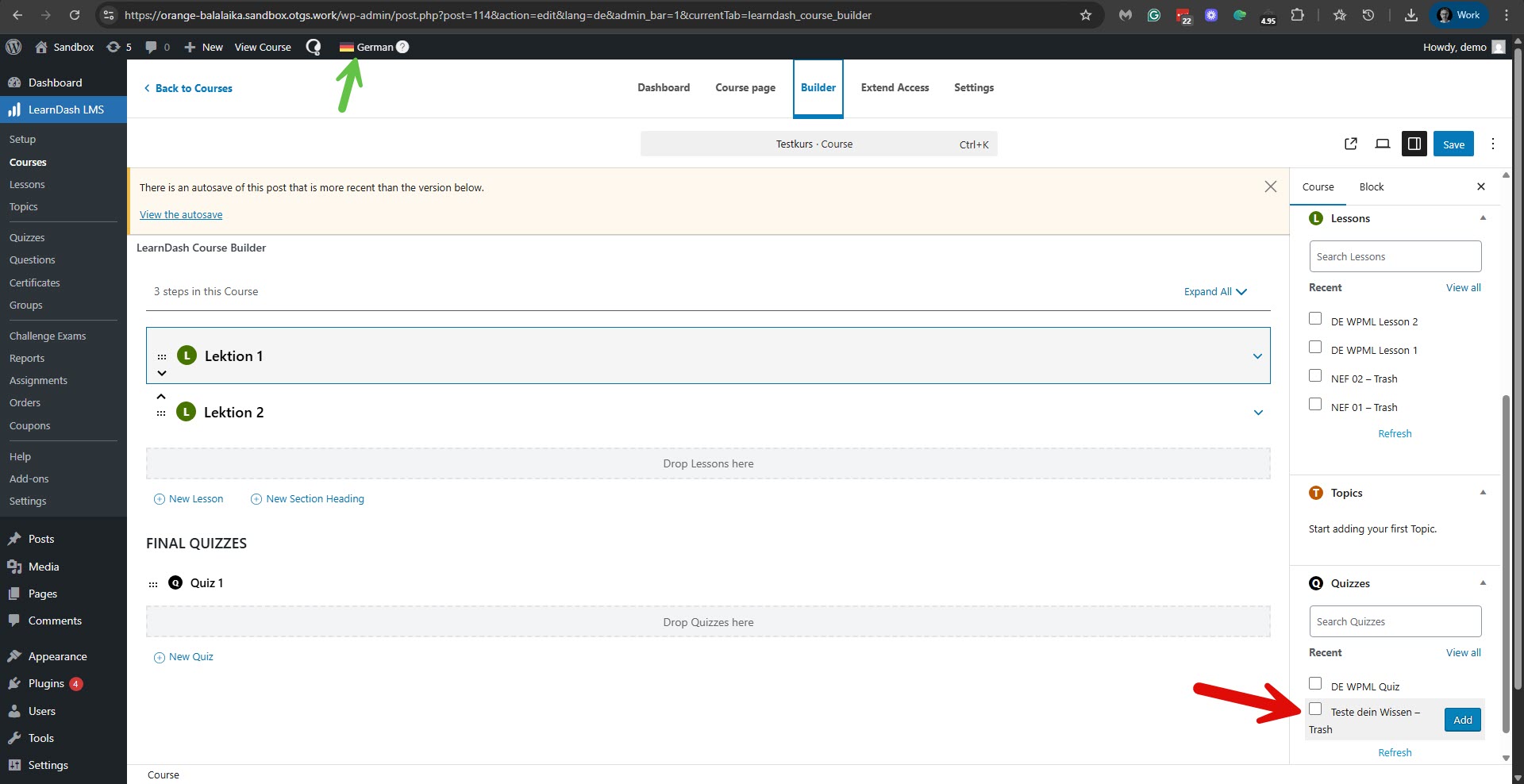
The same principle applies to the trashed lessons and quizzes. Since LeanDash displays those trashed items in the default language, and even when WPML is not active, trashed translations still appear, it is not a WPML issue. Please see the attached screenshot trashed.jpg. Please note that 'trashed' is just a post status like 'draft' or 'published'. If you don't want to see those trashed items, you need to delete them permanently from the trash section.
In conclusion, I'd say there is no compatibility issue (at least not in the respect you thought) with LeanDash and WPML. It's just that it is essential to follow the guide on working with LeanDash and on translating with WPML.
I hope that this explanation makes things clear.
Please let me know if you think otherwise or have doubts.