I was able to fix the header and footer problem in Greek and German. In both languages, the header and footer are the same as in English. Regarding the page templates, I can see you have also changed them in English, and they are showing the same in Greek and German.
The reason this problem happened in the first place is unclear to us. If it happens again, please report to us the last thing you did before it occurred.
From the list of links you sent me, I observe two problems.
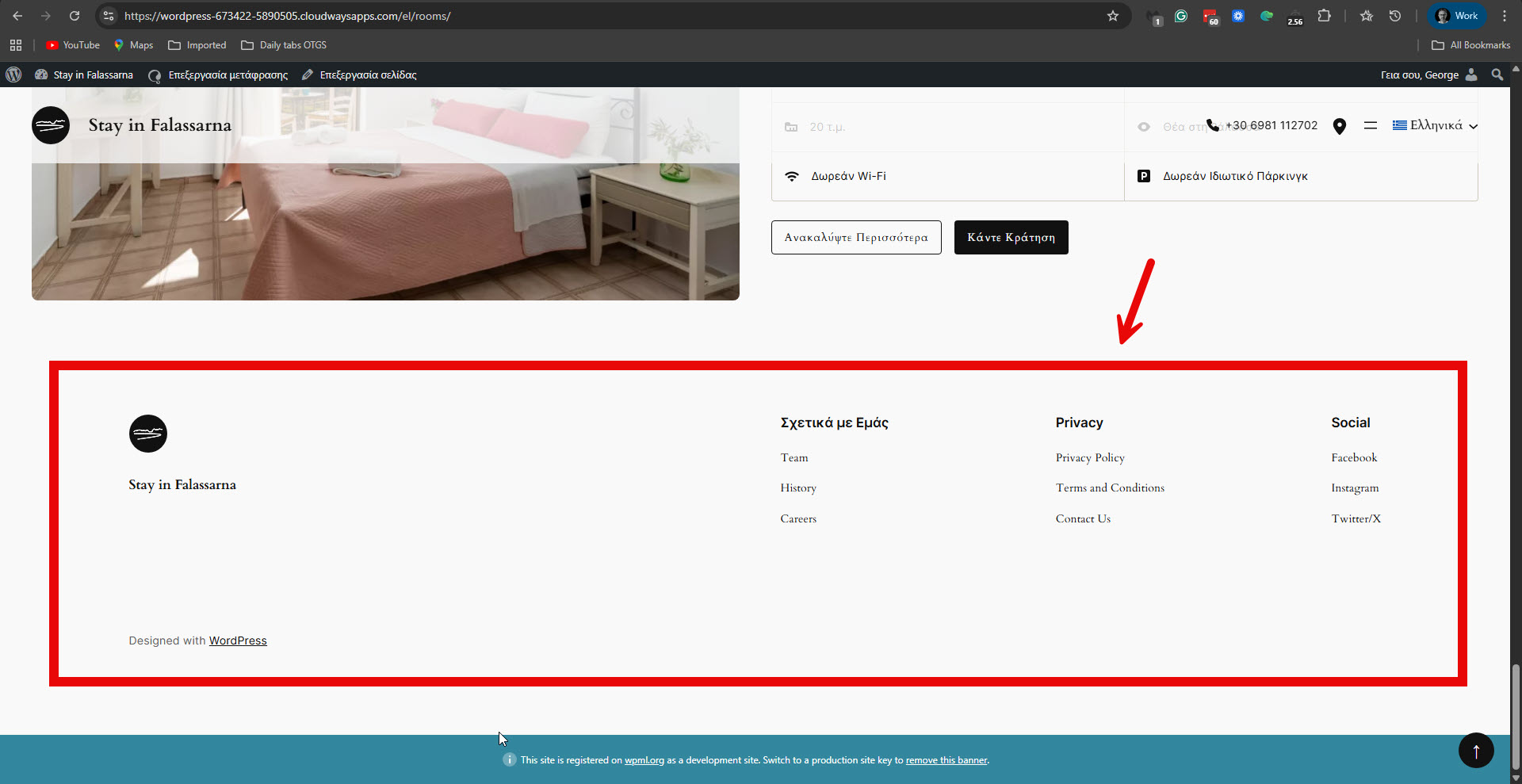
A. The footer in Greek and German is again the incorrect footer. Please see the attached screenshot.
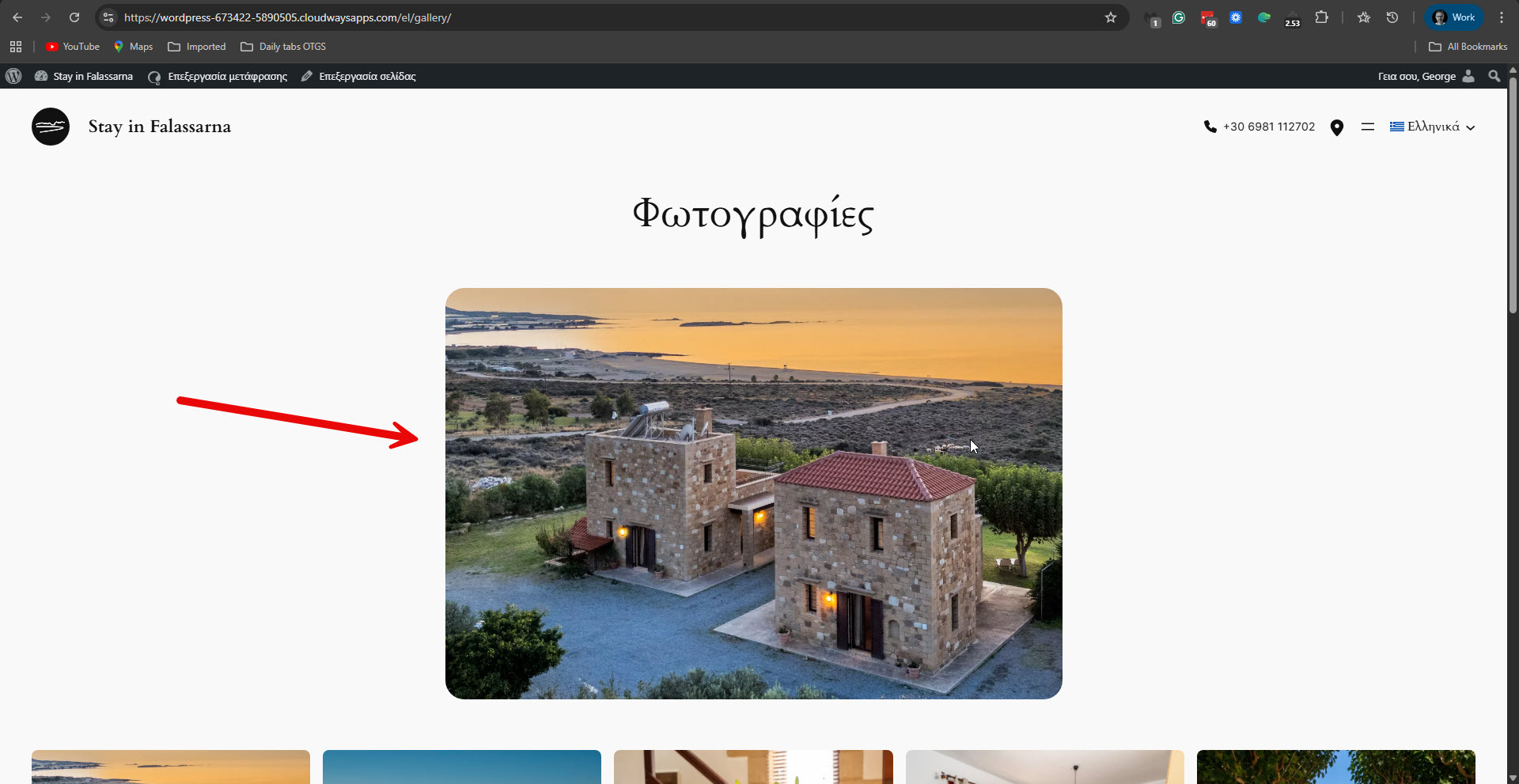
B. In some of the translations, the featured image is shown in the Greek and German translations. Please see the attached screenshot. While in English, it is not showing.
Can you confirm that those are the remaining problems?
Besides those two, I did not observe any others. The header and the template are OK.
If I missed anything, please let me know and send me screenshots.
Please note that my weekends are Friday to Saturday. If you need further assistance, I'll be available to continue checking this issue and helping you next week.
After changing the prices for each room, apartment, villa, first in English and then in each language from the Translations queue (hidden link) the following was presented:
No Header, Wrong Footer hidden link hidden link hidden link hidden link hidden link hidden link hidden link hidden link hidden link hidden link hidden link hidden link
Wrong Template, Wrong Footer hidden link
Wrong Footer hidden link hidden link hidden link hidden link hidden link hidden link hidden link hidden link hidden link hidden link hidden link hidden link hidden link
I am sorry for any inconvenience you may have experienced.
I continued investigating the issue with a new copy of your site. I have discovered that the Secure Custom Fields and the Permalink Manager Pro plugin are required for the custom post types, such as Villas, Apartments, and Rooms. Those plugins should be compatible with WPML. We will also check for a possible new compatibility issue with these plugins. I have reported all remaining problems to our second-tier supporter.
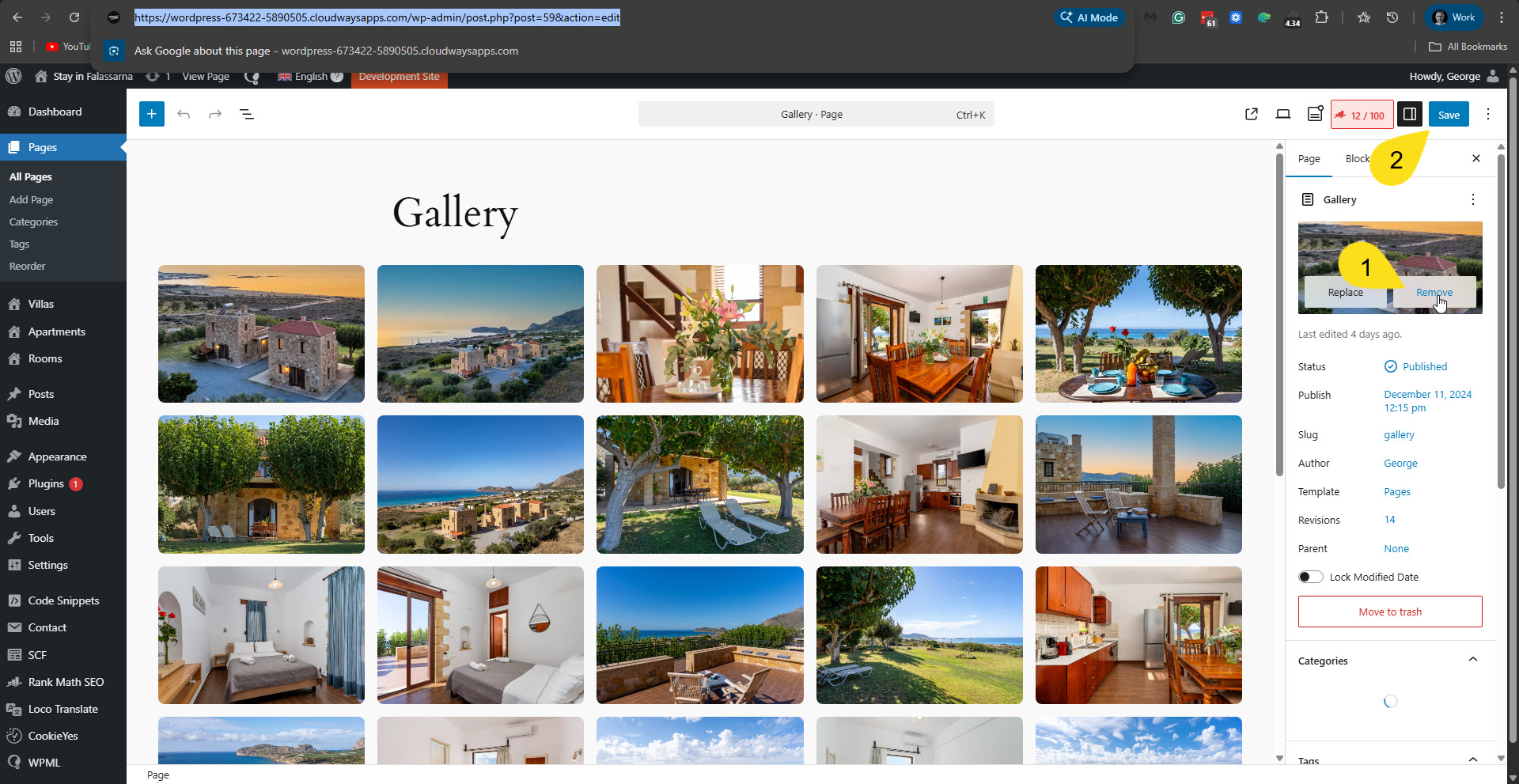
Currently, I can provide a workaround for the featured image that only displays on the regular translated page, like the Gallery page. Edit the original page in English, for exmplae here: hidden link. Remove the featured image and click the Save button. Please see the attached screenshot. This will also cause the featured image not to appear on the translated page, for example, here: hidden link.
I'll keep you updated as soon as possible about any news from our second-tier supporters.
The page cannot work without the Secure Custom Fields plugin and Permalink Manager Pro, a solution must be found
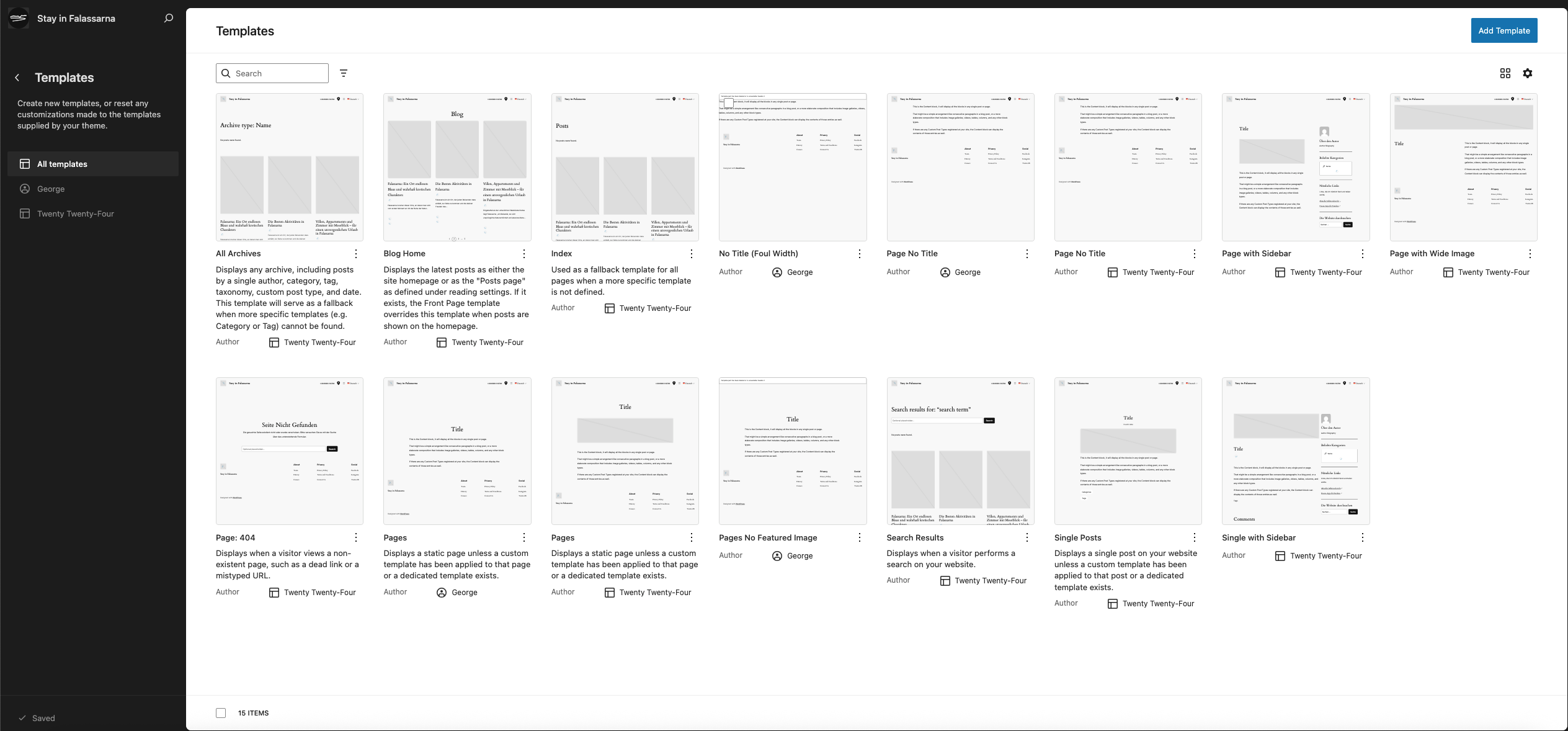
On the Gallery Page, the Featured Image works correctly, the photo does not appear on the page, only if someone shares the page, the photo appears on social media. This is the correct one hidden link as it is now, after I saved in German and Greek, it took another template and it is wrong. The correct one is the screenshot below.
I don't know what else you want from me to make the page work.
The Gallery is a page without a Custom Template, Secure Custom Fields are not used, Permalink Manager Pro uses Template Pages which is the same on translated pages but they are not displayed correctly, I don't know why.
Yes, as I mentioned, I've already established that the Secure Custom Fields and Permalink Manager Pro are required plugins. I'm sorry if my previous reply wasn't clear enough regarding this specific issue.
You wrote: "On the Gallery Page, the Featured Image works correctly, the photo does not appear on the page, only if someone shares the page, the photo appears on social media."
Do you need to have a featured image on those pages?
Is the featured image only used to display when sharing those pages on social media?
Our second-tier supporter is currently checking this issue.