
This is the technical support forum for WPML - the multilingual WordPress plugin.
Everyone can read, but only WPML clients can post here. WPML team is replying on the forum 6 days per week, 22 hours per day.
This topic contains 8 replies, has 0 voices.
Last updated by Roman 2 hours, 57 minutes ago.
Assisted by: Bobby.
| Author | Posts |
|---|---|
| April 16, 2026 at 8:12 am #17973137 | |
 Roman |
In the footer I have a shortcode implemented for the newsletter form. In the German version it shows. But it isn't shown in the translation editor nor in the frontend of the english version: hidden link I already tried registering the shortcode with help of this article: I have pasted the following XML configuration: activecampaign form Nothing happens.   |
| April 17, 2026 at 10:54 pm #17977576 | |
 Bobby WPML Supporter since 04/2015 Languages: English (English ) Timezone: America/Los_Angeles (GMT-07:00) |
Hi there, You can use this quick workaround to get it working for now. 1. edit the page in the default language OR (preffered) Switch your translation method for this page only to "Manual" [Edit the page or post in your default language. In the Language section on the right, click the WordPress Editor tab under Translate this Document.] 3. Manually add the shortcode and save. Now this is a workaround and it will work, however, if you want to use the transaltion editor we will need to register it. #1 Add a space before the shortcode or period "." #2 Share the XML you added by wrapping it in a < code > block here so I can better review it. |
| April 20, 2026 at 7:14 pm #17982033 | |
|
Roman |
Thank you for your reply. Unfortunately it still doesn't show the english translation. Here is the XML I've added: < code > |
| April 20, 2026 at 10:02 pm #17982234 | |
|
Bobby WPML Supporter since 04/2015 Languages: English (English ) Timezone: America/Los_Angeles (GMT-07:00) |
I would like to request temporary access (wp-admin and FTP) to your site to test the issue. **Before we proceed It is necessary to take FULL BACKUP of your database and your website. Providing us with access, you agree that a backup has been taken ** I often use the Duplicator plugin for this purpose: http://wordpress.org/plugins/duplicator/ NOTE: If access to the live site is not possible and the staging site does not exist please provide me with a duplicator package created with the duplicator plugin. Thank you, |
| April 21, 2026 at 10:09 pm #17985442 | |
|
Bobby WPML Supporter since 04/2015 Languages: English (English ) Timezone: America/Los_Angeles (GMT-07:00) |
Thank you for the access details! A few things: 1. Using the element "Raw HTML" will allow you to also pull the shortcode in the CTE editor. 2. When I view the front end I was able to locate the form div, BUT it looks like there is something blocking it from populating. Does Activecampaign check for a specific URL? See my screenshots please. 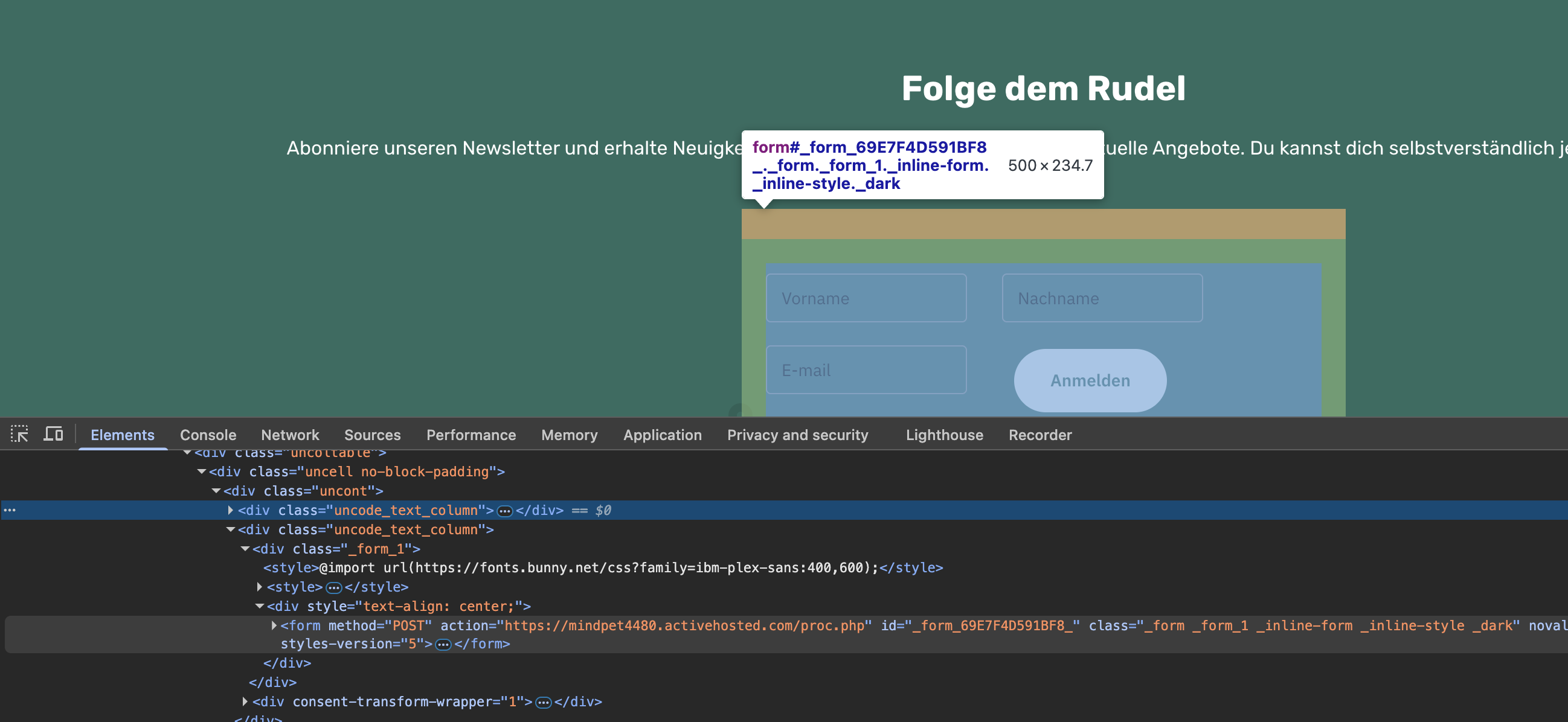  |
| April 23, 2026 at 9:30 am #17989759 | |
|
Roman |
I don't think that Activecampaign is checking for a specific URL. This is very weird. But there is still no possibility to translate the shortcode? Because the shortcode for the English form of Activecampaign is different then the one for the German page. |
| April 23, 2026 at 5:28 pm #17991024 | |
|
Bobby WPML Supporter since 04/2015 Languages: English (English ) Timezone: America/Los_Angeles (GMT-07:00) |
Can you share the shortcode for the translation with me? I would like to test it, as well as testing it on a sandbox When you add the shortcode using the RAW HTML page builder element then yes you can fully translate it within the Editor. |
| April 26, 2026 at 10:26 am #17995210 | |
|
Roman |
German shortcode: [activecampaign form=1] |
| April 27, 2026 at 5:40 pm #17997712 | |
|
Bobby WPML Supporter since 04/2015 Languages: English (English ) Timezone: America/Los_Angeles (GMT-07:00) |
- The footer is a Content Block. - In the content block now we are using RAW HTML. - We added the shortcode which is picked up correctly and shown in the CTE editor, where we add the translation for [activecampaign form=5] Problem -> The active campaign form is not shown in the front end. - In editor it shows OK - In the backend editor it shows OK as well - In the visual editor it populates correctly (notice EN fields vs. DE fields) ---------------------- - The div also exists and correctly pulls the ID 5 in the front end, however there is a content blocker being triggered asking for authorisation. This looks like active campaign is blocking the form from rendering. Possibly the settings are not recognizing the /en/ in the permalink and think this contact form is being used in a third party website not associated with the orignal site. I recommend reaching out to their team to confirm this, as I can confirm that WPML is able to pull the shortcode and translate it as expected. ERROR: <script consent-original-src-_="hidden link" consent-required="101830" consent-by="services" consent-id="102090" consent-original-type-_="text/javascript" type="application/consent" consent-blocker-connected-pres="0"></script> Loom video: |
| April 30, 2026 at 7:18 am #18004597 | |
|
Roman |
Thank you very much for your help an assistance! I will get in contact with ActiveCampaign to further investigate the problem. |






