This thread is resolved. Here is a description of the problem and solution.
Problem: The client was experiencing issues with untranslated menu items in a website using ElementsKit Lite Mega Menu. The main navigation items such as 'Votre Besoin', 'Votre Activité', 'Prix', 'Ressources', and call-to-action buttons like 'Essayez gratuitement ->' and 'Prendre Rendez-Vous ->' were not translated into English.
Solution: We advised the client to translate the top-level custom links menu items by following the guide on translating menus: https://wpml.org/documentation/getting-started-guide/translating-menus/#custom-links. For the call-to-action buttons 'Essayez gratuitement ->' and 'Prendre Rendez-Vous ->', they can be translated via WPML -> Strings Translation. We also noted that the ElementsKit plugin is compatible with WPML, but its mega menu feature might not be fully tested for translation capabilities. We escalated this issue to our compatibility team for further investigation.
If this solution does not resolve your issue or seems outdated, we recommend checking related known issues at https://wpml.org/known-issues/, verifying the version of the permanent fix, and confirming that you have installed the latest versions of themes and plugins. If the problem persists, please open a new support ticket at WPML support forum.
This is the technical support forum for WPML - the multilingual WordPress plugin.
Everyone can read, but only WPML clients can post here. WPML team is replying on the forum 6 days per week, 22 hours per day.
In this ticket, we will focus on the menu translation issue.
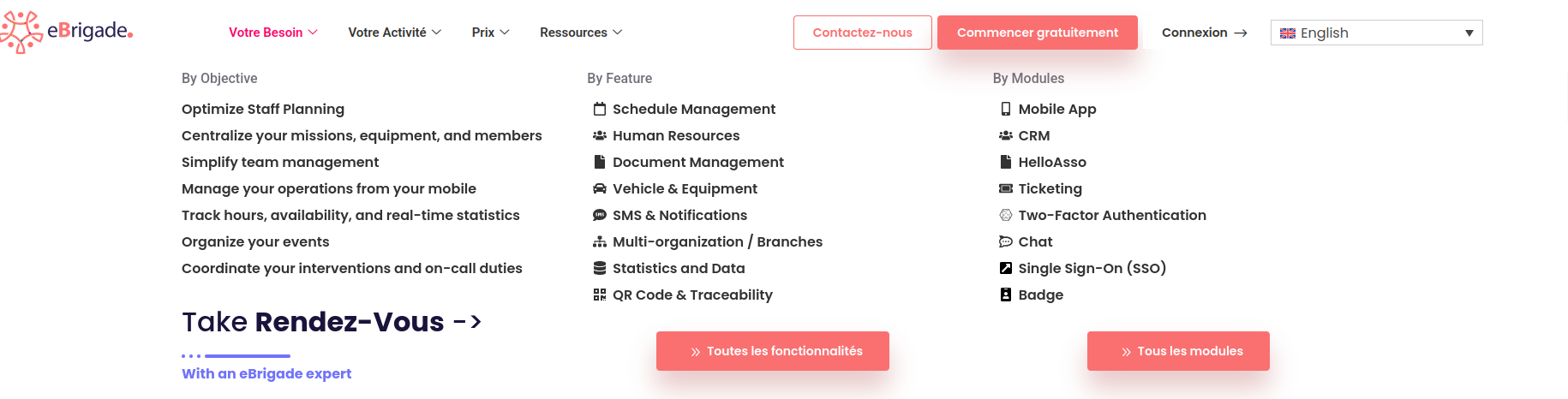
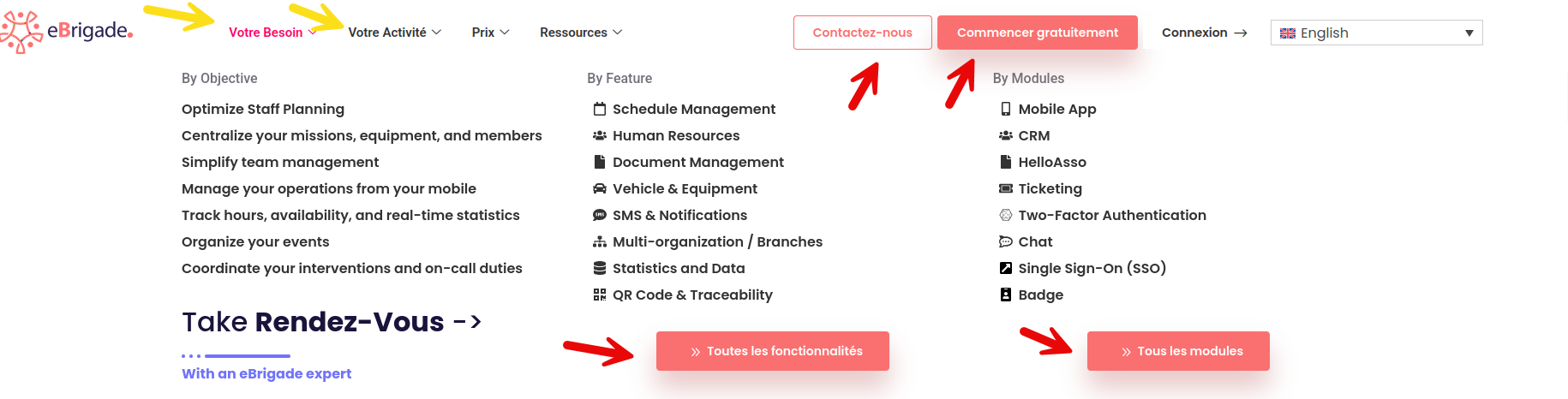
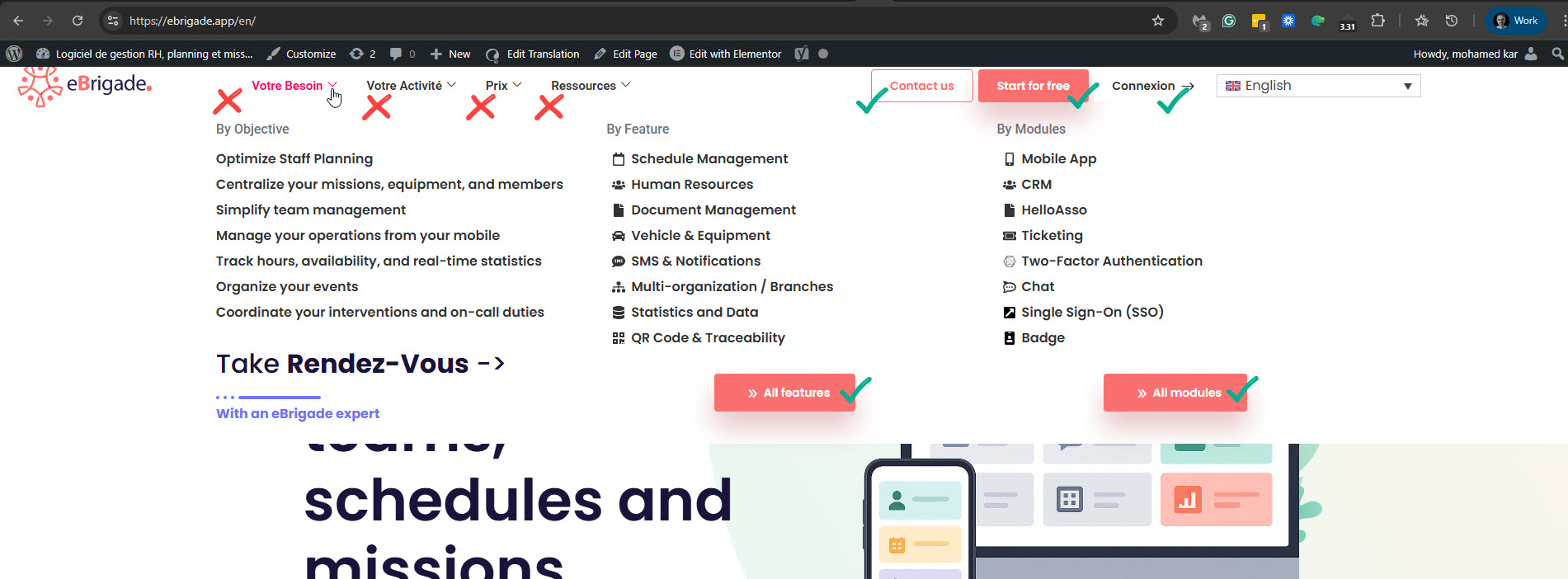
Please confirm that the text I highlighted with arrows in the screenshot is what you couldn't translate. Please see the attached screenshot menu-elements-not-trans.png. It seems you created the menu with the Mega Menu feature of the ElementsKit Lite plugin. Can you also confirm this?
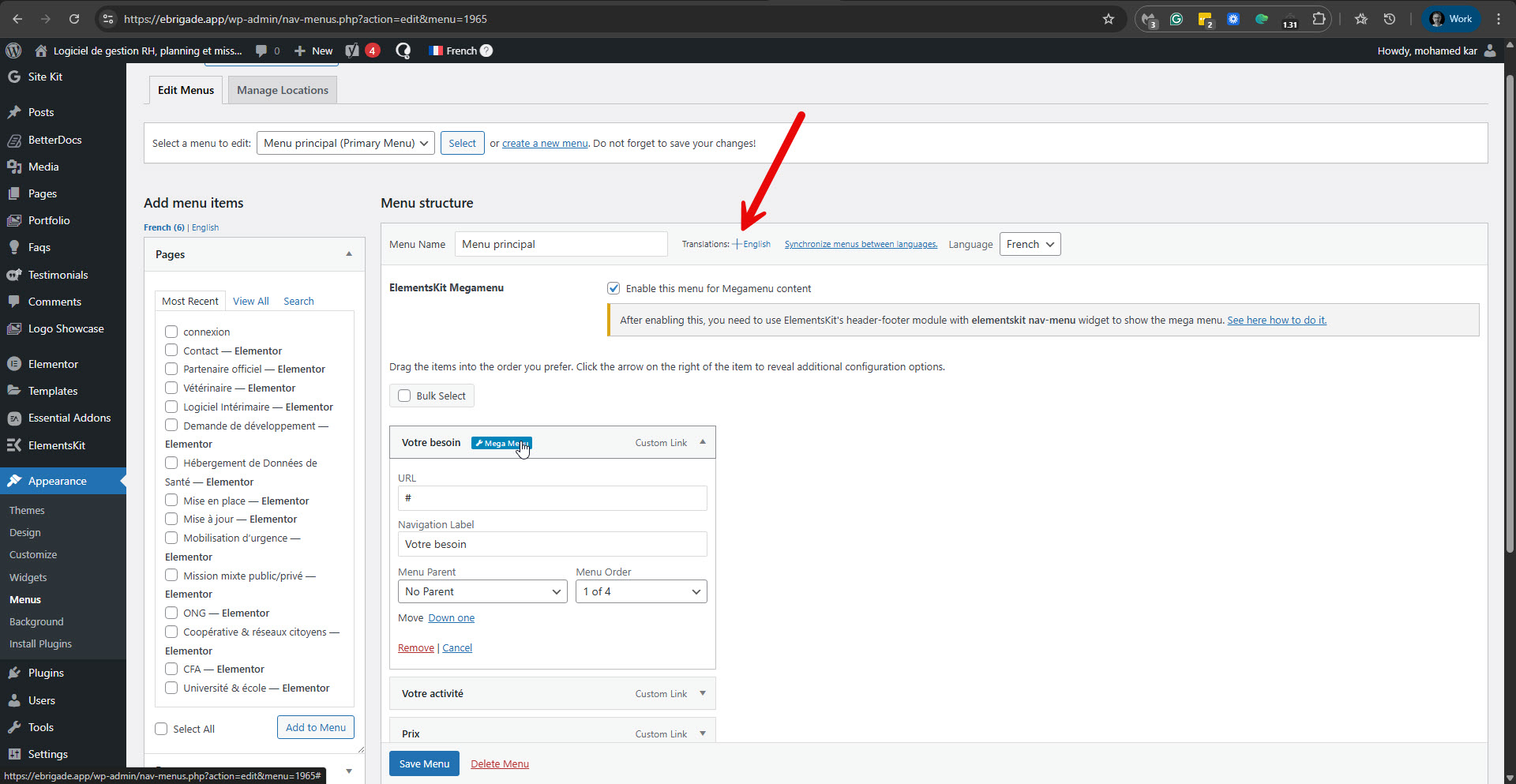
Regarding the menu items 'Votre Besion', 'Votre Activite', 'Prix', and 'Ressources'. These are top-level custom links menu items you created in the 'Menu principal' menu. This menu is not translated into English. Please see the attached screenshot trans-menu-into-en.jpg. You need to translate it according to this guide: https://wpml.org/documentation/getting-started-guide/translating-menus/#custom-links.
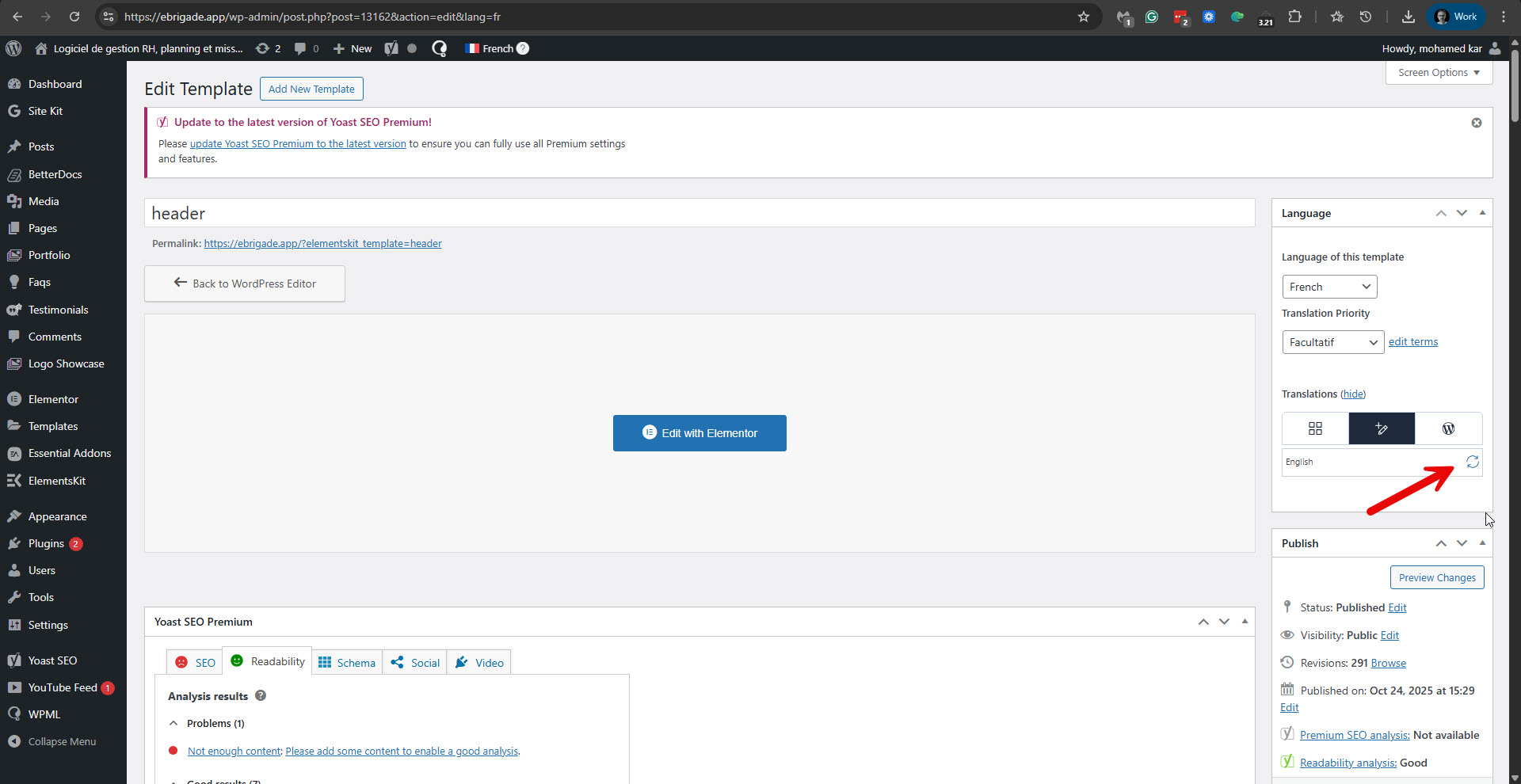
I fixed most of the translations in your site's mega menu. Some of the strings were available when I updated the header translation. Please see the attached screenshot header-update.jpg. Other strings I could find in WPML -> Strings Translation. Now the strings are translated. Please see the attached screenshot mega-menu-strings.jpg. But you can also see that the top-level menu items are not translated. I'm talking about 'Votre Besion', 'Votre Activité', 'Prix', and 'Ressources'. There seems to be a problem with the mega menu feature in ElementsKit Lite when used with translated menus. I'll try to replicate this problem on a sandbox site, and if needed, I'll esclate it to our compatibility team.
**Within mega menus:**
- "Take Rendez-Vous ->" and "Try gratuitement ->" (appearing in multiple mega menus)
The mega menu content sections are correctly translated, but the main navigation items and call-to-action buttons remain in French. Could you help resolve these translation issues?
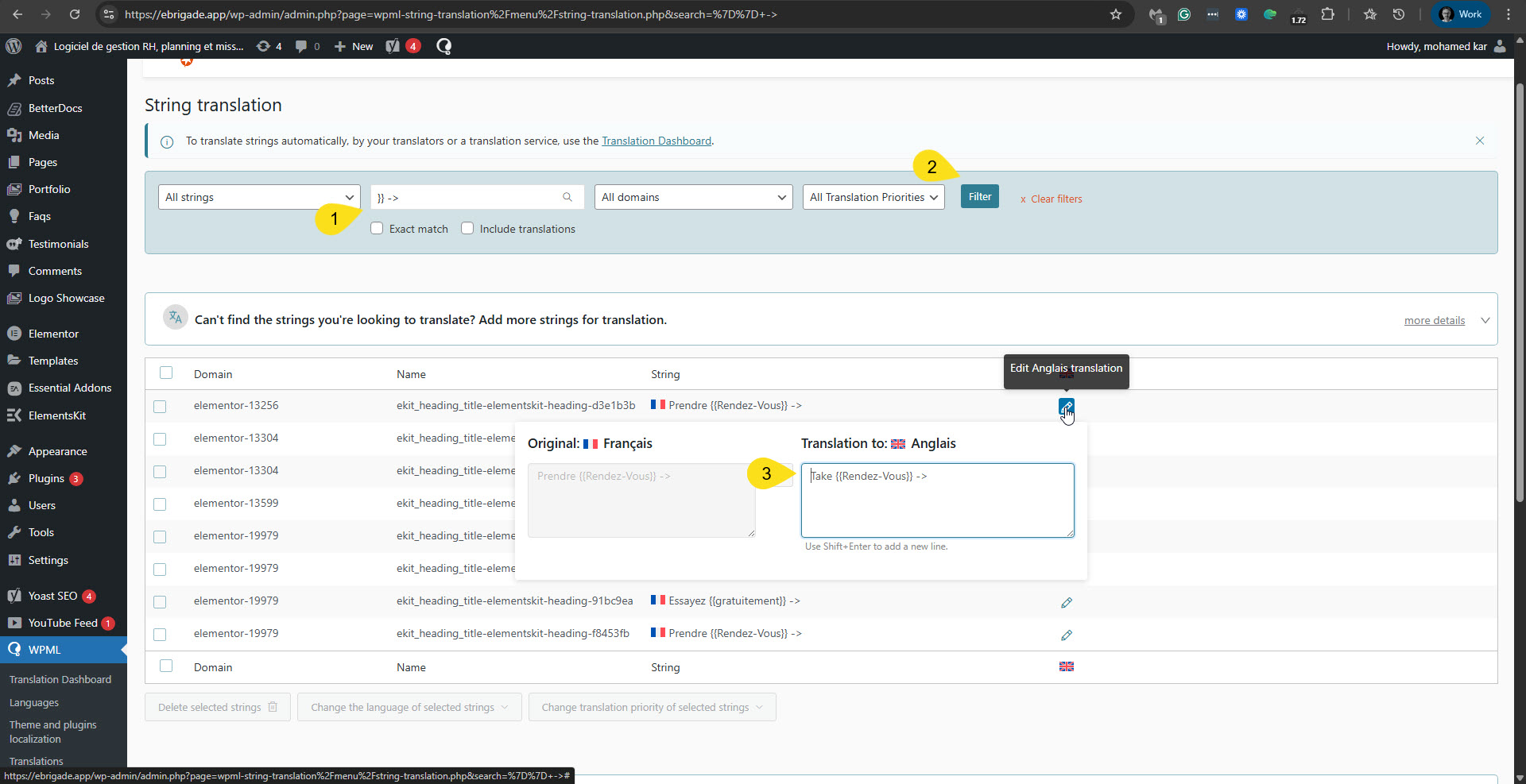
Regarding Essayez {{gratuitement}} -> and Prendre {{Rendez-Vous}} -> you can translate them in WPML -> Strings Translation. Please see the attached screenshot.
The ElementsKit plugin is officially compatible with WPML: https://wpml.org/plugin/elementskit/. However, it seems the mega menu feature has not been tested, as it is impossible to edit it in the menu translation. I'm going to esclate this to our compatibility team. I'll update you here when I have news.
We've checked every possible way to translate the following menu items: "Votre Besoin", "Votre Activité", "Prix", "Ressources". However, since they are custom menu items, there is no workaround we can provide. The only way to make them translatable would be to translate the French menu into English using this guide: https://wpml.org/documentation/getting-started-guide/translating-menus/. However, you should know that this will require recreating the mega menu from scratch for the English menu.
Regarding "Connexion" I was able to translate it by editing the header template in English in ElementsKit -> Header Footer. The template is here: hidden link. Please see the attached screenshot.
Please let me know if you have any further questions.