Skip to content Skip to sidebar

This thread is resolved. Here is a description of the problem and solution.

Problem:
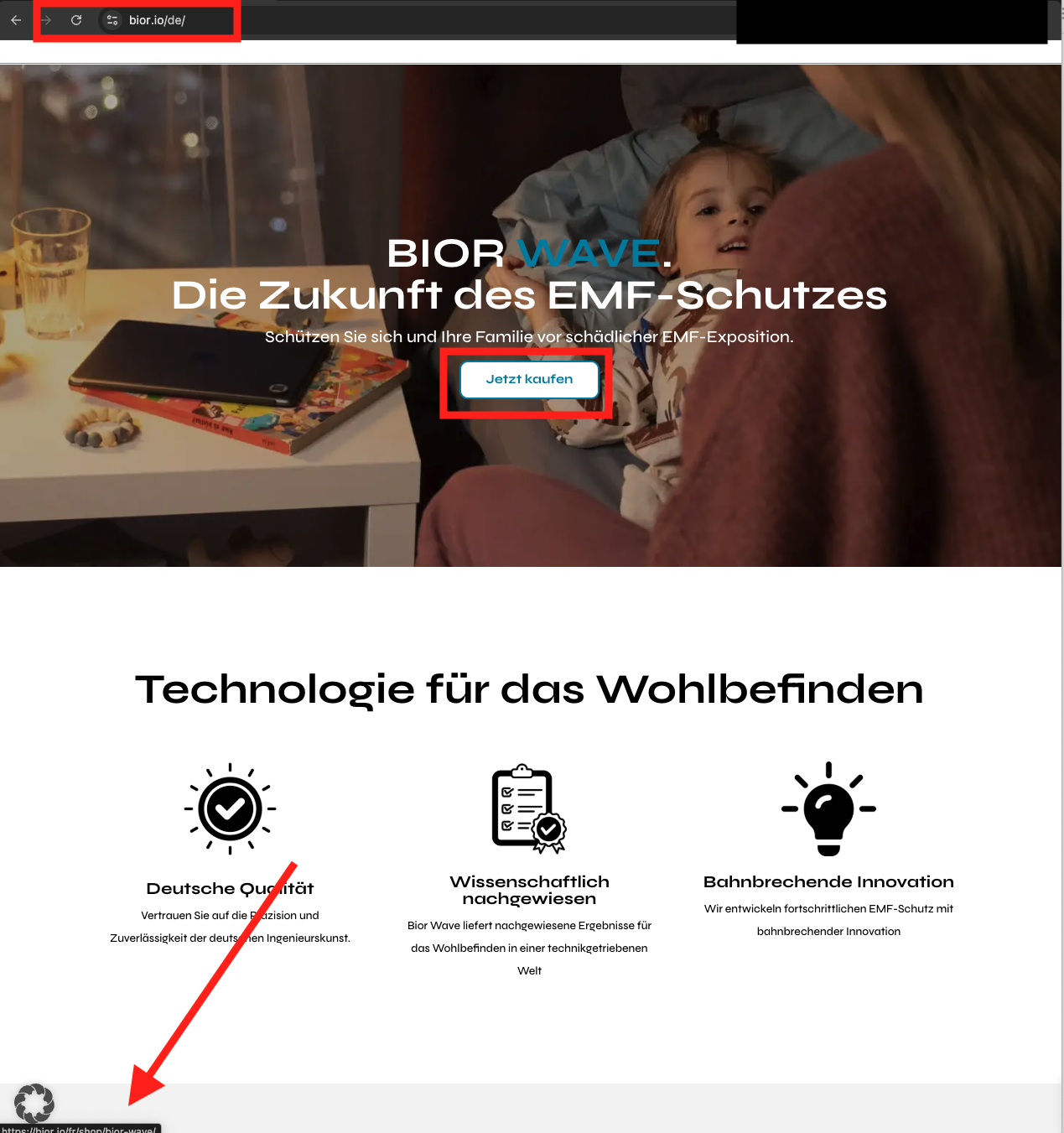
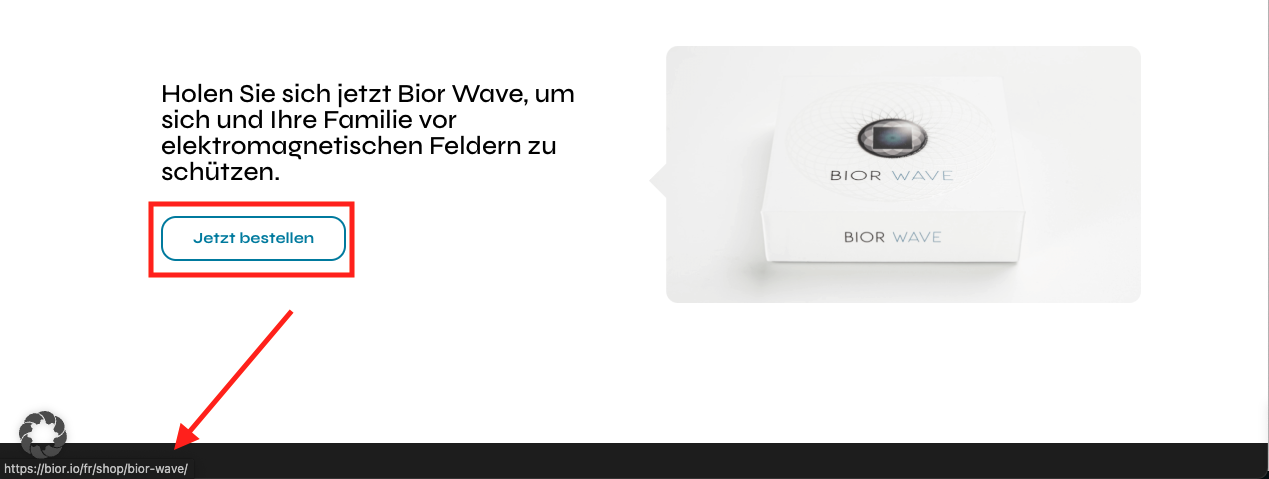
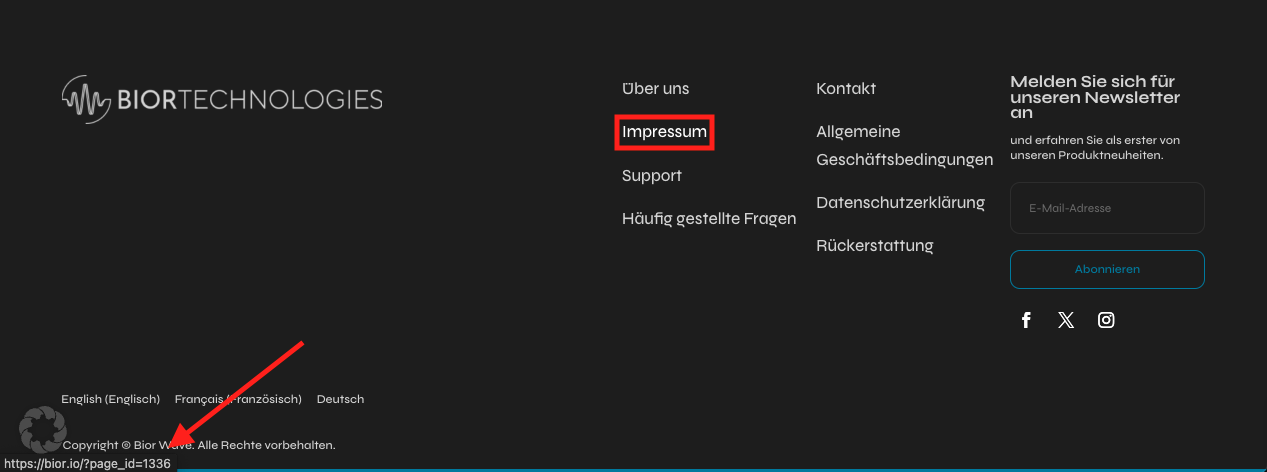
The client reported that after translating their page into German and French, the German homepage incorrectly linked to French webpages, and the footer links redirected to the original English pages despite attempts to resolve these issues through various settings in WPML.
Solution:
1. For translating homepage links, we recommended checking the following documentation to help find and translate the links: https://wpml.org/faq/how-to-translate-links/
2. For the footer translation issue, we advised following this guide: https://help.elegantthemes.com/en/articles/3684064-how-to-use-the-wpml-plugin-to-translate-theme-builder-templates and also reviewing related errata here: https://wpml.org/errata/divi-global-footer-translation-is-not-displayed-upon-changing-the-default-language/
3. To address the homepage link issue, we manually edited the German page to correct the URLs.
4. We recommended updating the Divi theme to the latest version to ensure compatibility and functionality.

If this solution does not apply to your case, or if it seems outdated, we highly recommend checking related known issues at https://wpml.org/known-issues/, verifying the version of the permanent fix, and confirming that you have installed the latest versions of themes and plugins. If issues persist, please open a new support ticket at WPML support forum.

This is the technical support forum for WPML - the multilingual WordPress plugin.

Everyone can read, but only WPML clients can post here. WPML team is replying on the forum 6 days per week, 22 hours per day.

This topic contains 2 replies, has 0 voices.

Last updated by Carlos Rojas 1 year, 2 months ago.

Assisted by: Carlos Rojas.

Author Posts
February 3, 2025 at 1:03 pm #16662760

igorL-20

<b>Background of the issue: </b>
I translated my page to German and French. However, the German homepage links to the French webpages, and the footer links to the original English pages. I increased the WP memory limit with the following lines in wp-config.php:

define( 'WP_MAX_MEMORY_LIMIT', '256M' ); 
define( 'WP_MEMORY_LIMIT', '128M' );

I clicked on 'translate link targets' in WMPL > Settings. I deactivated the W3 Total Cache plugin, but the issue persisted. WPML is up to date. Link to a page where the issue can be seen: hidden link

<b>Symptoms: </b>
German homepage leads to French and English landing pages instead of German ones.

<b>Questions: </b>
How can I solve the issue of the German homepage linking to the wrong translations?
Why are the URLs in the footer leading to English pages instead of German ones?

February 3, 2025 at 1:39 pm #16663074

Carlos Rojas
WPML Supporter since 03/2017

Languages: English (English ) Spanish (Español )

Timezone: Europe/Madrid (GMT+02:00)

Hello,
Thank you for contacting us

1.- If you are translating the homepage using ATE, I recommend you to check this documentation that might help you find and translate the links: https://wpml.org/faq/how-to-translate-links/

2.- Regarding the footer translation, please follow this guide: hidden link and make sure to review this erratum as it might be related to your case: https://wpml.org/errata/divi-global-footer-translation-is-not-displayed-upon-changing-the-default-language/

Other important documentation: https://wpml.org/theme/divi/

Please let me know if you need further assistance.
Regards,
Carlos

February 4, 2025 at 8:44 am #16665292

igorL-20

Hi Carlos,

Thanks for your support.

The translation of the footer worked. (You did a great job!)

Regarding the translation of the homepage: the proposed solutions didn't help, but the documentation already states that "there is a known issue with translating internal links inside buttons, calls to action, and other similar blocks." The URLs are in calls to action, and neither the ATE translation nor "Scan now and adjust links" in WPML > Settings > Translate Link Targets solve the issue. To fix that, the documentation mentions I need to ask the support help.

Thanks,
Igor

February 4, 2025 at 12:02 pm #16666498

Carlos Rojas
WPML Supporter since 03/2017

Languages: English (English ) Spanish (Español )

Timezone: Europe/Madrid (GMT+02:00)

Hi Igor,
Thank you very much for your message and I am happy that the footer issue is solved 🙂

1.- Please share a link to a video describing the steps to reproduce the issue with the links on the homepage, that way I can reproduce it exactly as you.

2.- I have set your next message private so you can securely share the access credentials to the site. It is recommended that a full site backup be created before sharing the credentials.

February 6, 2025 at 11:31 am #16675028

Carlos Rojas
WPML Supporter since 03/2017

Languages: English (English ) Spanish (Español )

Timezone: Europe/Madrid (GMT+02:00)

Thank you for sharing the information requested.

To solve the problem, I had to manually edit the German page and add the correct URL.

Note: I recommend updating the Divi theme to the latest version.

February 6, 2025 at 6:28 pm #16676860

igorL-20

Thank you so much! Before marking the issue as resolved, can you tell me how you edited the German pages manually?

I will update Divi!

February 7, 2025 at 8:44 am #16678297

Carlos Rojas
WPML Supporter since 03/2017

Languages: English (English ) Spanish (Español )

Timezone: Europe/Madrid (GMT+02:00)

To edit the translated page manually you must follow these steps:
- Visit the page in the original language on the frontend
- Switch to the secondary language
- Click on Edit the page in the admin bar at the top
- Close the popup window and make the changes

February 7, 2025 at 10:33 am #16678895

igorL-20

Thanks for your help!

February 7, 2025 at 10:35 am #16678908

Carlos Rojas
WPML Supporter since 03/2017

Languages: English (English ) Spanish (Español )

Timezone: Europe/Madrid (GMT+02:00)

We are more than happy to help 🙂

Please don't hesitate to contact us if you need our help in the future with WPML.
Have an excellent day!