
Skip to content Skip to sidebar

This thread is resolved. Here is a description of the problem and solution.

Problem:
You are trying to publish a translation of an English page on your website but encounter a 404 error. Additionally, there is confusion regarding the extension of the WPML subscription as it shows as active and set to auto-renew.
Solution:
We recommend updating your WPML plugin to the latest version, currently 4.6.11, along with any add-ons to ensure you have all the latest bug fixes and improvements. You can find the latest versions in the Downloads section of your WPML account. If updates are not visible, you may need to manually check for updates in the Plugins → Add New Plugin → Commercial tab of your WordPress admin. Always ensure to back up your database before updating, which you can do using plugins like Duplicator.

For the subscription issue, we have opened a separate support ticket to address it specifically.

If updating the plugin does not resolve the 404 error, or if this solution becomes outdated, please check related known issues, verify the version of the permanent fix, and confirm that you have installed the latest versions of themes and plugins. If the problem persists, we highly recommend opening a new support ticket here.

This is the technical support forum for WPML - the multilingual WordPress plugin.

Everyone can read, but only WPML clients can post here. WPML team is replying on the forum 6 days per week, 22 hours per day.

Tagged: 

This topic contains 3 replies, has 2 voices.

Last updated by Andrey 1 year, 11 months ago.

Assisted by: Andrey.
Author Posts
May 21, 2024 at 7:31 pm #15652489
Malia Krahn

I am trying to:publish a translation of an English page on hanmi.com

Link to a page where the issue can be seen:
admin: hidden link
frontend: hidden link

I expected to see: working published page

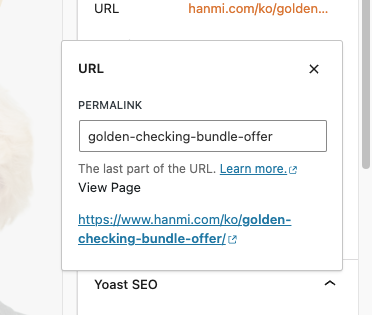
Instead, I got: 404 eror

Additionally, my client (the account owners) are trying to extend their WPML subscription given the expiration notices. However, when they click to extend, it says their subscription is still active and set to auto-renew on 11/1/2024. Please let me know if you can assist with this also.

Thank you!

New threads created by Andrey and linked to this one are listed below:

https://wpml.org/forums/topic/split-extend-wpml-subscription-given-the-expiration-notices/

Screenshot 2024-05-21 at 3.28.10 PM.png
Screenshot 2024-05-21 at 3.28.01 PM.png
May 21, 2024 at 8:01 pm #15652617

Andrey
WPML Supporter since 06/2013

Languages: English (English ) Russian (Русский )

Timezone: Europe/Kyiv (GMT+03:00)

Thank you for contacting WPML support.

Could you please update your WPML plugin to the latest version 4.6.11 and add-ons to benefit from the latest bug fixes and improvements? This may not necessarily resolve your problem, however, in order to troubleshoot the issue best we need to work on the latest code available.

You can check the latest released versions under "My Account -> Downloads" on this site. Instructions to update can be found here: http://wpml.org/faq/install-wpml/

If you do not see the updates, you might need to click on the Check for updates button in the Plugins → Add New Plugin → Commercial tab.

Please remember to backup your database first before you proceed! You can use a plugin for this if you like (example: http://wordpress.org/plugins/duplicator/)

I opened a new ticket for your other question. This will also help other users with similar problems find solutions when searching the forum.

Let me know if the issue persists after an update has been done.

May 23, 2024 at 7:50 pm #15665055

Malia Krahn

Hi Audrey,

The plugin was already updated - we are on version 4.6.3.

Thank you,

Screenshot 2024-05-23 at 3.48.30 PM.png
May 23, 2024 at 8:05 pm #15665122

Andrey
WPML Supporter since 06/2013

Languages: English (English ) Russian (Русский )

Timezone: Europe/Kyiv (GMT+03:00)

That is an outdated version. The latest is WPML 4.6.11. You can check the latest released versions under "My Account -> Downloads" on this site. Instructions to update can be found here: http://wpml.org/faq/install-wpml/






