Skip to content Skip to sidebar

This thread is resolved. Here is a description of the problem and solution.

Problem:
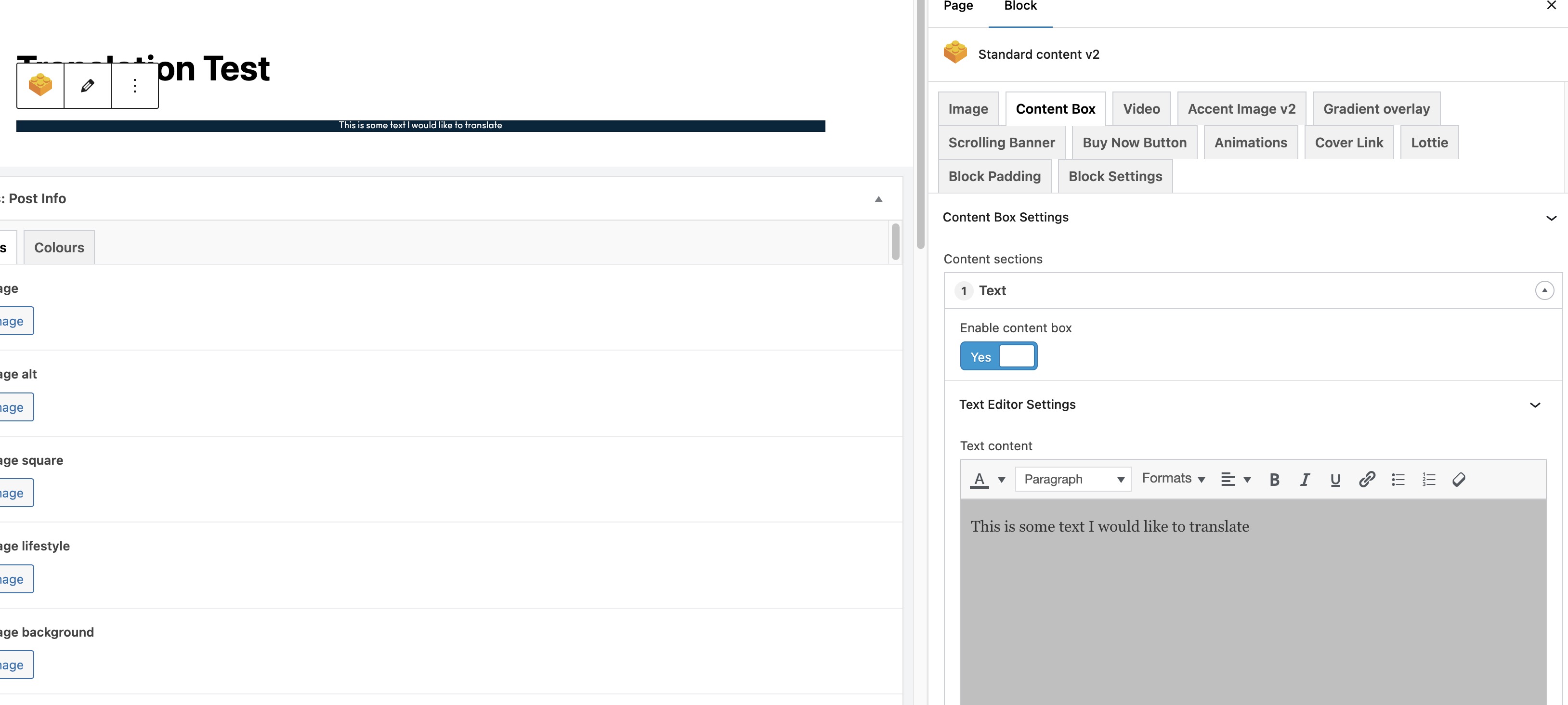
You are trying to translate pages that include custom ACF Blocks using WPML's Advanced Translation Editor, but the ACF Block content is not appearing in the translation interface.
Solution:
First, ensure that your ACF Pro is updated to version 6.3.5, ACF Multilingual to version 2.1.3, and String Translation to version 3.2.14. After updating, you need to select a translation option for your field groups. We recommend following the steps outlined in this guide.
If after completing these steps the ACF content still does not appear correctly in the translation editor, it might be due to an outdated solution or a different issue. We highly recommend checking related known issues at https://wpml.org/known-issues/, verifying the version of the permanent fix, and confirming that you have installed the latest versions of themes and plugins. If the problem persists, please open a new support ticket at WPML support forum.

This is the technical support forum for WPML - the multilingual WordPress plugin.

Everyone can read, but only WPML clients can post here. WPML team is replying on the forum 6 days per week, 22 hours per day.

This topic contains 4 replies, has 2 voices.

Last updated by Osama Mersal 1 year, 8 months ago.

Assisted by: Osama Mersal.

Author Posts
August 5, 2024 at 1:27 pm #16040291

Ciaran Kamp

Background of the issue:
I am trying to translate any page into another language. The pages are made up of custom ACF Blocks. When attempting to translate I am taken to the Advanced Translation Editor (the classic translator was tried to). This page shows things like the title, but does not show any ACF Block content at all (in both classic and advanced).

I have fully read and attempted all things within this post, but none work - https://wpml.org/errata/visual-tab-in-classic-translation-editor-is-not-showing-contents-after-update-to-wordpress-5-6/

Symptoms:

Questions:
How do I get any translator page to show the ACF Block content, ready to be translated?

August 5, 2024 at 2:59 pm #16040883

Osama Mersal

Hi,

Thanks for contacting WPML forums support. I'll be glad to help you today.

I would need to look closely at your site, so I would need to request temporary access (WP-Admin and FTP)
Preferably to a test site where the problem has been replicated.

Your answer will be private, meaning only you and I can access it.

❌ Please backup your database and website ❌

✙ I need your permission to deactivate and reactivate the plugins and themes and change site configurations. This is also why the backup is critical.

✙ I also need your permission to take a local copy of your site to debug the issue without affecting your live site.

Best regards,
Osama

August 5, 2024 at 3:59 pm #16041003

Osama Mersal

Hi,

Please update ACF Pro to version 6.3.5, ACF Multilingual to version 2.1.3, and String Translation to version 3.2.14.

After that, please select a translation option for your field groups. Kindly check this guide.

Please let me know after the above steps if the ACF content appears correctly in the translation editor.

Best regards,
Osama

August 6, 2024 at 11:06 am #16043591

Ciaran Kamp

I updated to the latest of those listed.

This seems to now work on both translation editors.

Can you think of a reason why this would have worked and then broken later?

Thanks.

August 6, 2024 at 11:12 am #16043596

Osama Mersal

Hi,

The issue happens because you used the latest WP version with outdated plugins.

Please make sure to use the latest version of the plugins to get the best performance.

Best regards,
Osama