This thread is resolved. Here is a description of the problem and solution.
Problem:
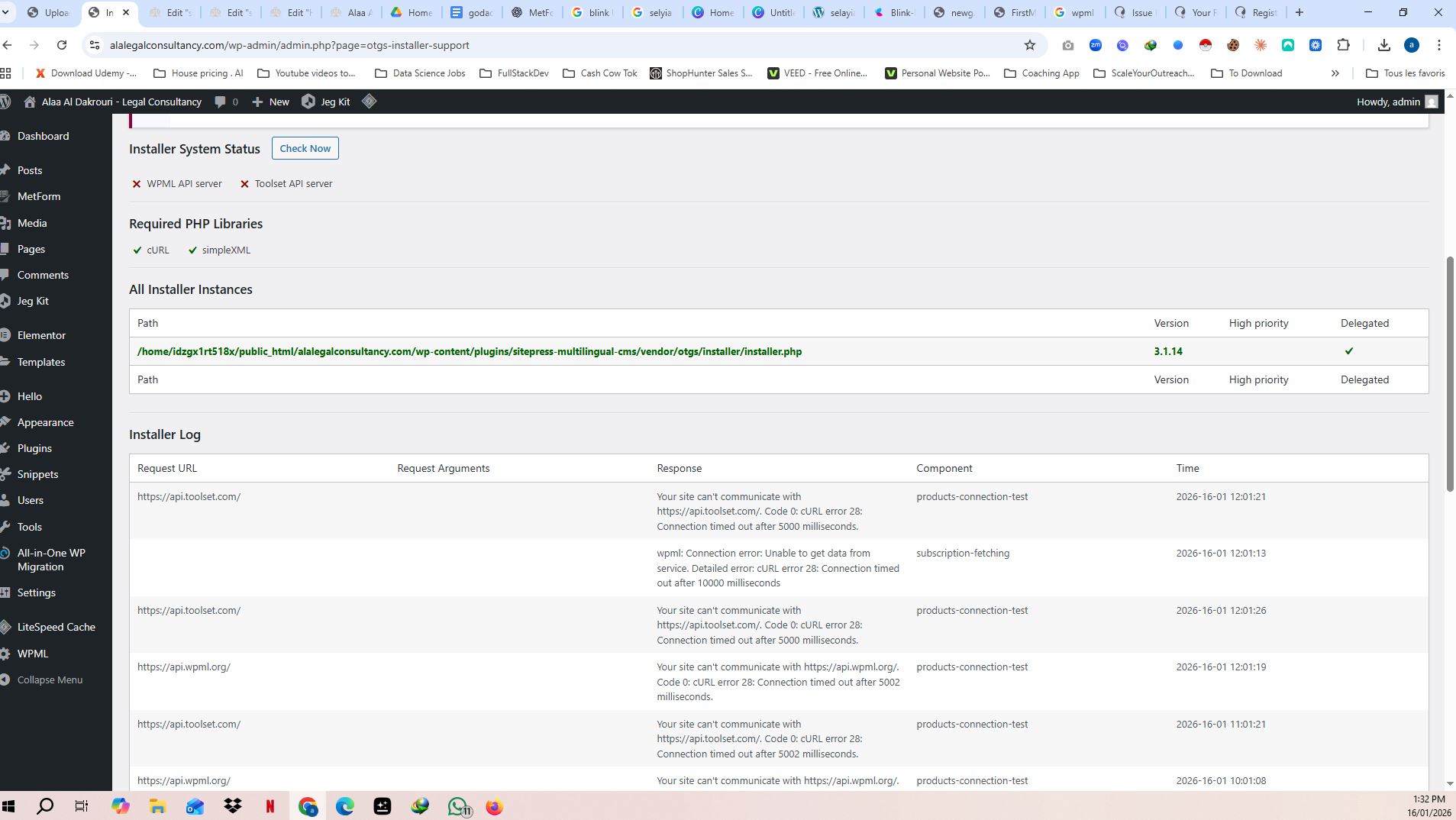
The client is experiencing a 'cURL error 28' while trying to activate the WPML plugin, indicating a timeout during the connection to WPML.org. This issue is similar to a previous one encountered on another website.
Solution:
1. We recommended the client to force a connection check by navigating to Dashboard → Updates and clicking the Check again button.
2. We advised checking the Installer Support Log under WPML → Support for specific error details.
3. If the issue persists, we suggested contacting the hosting provider to investigate server-side network connectivity issues and possibly whitelist certain domains.
4. As these steps did not resolve the issue, we escalated the ticket to our 2nd-tier support team for further investigation.
5. Our specialists recommended adding the following code in the wp-config.php file, right above the line /* That's all, stop editing! Happy blogging. */:
define( 'OTGS_INSTALLER_SITE_KEY_WPML', 'your-site-key' );
Replace 'your-site-key' with the actual site key.
If these steps do not resolve your issue, or if the solution seems outdated or irrelevant to your case, we highly recommend checking related known issues at https://wpml.org/known-issues/, verifying the version of the permanent fix, and confirming that you have installed the latest versions of themes and plugins. If the problem persists, please open a new support ticket here.
This is the technical support forum for WPML - the multilingual WordPress plugin.
Everyone can read, but only WPML clients can post here. WPML team is replying on the forum 6 days per week, 22 hours per day.
This topic contains 4 replies, has 0 voices.
Last updated by 1 month, 1 week ago.
Assisted by: Carlos Rojas.