
This is the technical support forum for WPML - the multilingual WordPress plugin.
Everyone can read, but only WPML clients can post here. WPML team is replying on the forum 6 days per week, 22 hours per day.
| Sun | Mon | Tue | Wed | Thu | Fri | Sat |
|---|---|---|---|---|---|---|
| 9:00 – 18:00 | 9:00 – 18:00 | 9:00 – 18:00 | 9:00 – 18:00 | 9:00 – 18:00 | - | - |
| - | - | - | - | - | - | - |
Supporter timezone: Asia/Yerevan (GMT+04:00)
Tagged: Documentation request
This topic contains 10 replies, has 2 voices.
Last updated by Christopher Amirian 1 month ago.
Assisted by: Christopher Amirian.
| Author | Posts |
|---|---|
| March 7, 2026 at 3:32 pm #17879471 | |
 Parth Rana |
Hello WPML Support Team, I’m encountering an issue with menu behavior when using WPML together with Elementor and The7 theme, and I’d appreciate your guidance. Site Link : hidden link Page Link : hidden link **Site Setup** * WordPress **Requirement** * Spanish For all other pages we want to **continue using the English menus globally**. Expected behavior: * English pages → English menu **Current Issue** * WPML attempts to load a translated version of the menu From debug logs we can see the Elementor widget passes the menu as a `WP_Term` object: **Questions** 1. Is there a WPML setting that allows **fallback to the default language menu when translations are missing**? Our goal is simply to translate a few pages while keeping navigation consistent in English. Please let me know the recommended WPML configuration for this setup. **Debug Log of WPML** Thank you for your assistance. Best regards,  |
| March 8, 2026 at 11:04 am #17880034 | |
 Christopher Amirian WPML Supporter since 07/2020 Languages: English (English ) Timezone: Asia/Yerevan (GMT+04:00) |
Hello, Welcome to WPML support. For the pages there is an option that you can use to show the default language content when there is no translation. To do that please follow the steps below: (Please use the FALLBACK method mentioned in the documentation above) Then please sync the menus following the steps below: https://wpml.org/documentation/getting-started-guide/translating-menus/ If the issue persists, you will need to go to WordPress Dashboard > Appearance Menus and select the menu in question and manually add the menu tiems on the translated version. Thanks.  |
| March 8, 2026 at 12:12 pm #17880087 | |
|
Parth Rana |
Hello WPML Support Team, Thank you for your previous guidance. I followed the instructions provided earlier: * Enabled the **Fallback method for pages** (Translatable – use translation if available or fallback to default language). However, I am facing another issue with the **language switcher**. **Site Setup** * WordPress [wpml_language_selector_widget] **Languages** **Current Behavior** EN | ES | PT on pages that do not actually have translations. For example: English page: Fallback pages: These pages show the English content (fallback), but the language switcher still allows switching between languages. **Expected Behavior** * Show **EN | ES | PT only on pages that actually have translations** This is important because currently users can switch to Spanish or Portuguese even though those pages are not translated. **Question 1** **Question 2** example.com/es/about Even though the page is not translated, WPML still loads the English content under the language-prefixed URL. Please confirm whether this is the expected behavior when fallback is enabled. If there is a recommended configuration to ensure the language switcher only appears when translations exist, please let me know. Thank you for your assistance. Best regards, 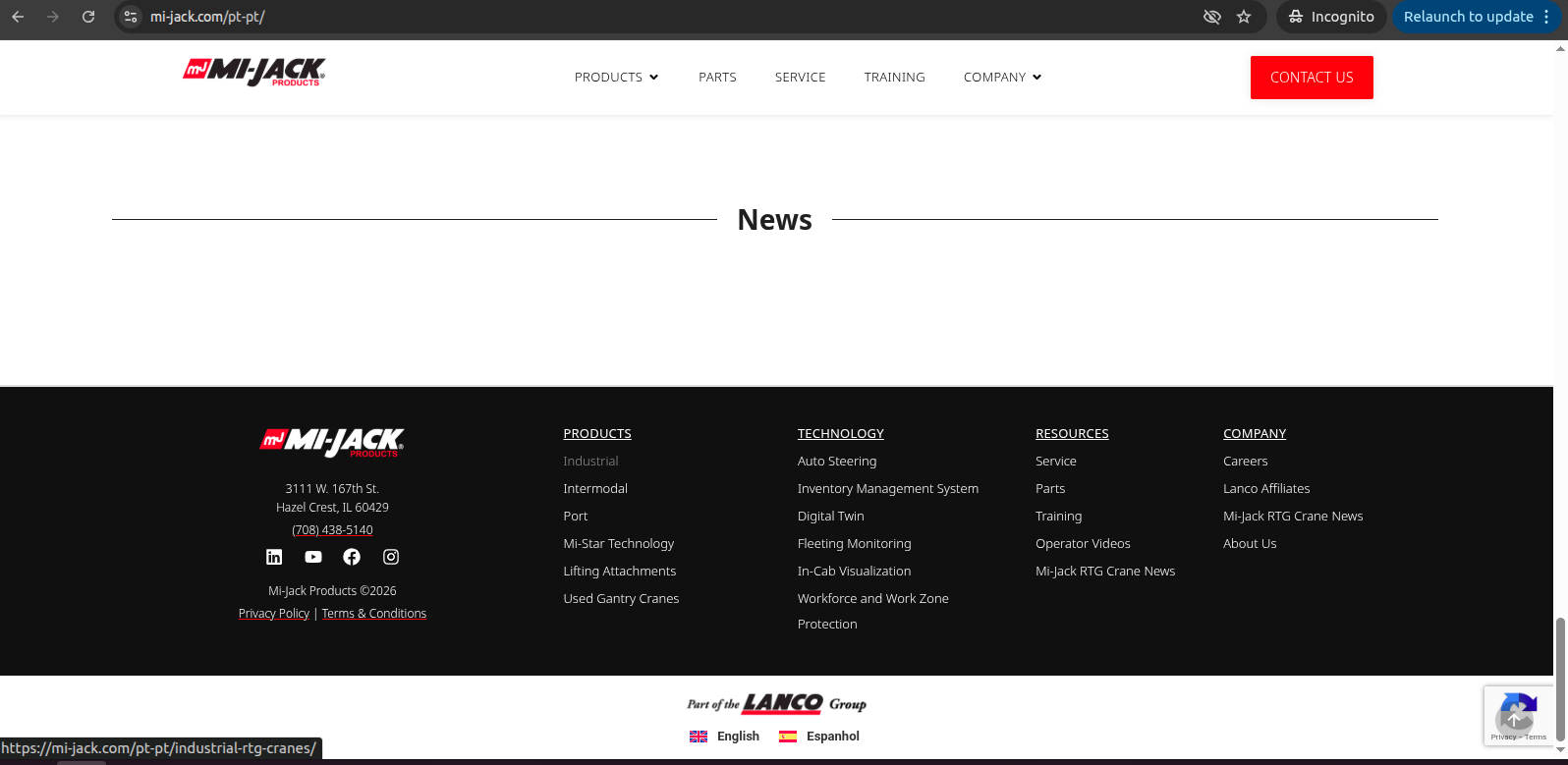 |
| March 8, 2026 at 2:56 pm #17880249 | |
|
Christopher Amirian WPML Supporter since 07/2020 Languages: English (English ) Timezone: Asia/Yerevan (GMT+04:00) |
Hello, Yes that is an expected behavior when it comes to the URL structure. But from what I remember, you can force the language switcher to avoid showing the other languages. Please go to WordPress Dashboard > WPML > Languages > Language switcher options > How to handle languages without translation I am not sure which option would be your desired outcome: Skip language Or Link to home of the language for missing translations But please test to see which will be the best solution for you. This is the nly options avatilable in WPML in the context you use for untranslated content. Thanks. |
| March 8, 2026 at 6:42 pm #17880360 | |
|
Parth Rana |
Hello, Thank you for your response. I understand that the URL structure with the language prefix (for example `/es/` or `/pt/`) is expected when fallback content is enabled. However, the issue we are facing is slightly different. Because fallback is enabled, when users switch language from the translated page, WPML generates URLs such as: /es/about Even though these pages do not have actual translations. These URLs load the English content (fallback), but the navigation context remains in that language. To avoid confusion for users, we temporarily hide the language switcher on pages without translations using CSS and only display it on the page that actually has translations. The remaining concern is related to **menu links**: When a user is on the translated page (for example `/es/...`) and clicks a menu item like **About**, the generated link becomes: /es/about Since that page is not translated, it still loads fallback English content under the `/es/` URL. Our preferred behavior would be: * If a page **does not have a translation**, the menu link should go to the **default English URL**, for example: /about instead of /es/about This would keep users in the English context when no translation exists and avoid navigating through fallback URLs. Could you please confirm: 1. Is there a WPML setting that forces menu links to **fallback to the default language URL when translations do not exist**? For reference, see attach screenshot for language option currently you mention in previous reply. Thank you for your guidance. Best regards,  |
| March 9, 2026 at 10:16 am #17881320 | |
|
Parth Rana |
Hello Team, I just wanted to follow up on my previous message regarding the menu link behavior when fallback content is enabled. Could you please review the details shared earlier and advise if there is a recommended approach to ensure menu links fall back to the default language when translations are not available? I would appreciate your guidance so we can resolve this issue. Thank you. |
| March 9, 2026 at 12:09 pm #17881836 | |
|
Christopher Amirian WPML Supporter since 07/2020 Languages: English (English ) Timezone: Asia/Yerevan (GMT+04:00) |
Hello, Let me answer the questions one by one:
No, the context will be es/about as an example because the page that this page is linked from was in Spanish. So the context should be Spanish even if it shows the English content. That is the logical way that WPML chose.
The only options available in WPML: is that fallback from settings and for the language switcher is the option that I already mentioned. There is a duplication option also available but it will react the same way, the difference is that it will have an actual page copied over the original one. Here are the details and the differences between duplicate and fallback:
No, as mentioned, it is not recommended as it loses the context. When you are on a Spanish page and you click on a menu link that goes to an untranslated page, the context is still Spanish even if the content shows in English. The reason is that you were on a Spanish page, and if you click another link that contains Spanish it will go to the Spanish version. If you want to switch the context you need to us ethe language switcher to go to the English version. Thanks. |
| March 9, 2026 at 3:34 pm #17882562 | |
|
Parth Rana |
Hello, Thank you for the clarification and explanation about how WPML maintains the language context when fallback content is enabled. I understand that this behavior is expected in WPML and that when a user is browsing a page under a specific language (for example `/es/`), navigation links will also remain in that language context even if the page content falls back to English. However, in our case the website only has **one translated page**, and the rest of the pages are not translated. Because of this, keeping the language context for navigation creates some UX issues for our users. For example: If a user is on a translated page such as: `/es/south-central-america-rubber-tire-gantry-rtg-cranes` and clicks a menu item like **About**, WPML generates: `/es/about` Even though this page is not translated. The page then displays the English content via fallback but still keeps the `/es/` prefix in the URL. Our preferred behavior would be: If a page **does not have a translation**, the navigation link should go to the **default English URL**, for example: `/about` instead of: `/es/about` We attempted to implement a custom solution to modify menu URLs using the `wp_nav_menu_objects` filter to force the default language permalink when a translation does not exist. However, this did not work in our setup, Can you check any filter of wpml can work with custom then please provide. Additionally, we noticed another related issue with the homepage: When switching language or navigating while in a secondary language context, `home_url()` resolves to: `/es/` or `/pt/` We would like the homepage link to always go to the **default English homepage** instead of `/es/` or `/pt/`. Example desired behavior: * `/es/...` → clicking Home → `/` Could you please advise: 1. Whether there is any WPML configuration or filter that allows navigation links to **fallback to the default language URL when translations do not exist**? Thank you for your guidance. Best regards. |
| March 10, 2026 at 9:34 am #17884538 | |
|
Christopher Amirian WPML Supporter since 07/2020 Languages: English (English ) Timezone: Asia/Yerevan (GMT+04:00) |
Hello and thank you for the detailed response. The short answer is that it is not possible to achieve what you want in WPML. I gave suggestions here in a video format that might help: hidden link Video Summary: - WPML always keeps the language context in the URL, so showing English content without a language subdirectory isn’t supported. Redirection plugin that I talked about: https://wordpress.org/plugins/redirection/ Thanks. |
| March 13, 2026 at 7:46 am #17894514 | |
| Parth Rana |
Hello, Thank you for the information and clarification you shared earlier. Based on your explanation, we have decided to keep the existing WPML settings and structure as they are and will not apply the custom solutions mentioned previously. Before closing this ticket, we have one final question regarding an issue reported in our site audit tool. The audit is reporting **“hreflang_conflicts_on_page”** errors. I have attached a screenshot for your reference. Could you please review this and advise: 1. What might be causing the **hreflang conflict** in this scenario? Once we receive your guidance on this, we will proceed accordingly and close the ticket. Thank you for your support. Best regards. New threads created by Christopher Amirian and linked to this one are listed below: https://wpml.org/forums/topic/split-hreflang-conflict-warning-from-a-3-rd-part-tool/ 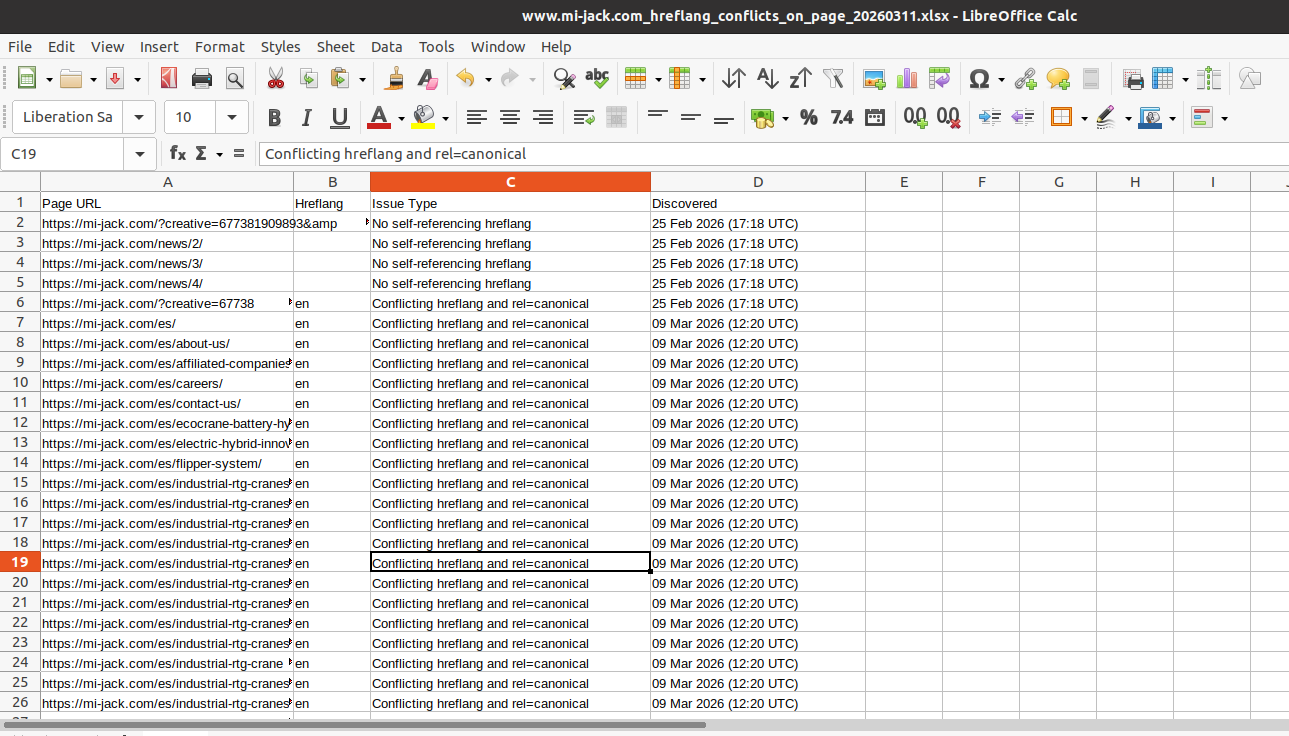 |
| March 15, 2026 at 10:59 am #17897997 | |
|
Christopher Amirian WPML Supporter since 07/2020 Languages: English (English ) Timezone: Asia/Yerevan (GMT+04:00) |
Hello, Thank you for your reply. As this is a new question, I created a separate ticket to answer: https://wpml.org/forums/topic/split-hreflang-conflict-warning-from-a-3-rd-part-tool/ This will help us to serve you better and is fair to our other customers. I will send a reply there. Thanks. |









The topic ‘[Closed] WPML Menu Fallback Issue with Elementor (The7 Horizontal Menu Widget)’ is closed to new replies.