[Resolved] problems with changing from subdirectory to new domain
This thread is resolved. Here is a description of the problem and solution.
Problem: The client was facing issues after changing from a subdirectory to a separate domain for the Spanish version of their site. Specifically, they encountered problems with editing Spanish pages in the front-end editor, displaying a different logo for the Spanish site in the global header, and the Spanish homepage initially displaying in German. Solution: 1. For the issue of the Spanish homepage showing in German, we identified it as a browser caching issue. We recommended the client to try accessing the site in a different browser or in incognito mode. 2. Regarding the different logo for the Spanish site, we advised the client to ensure they are using the correct settings in Divi. We provided guidance on setting up a different logo for different languages by referring to our documentation on Divi theme compatibility (Divi Builder) and using different translation editors for different pages (different translation editors).
If these solutions do not resolve your issues or seem outdated, we highly recommend checking related known issues (https://wpml.org/known-issues/), verifying the version of the permanent fix, and confirming that you have installed the latest versions of themes and plugins. If the problem persists, please open a new support ticket.
This is the technical support forum for WPML - the multilingual WordPress plugin.
Everyone can read, but only WPML clients can post here. WPML team is replying on the forum 6 days per week, 22 hours per day.
I have started the process of changing from subdirectory (/es) to separate domain for Spanish (mindfulnessconjuliane.es)
1) I can't seem to be able to edit any spanish pages in the front end editor, but it works fine for German
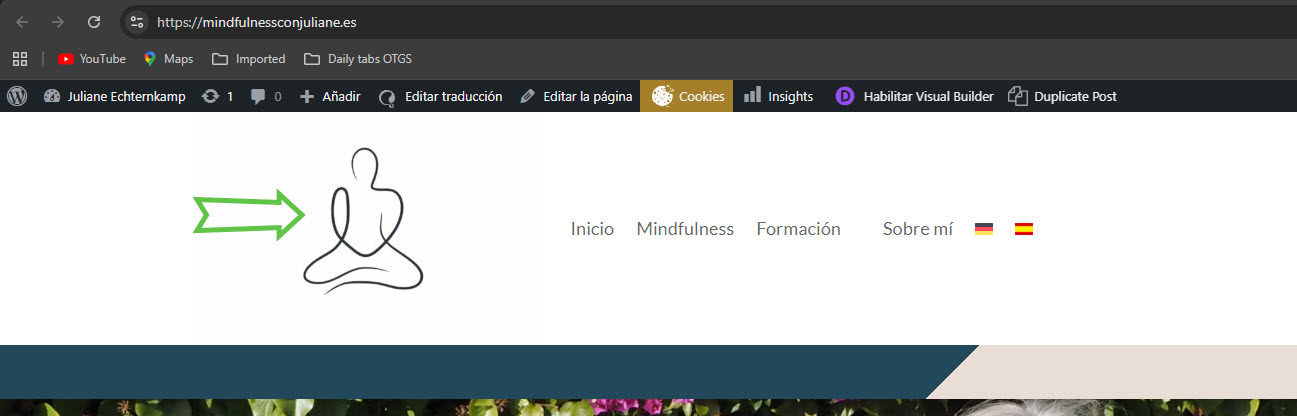
2) I am trying to have a different logo in the global header for spanish but it alwats shows just one, despite me copying the global template and making it different and selecting spanish pages to be using it
3) For some reason it always show the spanish Home page in German, once on that and clicking on the spanish flag, it shows the spanish one.
As I mentioned, the way you created the Divi header and footer on your site and expected them to work across different languages is the wrong approach. You would need to follow these steps to make different headers for each language.
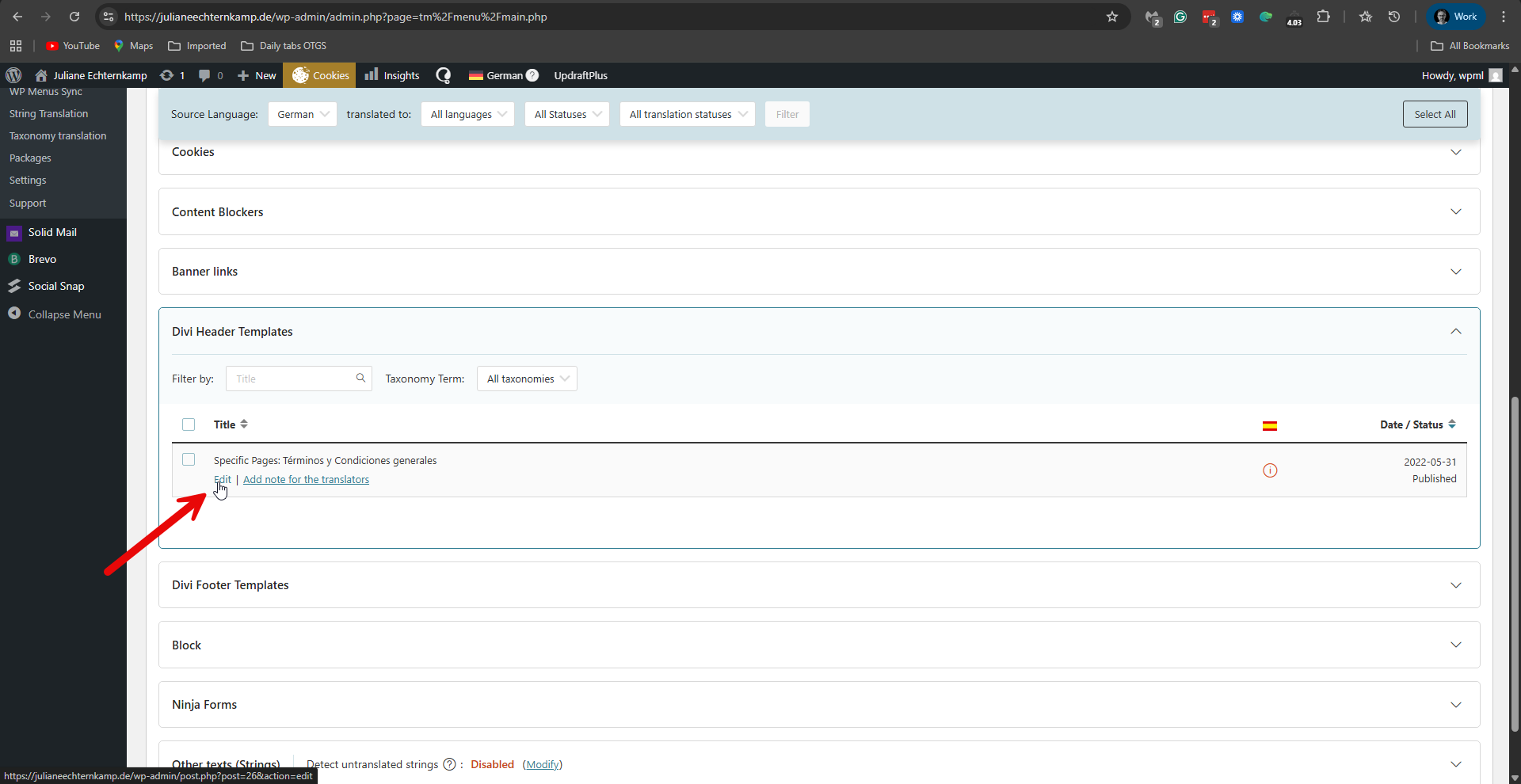
1. Go to WPML -> Translation Dashboard -> Divi Header Templates.
2. Edit the Divi header by clicking the 'Edit' option. Please see the attached screenshot, click-edit.png.
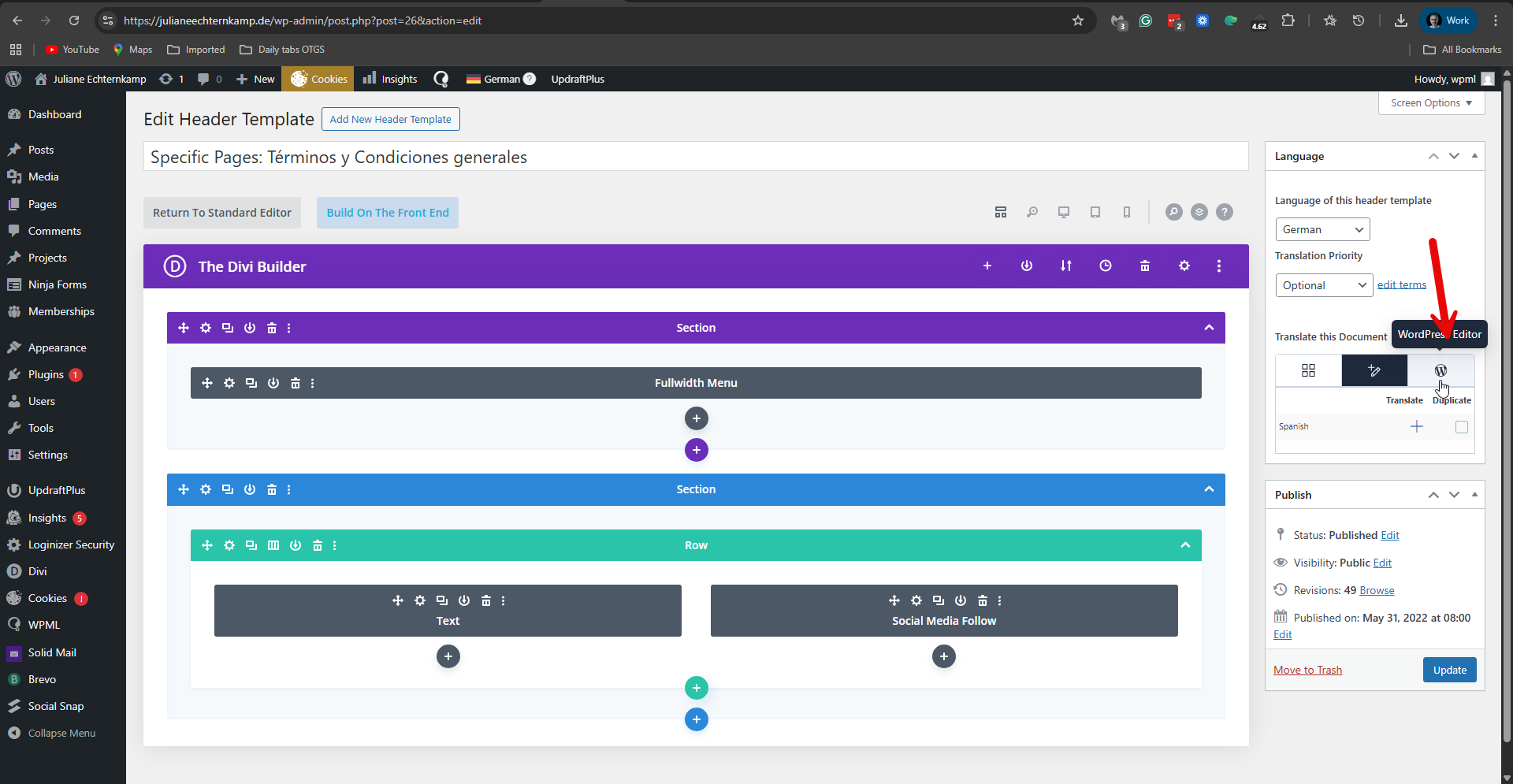
3. Edit its translation into Spanish with the WordPress editor. Please see the attached screenshot manual-edit.png.
4. Duplicate it into Spanish.
5. Click the 'Translate Independently' option.
6. Replace the logo image with the image you want for Spanish.
This is according to our guide here: https://wpml.org/documentation/translating-your-contents/using-different-translation-editors-for-different-pages/.
I've just tested this on my test site, and it works.
However, on your site, for an unknown reason, the current header and footer template (the one that is set to show for all pages) is not showing in WPML -> Translation Dashboard. My suggestion is to delete the current header and footer templates and create a brand-new one. Then go to WPML -> Translation Dashboard and proceed as I explained above.
**** Important! Please make a full site backup (files and DB) before you proceed with those steps****
If you have a staging site, a copy of your site on the same server, then it is better to try there first. If you want, I can try it for you and record a video. For this, please share access to your staging site with me. I'm enabling a private message for the following reply.
I'm not working today (I'll be back to work tomorrow), but I took the time to get back to you.
You mentioned in your last reply that you have not heard from us since the chat. But this is not the case. Please see my detailed reply above from January 20. I explain how things should be done and what I suggest you do on your site.
Did you see this reply?
DO you have any questions about it?
I'm sorry, but according to the screenshot you shared, it seems you didn't understand what I explained. I'm sorry if the problem was in my explanations. I don't get the problem you show in the last screenshot you sent. As I suspect, this might point to a broader problem with Divi. In an attempt to explain things better, please see the following video I recorded while checking things on your site: hidden link
Does this video help to solve the problem?
If not, please allow me to take a copy of your site. For this, I must install a plugin like Duplicator or All-in-One Migration. Please let me know if you agree. I'll then investigate this problem on my local server and hopefully have a better idea of the issue and how to fix it.
Tried your suggestion, I did duplicate the global template. but it does not show up in the WPML Translation Dashboard. Therefore I seem to be unable to access them via this option.
The edit was an issue with my PC, I rebooted and it now works again.
Re the Header/Footer, I had the same issue and Google said:
Divi headers and footers disappear because they have been replaced by a custom layout in the Divi Theme Builder, which overrides the default WordPress Customizer settings. To fix this, edit the header/footer directly via WP Dashboard > Divi > Theme Builder.
So what remains is to find a way to have the Default Website Template showing up in the Translation.
I have a Duplicator version ready but can't upload it to this site or use wetransfer as I don;t have your email address. Please advise how I can transfer the file to you.
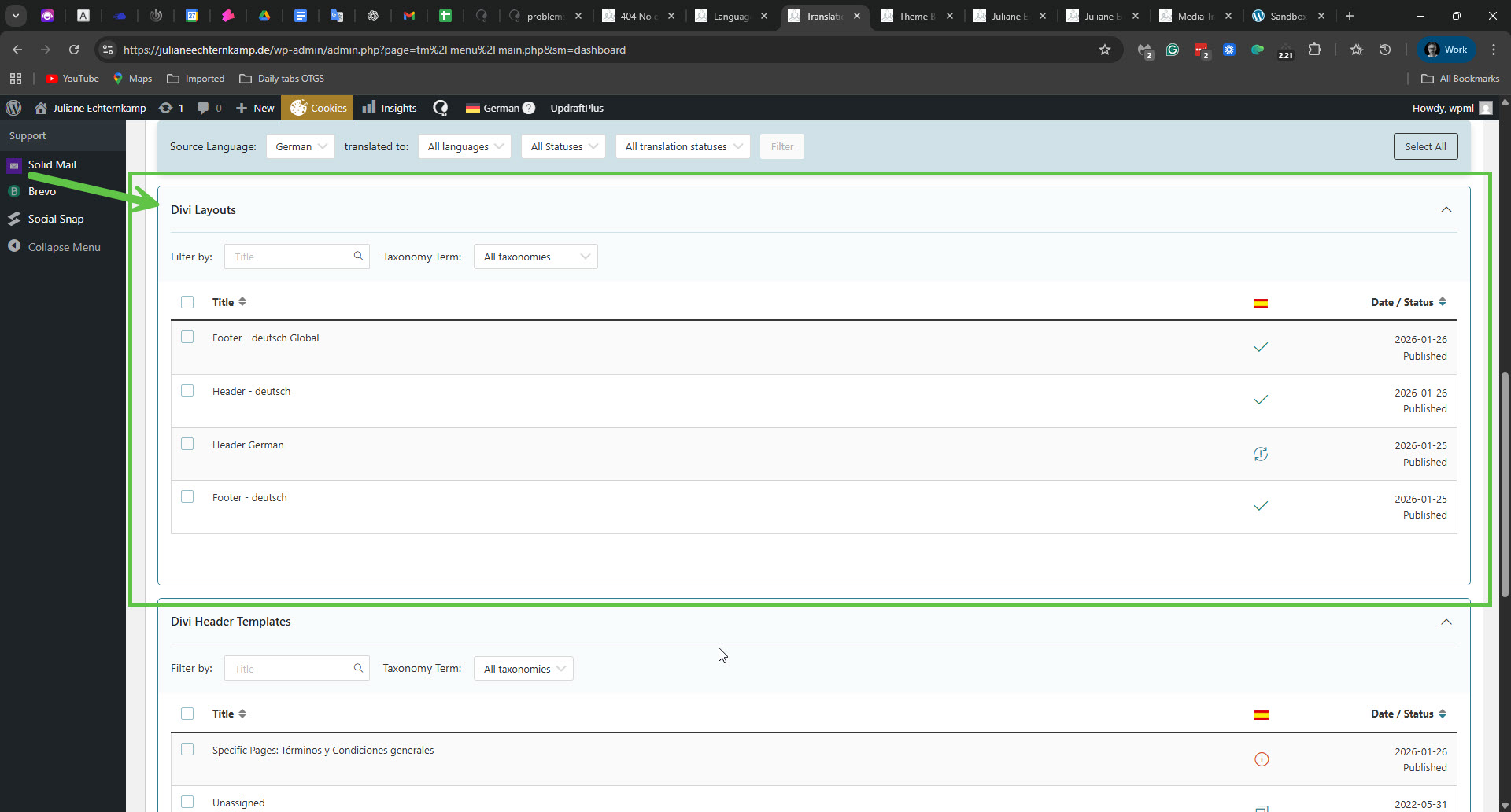
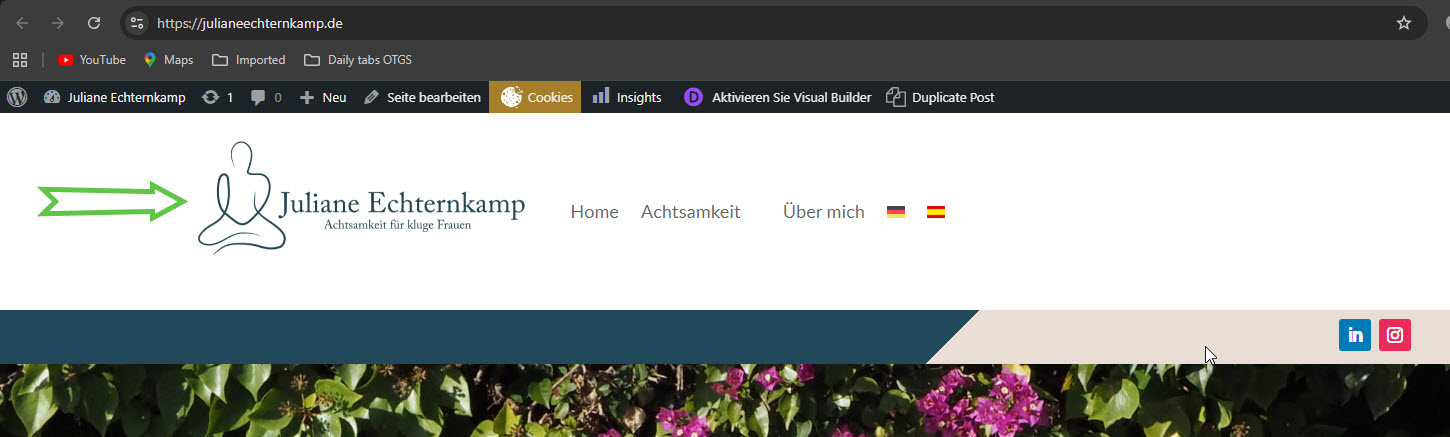
Those Divi default website templates appear in WPML -> Translation Dashboard under Divi Layouts. Please see the attached screenshot divi-layout.jpg. So it appears that the currently active header is 'Header German'. I switched the logo there, and now the result is the following. Please see the screenshots.
German: german-logo.jpg
Spanish: spanish-logo.jpg
Is this the desired result?
If not, please change the German logo to the desired logo and don't do anything else.
All that remains, not part of the initial problem but noticed later, is that we change the email address in the respective footers to be the .de for German and the .es for Spanish.
I'm glad that the logo issue is fixed now!
I'd appreciate it very much if you could mark this ticket as resolved.
In our forum, we try to keep one issue per ticket. Therefore, I've split the other ticket and created a new ticket with this issue. Please see the new ticket here.