
This is the technical support forum for WPML - the multilingual WordPress plugin.
Everyone can read, but only WPML clients can post here. WPML team is replying on the forum 6 days per week, 22 hours per day.
| Sun | Mon | Tue | Wed | Thu | Fri | Sat |
|---|---|---|---|---|---|---|
| - | 7:00 – 12:00 | 7:00 – 12:00 | 7:00 – 12:00 | 7:00 – 12:00 | 7:00 – 12:00 | - |
| - | 13:00 – 15:00 | 13:00 – 15:00 | 13:00 – 15:00 | 13:00 – 15:00 | 13:00 – 15:00 | - |
Supporter timezone: Europe/Madrid (GMT+01:00)
Tagged: Custom Work
This topic contains 16 replies, has 1 voice.
Last updated by Carlos Rojas 4 days, 19 hours ago.
Assisted by: Carlos Rojas.
| Author | Posts |
|---|---|
| November 24, 2025 at 5:37 am #17602837 | |
 ingridS |
Background of the issue: Symptoms: Questions: 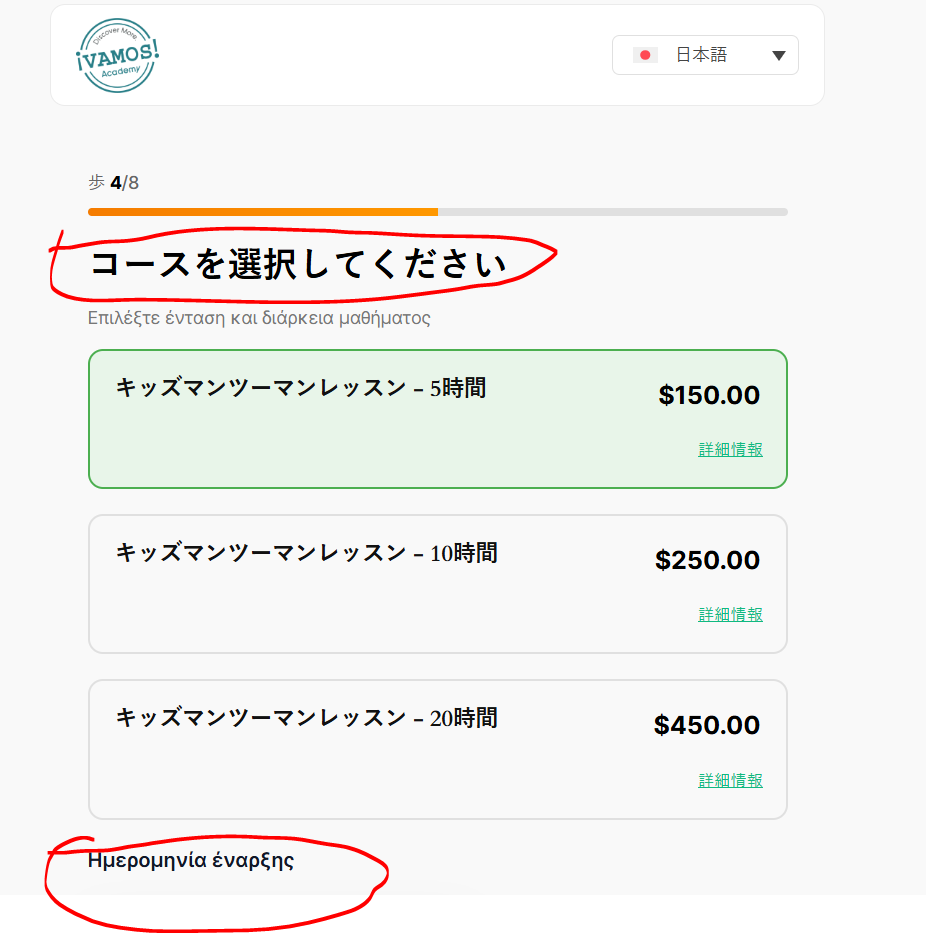 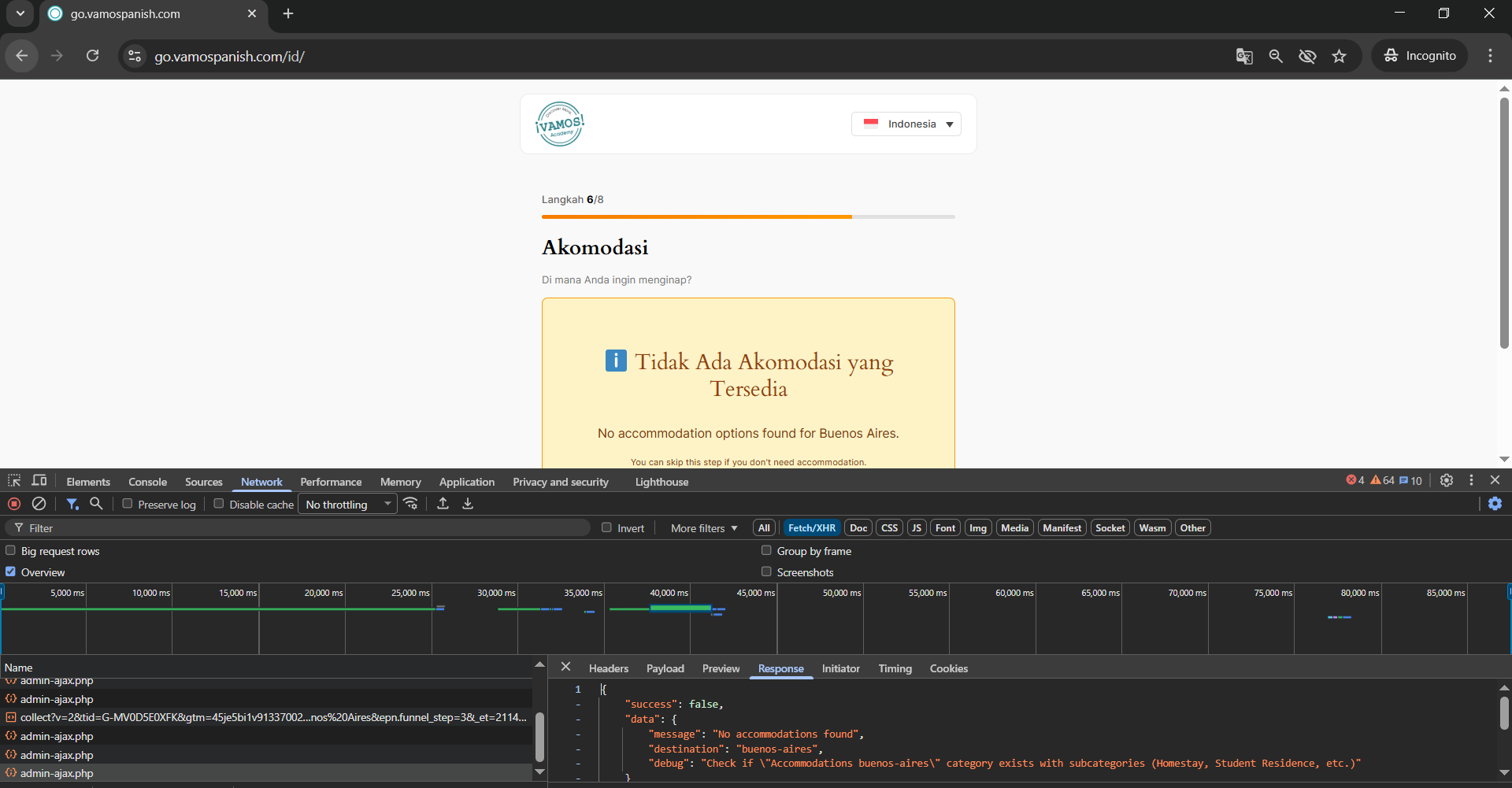 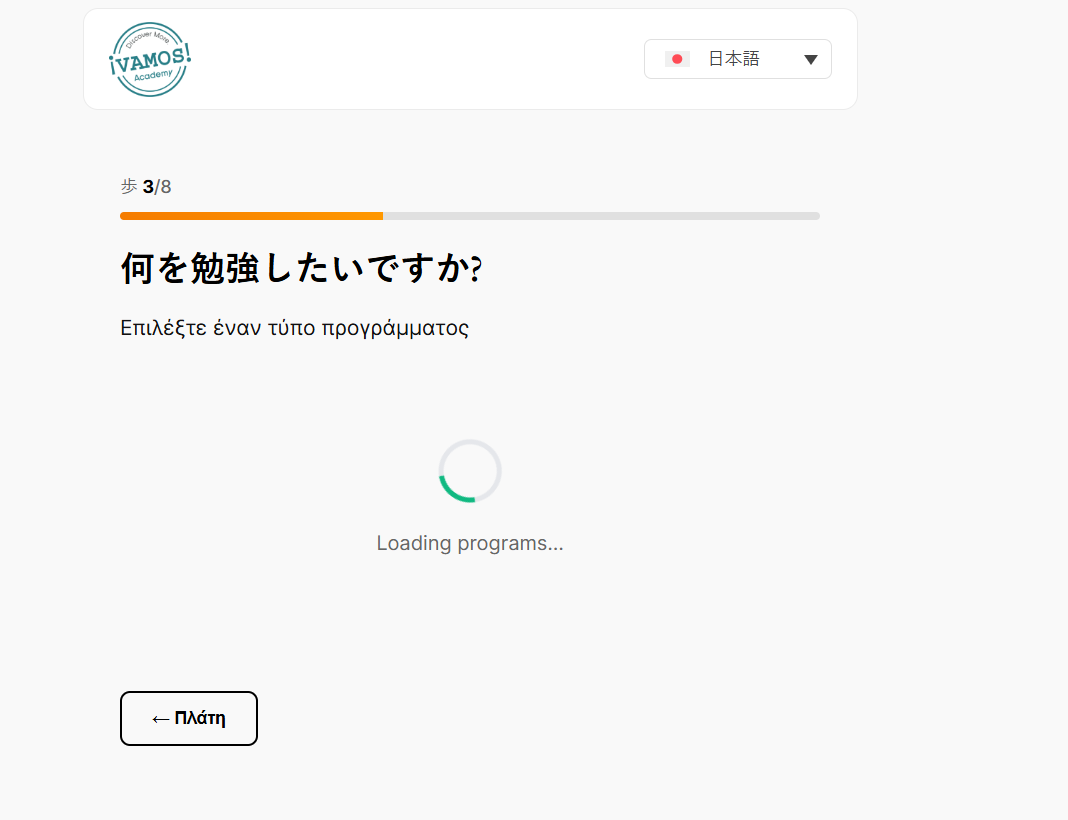 |
| November 24, 2025 at 5:44 am #17602896 | |
|
ingridS |
Hi Support, We successfully translated all WooCommerce products, and everything looked good at first. But when I started integrating the translations with my custom plugin (Vamos Funnel), multiple critical issues appeared. The translated product data is not loading correctly on the custom frontend, especially for non-English languages. This is causing major problems for our business. Below is a detailed breakdown of the issues: WPML Accommodation Issue – Technical Documentation Accommodation loading works only in English. Out of 40 languages, most fail to load the correct translated product/category data when fetched via AJAX. Root Cause WPML translates category slugs along with category names: English slug: online Hindi slug: ऑनलाइन → URL-encoded as %e0%a4%91%e0%a4%a8%e0%a4%b2%e0%a4%be%e0%a4%87%e0%a4%a8 When this value is passed into sanitize_text_field(), WordPress corrupts the Unicode/URL-encoded slug. Three Main Issue Types Identified Affected Languages: Chinese, Hebrew, Hindi, Persian, Arabic, Korean, Punjabi, Ukrainian, Thai, Japanese Type 2: “No accommodations found” Affected Languages: Catalan, Italian, Finnish, Hungarian Type 3: Wrong prices or currency Affected Languages: Several (e.g., Malaga) Prices show in USD instead of EUR Some translated products show $0.00 Additional Issues After SKU-Based Logic Implementation After switching to SKU-based WooCommerce product fetching in the AJAX logic, the loading time for several languages increased dramatically. AJAX responses take too long Slow DB queries for translated SKUs Performance drops when WPML applies language filters This is affecting user experience on frontend heavily. 5. Incorrect Translation Strings Showing Some translated text strings are appearing in the wrong language. Examples: If I select French, a few labels show in Spanish Choosing Korean loads some Arabic static strings Certain WPML string translations are mismatched or overlapping This makes the frontend look broken and unprofessional. Urgent Request These problems are now critical for our business. If we cannot properly integrate WPML-translated products through AJAX, WPML becomes unusable for our use case—even after investing heavily in it. We urgently need: A clear guide for integrating translated WooCommerce categories/products with custom AJAX Correct handling of multilingual slugs and SKUs Fixes or recommendations for performance issues Help from the WPML technical team if possible Please help us resolve this before it impacts our business further.  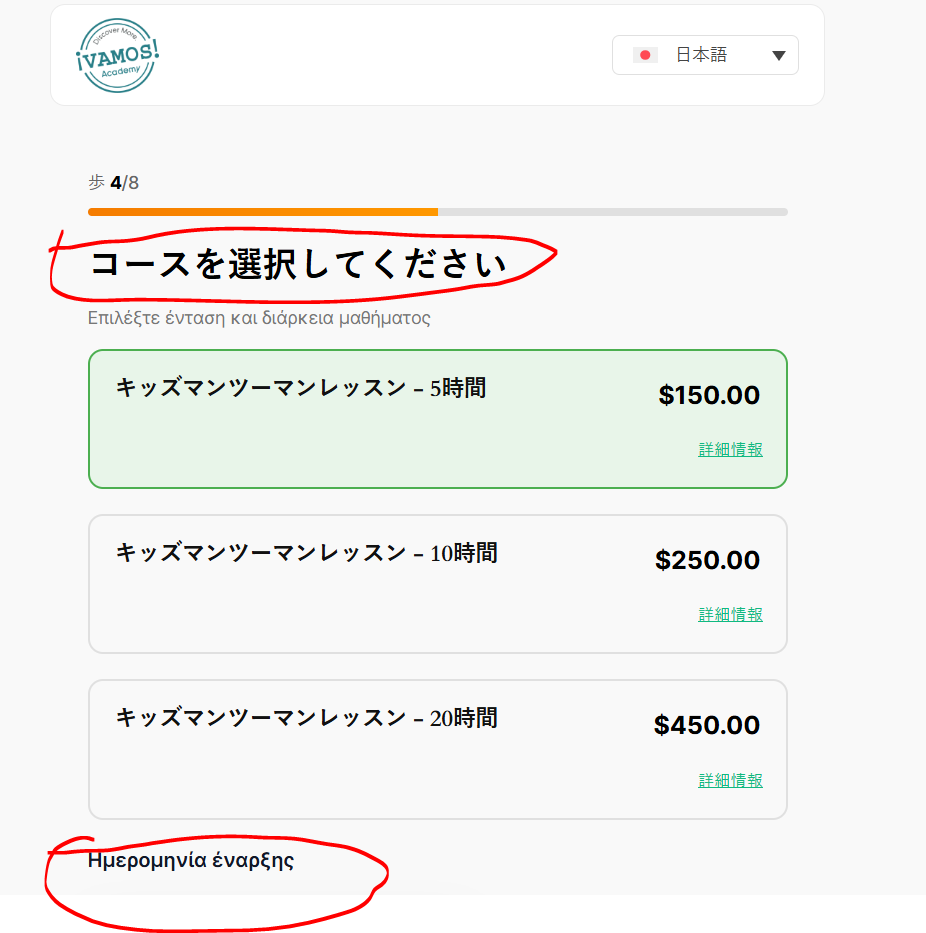 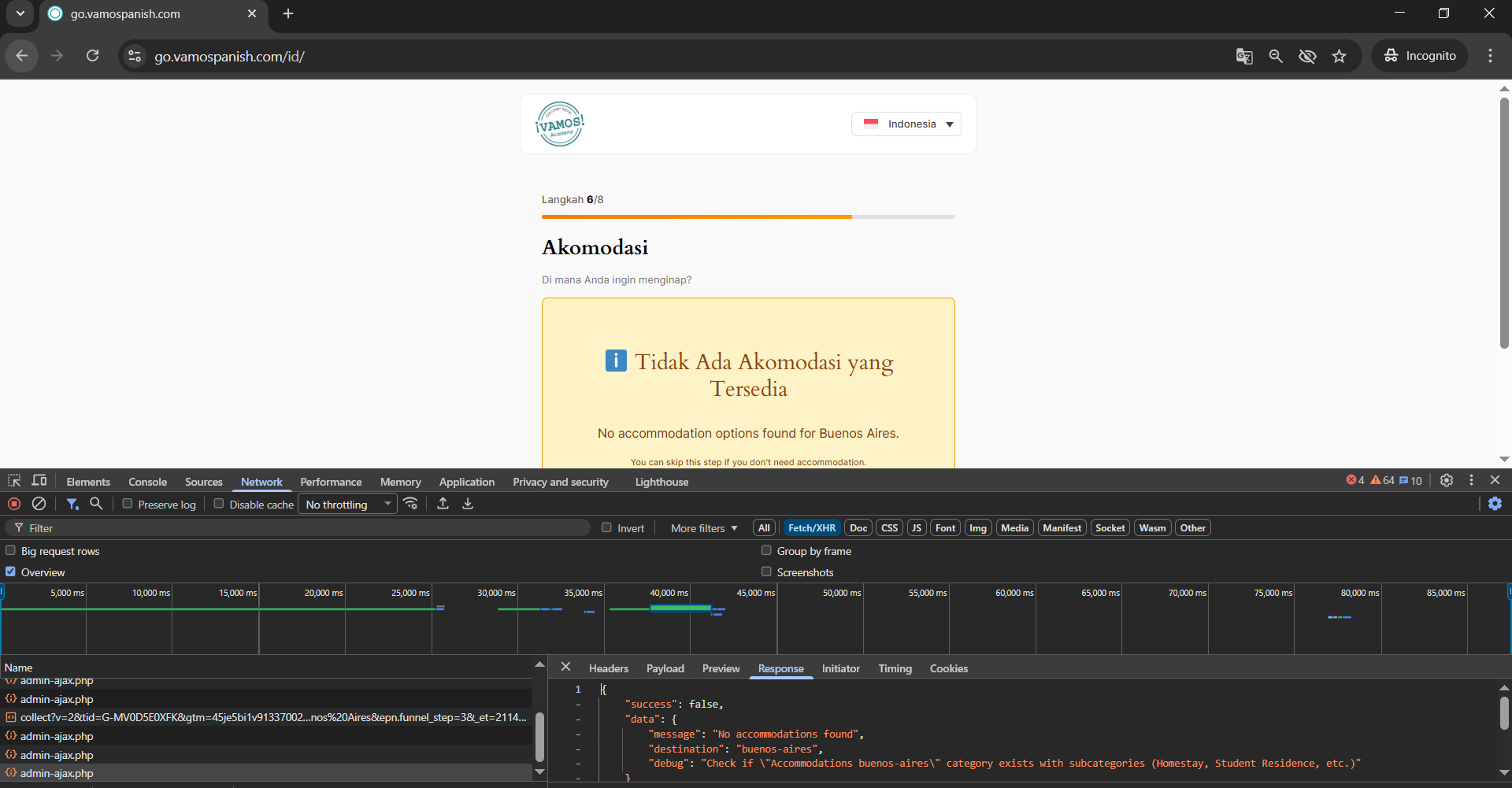 |
| November 25, 2025 at 8:18 am #17606909 | |
 Carlos Rojas WPML Supporter since 03/2017 Languages: English (English ) Spanish (Español ) Timezone: Europe/Madrid (GMT+01:00) |
Hello, 1.- Since the issue involves a custom plugin, it falls outside the scope of our support. Custom-coded solutions can vary significantly, so we recommend reviewing the plugin's code to ensure it follows WordPress coding standards and uses best practices. To help you ensure compatibility with WPML, I recommend referring to this guide: This documentation outlines how to use the correct API functions, filters, and configurations for WPML to recognize and translate custom content correctly. 2.- Please increase the WP memory Limit. Minimum requirements are 128Mb: https://wpml.org/home/minimum-requirements/ /* Memory Limit */
define('WP_MEMORY_LIMIT', '256M');
- Add it above the line /* That's all, stop editing! Happy blogging. */ You can double-check the WordPress memory limit in WPML -> Support Regards, |
| November 25, 2025 at 9:14 am #17607137 | |
|
ingridS |
Oops! It seems WPML cannot be integrated with our custom logic. If that’s the case, we should consider a better approach for integrating it with our funnel instead of continuing to spend time and money. It’s important for the business to move forward effectively. |
| November 25, 2025 at 9:48 am #17607236 | |
|
Carlos Rojas WPML Supporter since 03/2017 Languages: English (English ) Spanish (Español ) Timezone: Europe/Madrid (GMT+01:00) |
Hi, WPML can indeed integrate with custom logic, but it requires that the custom code follow WordPress and WPML’s recommended best practices. When those are not followed, integration challenges can arise. That said, if your current implementation isn't flexible enough for WPML integration, a fresh approach may be more efficient — one that incorporates multilingual support into the design from the start. This would allow WPML to function more seamlessly with your funnel logic. If you'd like to confirm whether specific WPML APIs or workflows can support your goals before restructuring, feel free to share a basic example or description — we’ll gladly advise within our scope. Let us know how you’d like to proceed. Best regards, |
| November 25, 2025 at 11:06 am #17607564 | |
|
ingridS |
ok i am giving you my api calling code portions then clear issues and what there fixes |
| November 25, 2025 at 11:09 am #17607571 | |
|
ingridS |
1. Slow WPML Object ID Lookup: 2. Translated Slug Problem: // Trying to match: 3. Slow WP_Query with WPML: Questions in order:- Performance: Is there a bulk API to get original language term IDs instead of calling apply_filters('wpml_object_id') individually for each term? Slug Translation: How can we prevent WPML from translating category slugs (keep English only)? Or how to reliably convert translated slug back to English in AJAX? Query Optimization: What's the fastest way to fetch ONE product SKU from a category without triggering full WPML post translation queries? Best Practice: What's the recommended way to build a multilingual AJAX-based product funnel with WPML + WooCommerce that stays performant? |
| November 25, 2025 at 11:26 am #17607714 | |
|
Carlos Rojas WPML Supporter since 03/2017 Languages: English (English ) Spanish (Español ) Timezone: Europe/Madrid (GMT+01:00) |
Thank you for your message and for clarifying where you stand. I understand your concern: if the current custom‑logic funnel setup is showing significant friction with WPML integration, it’s absolutely valid to consider whether it is better to pivot to a more compatible structure. Here’s where things stand: - What I suggest 1.- Review compatibility requirement: 2.- Assess the cost/benefit of continuing: 3.- If you choose to proceed with WPML integration: 4.- If you choose to pivot: My recommended next step Please let me know which path you would like to take — I’ll then prepare the next steps and help you plan accordingly (within our support boundaries). Thank you for your patience and for keeping the business objectives in focus. I’m here to help you make the best decision given your situation. |
| November 25, 2025 at 11:53 am #17607849 | |
|
ingridS |
I am a developer, and while I managed to implement the integration myself, we are now encountering multiple issues. I have already raised several specific questions regarding these problems. I need a clear, proper guide addressing these issues. If a proper solution isn’t possible, then we will have no choice but to advise our client to consider an alternative plugin instead of WPML. We have already invested significant time and resources into translations, and repeated problems—such as the loss of category hierarchy—are causing major setbacks if you can see my last raised ticket solved by your support. The current integration is unstable, and I cannot guarantee that our custom funnel fully adheres to standards due to client-specific requirements. The client is dissatisfied, and these ongoing issues could negatively impact their business. Immediate support and a working integration are critical. |
| November 25, 2025 at 11:56 am #17607870 | |
|
ingridS |
You can share all steps what i need to do, so i can implement one by one |
| November 25, 2025 at 12:00 pm #17607874 | |
|
Carlos Rojas WPML Supporter since 03/2017 Languages: English (English ) Spanish (Español ) Timezone: Europe/Madrid (GMT+01:00) |
Hi, As I mentioned before, solutions with custom code fall outside of the scope of our support service. If you are the developer of this custom functionality, then you will need to adjust the code to follow WordPress best practices so WPML can translate it correctly. |
| November 25, 2025 at 12:05 pm #17607920 | |
|
ingridS |
I am not saying wpml translate incorrectly its integration issues need guide |
| November 25, 2025 at 12:10 pm #17607945 | |
|
Carlos Rojas WPML Supporter since 03/2017 Languages: English (English ) Spanish (Español ) Timezone: Europe/Madrid (GMT+01:00) |
Hi, WPML is designed to work out of the box with WordPress themes and plugins that follow standard WordPress development practices. To ensure your custom plugin integrates smoothly, it's essential that the code aligns with those best practices. For full compatibility, I recommend reviewing this guide: https://wpml.org/documentation/support/achieving-wpml-compatibility-for-your-themes-and-plugins/ It outlines the key development guidelines—such as using WordPress filters and actions correctly, registering strings for translation, and working with WPML's APIs—to ensure your plugin remains compatible and multilingual-ready. Let me know if you need help interpreting any part of that documentation. |
| November 25, 2025 at 12:20 pm #17608030 | |
|
ingridS |
Sure let me see compatibility then acknowledge you |
| November 25, 2025 at 12:21 pm #17608033 | |
|
Carlos Rojas WPML Supporter since 03/2017 Languages: English (English ) Spanish (Español ) Timezone: Europe/Madrid (GMT+01:00) |
Sure! |




