
This is the technical support forum for WPML - the multilingual WordPress plugin.
Everyone can read, but only WPML clients can post here. WPML team is replying on the forum 6 days per week, 22 hours per day.
| Sun | Mon | Tue | Wed | Thu | Fri | Sat |
|---|---|---|---|---|---|---|
| - | 7:00 – 12:00 | 7:00 – 12:00 | 7:00 – 12:00 | 7:00 – 12:00 | 7:00 – 12:00 | - |
| - | 13:00 – 16:00 | 13:00 – 16:00 | 13:00 – 16:00 | 13:00 – 16:00 | 13:00 – 16:00 | - |
Supporter timezone: Europe/Vienna (GMT+02:00)
Tagged: WCML
Related documentation:
This topic contains 8 replies, has 1 voice.
Last updated by rafaelF-23 1 day, 11 hours ago.
Assisted by: Marcel.
| Author | Posts |
|---|---|
| March 26, 2026 at 4:06 pm #17929910 | |
 rafaelF-23 |
Hi, I believe these are all related. Please help us figure this out. In the screen shots I'm using this page and it's respective translation as the example hidden link Spanish is the original language. 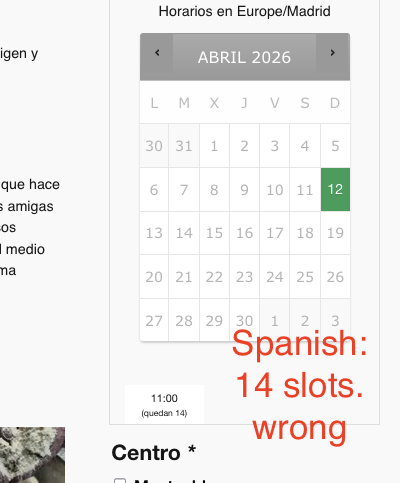 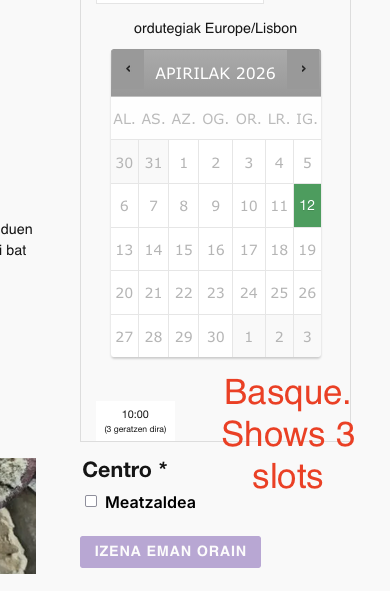 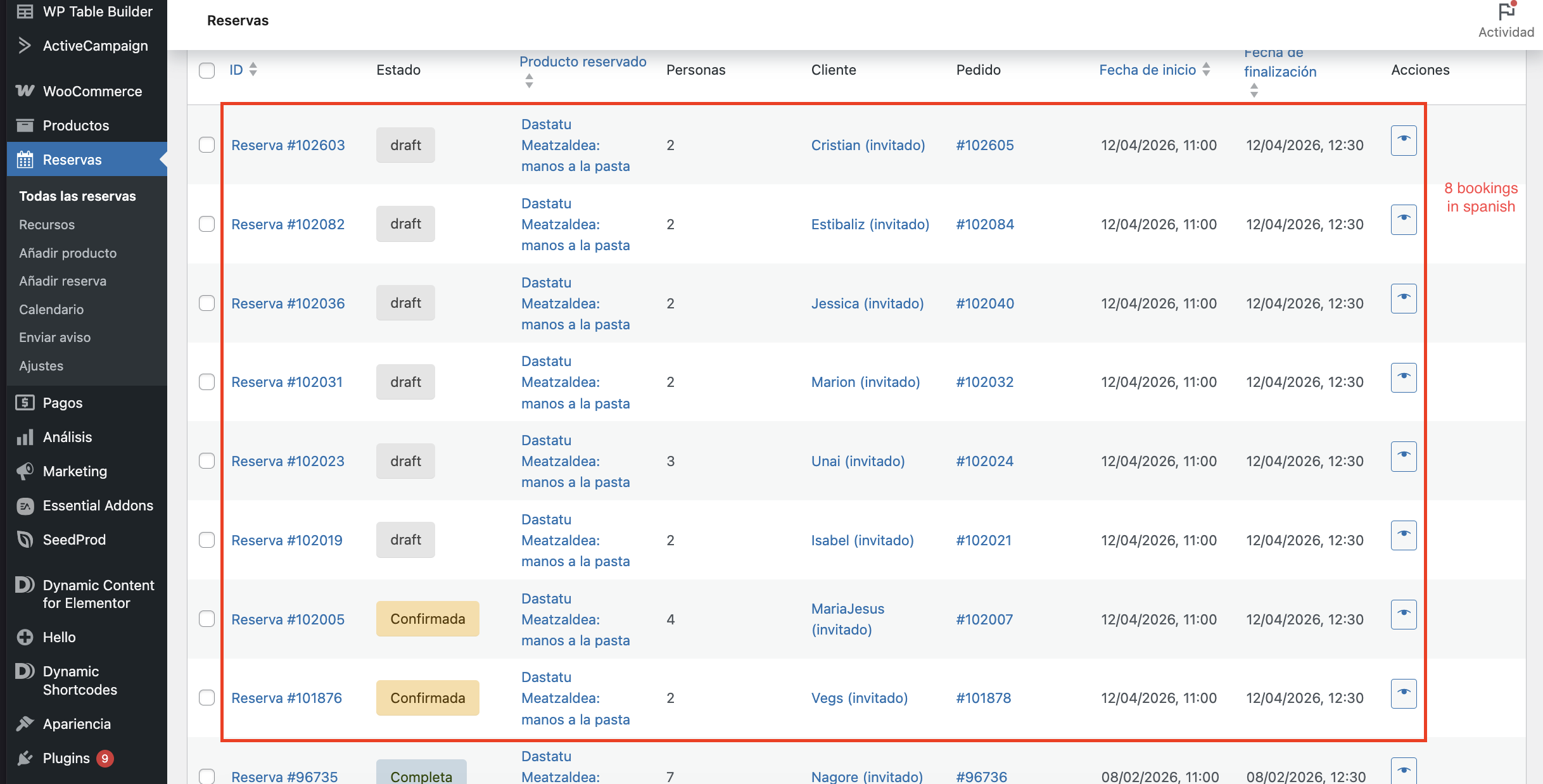 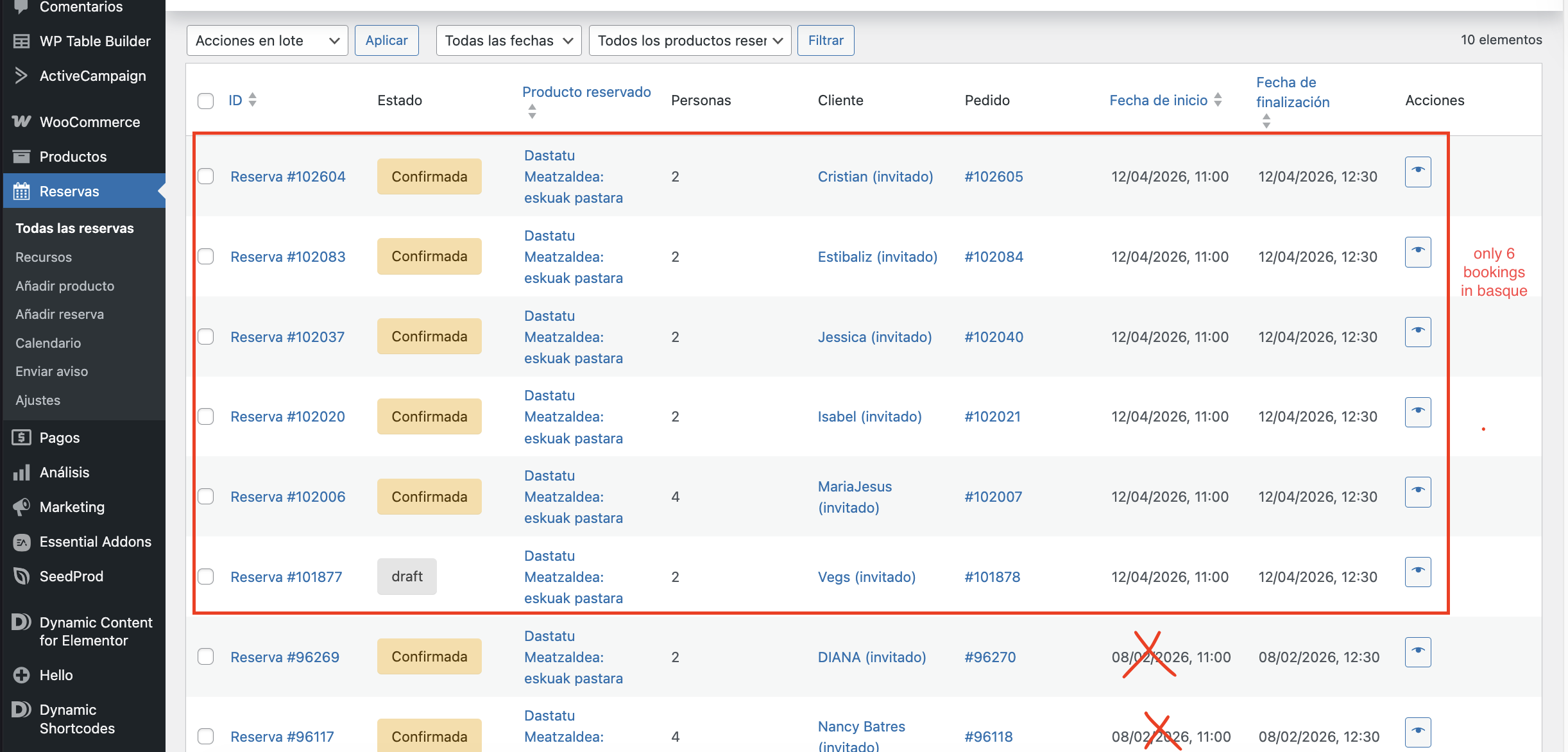 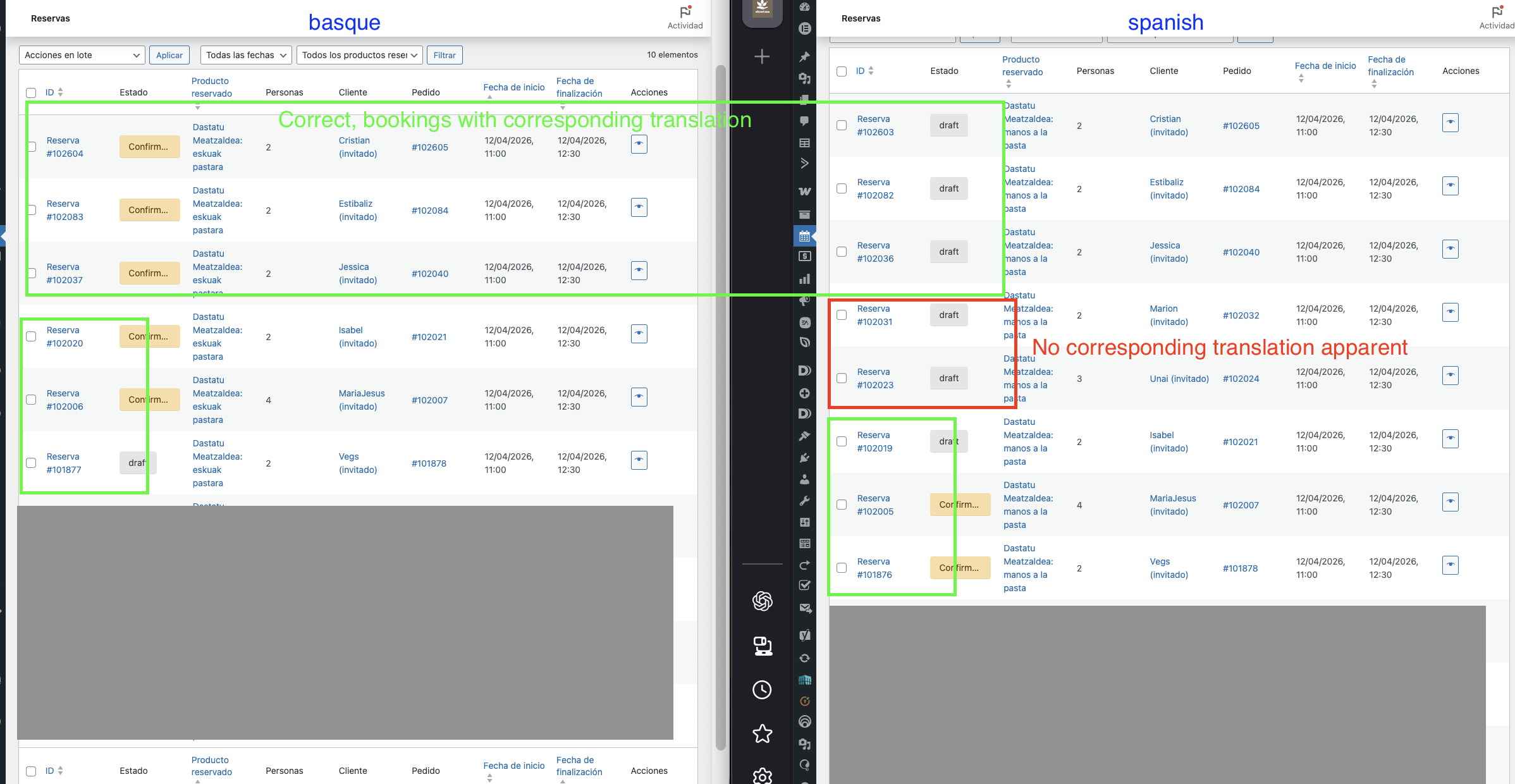 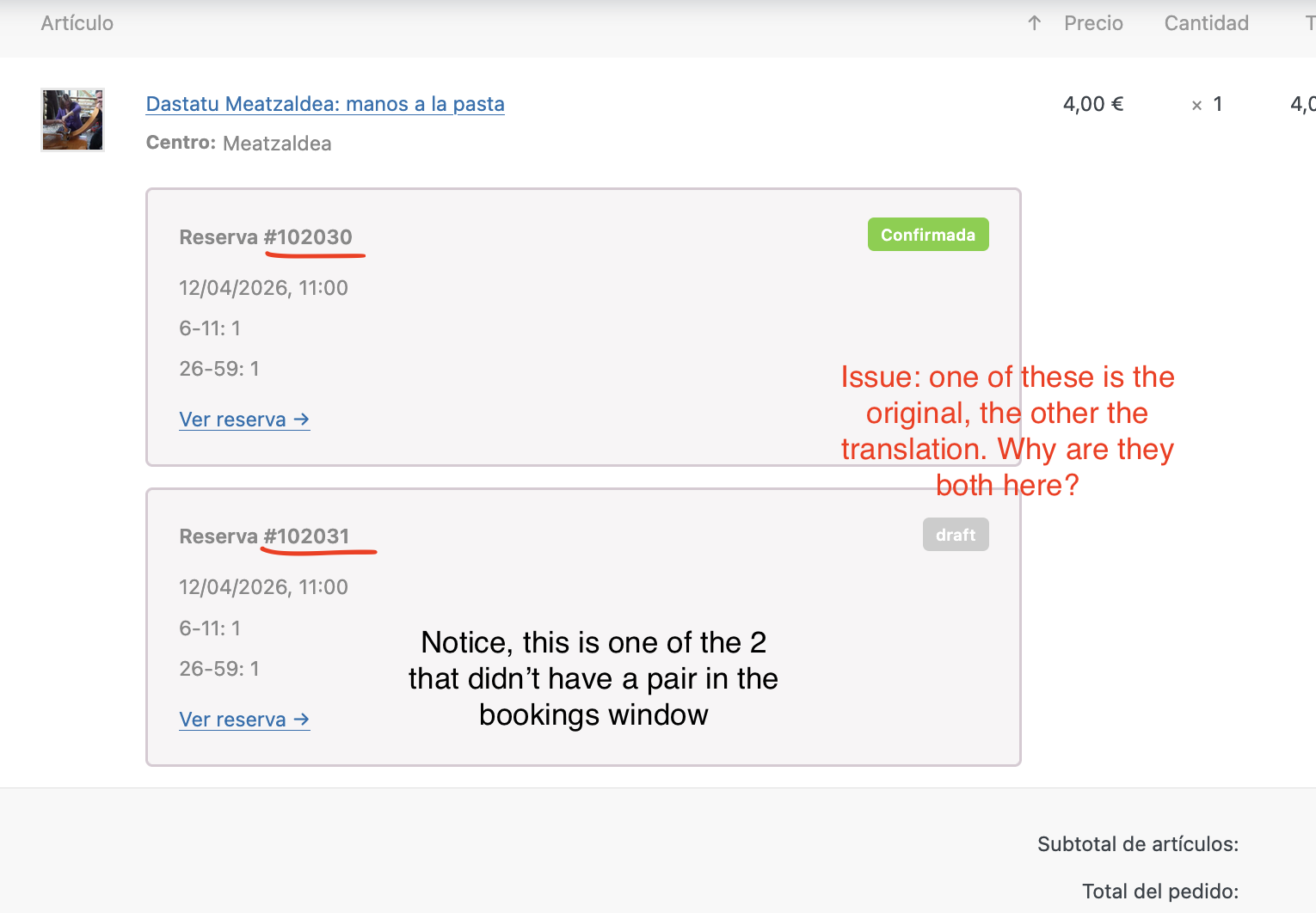 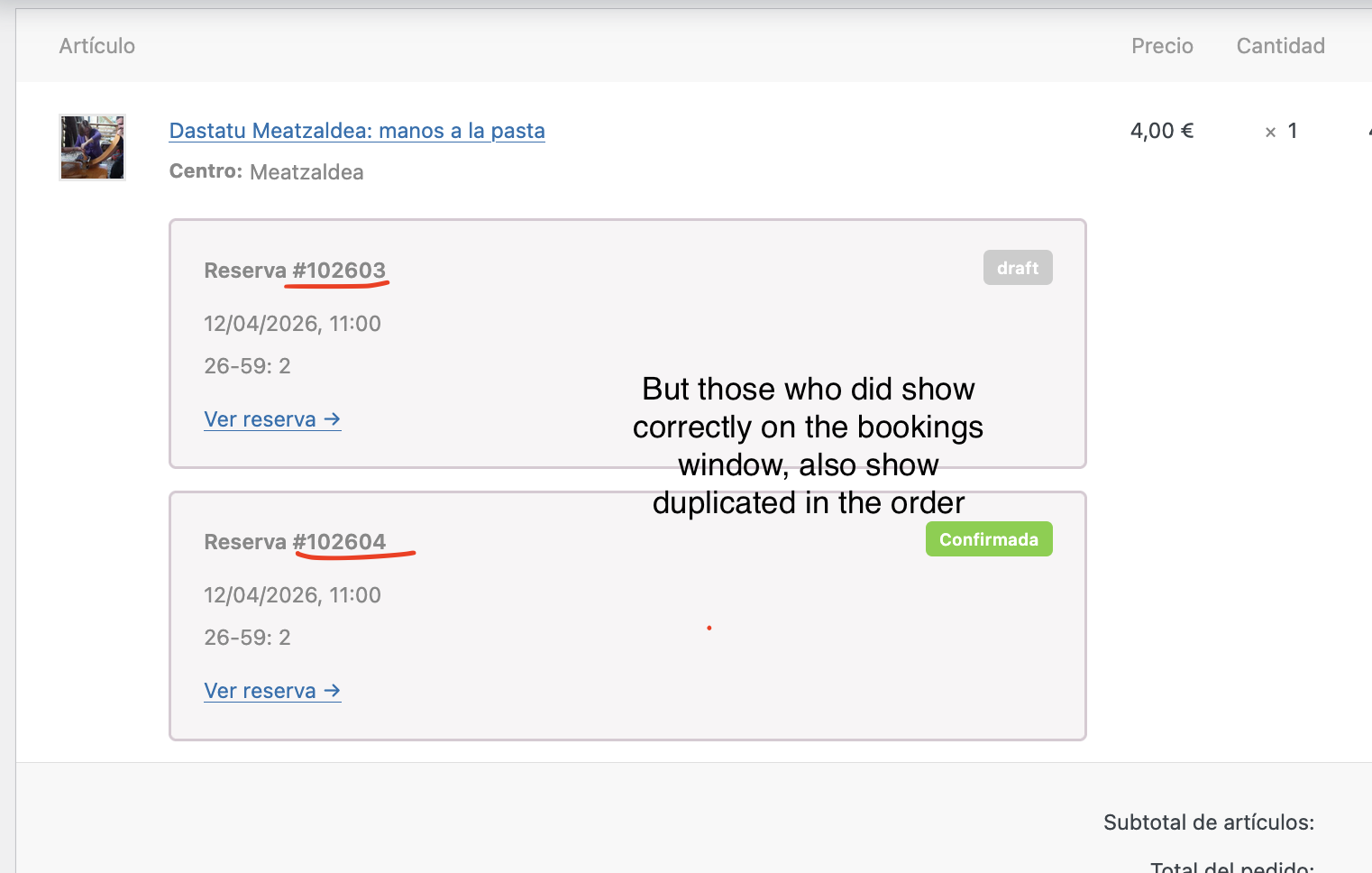 |
| March 27, 2026 at 11:28 am #17932001 | |
|
rafaelF-23 |
Hello? someone here? |
| March 30, 2026 at 10:38 am #17936195 | |
|
rafaelF-23 |
Hello?? |
| March 31, 2026 at 7:15 am #17938393 | |
 Marcel Supporter Languages: English (English ) Spanish (Español ) German (Deutsch ) Timezone: Europe/Vienna (GMT+02:00) |
Hi, Please excuse the delay. We’re currently experiencing a higher-than-usual workload. Could you please provide access to a staging environment so I can take a look? I would need to request temporary access (WP-Admin and FTP) to your site Your next answer will be private which means only you and I have access to it. ❌ Please backup your database and website ❌ ✙ I would additionally need your permission to de-activate and re-activate Plugins and the Theme, and to change configurations on the site. This is also a reason the backup is really important. ✙ Please add the Links to the […] Edit Screen, the Page/Post where you insert the […] and the corresponding Front End Page/Screen Best regards, |
| March 31, 2026 at 2:33 pm #17940433 | |
|
Marcel Supporter Languages: English (English ) Spanish (Español ) German (Deutsch ) Timezone: Europe/Vienna (GMT+02:00) |
Hi, The credentials for the web authentication in front of the backend don’t seem to be working. Could you please recheck them? Thanks! Best regards, |
| April 1, 2026 at 3:05 pm #17943769 | |
|
Marcel Supporter Languages: English (English ) Spanish (Español ) German (Deutsch ) Timezone: Europe/Vienna (GMT+02:00) |
Hi,
Where exactly do you have the calendar to check the availabilyty? It's not part of the example link you shared it seems.
I suspect the product was not translated before the booking was made available. Was this perhaps the case? See https://wpml.org/documentation/woocommerce-extensions-compatibility/translating-woocommerce-bookings-woocommerce-multilingual/#translating-bookable-products-and-resources.
Also this could be related to what I mentioned on #2. Could you verify this using logs or any recorded data from your team? It would also be helpful if you could try to reproduce the exact behavior based on that information. Best Regards, |
| April 2, 2026 at 11:21 am #17945796 | |
|
rafaelF-23 |
Hi, The calendar is indeed in the example provided: hidden link And no, it shouldn't be possible to have bookings before the translation, we don't publish the products until all is done. Although that may happen by mistake, it's very rare, and this problem is a recurrent thing. For your information, we create a product on the Spanish version and save as draft, and then we use the wpml editor (inside the product) to create the translation and only then do we publish. here's a video of the procedure : hidden link |
| April 2, 2026 at 1:10 pm #17946103 | |
|
Marcel Supporter Languages: English (English ) Spanish (Español ) German (Deutsch ) Timezone: Europe/Vienna (GMT+02:00) |
Hi, thanks! In the example you shared where the calendar is not visible: Based on the information provided so far, I don’t have enough details to confirm that this is a bug. As a next step, please try to recreate the issue in this isolated sandbox environment: If you’re able to reproduce the exact same behavior there, we can investigate further and determine whether this is indeed a bug. Also, please make sure not to save the draft before the pencil icon appears in the right-hand sidebar. Best regards, |
| April 6, 2026 at 11:35 am #17951271 | |
|
rafaelF-23 |
Hi there, It will be very difficult to reproduce these issues since we don't really know where they come from. Any way, i did as you asked. First, the pencil icon never appeared in the sandbox, it just shows the update icon (not even moving, just static). Than i made a booking per language. it seems the translation exists, but they are not showing by language. Wich would actually be a good thing if the booking showing is the original, but i confirmed that in the case of booking #185, it's not. The original is #184. 184/185 was made in spanish Could it be that it's showing me the basque bookings instead of the originals? Maybe it's some setting with the original language? I imported 4 products, but only translated the 145. So feel free to do your own test too. Also i would like to ask your opinion on disabling translation for bookings, we don't need it, but i'm not sure what would be the consequences of that change when we have so many existing translation by now. We only need translation for the products, but the bookings it would actually be simpler if there was only one to manage and no duplicates. On a side note, maybe it's important to mention that we never create a product from zero, we have a template that we duplicate as i showed you in the screen record. For that reason i believe it's impossible to not have a saved draft before translating. |







