
This is the technical support forum for WPML - the multilingual WordPress plugin.
Everyone can read, but only WPML clients can post here. WPML team is replying on the forum 6 days per week, 22 hours per day.
| Sun | Mon | Tue | Wed | Thu | Fri | Sat |
|---|---|---|---|---|---|---|
| - | 8:00 – 13:00 | 9:00 – 13:00 | 9:00 – 13:00 | 8:00 – 12:00 | 8:00 – 12:00 | - |
| - | 14:00 – 17:00 | 14:00 – 18:00 | 14:00 – 18:00 | 13:00 – 17:00 | 13:00 – 17:00 | - |
Supporter timezone: Europe/Zagreb (GMT+01:00)
Tagged: Bug
This topic contains 18 replies, has 0 voices.
Last updated by YUNG KAM HOI 46 seconds ago.
Assisted by: Bruno Kos.
| Author | Posts |
|---|---|
| January 6, 2026 at 2:50 am #17705540 | |
 YUNG KAM HOI |
Default language "Chinese" 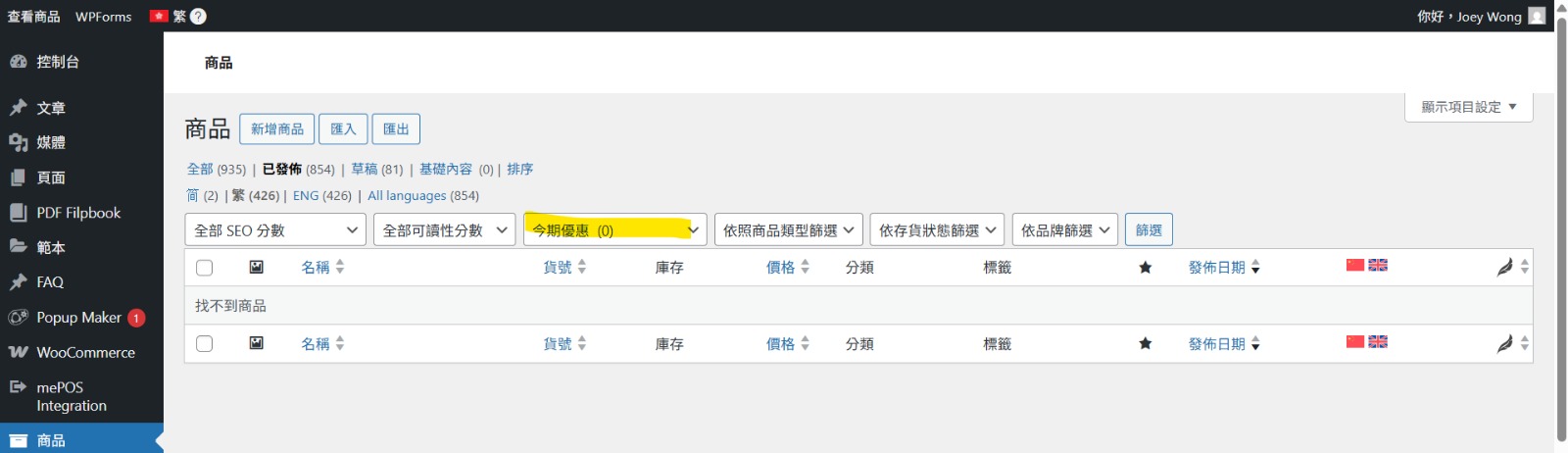 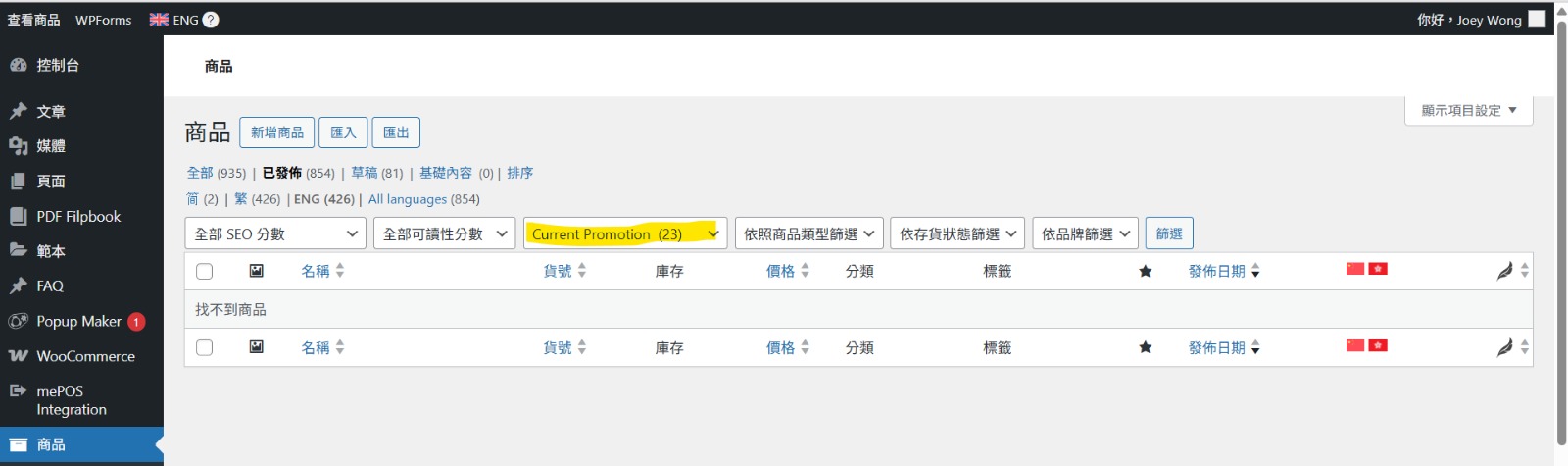 |
| January 6, 2026 at 12:29 pm #17706532 | |
 Bruno Kos WPML Supporter since 12/2018 Languages: English (English ) German (Deutsch ) French (Français ) Timezone: Europe/Zagreb (GMT+01:00) |
Hi, So in a nutshell, when products are added to or removed from the ‘Current Promotion / 今期優惠’ category, the product count is not syncing correctly between Chinese and English, causing one language to show zero and the other to retain an outdated number? In WPML if you delete the original, translation would not get deleted unless "When deleting a post, delete translations as well" is activated (this option is on WPML -> Settings -> Posts and pages synchronization -> When deleting a post, delete translations as well. Can you check this and try then? 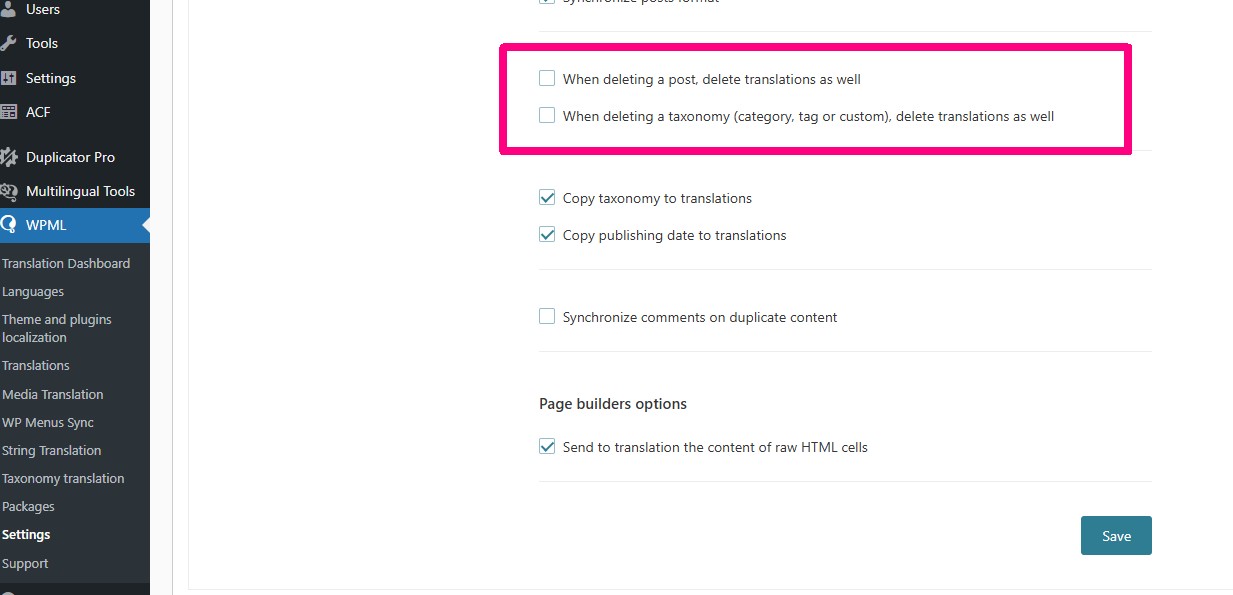 |
| January 8, 2026 at 3:29 am #17711096 | |
|
YUNG KAM HOI |
I have been try the setting of"When deleting a post, delete translations as well" is activated. 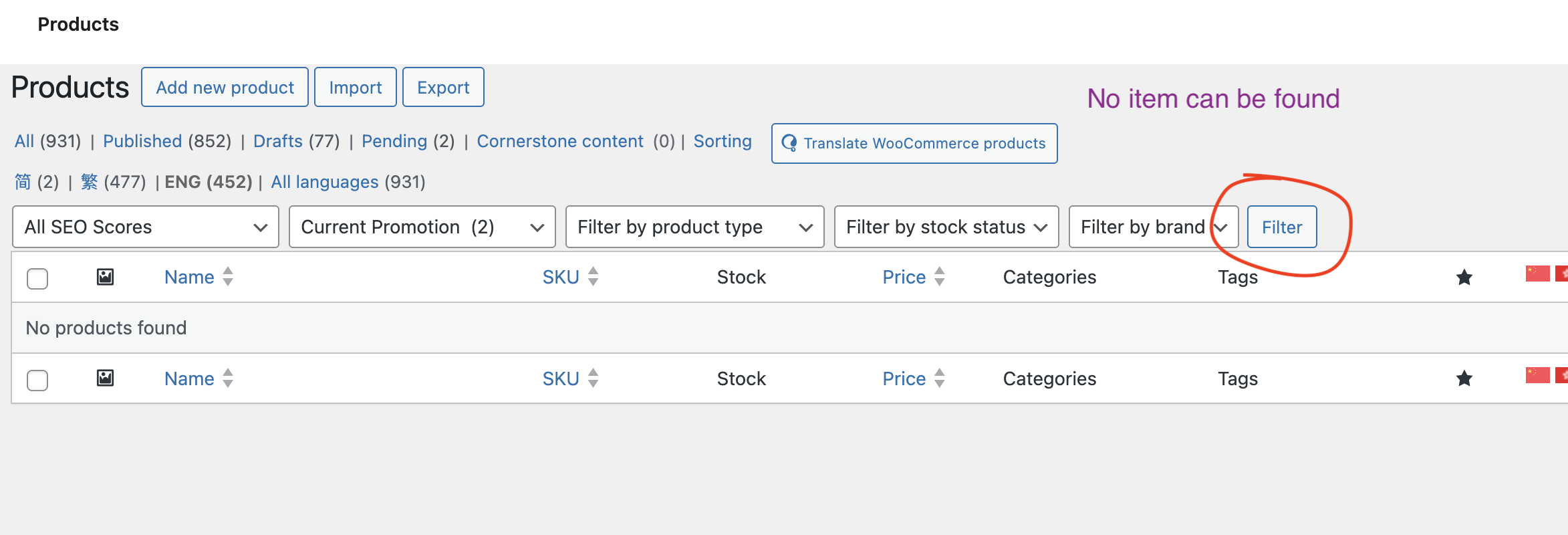 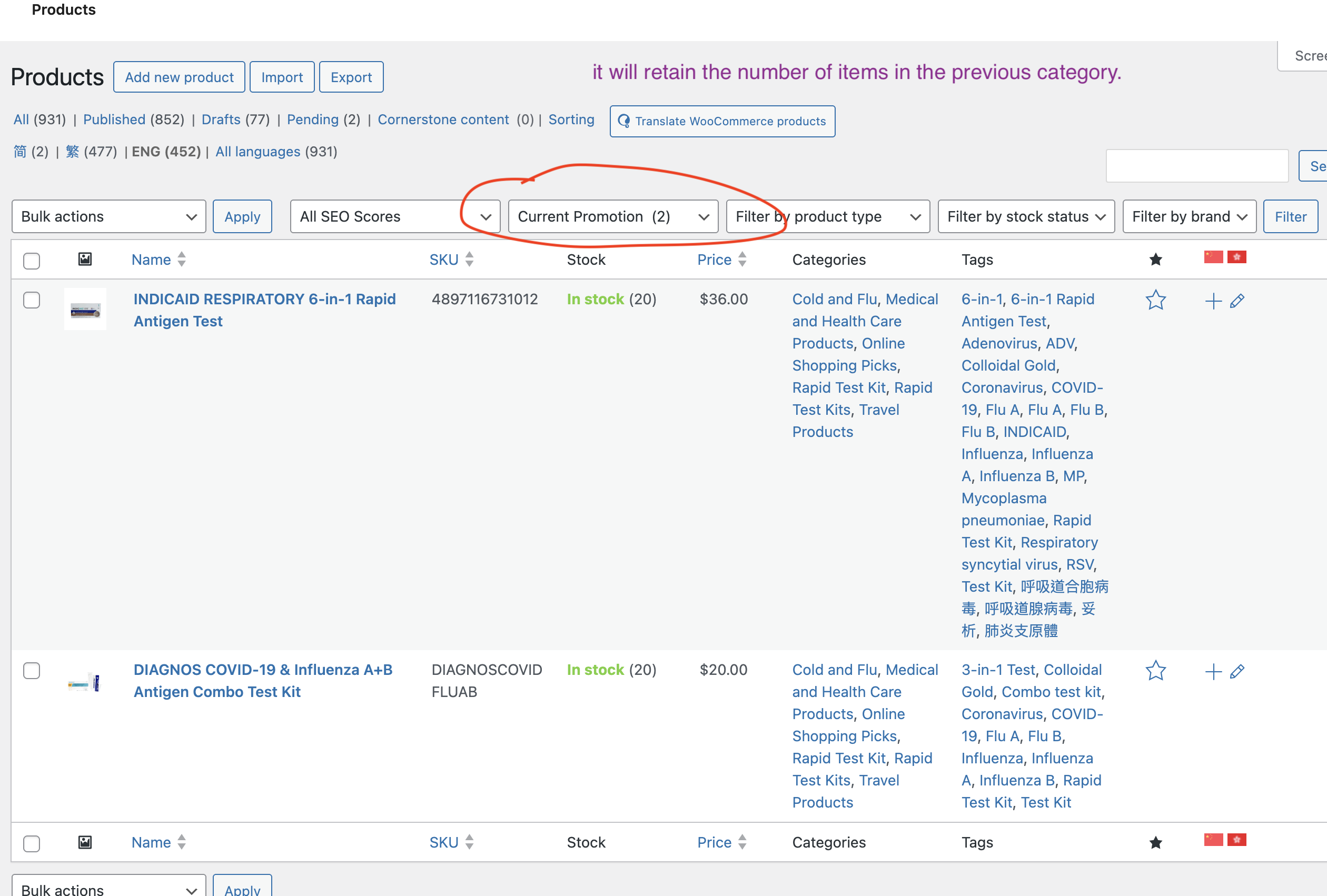 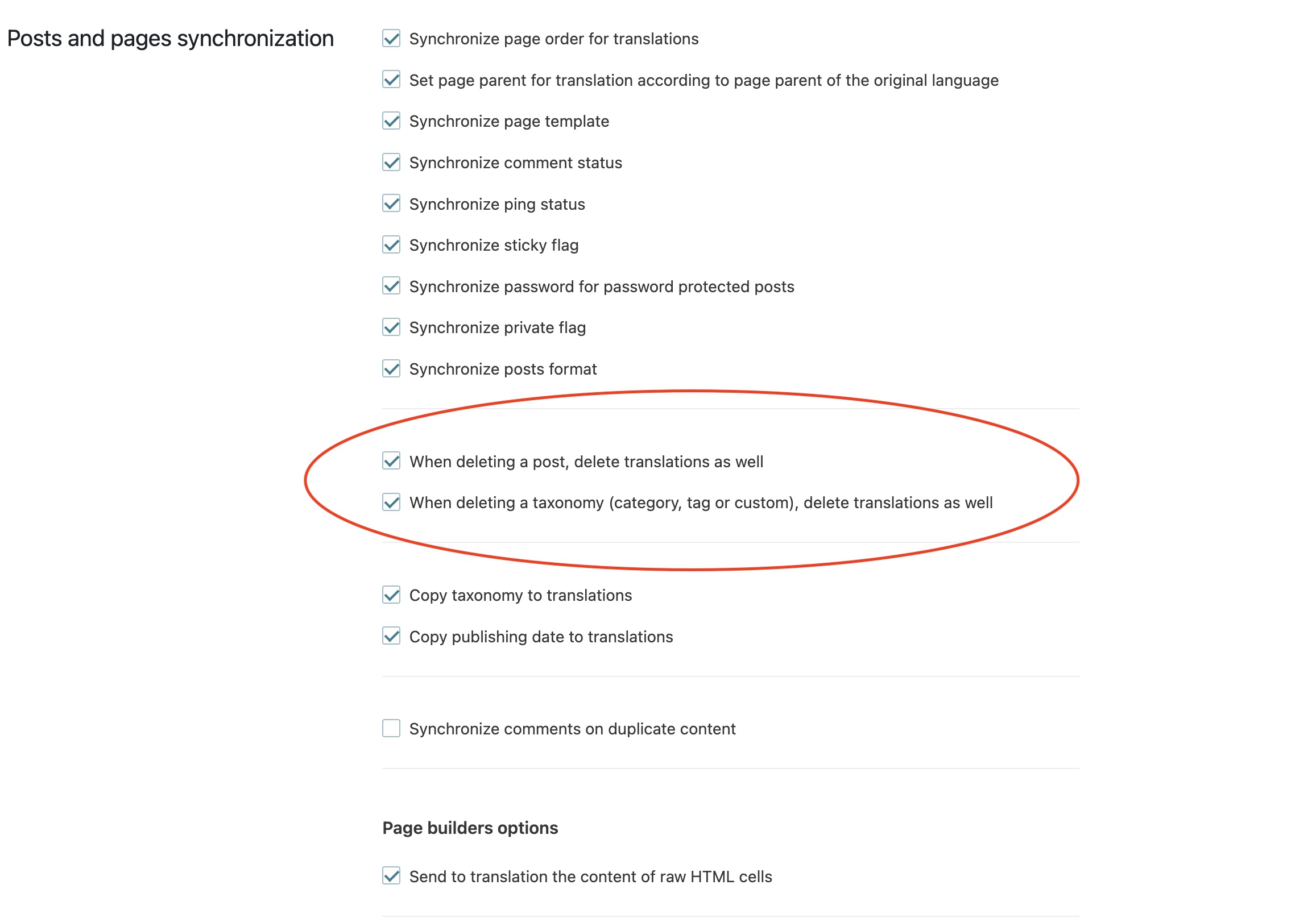 |
| January 8, 2026 at 10:52 am #17712456 | |
|
Bruno Kos WPML Supporter since 12/2018 Languages: English (English ) German (Deutsch ) French (Français ) Timezone: Europe/Zagreb (GMT+01:00) |
This change would not resolve the issue, because the setting only applies after it is activated. That means products and their translations are deleted only from the moment the setting is enabled. If some original products were deleted before the setting was active, their translations would not be removed automatically by this change. Does that make sense? |
| January 9, 2026 at 1:50 am #17714617 | |
|
YUNG KAM HOI |
The setting only applies after it is activated. But the category count is retain the number of items in the previous category |
| January 9, 2026 at 1:53 pm #17716196 | |
|
Bruno Kos WPML Supporter since 12/2018 Languages: English (English ) German (Deutsch ) French (Français ) Timezone: Europe/Zagreb (GMT+01:00) |
Can I ask you to reproduce this issue here? This is the sandbox site where I set everything already, there are few products and categories translated also. Let me know if you see the issue here as well, so I could check with our developers. So to confirm, we could see this like this? Steps to reproduce 1. Open WordPress Admin. Result * In the default language, the category count updates correctly (for example, becomes 0). Expected result * Removing a product from a category should update the category product count consistently across all languages. Let me know if I missed something. |
| January 11, 2026 at 2:37 am #17718664 | |
|
YUNG KAM HOI |
Steps to reproduce 1. Open WordPress Admin. Result * In the default language, the category count updates correctly (for example, becomes 0). Expected result * Removing a product from a category should update the category product count consistently across all languages. Yes. Thank you! so clearly on "Steps to reproduce", "Result" & "Expected result" I can provide a development site for you to check. |
| January 11, 2026 at 2:46 am #17718668 | |
|
YUNG KAM HOI |
hidden link This is the sandbox site where I set everything already, there are few products and categories translated also. After test with sandbox site have same issue. you can find english product category "current promotion" is default language and now is (0) count. |
| January 12, 2026 at 1:55 pm #17721772 | |
|
Bruno Kos WPML Supporter since 12/2018 Languages: English (English ) German (Deutsch ) French (Français ) Timezone: Europe/Zagreb (GMT+01:00) |
I’m checking this with our second-tier team and will keep you updated. |
| January 13, 2026 at 7:07 am #17723629 | |
|
Bruno Kos WPML Supporter since 12/2018 Languages: English (English ) German (Deutsch ) French (Français ) Timezone: Europe/Zagreb (GMT+01:00) |
This has been escalated to our 2nd tier team team and may take some debugging time, I'll get back to you as soon as I have any news or questions for you. |
| January 15, 2026 at 3:11 am #17731635 | |
|
YUNG KAM HOI |
Many thanks~ |
| January 15, 2026 at 2:10 pm #17734079 | |
|
Bruno Kos WPML Supporter since 12/2018 Languages: English (English ) German (Deutsch ) French (Français ) Timezone: Europe/Zagreb (GMT+01:00) |
We've escalated this to our developers for permanent fix. In the meantime, you can try this: Step 1 In After the following line: $original_product_id = $this->post_translations->get_original_element( $object_id ); add: if ( $original_product_id === null ) {
$original_product_id = $object_id;
}
Step 2 In if ( empty( $tt_ids_trans ) ) {
return;
}
Insert: if ( empty( $taxonomy ) ) {
$term = get_term( $tt_id_trans );
$taxonomy = $term->taxonomy;
}
|
| January 16, 2026 at 5:09 am #17735683 | |
|
YUNG KAM HOI |
Thank you. I have been try on test-site and is work. Please help. |
| January 16, 2026 at 5:53 am #17735697 | |
|
YUNG KAM HOI |
Test-site Production site |
| January 16, 2026 at 8:06 am #17735880 | |
|
Bruno Kos WPML Supporter since 12/2018 Languages: English (English ) German (Deutsch ) French (Français ) Timezone: Europe/Zagreb (GMT+01:00) |
Would you be willing to provide me with WordPress and FTP credentials of your production site so I could investigate the issue directly? Did you clear the site cache and check then? As on the production site if you have a strong caching, it may interfere with this (such as Redis). I marked your next reply as private so that you can safely add credentials. For the test I would need to create a product, but it would remain in Draft mode so not published and visible in the shop. |




