
This thread is resolved. Here is a description of the problem and solution.
Problem:
The client was experiencing an issue where pagination on a custom post type 'News' did not function correctly in Lithuanian on their WordPress site using WPML, despite working in English. The issue persisted even after switching permalink settings and updating plugins.
Solution:
We recommended updating the ACF plugin to the latest version as a first step. If the issue persisted, we suggested replicating the problem on a clean WordPress installation to isolate the issue. We set up a sandbox environment for this purpose. Additionally, we updated WPML and related plugins to their latest versions and adjusted settings related to slug translations. If these steps did not resolve the issue, we advised creating a custom PHP template for the archive that replicates the Beaver Builder design and using different slugs for the page and the custom post type.
Please note that this solution might be outdated or not applicable to your specific case. We highly recommend checking related known issues at https://wpml.org/known-issues/, verifying the version of the permanent fix, and confirming that you have installed the latest versions of themes and plugins. If the issue persists, please open a new support ticket at WPML support forum.
This is the technical support forum for WPML - the multilingual WordPress plugin.
Everyone can read, but only WPML clients can post here. WPML team is replying on the forum 6 days per week, 22 hours per day.
Tagged: Exception
This topic contains 27 replies, has 1 voice.
Last updated by Carlos Rojas 4 months ago.
Assisted by: Carlos Rojas.
| Author | Posts |
|---|---|
| August 11, 2025 at 8:12 pm #17311388 | |
 tonyB-16 |
Background of the issue: Symptoms: Questions: 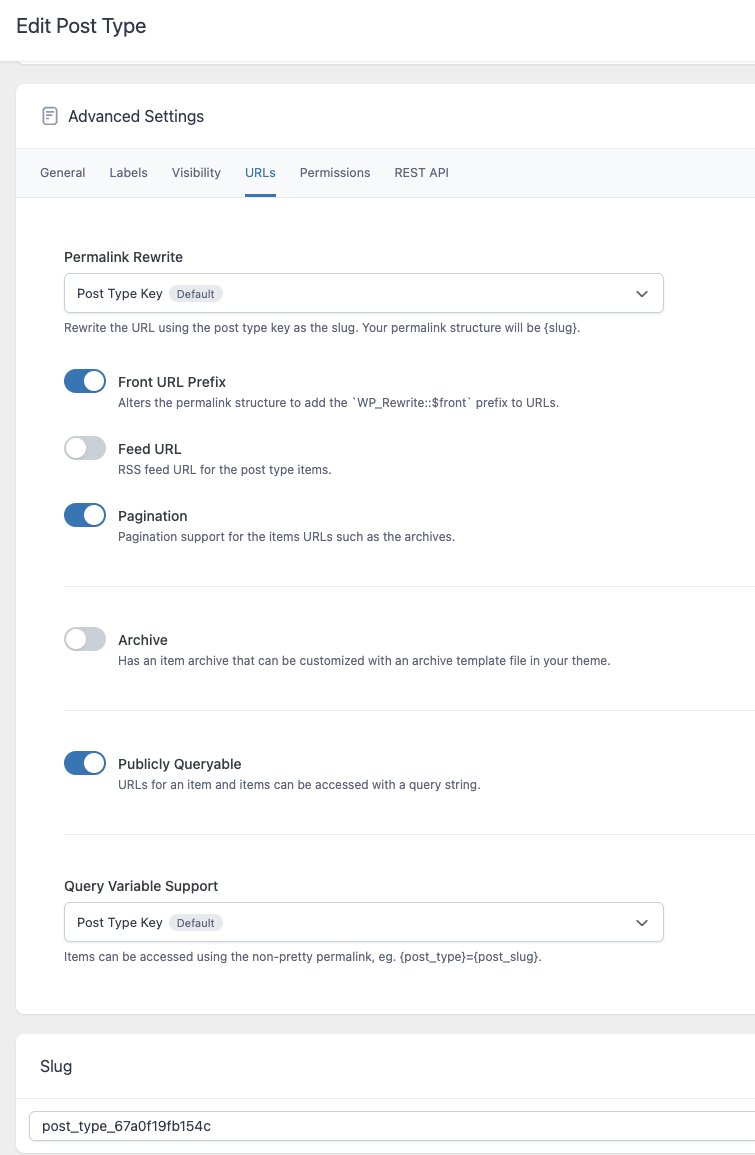 |
| August 13, 2025 at 1:29 pm #17317837 | |
|
tonyB-16 |
If anyone could take a look at this issue and advise I would really appreciate it. I'm currently leveraging some custom functions.php code to resolve this issue and I don't think that's ideal. |
| August 13, 2025 at 3:39 pm #17318447 | |
 Lauren WPML Supporter since 10/2015 Languages: English (English ) Timezone: America/New_York (GMT-05:00) |
Thank you for contacting WPML support. While you are waiting for one of my colleagues to take this ticket and work on it, let me provide you with first debugging steps or if I can perhaps help with the issue quickly. I just checked your site and I am not able to reproduce the issue. You can see my video here: hidden link You mentioned using custom code to resolve it. If you don't want to use that, we will need to be able to troubleshoot a copy of your site where this issue is reproduced. Do you have a staging site or can your hosting provider set one up so we can see the issue in action? Feel free to share an updated link in the next reply. |
| August 13, 2025 at 3:54 pm #17318518 | |
|
tonyB-16 |
Hey Team - I had to quickly resolve the issue with custom functions as we just went live. I just commented out the functions.php custom code on the dev site. Currently the main news page pagination is working. So for example, hidden link, will load and doesn't redirect to the main news page. However, a single news page is not showing the translated slug: hidden link Currently, WPML > Slug Translations are disabled. When they are enabled, the main news page pagination will not work. Subsequent pages redirect to the main news page. BUT the single news page slugs will be properly translated. Is it better to enable Slug Translations and troubleshoot from that setup? |
| August 13, 2025 at 8:01 pm #17319173 | |
 Itamar WPML Supporter since 02/2016 Languages: English (English ) Timezone: Asia/Jerusalem (GMT+02:00) |
Hi, I'll continue to help you with this issue. Yes, it is better to do what is needed to replicate the problem. If you need further help with this, please share the access details to your site with me. I'm enabling a private message for the following reply. Privacy and Security Policy |
| August 19, 2025 at 1:48 pm #17331713 | |
|
Itamar WPML Supporter since 02/2016 Languages: English (English ) Timezone: Asia/Jerusalem (GMT+02:00) |
Hi, and thanks for the access details. I'm sorry for the late reply here. First, I noticed that the ACF plugin is not updated to its latest version on your site. So, the first step I want to ask you to check is if updating ACF resolved the problem? Otherwise, the staging site you provided does not include more than one News post. So there is no pagination there, unlike your production site. Please see the attached screenshot. The best way to proceed with investigating this issue would be to replicate it on a fresh WordPress installation. Then I'll be able to escalate it to our compatibility team. For this, I created a test website with a clean WordPress install. You can access it through this link: hidden link With this link, you'll be directly logged in. I already configured WPML to have English as the default language and Lithuanian as the second language. I also installed the ACF Pro plugin on the test site. Can you please see if the issue is replicable on a clean WordPress installation? Please ACF as set on your site (just the basic configurations needed to replicate the issue are enough). When everything is finished and you can replicate the problem, please let us know. Important! Do not import your site to the test site. We must replicate the problem on a fresh, clean WordPress installation. Regards,  |
| August 19, 2025 at 2:55 pm #17331883 | |
|
tonyB-16 |
My apologies, but the login for the dev site in question is hidden link. I made an error previously with that aspect of the login details. The other login credentials are the same. I went ahead and updated the ACF plugin and unfortunately the issue persists. This particular site has 8 pages of news items. I've attached a screenshot. Please take another stab at a fix, much appreciated.  |
| August 22, 2025 at 1:05 pm #17340537 | |
|
tonyB-16 |
Hey Team - are there any updates on this issue? |
| August 24, 2025 at 9:11 pm #17343543 | |
|
Itamar WPML Supporter since 02/2016 Languages: English (English ) Timezone: Asia/Jerusalem (GMT+02:00) |
Hi, I don't see the pagination issue. When I go to hidden link and switch to Lithuanian, I get hidden link. Then I can use the numbers to paginate. For example, I get hidden link without an error. Please see the attached screenshot. Have you solved this problem? In the past, you wrote: "I'm currently leveraging some custom functions.php code to resolve this issue and I don't think that's ideal." Is this function active now? Please also explain to me how ACF is involved in the pagination. Regards,  |
| August 25, 2025 at 12:26 pm #17345181 | |
|
tonyB-16 |
Thanks for the reply. This reply from August 13 outlined the status of the issue: https://wpml.org/forums/topic/pagination-for-translated-custom-content-types-is-not-working/#post-17318518 TL;DR - Based on the current setup (ie slug translations are disabled and the custom function is disabled), the main news page pagination is working. What is not working is the translated slug for a single news page (note "news" and not "naujienos"): hidden link I can fix the single news page slug translation if I enable WPML > Slug Translations. When this is enabled, the main news page pagination will not work. The custom function is not currently active. This function is commented out in functions.php. It starts around line 430 in functions.php. Since the main news page pagination seems to get broken by enabling slug translations, this function created a fix. ACF is being used to create the "News" content type. That is the source of the slug which needs translating. |
| August 28, 2025 at 4:09 pm #17356034 | |
|
Itamar WPML Supporter since 02/2016 Languages: English (English ) Timezone: Asia/Jerusalem (GMT+02:00) |
Hi, We have recently released WPML 4.8.0, along with new versions for Strings Translation and other add-ons. I updated our plugins on hidden link. Then I enabled slug translation in WPML -> Settings. Please see the attached screenshot news-slug-enabled.jpg. Now the links to individual posts from hidden link are working. Please see the attached screenshot single-news-post-ok.jpg. However, the pagination is not working; it always gets back to hidden link. The best way to get advanced with this issue is to replicate it on a sandbox site free from other third-party plugins. (You disregarded my last request to proceed in this way.) If you believe it is a problem that involves WPML, ACF, and Beaver Builder, please use the sandbox site I have prepared for this purpose. This is the direct link with admin access: hidden link. I've also just installed the latest versions of Beaver Builder and its plugins. Please don't include your function on the sandbox site. I will need to escalate it to our second-tier supporters as it is, without fixes. Please note that my weekend hours are Friday to Saturday. If you need further assistance, I'll be available to continue checking this issue and helping you next week. Regards, 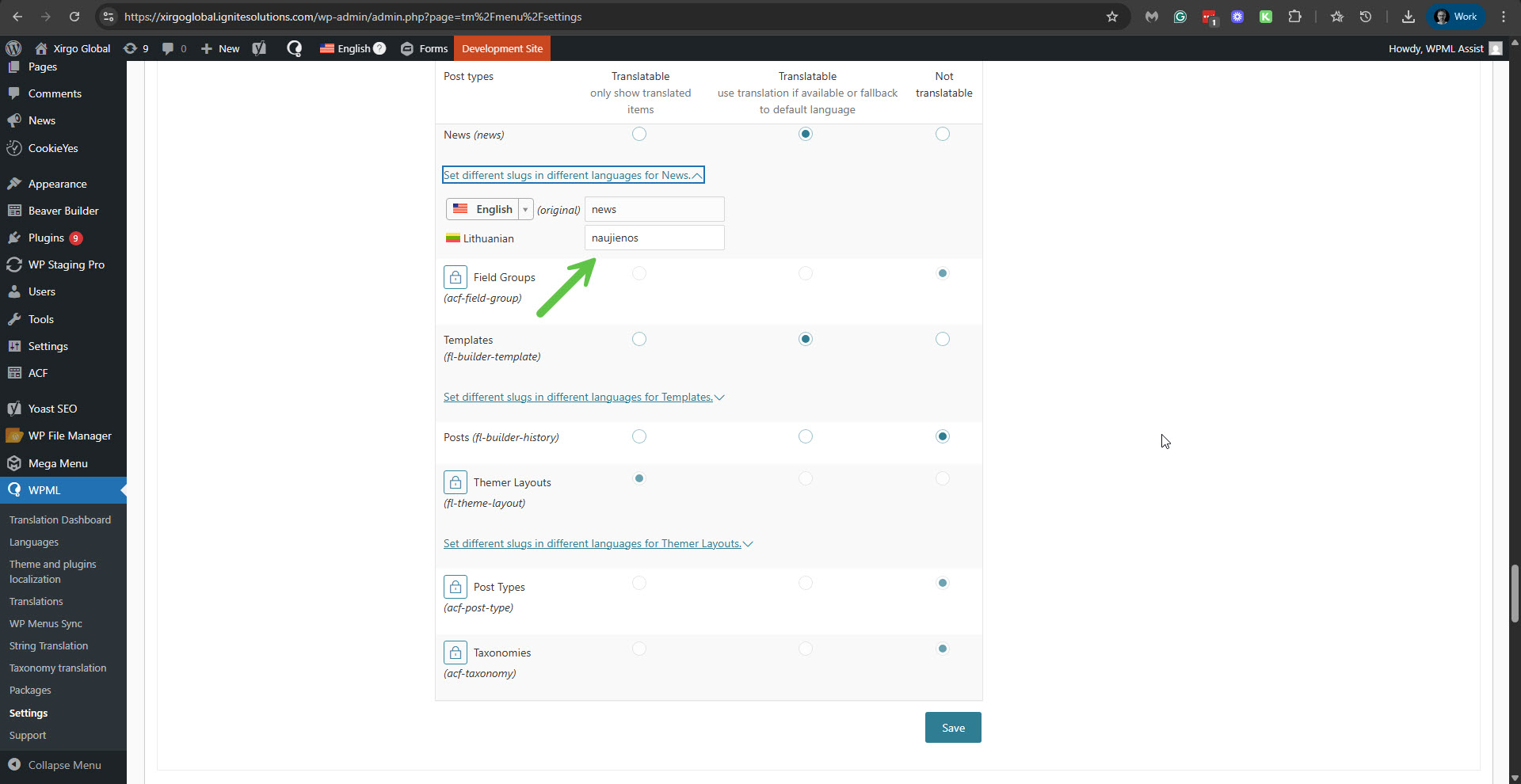 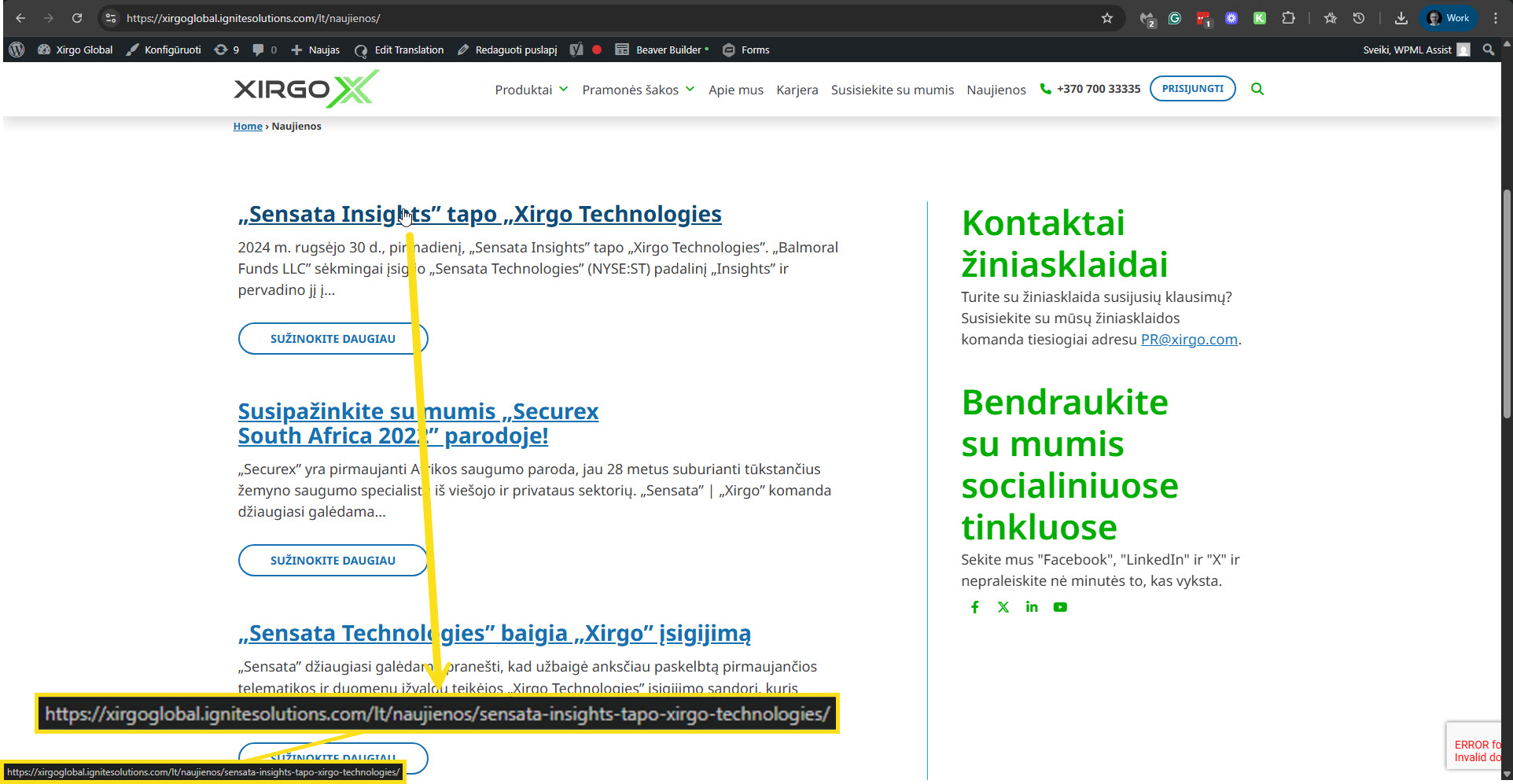 |
| September 2, 2025 at 7:11 pm #17367430 | |
|
tonyB-16 |
Thanks again for the assist. I didn't follow up on the sandbox since it will be rather time consuming to get it to a point where it can replicate the existing site sufficiently to test. Since we are using the paid versions of WPML and Beaver Builder new website accounts would have to be linked for each. I do think the three plugins mentioned are key components of the issue. Instead, I have deactivated all other plugins on the dev site except those that are necessary to faithfully display the page on the front end. I've attached a screenshot of the plugins list. Please continue to use this site for troubleshooting. The pagination issue is still demonstrable in this instance.  |
| September 3, 2025 at 1:33 pm #17370574 | |
|
Itamar WPML Supporter since 02/2016 Languages: English (English ) Timezone: Asia/Jerusalem (GMT+02:00) |
Hi, I switched the theme to the parent Beaver Builder Theme. I also deactivated the Max Mega Menu + Pro plugins to ensure they are not interfering with the pagination issue. The pagination problem persists. I need to esclate this issue to our second-tier supporters. Please allow me to take a copy of your site. To achieve this, I need to install a plugin like Duplicator or All-in-One Migration. Please let me know if you agree. Regards, |
| September 3, 2025 at 5:07 pm #17372088 | |
|
tonyB-16 |
Hey Itamar - thanks for the response. Are you able to use WP Staging? That plugin is already in the site. |
| September 3, 2025 at 7:57 pm #17372526 | |
|
Itamar WPML Supporter since 02/2016 Languages: English (English ) Timezone: Asia/Jerusalem (GMT+02:00) |
Hi, I'm sorry, but our second-tier supporters expect a package of the All-in-One Migration plugin or the Duplicator plugin. Do you allow me to proceed? Regards, |







