This thread is resolved. Here is a description of the problem and solution.
Problem:
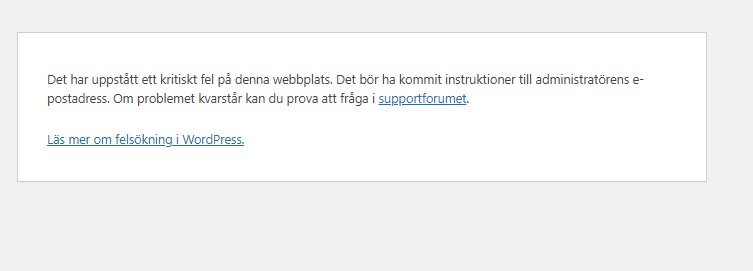
The client is experiencing issues with WPML affecting the Astra theme's customizer and homepage layout. The site displays a critical error and a PHP Deprecated warning. Despite deactivating other plugins, the problem persists with different themes, but WooCommerce functions correctly.
Solution:
We recommend the following steps to isolate the issue:
1) Deactivate all plugins except WooCommerce.
2) Switch to a default theme like 2025 or 2024 to check basic functionality.
3) If the site works as expected, switch back to the Astra parent theme to test.
These steps will help determine if the issue is due to a conflict between plugins and the Astra theme or related to hosting settings.
If these steps do not resolve the issue or if the solution seems outdated or irrelevant to your case, we highly recommend checking related known issues at https://wpml.org/known-issues/, verifying the version of the permanent fix, and confirming that you have installed the latest versions of themes and plugins. If problems persist, please open a new support ticket.
This is the technical support forum for WPML - the multilingual WordPress plugin.
Everyone can read, but only WPML clients can post here. WPML team is replying on the forum 6 days per week, 22 hours per day.
Tagged: Bug
| Author | Posts |
|---|---|
| March 4, 2025 at 5:40 pm #16775337 | |
 ronnieP-5 |
Background of the issue: Symptoms: Questions: 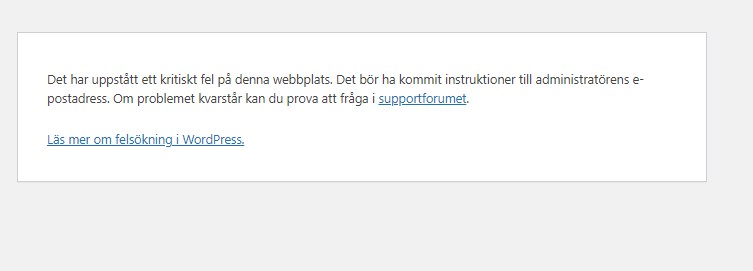 |
| March 4, 2025 at 8:51 pm #16775954 | |
 Andrey WPML Supporter since 06/2013 Languages: English (English ) Russian (Русский ) Timezone: Europe/Kyiv (GMT+02:00) |
While one of my teammates handles your ticket, I will provide you with the first debugging steps. The error you shared with us is a warning and should not trigger your issue. I suggest enabling debug.log to log the issue at the moment of the error. You can add a few lines to the site’s wp-config.php file. With the error log enabled, you will see the actual problem. To enable it, open your wp-config.php file and look for define('WP_DEBUG', false);. Change it to:
define('WP_DEBUG', true);
To enable the error logging to a file on the server, you need to add yet one more similar line: define( 'WP_DEBUG_LOG', true ); The errors will be saved to a debug.log file inside the /wp-content/directory. https://wpml.org/documentation/support/debugging-wpml/ Let us know what you see after the debug mode has been enabled. |
| March 5, 2025 at 1:25 pm #16778898 | |
|
ronnieP-5 |
Referring to my support ticket I send you the log file requested. Still cannot open Astra customizer, but need it. Regards Alrp The same information is on many pages. Therefore I copied the last piece of the debug.log. [05-Mar-2025 13:08:59 UTC] PHP Deprecated: Creation of dynamic property wpml_cms_nav_cache::$name is deprecated in /www/webvol9/zb/zsnj3aj8g62cn35/alrp-ab.se/public_html/wp-content/plugins/wpml-cms-nav/inc/cache.class.php on line 36 |
| March 5, 2025 at 3:46 pm #16779752 | |
 Bigul |
Hello, Thank you for the details. The following PHP depreciation notice will not trigger a fatal error like this - https://wpml.org/wp-content/uploads/2025/03/16775337-Screen%20in%20Swedish.jpg PHP Deprecated: Creation of dynamic property wpml_cms_nav_cache::$name is deprecated in So we would like to know the bug is happening after you have added the following code in the wp-config.php file. // Enable WP_DEBUG mode define( 'WP_DEBUG', true ); // Enable Debug logging to the /wp-content/debug.log file define( 'WP_DEBUG_LOG', true ); // Disable display of errors and warnings define( 'WP_DEBUG_DISPLAY', false ); @ini_set( 'display_errors', 0 ); Please refer to the following pages for instructions https://wpml.org/documentation/support/debugging-wpml/ https://wordpress.org/documentation/article/debugging-in-wordpress/ If the bug remains, please deactivate WPML CMS Nav plugin and check if you can access the Astra's customizer section or not. -- Bigul |
| March 6, 2025 at 4:57 pm #16784781 | |
|
ronnieP-5 |
This swedish error message appeared on the screen once before. WP asked us to do a modification "enable WP debug mode". We did that and the message disappeared. Suddenly the message showed again. In the log file the last error points to wpml-cms-nav, and therefore I assumed it was a new error relating to wpml. This might not be the case, what do you think? " /alrp-ab.se/public_html/wp-content/plugins/wpml-cms-nav/inc/cache.class.php on line 37" I deactivated WPML CMS NAV plugin but the message still pops up instead of the customizer section. The first logged error read like this the one below. [05-Feb-2025 15:33:08 UTC] PHP Deprecated: strpos(): Passing null to parameter #1 ($haystack) of type string is deprecated in /www/webvol9/zb/zsnj3aj8g62cn35/alrp-ab.se/public_html/wp-content/plugins/woocommerce/includes/customizer/class-wc-shop-customizer.php on line 950 It refers to the lines below. In my file line 950 is the last one: /** WP asked for credentials and the case has not got any further, maybe because the error message disappeared for a while. |
| March 6, 2025 at 6:32 pm #16785081 | |
|
Bigul |
Hello, Thank you for the updates. The PHP depreciation notices will not trigger the fatal/critical error warning. Please check if you are getting any Fatal error messages in the debug.log file. PHP Deprecated: strpos(): Passing null to parameter #1 ($haystack) of type string is deprecated in Also, clear all types of caches, including browser and server-side caches. Then, check whether there is any difference in the results. If you still have the bug, please share a screencast of the problem for a better understanding (you can share it via Google Drive). It will help us a lot in our internal discussions. -- Bigul |
| March 9, 2025 at 7:29 pm #16793520 | |
|
ronnieP-5 |
I deactivated all plugins and the error disappeared. Then I activated the plugins one by one. No error until I activated the Plugin WPML Multilingual CMS and the error showed again when trying to customize Astra. Here is the log file, latest message: Logfile: Here is the part of the cache.class.php file, which log refers to function wpml_cms_nav_cache_set($key, $value=null){ Therefore the error must be somehow due to WPML. How do we fix this? |
| March 10, 2025 at 4:54 am #16794177 | |
|
Bigul |
Hello, Thank you for the updates. This requires further checking. So a couple of requests. 1) Please let us know the exact steps to reproduce the bug on your site 2) Please fill the private details fields (including FTP credentials) after a full site backup. I would like to access the admin area of your site for further checking. Refer to the following links for more details about our private information sharing policies. hidden link -- Bigul |
| March 11, 2025 at 4:02 pm #16802807 | |
|
Bigul |
Hello, Thank you for the login information. The Debug.log is showing the following fatal error while visiting the Theme Customizer page. PHP Fatal error: Allowed memory size of 268435456 bytes exhausted (tried to allocate 1372160 bytes) in /***/wp-content/plugins/sitepress-multilingual-cms/vendor/composer/ClassLoader.php on line 571 So this requires further checking. Please allow me to make a copy of your site using the Duplicator plugin (https://wordpress.org/plugins/duplicator/) debugging in our local server. -- Bigul |
| March 11, 2025 at 5:18 pm #16803170 | |
|
ronnieP-5 |
Hello, There are also two rows 49 and 163 with the same instruction - define( 'WP_DEBUG_LOG', true ). Astra asked me to insert one of them, maybe one too much. Hope that is not making a conflict. I am not a programmer and therefore I allow you to make a copy of our site. Hope you will find the error. Thanks |
| March 12, 2025 at 8:35 am #16805579 | |
|
Bigul |
Hi Sirje, Thank you for the updates and permission. I have made a copy of the site now. We will debug it further locally and get back to you as soon as possible. Please wait. -- Bigul |
| March 17, 2025 at 4:45 am #16822857 | |
|
Bigul |
Hi Sirje, Sorry for the late response because of the holidays. The issue persists after the primary troubleshooting steps. So consulting with our team for an expert opinion. We will get back to you as soon as possible. Please wait. -- Bigul |
| March 20, 2025 at 3:47 pm #16841038 | |
|
Bigul |
Hi Sirje, We cannot reproduce the following error after upgrading to the WPML 4.7.2 version. PHP Fatal error: Allowed memory size of 268435456 bytes exhausted (tried to allocate 1372160 bytes) in /***/wp-content/plugins/sitepress-multilingual-cms/vendor/composer/ClassLoader.php on line 571 As part of the debugging, we have deactivated all WPML plugins on your site. However, the Homepage and Appearance>>Cutomizer are still showing issues. Please check the following screencast for more details. hidden link So can you please switch to the default 2025 theme and check whether the bug exists? -- Bigul |
| March 20, 2025 at 6:46 pm #16841651 | |
|
ronnieP-5 |
I cannot click hidden link on your reply. Now, I have activated all wpml plugins and everything else except for some I do not use. The customizer suddenly works, but that is it. I also tried two other themes and the customizers work but the same error hides our pages.  |
| March 21, 2025 at 4:20 am #16842339 | |
|
Bigul |
Hi Sirje, Thank you for the feedback. Please check the following URL. It is a screenshot of our testing on the site without WPML. hidden link Somehow the Customizer is taking too much time, the result is the same when all WPML plugins are inactive. Therefore it may be a conflict between other plugins and Astra or may related to hosting settings. Which hosting service you are currently using? Please try the following steps and check if is there any difference in the results. 1) Deactivate all the plugins except WooCommerce -- Bigul |