Skip to content Skip to sidebar

This thread is resolved. Here is a description of the problem and solution.

Problem:
The client reported that product galleries were not syncing correctly between different language versions of their website, despite the backend showing the same settings for both.
Solution:
We recommended the client to first check if the issue persists with newly created products to determine if it's a recurring problem. We also suggested deactivating all other plugins except WPML and WooCommerce to rule out any plugin conflicts. Additionally, making a minor change to the original product, updating it, and then re-translating could help resolve the issue. If these steps do not solve the problem, it might be outdated or not applicable to your specific case. We highly recommend checking related known issues at https://wpml.org/known-issues/, verifying the version of the permanent fix, and confirming that you have installed the latest versions of themes and plugins. If the issue persists, please open a new support ticket at WPML support forum for further assistance.

This is the technical support forum for WPML - the multilingual WordPress plugin.

Everyone can read, but only WPML clients can post here. WPML team is replying on the forum 6 days per week, 22 hours per day.

This topic contains 13 replies, has 0 voices.

Last updated by Andrey 3 weeks, 2 days ago.

Assisted by: Andrey.

Author Posts
November 27, 2025 at 8:17 pm #17616600

victoriaK-4

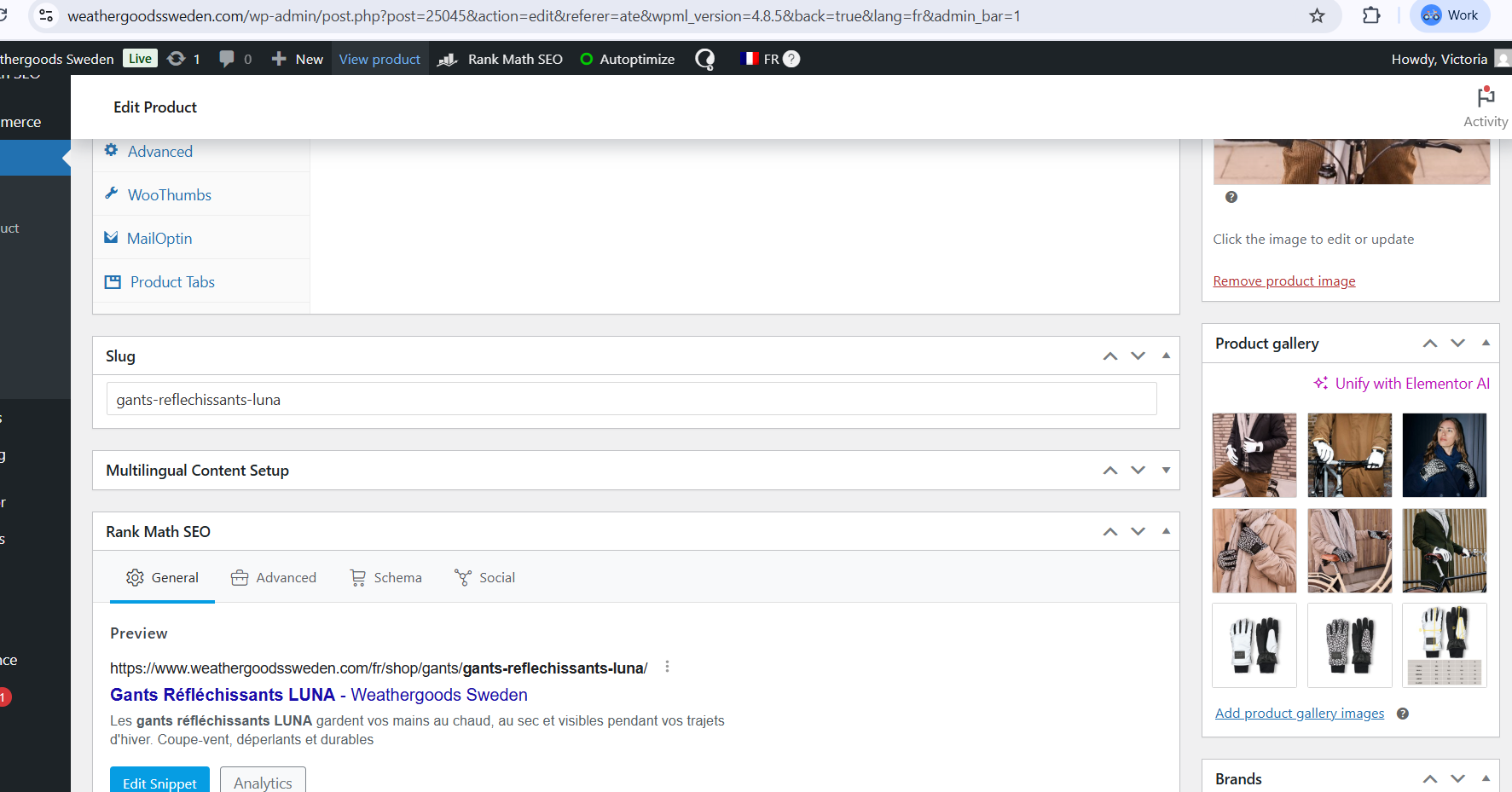
Ok but this seems to be affecting that my product galleries are not syncing. you see here
hidden link
hidden link

these galleries are completely different even though the back end shows the same

November 27, 2025 at 8:22 pm #17616606

victoriaK-4

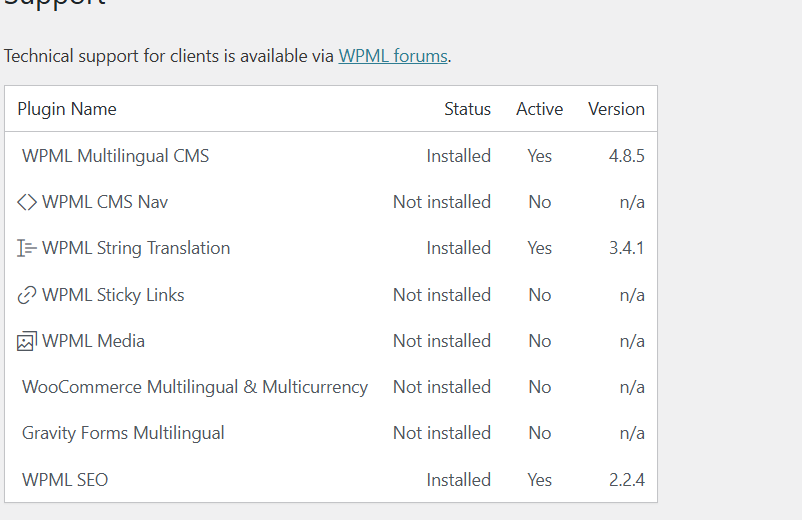
I have WPML Media Translation installed, but several features that should be available are missing:

WooCommerce product gallery synchronization

Media duplication options

Media Translation Dashboard

“Start Sync” / “Regenerate media translations”

I only see a single “Automatically detect best options for translating image texts” setting.

Is this related to the missing Multilingual & Multicurrency module on my account, or is there another configuration issue on your side?

November 27, 2025 at 8:24 pm #17616609

Andrey
WPML Supporter since 06/2013

Languages: English (English ) Russian (Русский )

Timezone: Europe/Kyiv (GMT+02:00)

Does the same issue occur with a newly created product?
Have you tried ruling out a plugin conflict by temporarily deactivating all other plugins except WPML and WooCommerce?

November 27, 2025 at 8:25 pm #17616611

Andrey
WPML Supporter since 06/2013

Languages: English (English ) Russian (Русский )

Timezone: Europe/Kyiv (GMT+02:00)

I have WPML Media Translation installed, but several features that should be available are missing:

WooCommerce product gallery synchronization

Media duplication options

Media Translation Dashboard

“Start Sync” / “Regenerate media translations”

I only see a single “Automatically detect best options for translating image texts” setting.

Could you show me this in the screenshots?

November 27, 2025 at 8:30 pm #17616613

victoriaK-4

the proper gallery shows in the backend but not on the front end

Skärmbild 2025-11-27 185751.png
Skärmbild-2025-11-27-211410.jpg
Skärmbild 2025-11-27 204330.png
Skärmbild 2025-11-27 203953.png
Skärmbild 2025-11-27 203909.png
Skärmbild 2025-11-27 203709.png
November 27, 2025 at 8:32 pm #17616702

victoriaK-4

here are screenshots and you can see the difference on this product
hidden link - shows complete product gallery

hidden link - shows only 5 of the images

November 27, 2025 at 8:32 pm #17616704

victoriaK-4

but the back end of the product in FR or any other language shows the same gallery as in the screenshot above

November 27, 2025 at 8:33 pm #17616705

Andrey
WPML Supporter since 06/2013

Languages: English (English ) Russian (Русский )

Timezone: Europe/Kyiv (GMT+02:00)

Thank you, I understand the problem.

Could you please upload a screenshot showing which options are missing?

Also, a few checks to help narrow this down:
• Does the same issue occur with a newly created product?
• Have you tried ruling out a plugin conflict by temporarily deactivating all other plugins except WPML and WooCommerce?
• Have you tried making a small change to the original product, updating it, and then completing the translation again?

Let me know the results, and I’ll continue helping you from there.

November 27, 2025 at 8:33 pm #17616706

victoriaK-4

here you see back end in FR

Skärmbild 2025-11-27 185751.png
November 27, 2025 at 8:41 pm #17616722

Andrey
WPML Supporter since 06/2013

Languages: English (English ) Russian (Русский )

Timezone: Europe/Kyiv (GMT+02:00)

Thank you for your feedback.

Yes, I noticed the difference.

Could you please share your observations or any additional details regarding my question above? This will help us troubleshoot the issue more effectively and identify the appropriate solution.

November 27, 2025 at 8:42 pm #17616727

victoriaK-4

We tested and now it seems the issue is with woothumbs which we have as the gallery, the gallery works when we disable. WPml says that woothumbs is compatible, but it has not been tested since jan 2024

November 28, 2025 at 6:43 pm #17618944

Andrey
WPML Supporter since 06/2013

Languages: English (English ) Russian (Русский )

Timezone: Europe/Kyiv (GMT+02:00)

Yes, the plugin is compatible with WPML, and the last confirmed compatibility was in January 2024.

Are you currently using the latest version of the plugin?

November 28, 2025 at 7:18 pm #17618973

victoriaK-4

yes we are using the latest version of the plugin Version 5.13.0

November 28, 2025 at 10:19 pm #17619088

Andrey
WPML Supporter since 06/2013

Languages: English (English ) Russian (Русский )

Timezone: Europe/Kyiv (GMT+02:00)

Thank you for your feedback.

I’ve created a test site for further investigation. Could you please install WooThumbs plugin there and try to reproduce the issue by creating a test product?

You’ll find the access link in the private message that follows.