The website was on new.gemba.nl. However now the website is transfered to production domain. But the development website is gone. However there were still credits on this domain new.gemba.nl which we want to transfer. But we can't because we can't access the dev domain anymore.
Thank you for contacting WPML Support. I have removed the 58,892 credits from new.gemba.nl and returned them to your WPML.org account. You can now assign them to any registered site by following these steps:
1. Go to Manage credits in your WPML account: https://wpml.org/account/manage-credits/
2. Locate your website and click Manage credits.
3. Click the “Assign credits” button.
4. Enter the number of credits and press the Assign credits button
Also, if a site is no longer accessible, you can remove its registration key from your WPML.org account. This will automatically return any assigned credits to your account.
I don't see gemba.nl in the manage credits list. How do I add this domain to this list? Because the new.gemba.nl domain is gone. I want to add the credits to gemba.nl however it is not in the manage credits list.
1. Login to your WPML.org account >> Go to the Sites page: https://wpml.org/account/sites/
2. Delete the gemba.nl site key(if it exists).
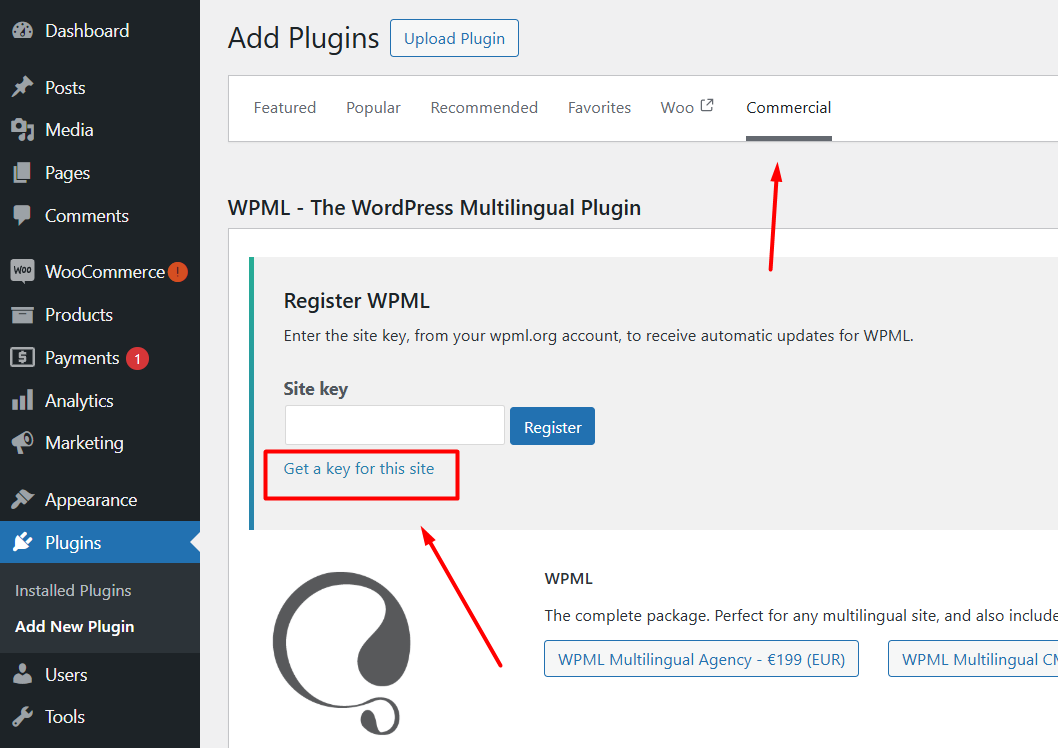
3. Please login to your gemba.nl site and go to the Dashboard >> Plugins >> Add new > Commercial tab and click the Unregister WPML from this site link as you can see in the attached screenshot (If that link exists/).
4. Then please click the Register WPML link.
5. Click the Get a key for this site link.
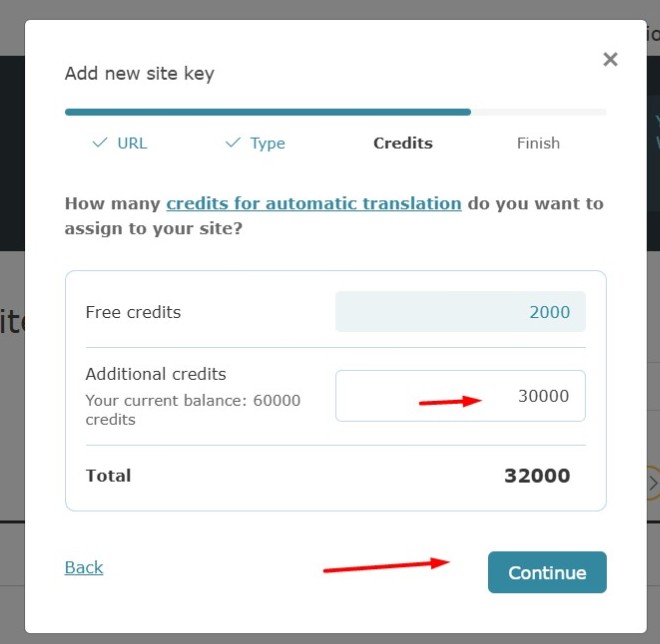
6. It will generate the Key for your site and you can also assign the credits using that popup, you may confirm the assigned credits from WPML >> Translation Dashboard > Translation Tools.
7. Copy the key, and paste it back into the input box, and press the Register button and see if this resolves your issue.
Kindly let us know the results,
Thank you for your cooperation