Home›Support›English Support›[Resolved] I can’t translate products the same way I translated individual pages
[Resolved] I can’t translate products the same way I translated individual pages
This thread is resolved. Here is a description of the problem and solution.
Problem: The client was unable to translate products using Elementor after installing the WPML plugin. Certain text within the Product Template was not appearing in the WPML translation editor.
Solution: 1. We advised the client to set the Woodmart Layouts to "Translatable" in WPML > Setting > Post Type Translation > Layouts (woodmart_layout) and then proceed to translate them. 2. For the untranslated string in the footer bar, it should be translated using WPML > String Translation. If the string is not visible there, the client should follow the guide to find and register the string for translation: finding strings that don't appear on the string translation page, and ensure the correct source language is set: how to change the source language of strings. 3. We recommended changing the WPML settings from "Translatable - use translation if available or fallback to default language" to "Translatable only show translated items" for both products and templates to ensure proper functionality. 4. We installed an update for the WooCommerce Multilingual addon to address compatibility issues, detailed here: WooCommerce Multilingual 5.5.0.
If this solution does not resolve your issue or seems outdated, we recommend checking related known issues at https://wpml.org/known-issues/, verifying the version of the permanent fix, and confirming that you have installed the latest versions of themes and plugins. If problems persist, please open a new support ticket.
This is the technical support forum for WPML - the multilingual WordPress plugin.
Everyone can read, but only WPML clients can post here. WPML team is replying on the forum 6 days per week, 22 hours per day.
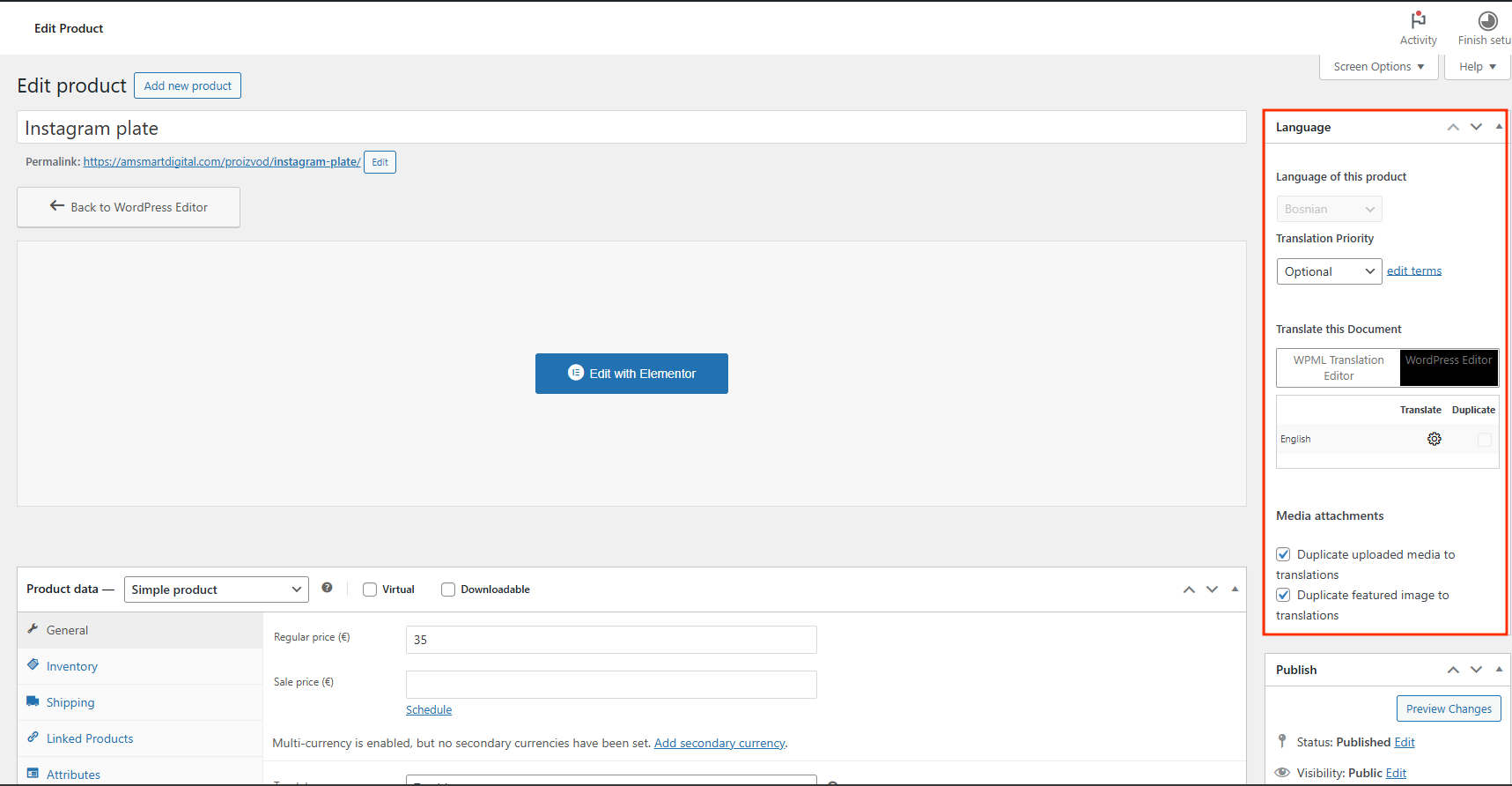
I accidentally started the translation of a product through the WPML Translation Editor and now I can no longer start the translation as I have been doing the translation until now, which is the WORDPRESS Editor.
To translate the product fields at WooCommerce > Product Fields.
The issue seems to be that the plugin seems not to be compatible. I suspect it is an issue with the display condition, which will not detect the translated product.
Please confirm and I will try to replicate the issue on a test site and try to find a solution.
---
To translate global product attributes go to WPML > Taxonomy Translation.
---
To cancel translation jobs go to WPML > Translation Management > Jobs. Make sure that the translation method for the content is still set to "WPML Translation Editor" before canceling the job. After that you can switch the translation method back to "WordPress Editor".
Take note, that if you use the "WPML Translation Editor" as a translation method it will overwrite the translations that you created with the WordPress Editor.
If you need us to take a closer look into this issue, please take note that we handle only one issue per ticket. I can offer to split this issue into a new ticket and follow up with you from there.
To cancel translation jobs go to WPML > Translation Management > Jobs. Make sure that the translation method for the content is still set to "WPML Translation Editor" before canceling the job. After that you can switch the translation method back to "WordPress Editor".
Take note, that if you use the "WPML Translation Editor" as a translation method it will overwrite the translations that you created with the WordPress Editor.
If you need us to take a closer look into this issue, please take note that we handle only one issue per ticket. I can offer to split this issue into a new ticket and follow up with you from there.
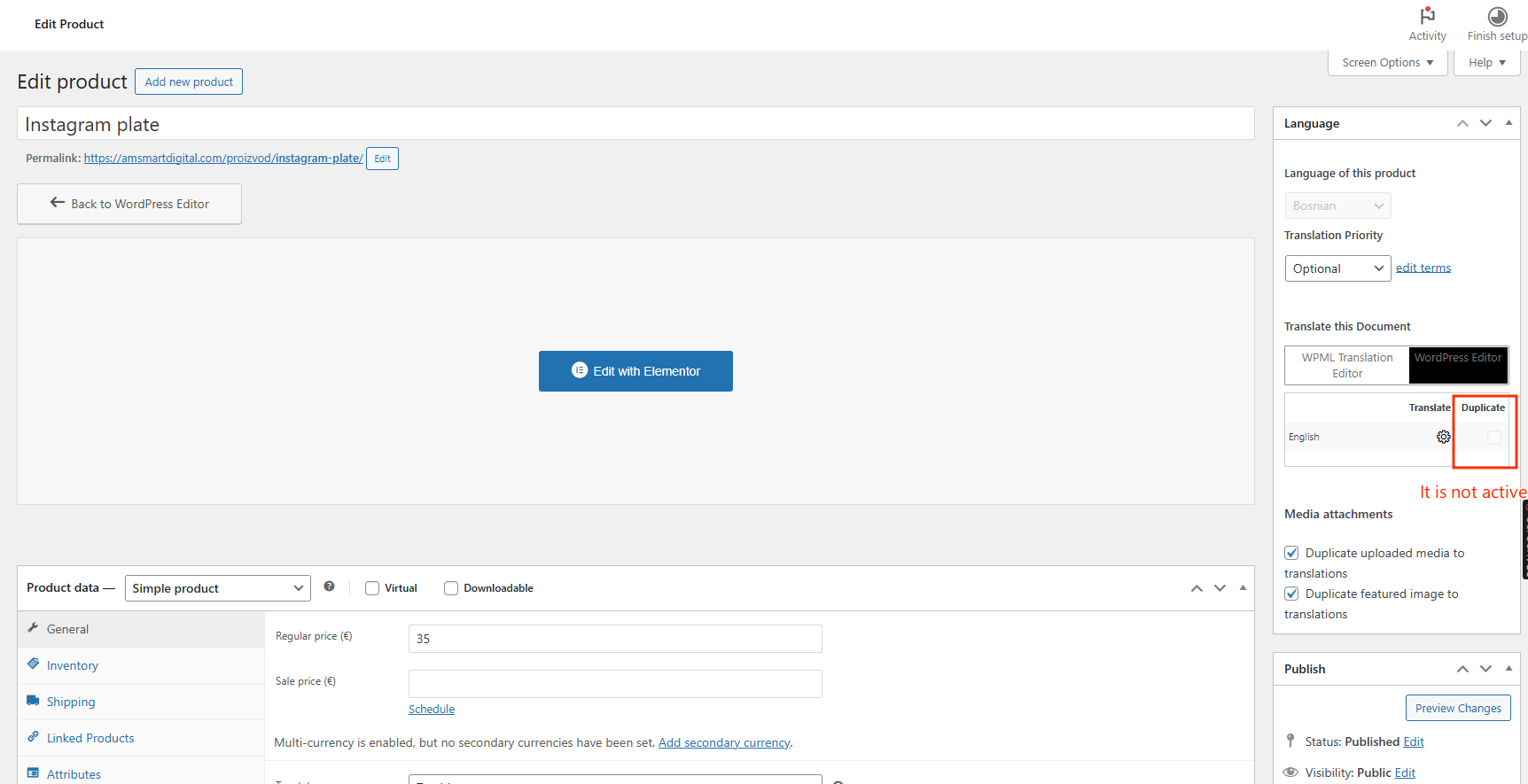
>>>> I did as you said but I still can't start the product translation through the wordpress editor. The checkbox button is grayout and cannot be selected!
Split the ticket and create a new one if it is already so complicated to solve this problem. Thank you
To translate global product attributes go to WPML > Taxonomy Translation.
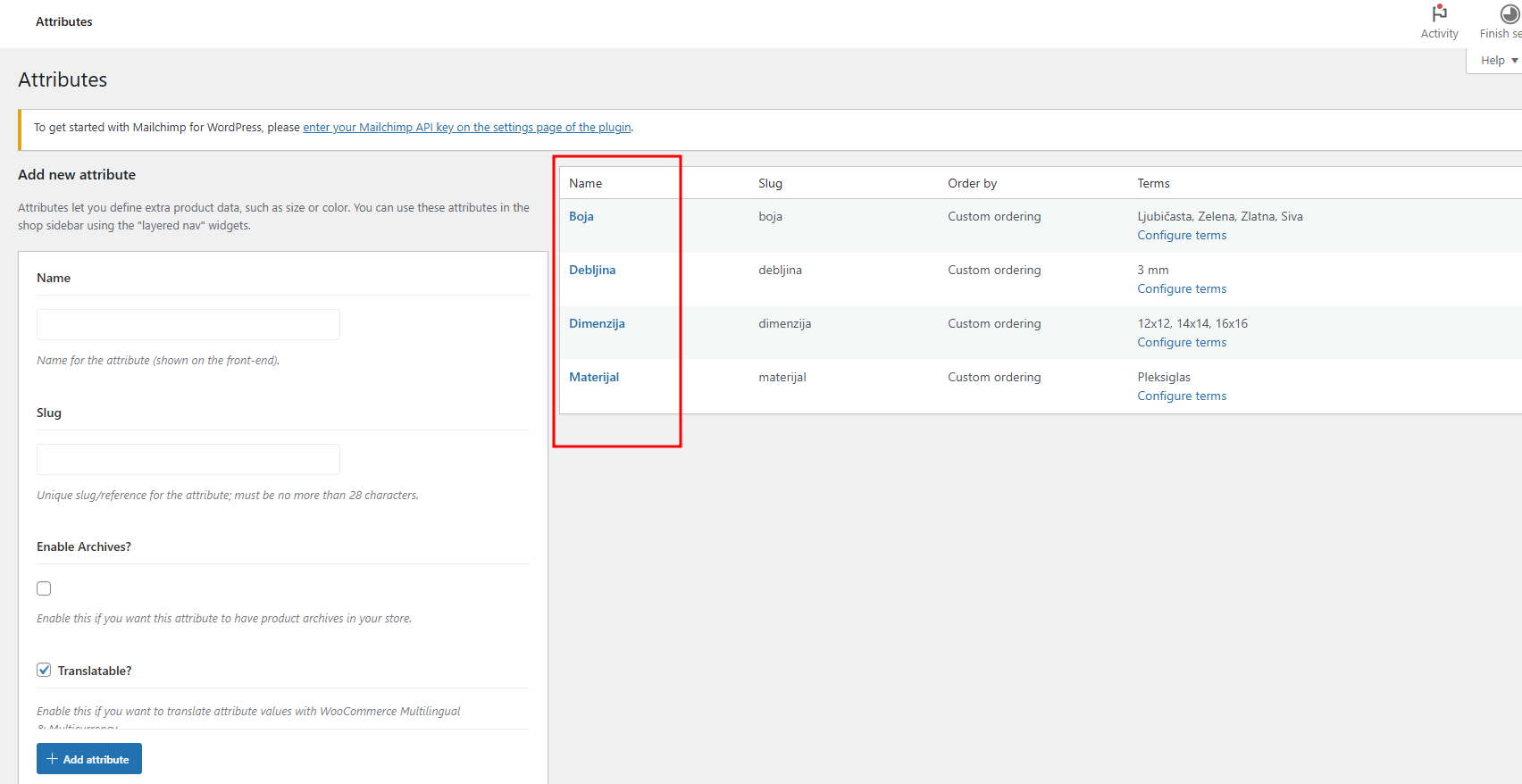
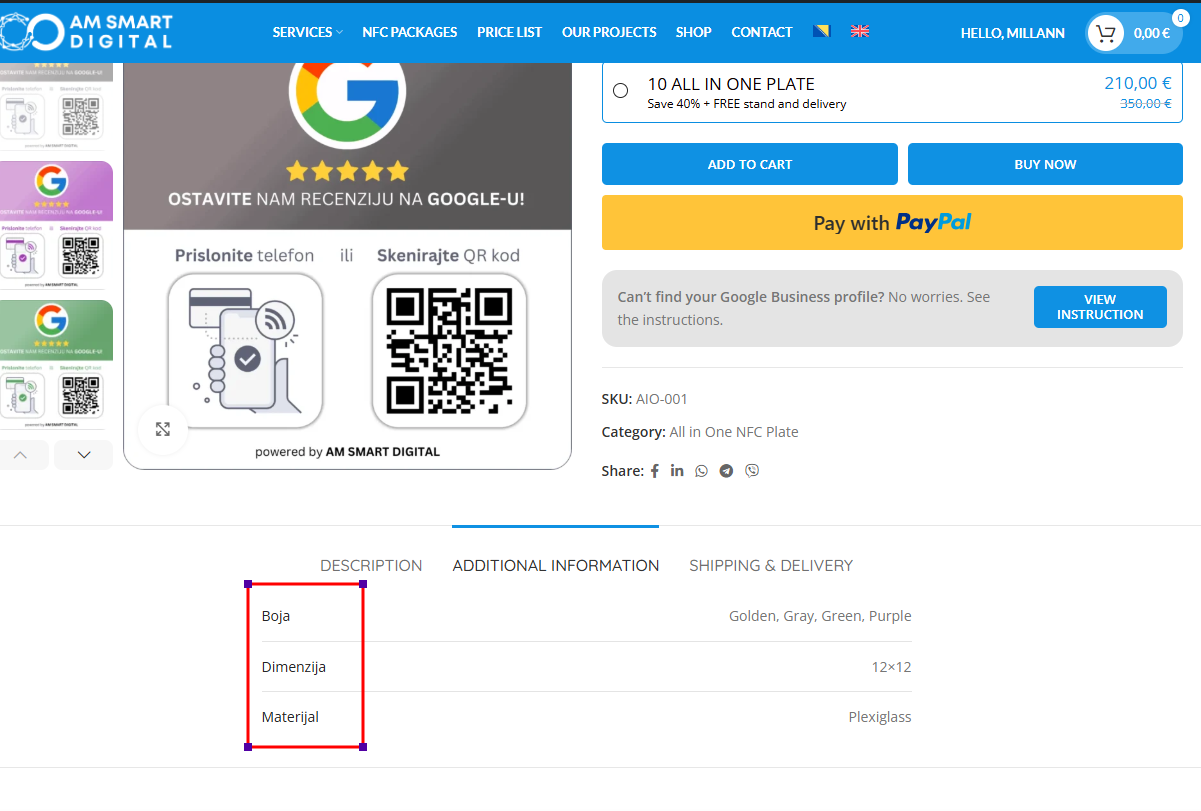
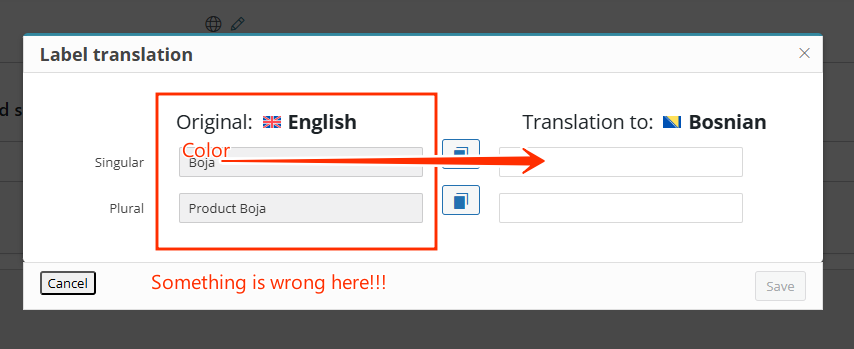
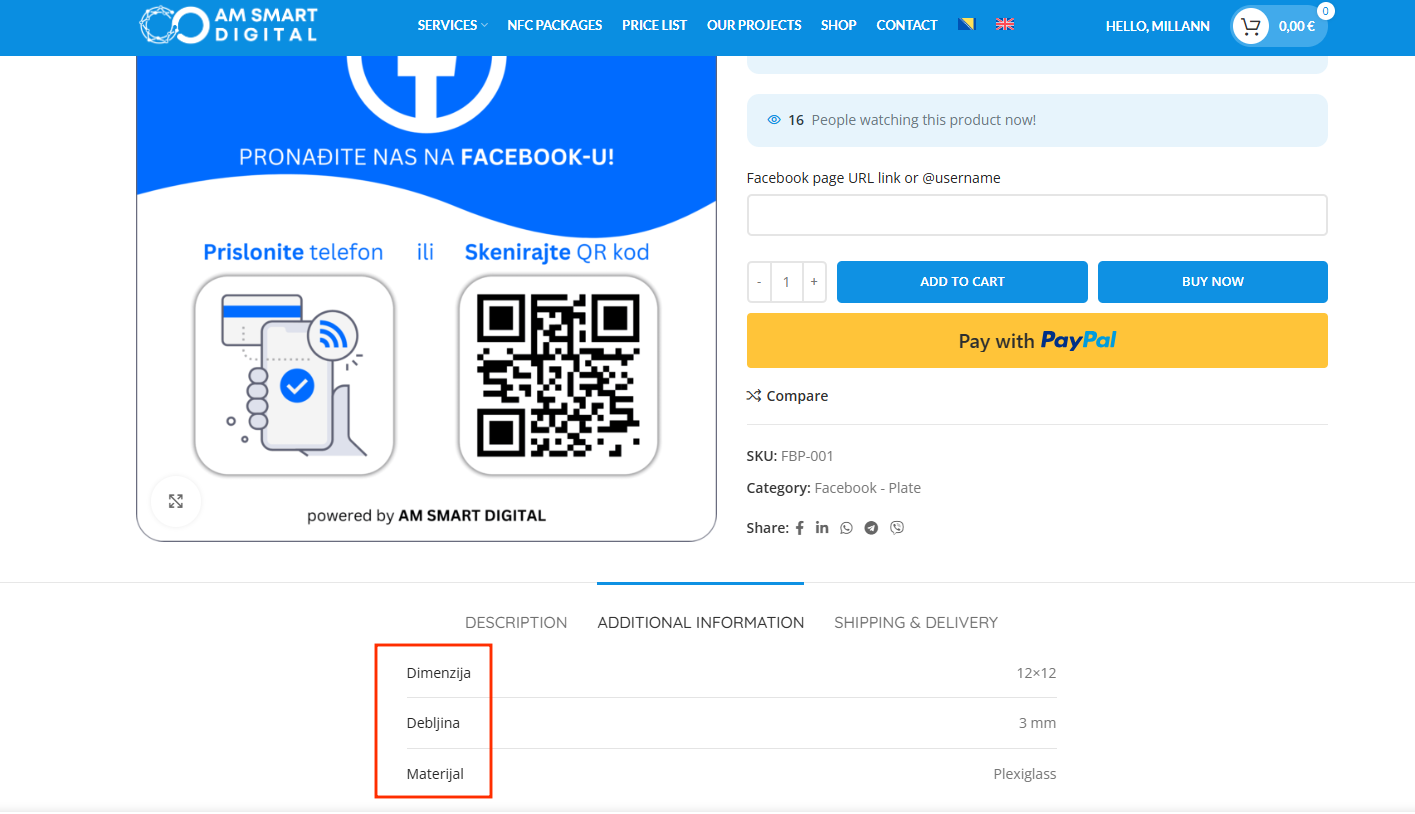
Something is wrong with the global product attributes, I found them, but the Serbian word is in the place where the English word should be... I really don't understand this, it would be good if someone could explain to me what the problem is, where the error occurred so that I can know next time... this really doesn't work!
Issue 1)
I will try to replicate this on a new test site and then get back to you.
Issue 2)
You already have a translation in progress, which is why you can no longer create a duplicate. Open the translation inside the WordPress Editor and inside the right sidebar click on "Copy content from English". Then edit the content accordingly. No need to create a duplicate.
Issue 3)
Could it be that you switched the site's default language from Serbian to English?
Those attributes are created a Products > Attributes and these should always be created in site default language. If you find terms in a different language, you should delete and recreate them using the site's default language.
For global fields created at WooCommerce > Product Fields:
Go to WPML > Settings > Post Type Translation and set "Product Field Groups (wapf_product)" to "Translatable".
Now, at WooCommerce > Product Fields edit your field group and use the translation option inside the right sidebar of the WordPress Editor to create a translation.
You will need to use the "WordPress Editor" as a translation method for this post type.
For custom fields created directly on products:
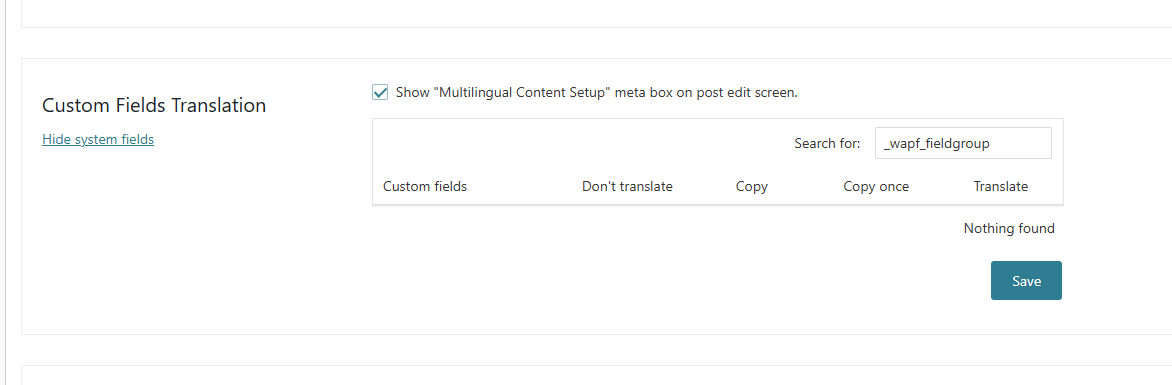
Go to WPML > Settings > Custom Field Translation and click "Show system fields". Search for the field "_wapf_fieldgroup" and set it to "Translate".
Now, edit the original product, save it, and open the WPML Translation Editor to translate the strings of the custom field. Make sure to only translate the texts. The settings strings should be copied and remain identical between languages.
See the test site here as a reference: hidden link
Issue 2)
You already have a translation in progress, which is why you can no longer create a duplicate. Open the translation inside the WordPress Editor and inside the right sidebar click on "Copy content from English". Then edit the content accordingly. No need to create a duplicate.
>>> I do not see that option when i open a product. See picture.
Issue 3)
Could it be that you switched the site's default language from Serbian to English?
Those attributes are created a Products > Attributes and these should always be created in site default language. If you find terms in a different language, you should delete and recreate them using the site's default language.
>>> From the very beginning of creating the site, all atributes were in the original Serbian language. I don't know how this happened nor do I know how to revert it! Do you know how?
For global fields created at WooCommerce > Product Fields:
Go to WPML > Settings > Post Type Translation and set "Product Field Groups (wapf_product)" to "Translatable".
Now, at WooCommerce > Product Fields edit your field group and use the translation option inside the right sidebar of the WordPress Editor to create a translation.
You will need to use the "WordPress Editor" as a translation method for this post type.
>>> This works now, thanks for the tutorial, it was helpful.
Can we now resolve the product attributes, please?
I am glad to hear that I was able to help you with the Product Fields issue.
Issue 2)
You do not see this option, as you are watching an original product. The mentioned option will only be available on the translations when editing them with the WordPress Editor.
I see here you still see unexpectedly the Advanced Translation Editor when opening the translation.
In such case, you needed to switch the translation method back to "WPML Translation Editor", then cancel the job at WPML > Translation Management > Jobs, and then switch the translation method for the page back to "WordPress Editor".
Now, if you access the translation the WordPress Editor will open and you will see the mentioned option to copy the original content.
Issue 3)
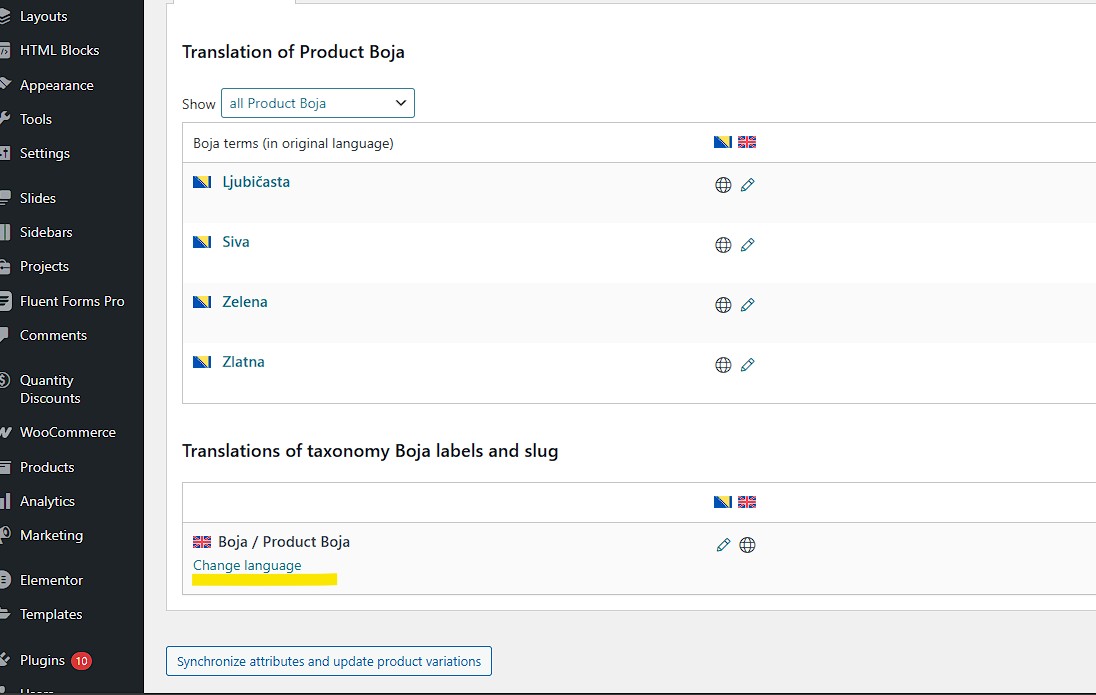
You can change the source languages for taxonomy labels and slugs. See screenshot. Please give this a try.