Home›Support›English Support›[Resolved] my wordpress site cant see my credits in translation management tools
[Resolved] my wordpress site cant see my credits in translation management tools
This thread is resolved. Here is a description of the problem and solution.
Problem: If you're experiencing issues with your WordPress site not displaying credits in the WPML translation management tools, it might be due to a plugin conflict. Solution: We recommend deactivating the 'HelloPack Client' plugin to resolve this issue. After deactivating, you should be able to register WPML plugins and see the site prepaid credits correctly. If this solution does not resolve your issue or seems irrelevant due to being outdated or not applicable to your case, we highly recommend checking related known issues at https://wpml.org/known-issues/, verifying the version of the permanent fix, and confirming that you have installed the latest versions of themes and plugins. If problems persist, please open a new support ticket at WPML support forum for further assistance.
This is the technical support forum for WPML - the multilingual WordPress plugin.
Everyone can read, but only WPML clients can post here. WPML team is replying on the forum 6 days per week, 22 hours per day.
Thank you for contacting WPML Support. This type of issue usually happens when the WPML is not registered properly on your site. Could you please delete the existing site key and create a new one by following below steps:
1. Login to your WPML.org account >> Go to the Sites page: https://wpml.org/account/sites/
2. Delete the existing site key.
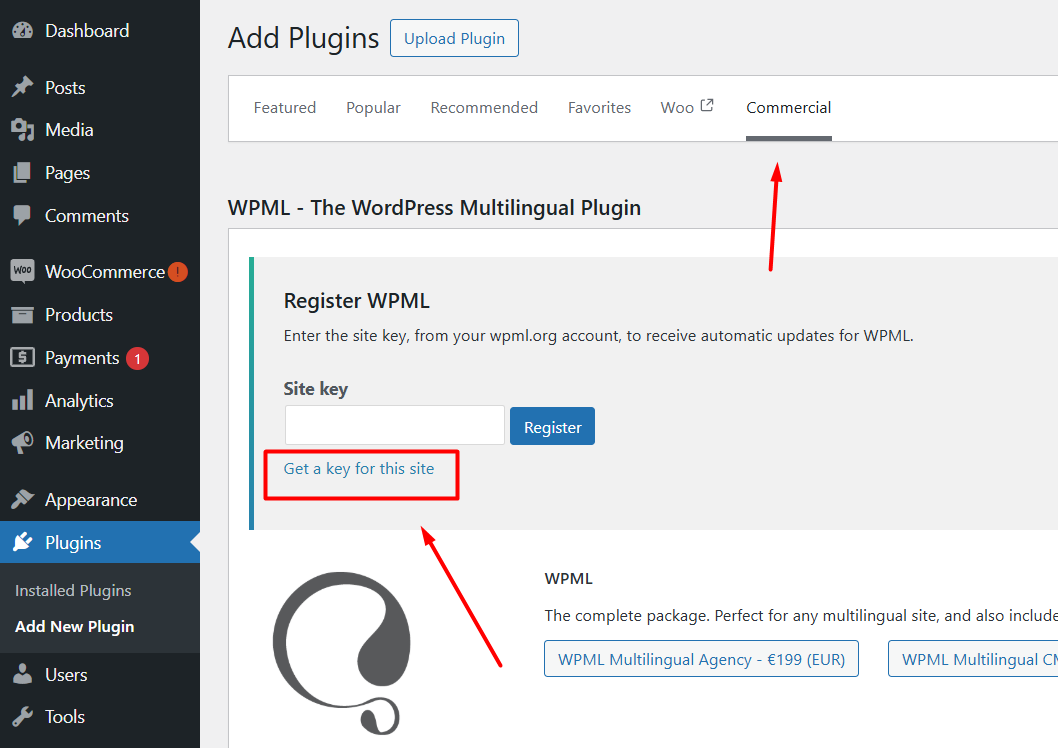
3. Login to your site and go to the Dashboard >> Plugins >> Add new > Commercial tab and click the Unregister WPML from this site link if that link exists.
4. Then click the Register WPML link.
5. Click the Get a key for this site link.
6 It will generate the Key for your site and you can also assign the credits using that popup.
7. Copy the key, and paste it back into the input box, and press the Register button.
Please let me know if this resolves the issue or if you need further assistance with this issue.
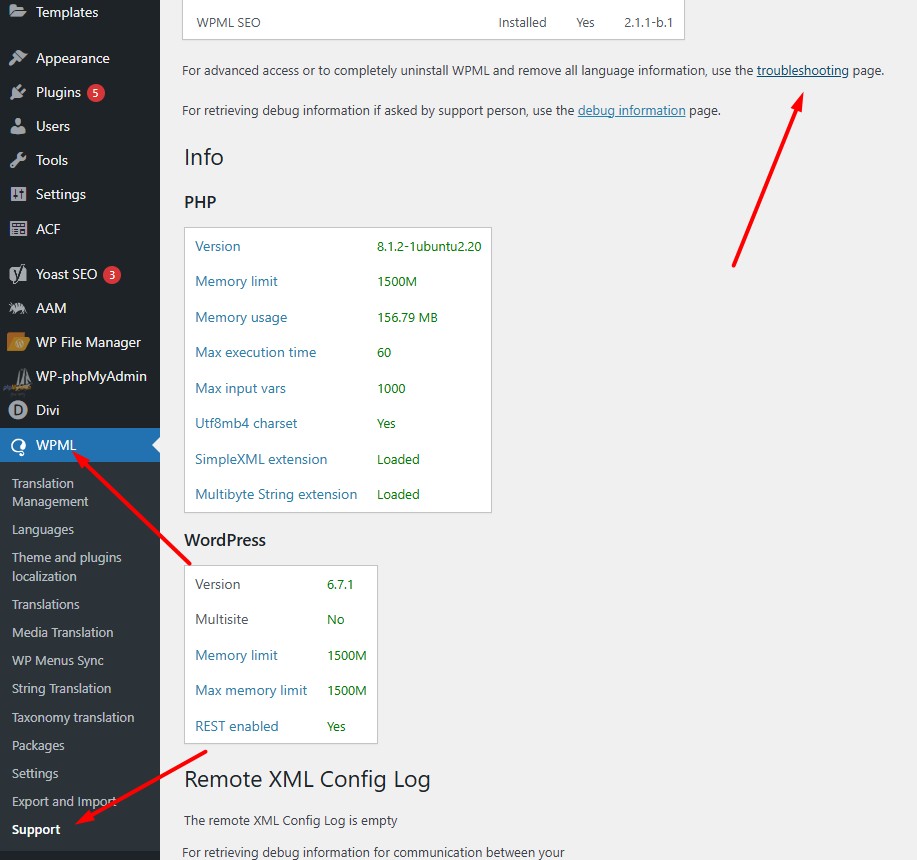
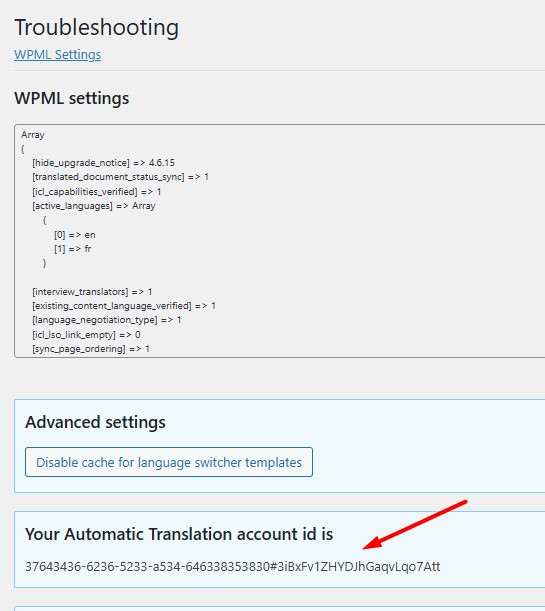
- Meanwhile, please provide me the “Your Automatic Translation account id” from WPML >> Support > Troubleshooting page so I can try to assign the 5000 credits from your WPML.org account to hidden link site so you can continue translating your site.
Sorry for the delay, I was off during the weekend (Friday-Saturday). Thanks for the screenshots, everything seems fine in screenshots. At the moment, we can only provide support through chat and forums. If you'd like, you can start a new chat with us anytime, and we'd be more than happy to assist you through live chat.
If it's ok to continue using forum ticket, please provide temporary access (WP-Admin and FTP Login info) to your site (preferably staging site), so that I can take a closer look into your setup and debug the issue.
I’ve enabled a private input box for your next reply.
=== Please backup your database and website ===
✙ I would additionally need your permission to deactivate and reactivate Plugins and the Theme and to change configurations on the site. This is also a reason the backup is really important.
Then try registering WPML on your site and see if that fixes the problem.
2025-02-07 17:33:18 /
Dear Customer!
Our experts have made the necessary modifications, so please try to install the extension.
If you still run into an error, please send us a full screenshot of how it happened and what error message appeared - based on this, we can provide you with further assistance.
Thanks for providing the login details. I’ve thoroughly debugged this issue and found out that the “HelloPack Client” plugin was causing this issue, after deactivating that plugin I’m able to register WPML plugins without any issues.
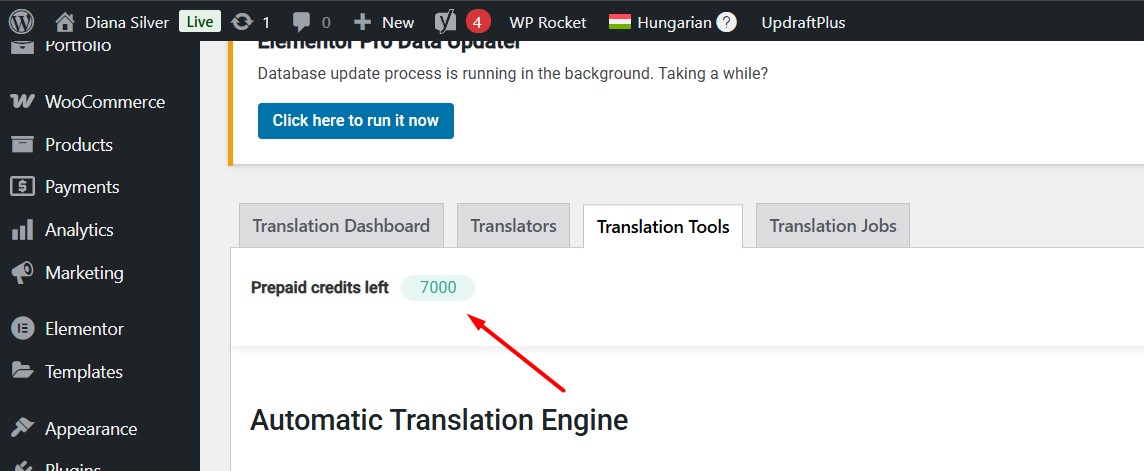
Site prepaid credits also showing correctly as you can see in the attached screenshot: hidden link
Our team wants to have a closer look on this issue just to see if there is something to improve on our end. So we need a duplicator package of your site, which you can provide by following this guide: https://wpml.org/pt-br/faq/provide-supporters-copy-site/
Our team wants to have a closer look on this issue just to see if there is something to improve on our end. So we need temporary site copy with selected files (duplicator package) of your site, which you can provide by following this guide: https://wpml.org/pt-br/faq/provide-supporters-copy-site/