This thread is resolved. Here is a description of the problem and solution.
Problem:
The client reported an issue where enabling WPML String Translation caused the product page to display correctly only in the original language, not in the translated language. Additionally, enabling the Single Product Layout resulted in a blank page.
Solution:
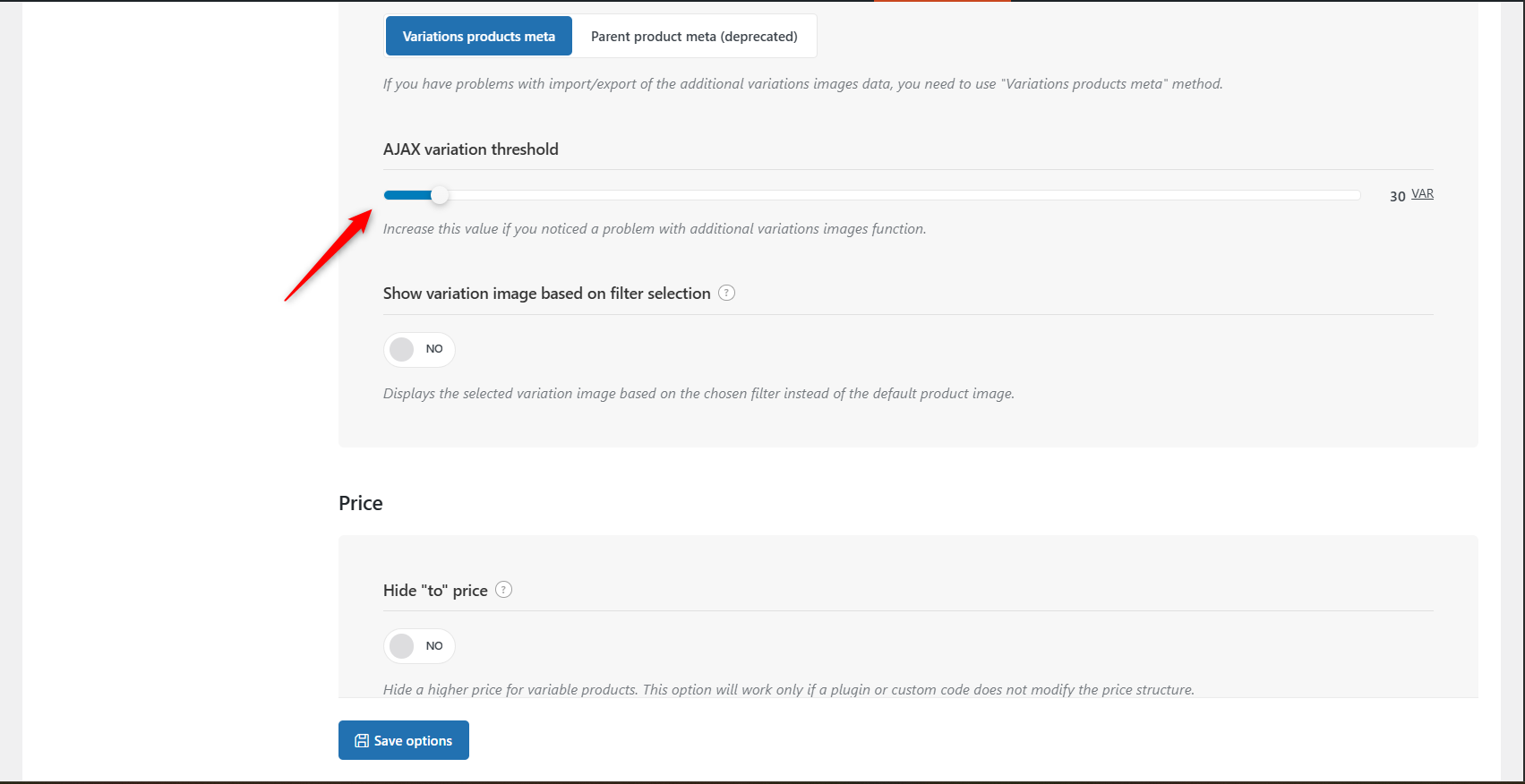
We conducted tests and found that the issue was specific to the client's server. A workaround that resolved the problem involved setting the AJAX Variation Threshold value to a lower number, specifically 10. This adjustment helps in loading variation data only when necessary, improving page performance and reducing memory usage. We recommended that the client apply this change to their live site after ensuring a full backup.
If this solution does not resolve your issue, or if it seems outdated or irrelevant to your case, we highly recommend checking related known issues at https://wpml.org/known-issues/, verifying the version of the permanent fix, and confirming that you have installed the latest versions of themes and plugins. If problems persist, please open a new support ticket for further assistance.
This is the technical support forum for WPML - the multilingual WordPress plugin.
Everyone can read, but only WPML clients can post here. WPML team is replying on the forum 6 days per week, 22 hours per day.
Thank you for the feedback. I am enabling the private option for the next reply. Hope it will help you share the SSH details. Please check and let us know your thoughts.
Working in parallel with the Theme developer (Woodmart), we came out with the solution, which it turns out the solution was in some of WPML official forums.
Here I pass you the link with the problem and solution some of your developers give to some other client:
In that thread, a colleague shared a solution that actually works and resolves the issue. However, it’s unclear why the WPML team has not yet implemented an official fix??
In the meantime, to ensure my site remains stable, they've provided me with a temporary custom code snippet that fix the issue until WPML releases an update (see the code below). Please check and let me know if that will be implemented soon.
I know I can also edit the plugin but I did prefer to implement that solution instead.
Thank you for the details. Our second-tier team is still working on this issue. However, I have a few follow-up questions to help us fully resolve the issues:
1) Have you applied the following code via a Code Snippets plugin or directly in the functions.php file of the child theme? I couldn't locate it on the staging site.
Also, the following posts are loading as expected when the Custom Product Layout is enabled.
hidden link
hidden link
2) Are the product variation issues also resolved after applying this fix?
3) We can continue discussing the image translation issue in the main ticket. Could you please share a screencast for easier follow-up? It will greatly help us in our internal discussions
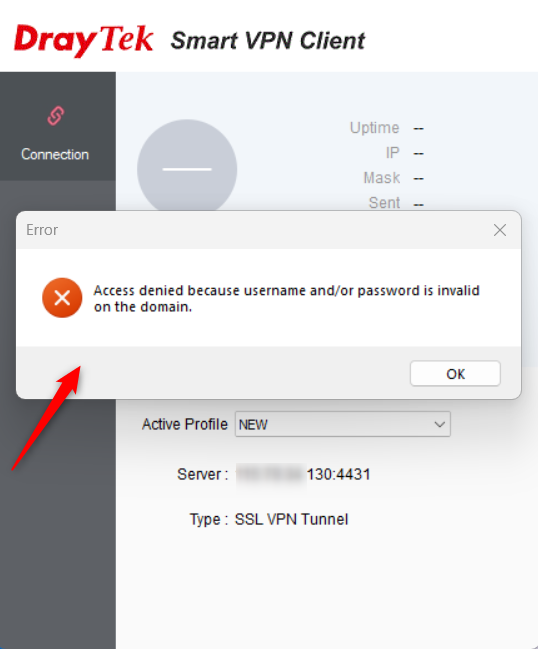
Sorry, I am getting an “Invalid username/password” error while trying to log in to the VPN. Please check the attached image and let me know how to proceed.
1/ I've applied the code via plugin.
2/ Yes, when applied this code, the problem with variations is resolved
3/ Ok, will send an screencast with the image problem to the main ticket.
Our server is really complicated to access. I made a copy of our test site on a server working via FTP and Cpanel so I can easily check these issues if are related to server/hosting.
Same issue on the new hosting but with the above mentioned code, the variation issue resolves. Let me know if you want me to grant access to the hosting (Cpanel and FTP).
I have a week free plan so need to be fast to check 😉
Thank you for the details. We will wait for your feedback on Media Translation in the main ticket.
I have another round of testing after upgrading to the latest version of WPML (4.7.5). But the issue exists when the Product Variations Blank Page (ID: 94435) snippet is inactive. So, I will consult with our team about this and get back to you as soon as possible. Please wait.
Sorry for the late response because of the holidays.
Sorry for the late response. We are still working on this.
The conflict appears to be related to a compatibility issue with the theme setting under Shop >> Variable Products >> AJAX Variation Threshold. The issue does not occur when the threshold value is set to less than 50.
We will get back to you as soon as possible. Thank you for your patience.
We conducted a detailed test on this case, and the blank screen issue appears to occur only on your server. It works as expected in our local environments and also when hosted on our Cloudways test server. Please check the following link for more details. The login credentials are the same as your site, and note that we used a copy of the site without images.
hidden link
We have found a workaround for this issue. It works as expected after adding the following code to the functions.php file of the WoodMart child theme. With this change, the products no longer show a blank screen even when the Code Snippet is inactive. Refer to the following screencast for more details.
hidden link
Please check it now and let us know your feedback.
Unfortunately, the solution you are mentioning is not working.
You are sending me a test without ENABLING the single product page layout.
If I enable the Single Product Layout, it keeps returning a BLANK PAGE.
Please ENABLE the Page Layout on our Staging Site and see the result.
hidden link
From our side, it only works when I DISABLE the Page Layout or when I ENABLE the Code Snippet I shared with you before and can be found at the Code Snippets Plugin.
The final website and stagging website has been tested on 3 different servers over the last 3 months. All of them returned a blank page. So I have my doubts to think this is related to a server issue.
Also, what about the code I shared with you and works? If this is a server problem, I believe the code will not fix that, correct? This code is pointing directly to the WPML plugin.
Thanks again for the great support and help and hope to find a solution soon.
Regards,
Xavier
But only work on 1 of the products, not the others.
Working Product with 5 variations: hidden link
Not working product with 4 variations: hidden link
Curious thing after I see that the Ajax Threshold value changed the outcome in different products. I did some tests and discover that If I set the Ajax threshold value to 1 VAR -> I can see all products correctly with no php code enabled.
2- On your test site, all is working well, with no bug. I see also that no matter what VAR threshold I use, all products work well on your server side.
I'm a bit lost now after discovering that with no Ajax threslhold, products show correctly.
Any feedback about it?
I'm not an IT or expert myself, so I don't really know what is the function of the Ajax threshold for this specific action.