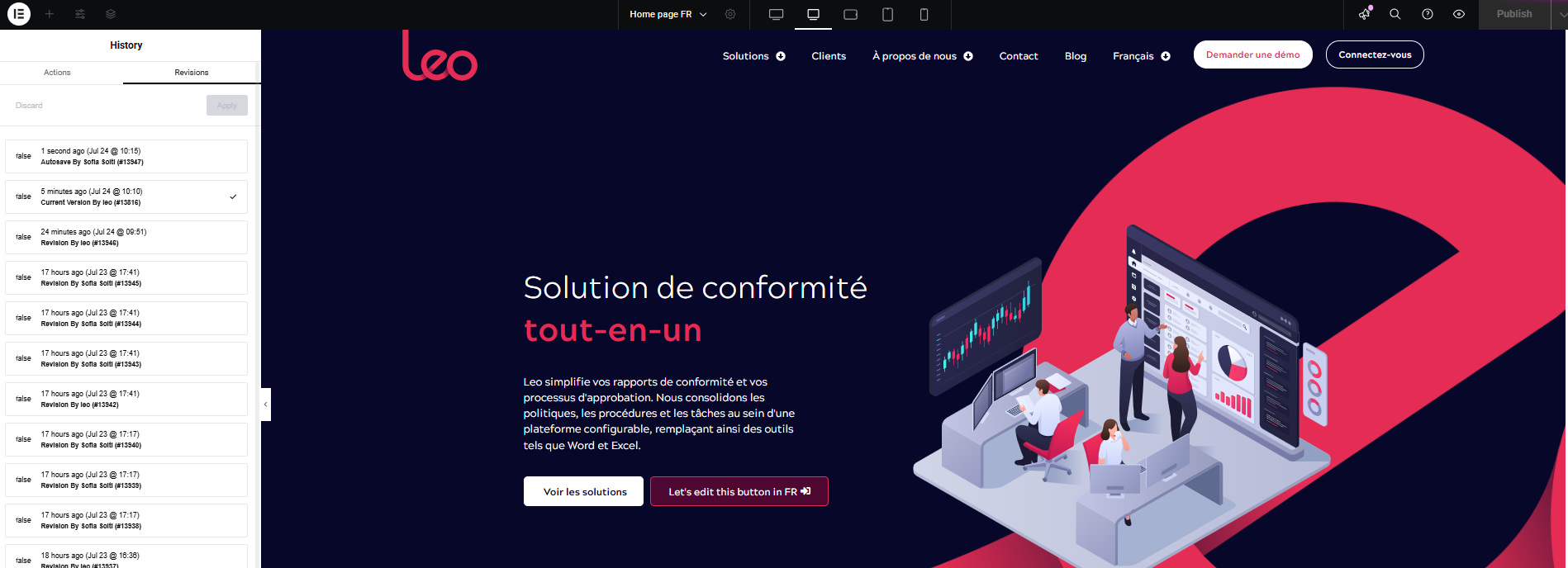
After the change you made, now the FR site is changing to English.
You can see in this video that the FR home page is part English part FR. This was the same issue we had 2 months ago but then our IT manager changed something and the FR site was fine but the UK kept changing to FR language as you saw on my previous messages.
Now the UK pages stays in EN but the FR page has a mix of both languages.
Please we need a solution as this can't stay like that.
Thanks for your reply. It appears the page was originally translated using the Advanced Translation Editor before being switched to manual translation. I believe some remnants of the previous translation are causing the content to display in English on the French page.
I’ve switched it back to the Advanced Translation Editor, and the content now displays correctly. Could you please check and let me know if it works on your end as well?
In the meantime, please update the Elementor plugins to the latest version.
I can see that the page is back in FR. It needs some adjustments.
I also updated the elementor plugin.
What I want to know is if the Advanced Translation Editor is doing automated translation or no? As well, what happens if we change it back to manual?
What's the difference between them?
We want to be able to translate what we need to but edit the pages as well, as not all the solutions we offer in the UK are the same ones in FR. You can see as an example, the FR home page has still a solution in EN but because we don't need it in France.
I recommend backing up the site first. Then, switch the translation method to manual (let me know if you need help with this). Once done, you can make the changes directly on the French page. Please let me know how it goes.
Hi Kor,
Yes this is a little bit complicated for me as we are using elementor, which means that what's described in the knowledge base article you sent me is not really that helpful.
And for what you say I think all page have been edited with the advance translator, and not all of them are the same.
So If I change all to manual that means that all the FR pages will turn to EN? but I can just edit edit the text in elementor and translate it myself?
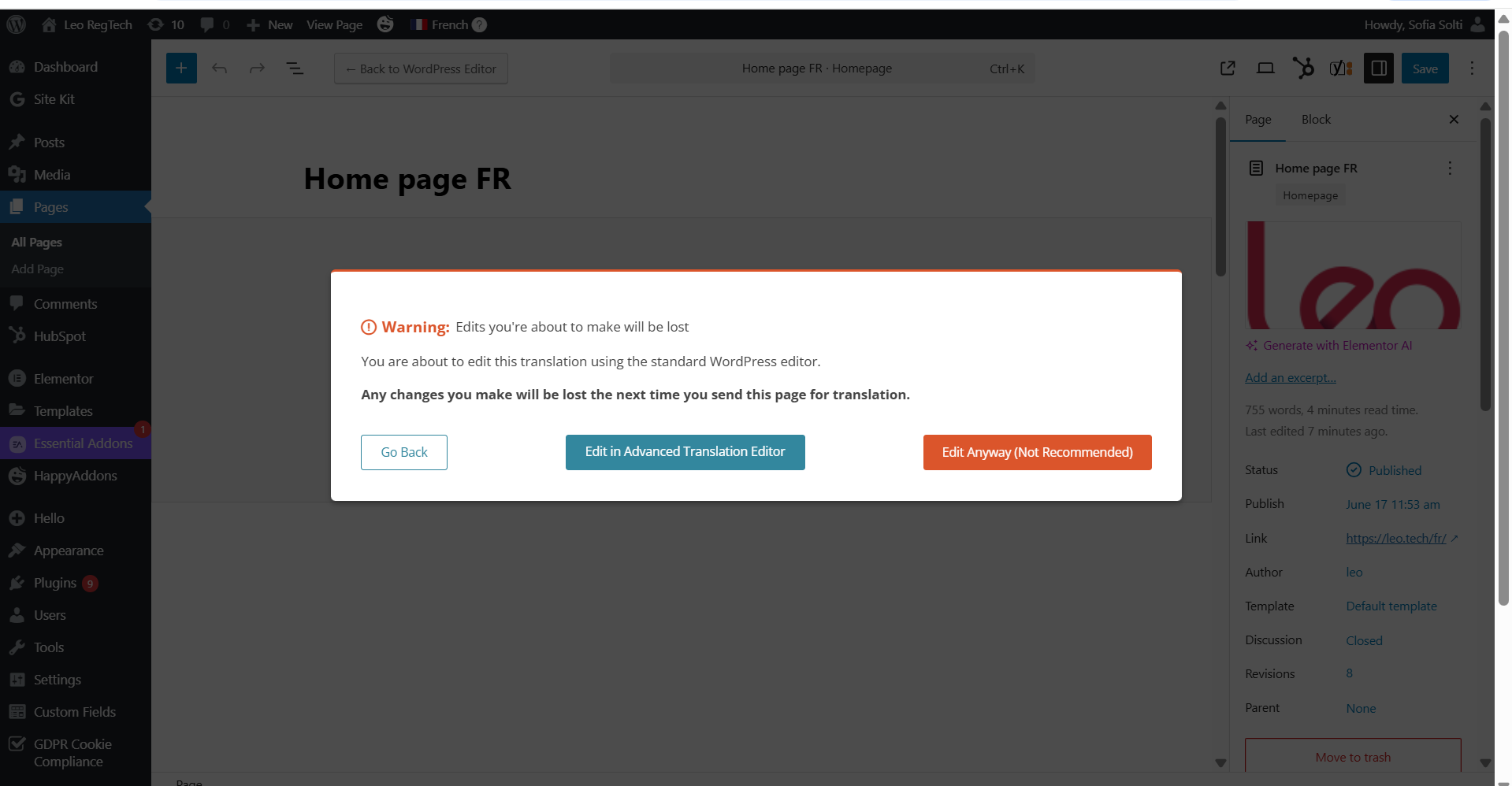
See warning message when trying to edit a translated page.
Thanks for your reply. Please refer to this screen recording that shows you how to manually edit the translated page hidden link . Keep in mind that I've switched it to manual translation for you and if you switch it back to Advanced Translation Editor, your manual changes will be overwritten.
This morning the website was working but something happened with the FR home page. Is still in FR but all my changes from yesterday got overwritten.
As you can see on one of the images is says Le platform... which is how it was yesterday until I change it.
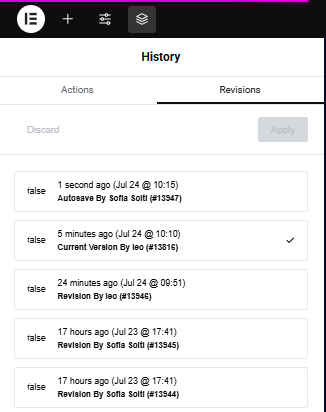
If you see the images with the revisions it says that 'leo' made changes or something today which it makes no sense as I am the only one logged in.
And if i click on my revision 17hs ago it goes back to how I left it yesterday with all the changes.
Thanks for your reply. I've checked and this "leo" user last login is on February 6, 2025 10:19 as shown here hidden link . Based on the Elementor revision history, this user reverted the translation. I'm also confused here and this isn't a known issue.
Could you backup and remove this Leo user? Then, forward all "leo's" posts to your account at sofia.solti@lavenpartners.com
Also, please remove the users listed below.
WPML_Support
WPML_Support_Paola
The topic ‘[Closed] Website home page is still changing language when it shouldn’t be!!!’ is closed to new replies.