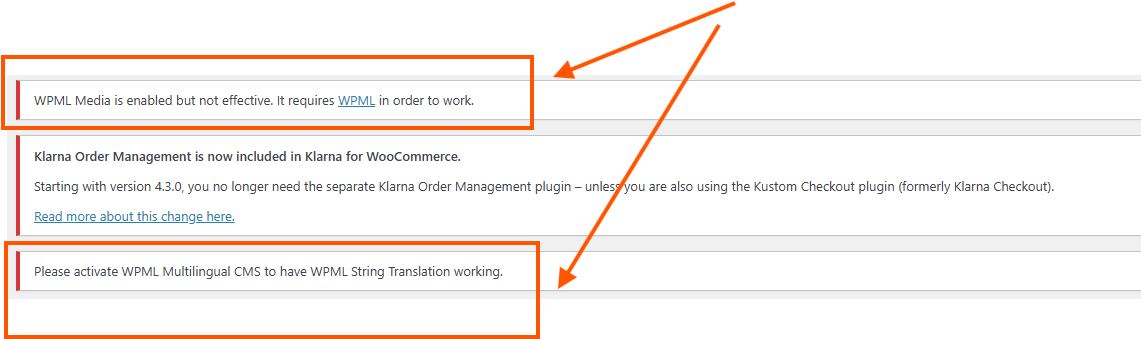
Right now, many URL's of my multilingual website hidden link are not functioning properly and my English website is propagated with Dutch content it seems.
Upon investigation I suspect that this was caused by the fact that WPML isn't working as it should, although all is up to date.
I also have been seeing a message in my WP dashboard that WPML CMS should be installed, but as far as I knew all was installed and up to date. Then I went to my WPML account, info@mencare.com and to Downloads.
Followed the instructions from: https://wpml.org/faq/install-wpml/ with the .zip upload and then to tab Commercial. Installed CMS as per the instructions on your site. But still CMS does not appear in my Plug-ins page. Therefore manually addes both seperate plugins:
CMS
String translations
And activated them... but stil not working. And I also keep seeing these messages: (Attachment)
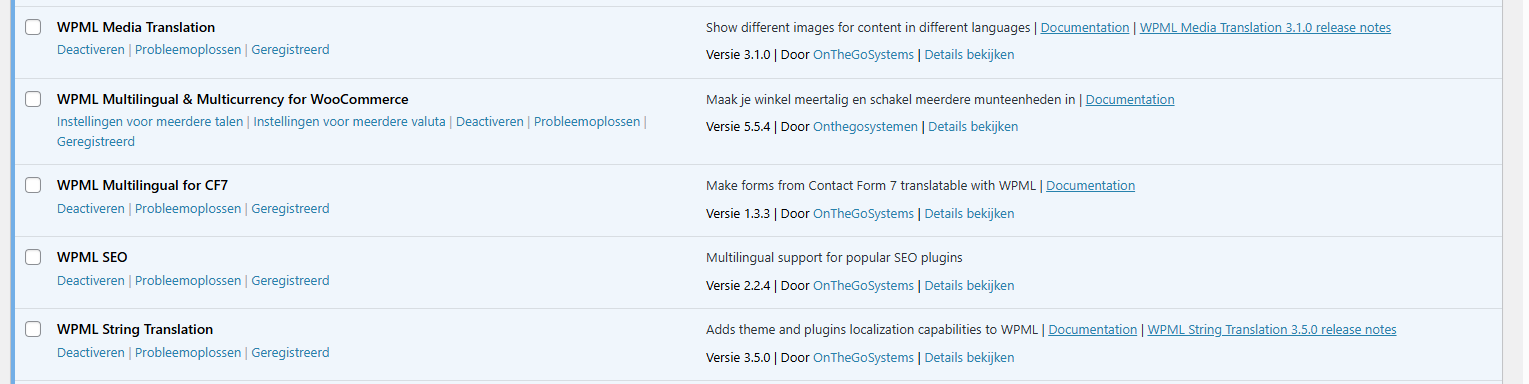
These are all active WPML plugins right now (attachment)
I've tried many times in different ways now, but can't get it to work. 😓 And as mentioned, main links on my homepage are not functioning right now, I think as a result of the string translations missing. Because I believe the whole NL and EN languages are not functioning as is meant to.
I am asking you: Can I please provide you with a temporary admin login, so you guys can check around what's happening and solve this matter, please?
Looking forward to your assistance, for which I thank you in advance. 🙏
With caring regards, Met verzorgende groet, Mit freundlichen Grüßen, Avec mes salutations distinguées,
You can install WPML Multilingual CMS plugin by following the steps below:
- IMPORTANT STEP! Create a backup of your website. Or better approach will be to test this on a copy/staging version of the website to avoid any disruption of a live website.
- Make sure you are signed in wpml.org.
- Go to https://wpml.org/account/downloads/
- Click the "Download WPML manually" link to show the rest of the plugins on the page.
- Download the latest version of the WPML and its add-ons.
- Install them manually on your website using the method below: https://wpml.org/faq/updating-wpml-manually/
Also you can set the next reply as private to provide the login informiton. But you need to make sure you have a backup.
Thanks.
The topic ‘[Closed] Getting WPML to work and solve error alerts in WP back-end’ is closed to new replies.