
This thread is resolved. Here is a description of the problem and solution.
Problem:
The client is experiencing multiple issues after enabling Automatic image and media detection on their site and trying to translate content created with the WP Carousel plugin.
Solution:
We recommend setting specific custom fields to "Copy" to ensure proper handling of media translations. These fields include:
sp_wpcp_shortcode_options
sp_wpcp_upload_options
Additionally, it's important to verify that carousels are set to be translatable in WPML settings. For further guidance on translating custom posts and custom fields, please refer to the following documentation:
Please note that this solution might be outdated or not applicable to your specific case. We highly recommend checking related known issues at https://wpml.org/known-issues/, verifying the version of the permanent fix, and confirming that you have installed the latest versions of themes and plugins. If the issue continues, please open a new support ticket at WPML support forum.
This is the technical support forum for WPML - the multilingual WordPress plugin.
Everyone can read, but only WPML clients can post here. WPML team is replying on the forum 6 days per week, 22 hours per day.
Tagged: Documentation request
This topic contains 20 replies, has 1 voice.
Last updated by Andreas W. 3 months, 2 weeks ago.
Assisted by: Andreas W..
| Author | Posts |
|---|---|
| November 26, 2025 at 1:27 pm #17612117 | |
 alexZ-17 |
Background of the issue: Symptoms: Questions: 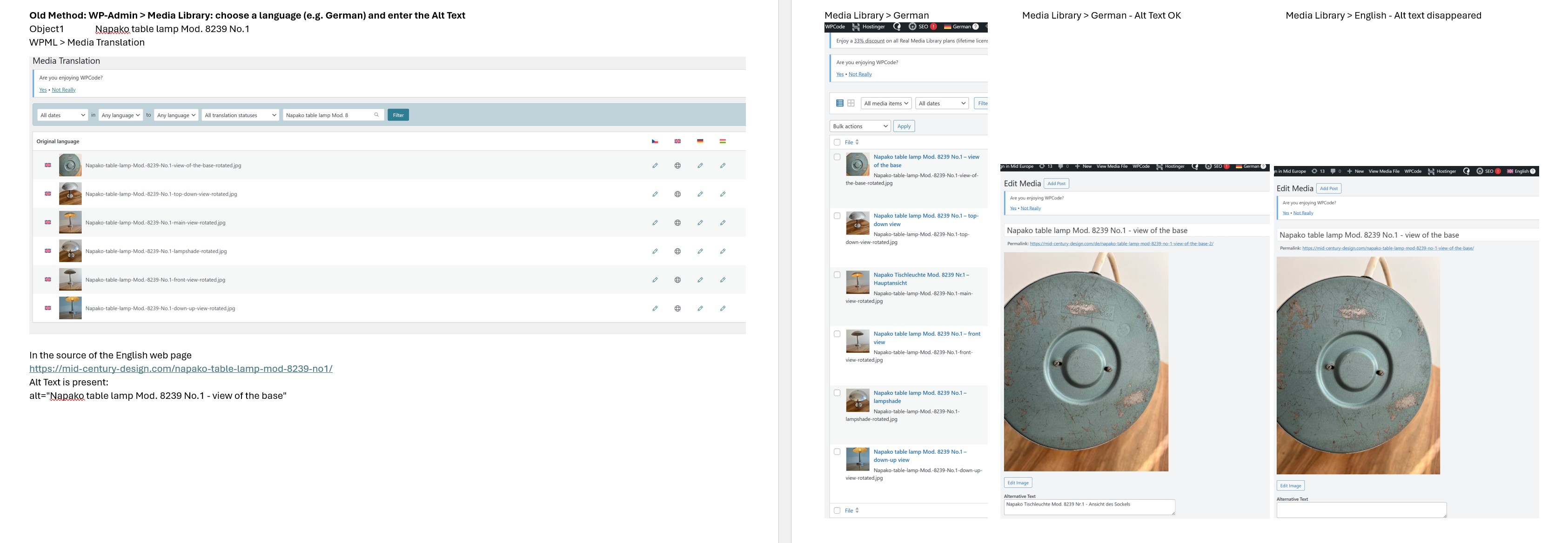 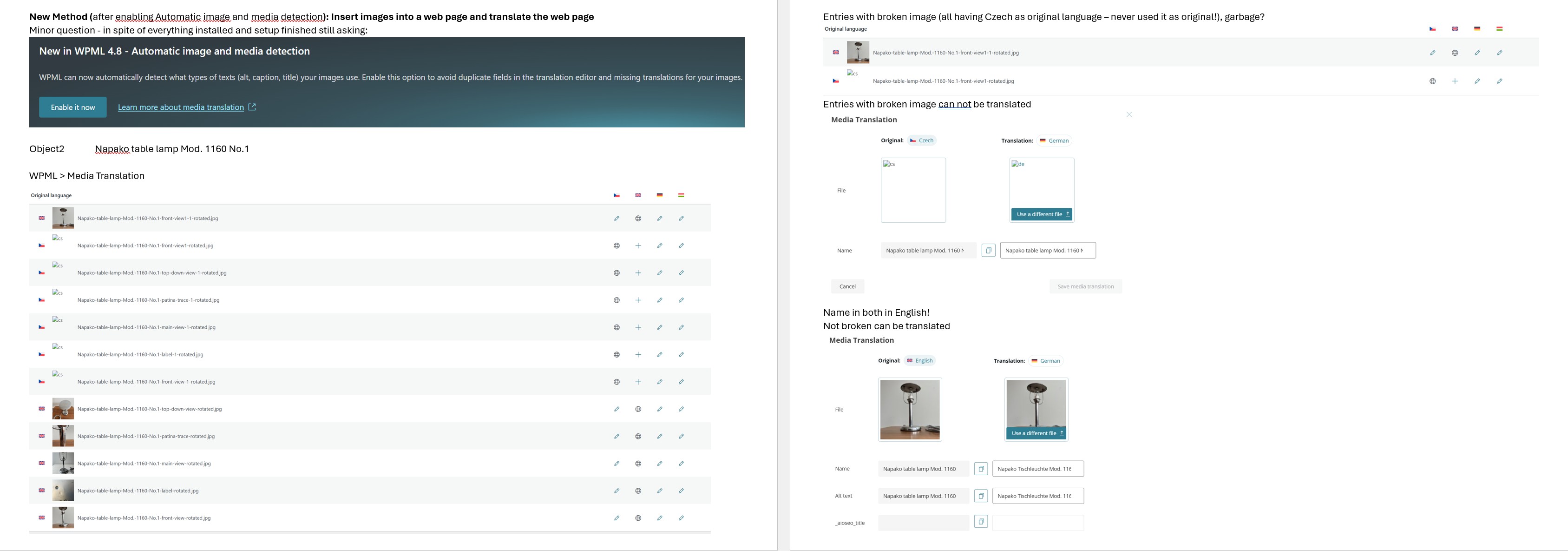 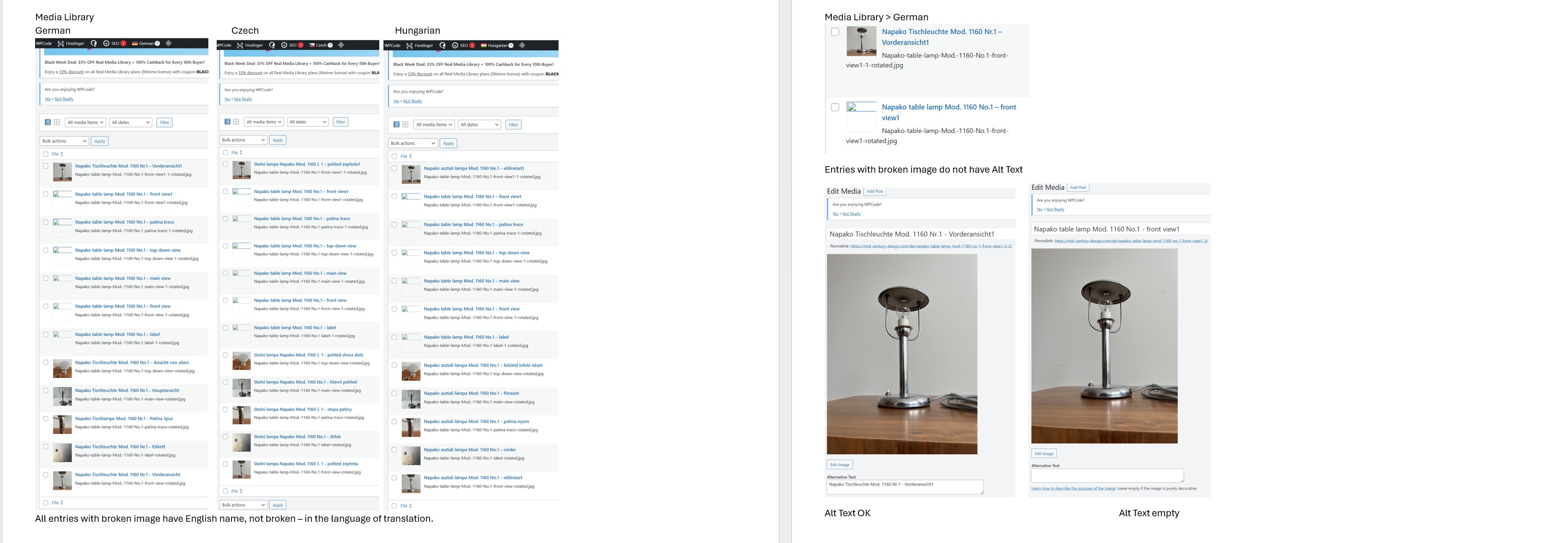 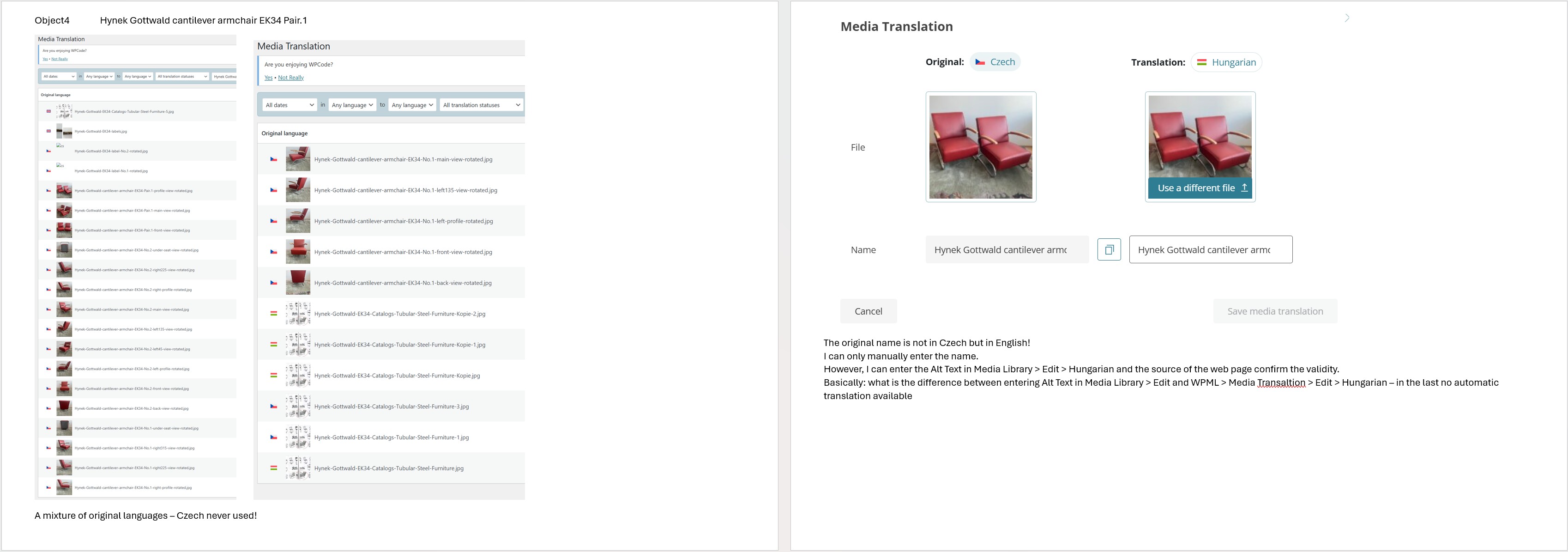 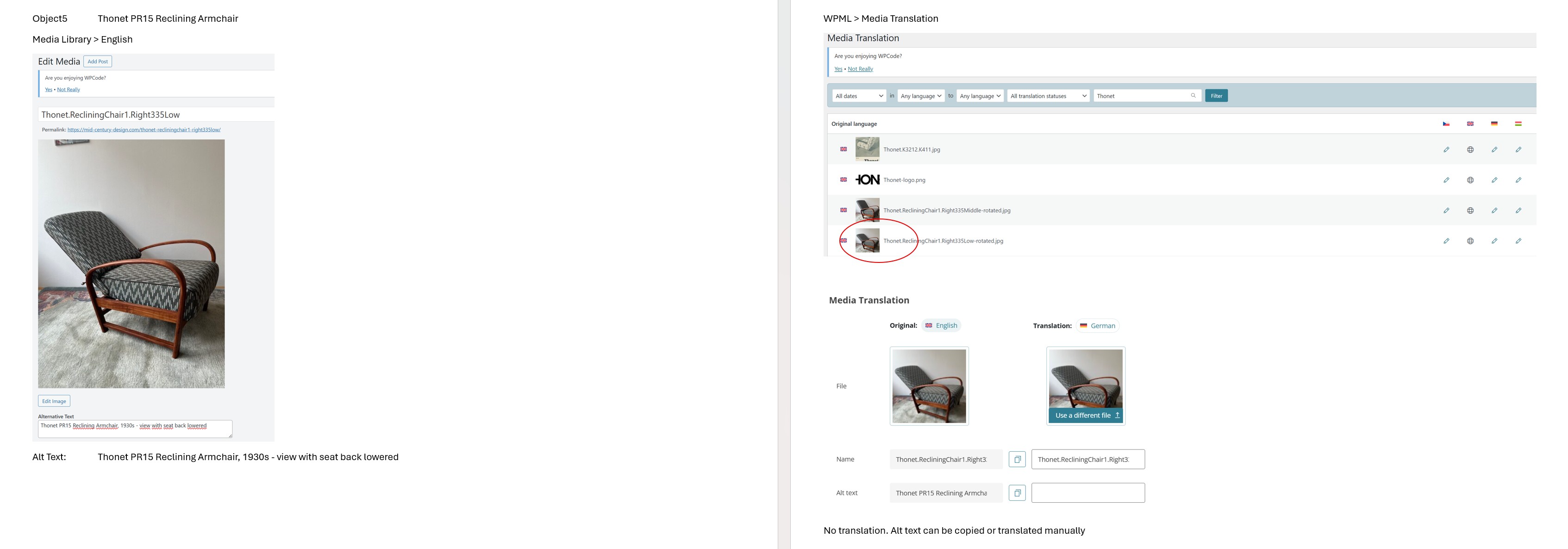 |
| November 26, 2025 at 3:40 pm #17612803 | |
|
alexZ-17 |
I do not see 3 replies, only 2 private |
| November 26, 2025 at 6:54 pm #17613077 | |
 Andreas W. WPML Supporter since 12/2018 Languages: English (English ) Spanish (Español ) German (Deutsch ) Timezone: America/Lima (GMT-05:00) |
Hello, While the new feature to auto-detect media for translation is enabled, the workflow usually would be to translate the media together with your pages and posts when translating them with the WPML Advanced Translation Editor. This is why you see a warning that if you translate media directly inside the media library and afterwards translate the same media with the WPML Translation Editor, your changes might get overwritten. The purpose of auto-detect media would be to translate the media when it is needed. If you have not yet translated all your content or translated content before enabling this feature, it could be the case that the media was not synced properly. You could go to WPML > Settings > Media Translation and disable the option to auto-detect media and then access the manual setup. Here, you can control which media should be synced. For example, you can enable the checkboxes for existing media, then click "Start the process", and WPML will create media entries for all the media files inside the media library. Further, at the bottom of the section, you find an option to make media available on the WPML Translation Editor. You can disable this option, and media will no longer be translated with the WPML Translation Editor. This way, the warning that you mentioned should no longer appear when editing translated media inside the media library. Additionally, WPML > Media Translation can be used to create translations and upload alternative media files for second languages. Documentation: Let me know if you need further assistance. Best regards |
| November 28, 2025 at 11:06 am #17617853 | |
|
alexZ-17 |
Hi Andreas, 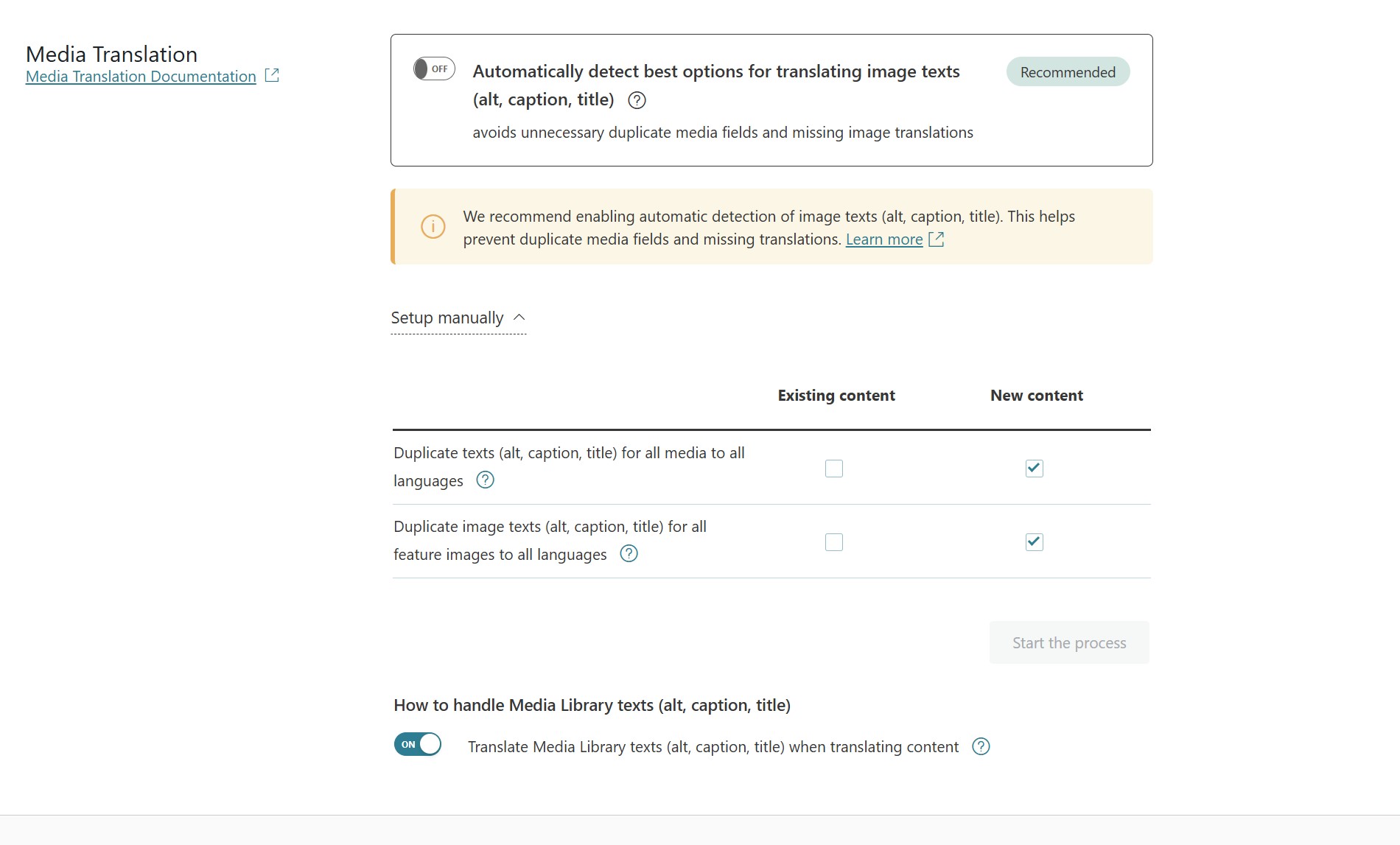 |
| November 28, 2025 at 1:26 pm #17618250 | |
|
alexZ-17 |
I have some new info about original language. 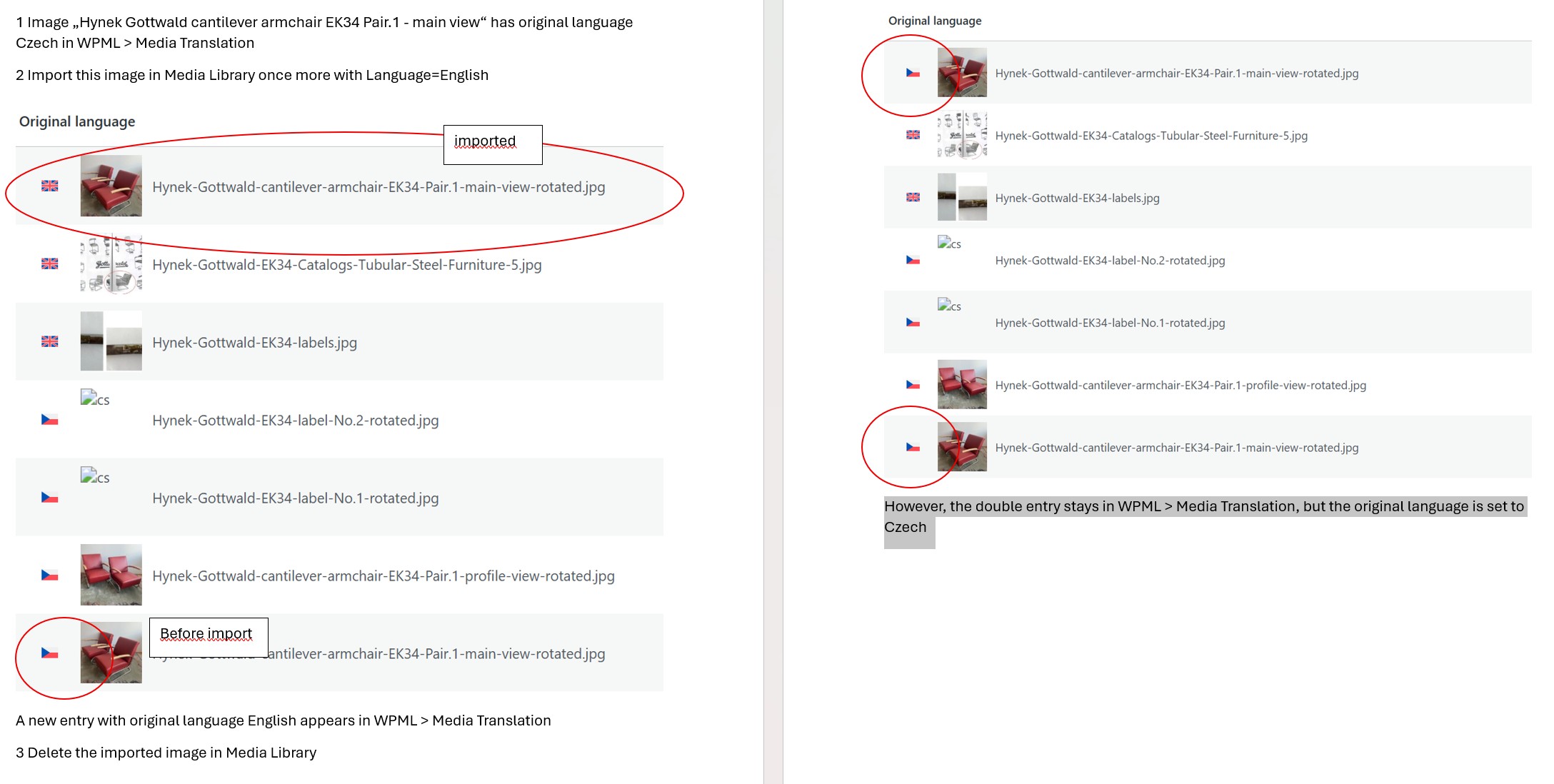 |
| November 28, 2025 at 2:46 pm #17618461 | |
|
Andreas W. WPML Supporter since 12/2018 Languages: English (English ) Spanish (Español ) German (Deutsch ) Timezone: America/Lima (GMT-05:00) |
Hi, Upfront: 1. What to do with entries with broken images - simply delete? I suggest you sync the media, by going to WPML > Settings > Media Translation. (section on your last screenshot). Make sure to mark the checkboxes for "Existing media" and run the process. 2. How to enter Alt Text for entries like in 6. – it seems only Media Library > Edit > German is possible? There are basically three ways to do so: As I mentioned, there is an option at WPML > Settings > Media Translation that allows you to disable media for translation with the WPML Translation Editor. You could disable this option and then create the translations directly inside the media library without worrying about overwriting those translations when translating content with the WPML Translation Editor. 3. How to set the correct original language? There is sadly no field available that would allow us to set the original source language for uploaded media. The source language is determined at the moment you upload the media to the media library. Make sure to always verify that if you upload media, you are working in the site's default language. (See flag in top admin bar). This means, if you find media that has the wrong source language, you will need to go to the media library, switch the language inside the top admin bar, search the media and delete it. Then switch the language inside the top admin bar to the site's default language and upload the file again. 4. I enclose my Settings > Media Translation, as you can see, existing content should not be changed. These settings do not mean that existing content should not be changed. These settings allow you to sync media. If entries are missing, you can use those options to create them. Let me know in case you have any further doubts or questions. |
| December 1, 2025 at 10:16 am #17621960 | |
|
alexZ-17 |
Hi, 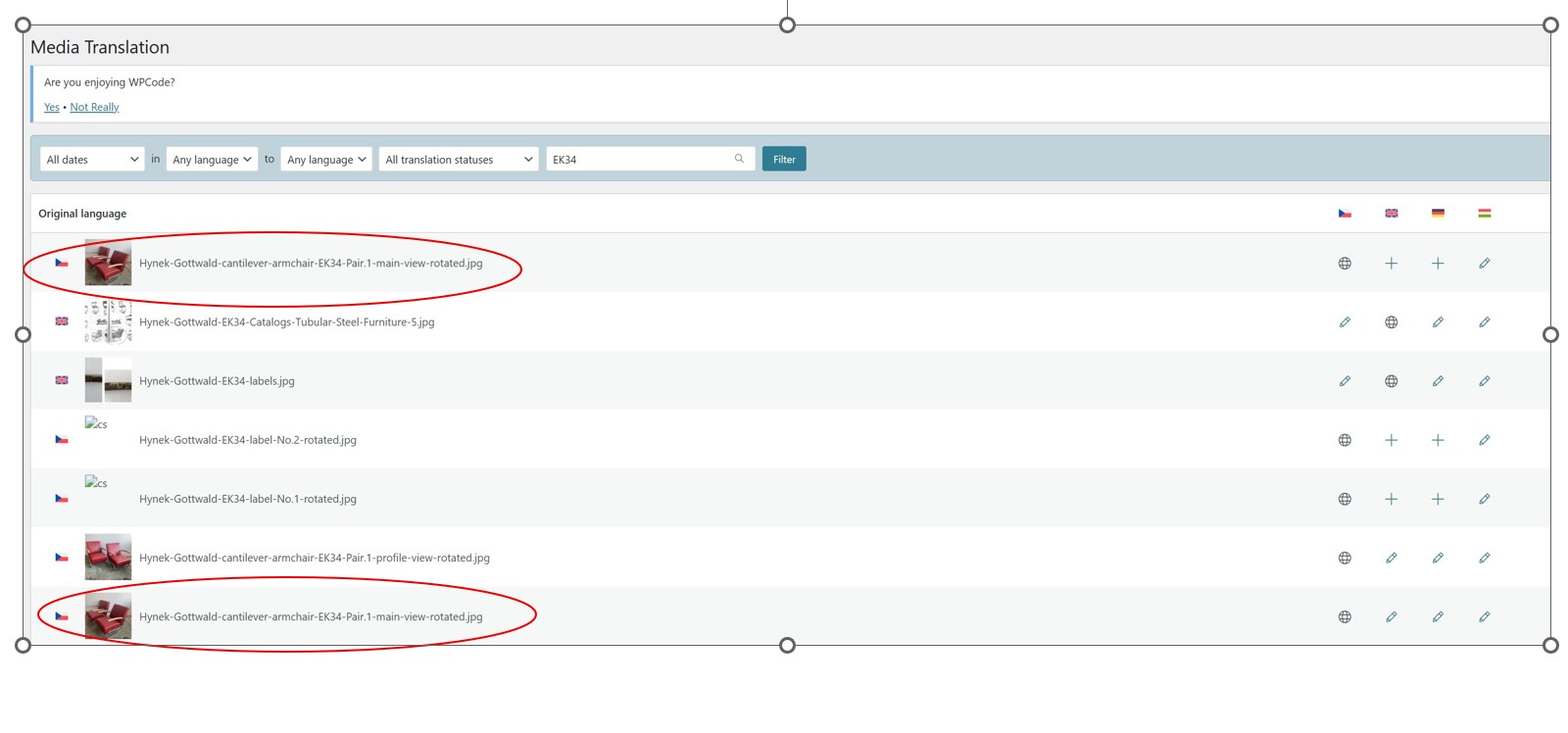 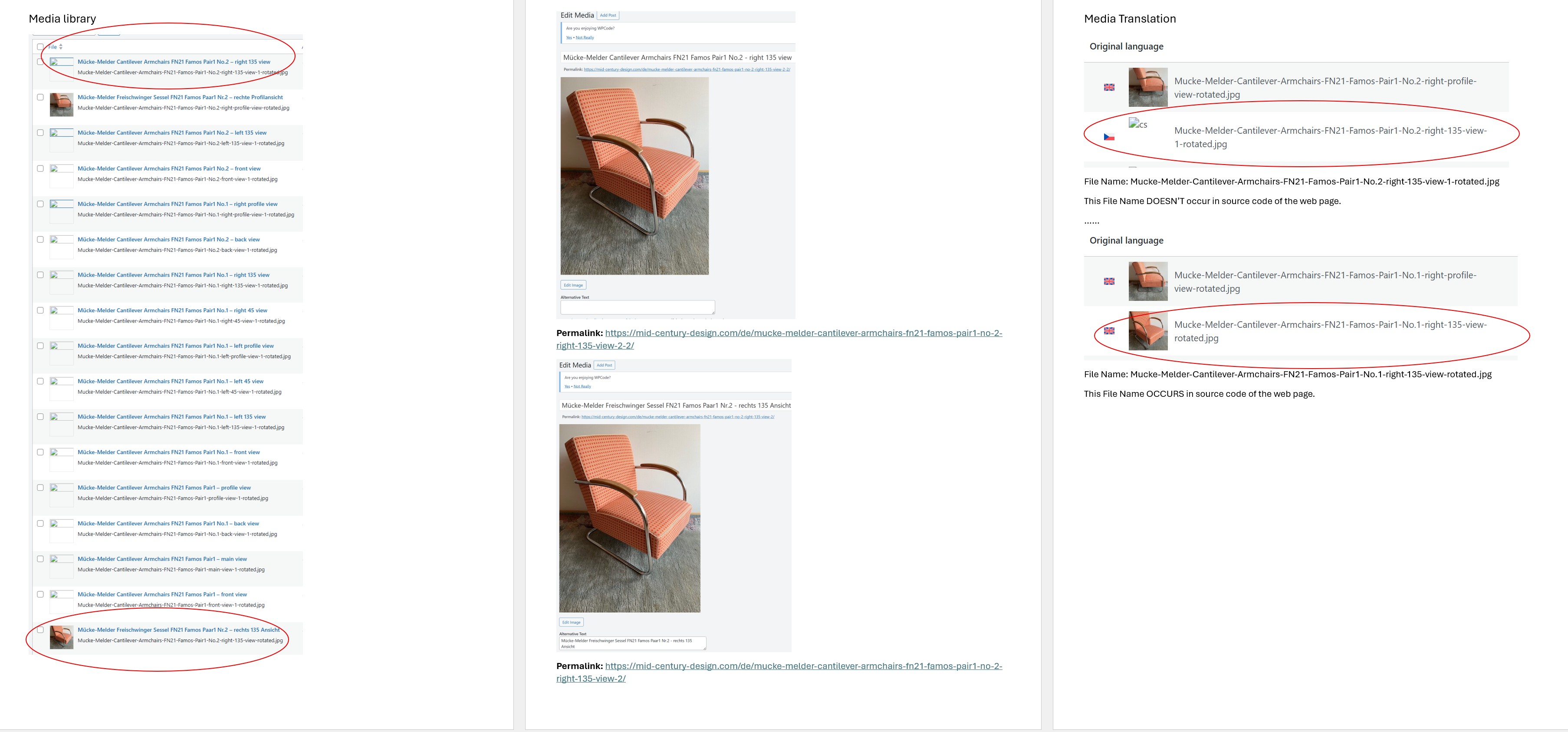 |
| December 2, 2025 at 7:12 am #17624511 | |
|
Andreas W. WPML Supporter since 12/2018 Languages: English (English ) Spanish (Español ) German (Deutsch ) Timezone: America/Lima (GMT-05:00) |
The media should only be uploaded in the site's default language. You then have various options for translation: For the current false media entries inside the library: You can try cleaning this up using a plugin like: Make sure to first take a backup of the site, including its database. Finally, media needs to exist in all languages inside the media library to be able to be displayed on the Frontend. As I mentioned earlier, you can sync media at WPML > Settings > Media Translation in case entries for existing content are missing. |
| December 2, 2025 at 11:09 am #17625782 | |
|
alexZ-17 |
Please answer my specific questions, general discussions are not helpful. |
| December 2, 2025 at 11:29 am #17625853 | |
|
Andreas W. WPML Supporter since 12/2018 Languages: English (English ) Spanish (Español ) German (Deutsch ) Timezone: America/Lima (GMT-05:00) |
But what do you mean by these broken image icons? I enclose another example for images uploaded in English, then inserted in a web page and then translated with ATE – the right way as I do understand. Do you mean under ”option at WPML > Settings > Media Translation that allows you to disable media for translation with the WPML Translation Editor” „How to handle Media Library texts (alt, caption, title)“ ? Re “Automatically detect best options for translating image texts (alt, caption, title)“: As you could see it is disabled,so I have Setup manually but I see images in Advanced Translation Editor and translate them automatically - due probably to „Translate Media Library texts (alt, caption, title) when translating content“ enabled By the way „Recommended“ appears in both cases – disabled and enabled, so what is recommended? Re my last message (image imported and deleted, double entry in Media Translation, screenshot enclosed): please comment or should we discard it (import in 2 different admin languages)? |
| December 3, 2025 at 10:34 am #17630038 | |
|
alexZ-17 |
Hi, 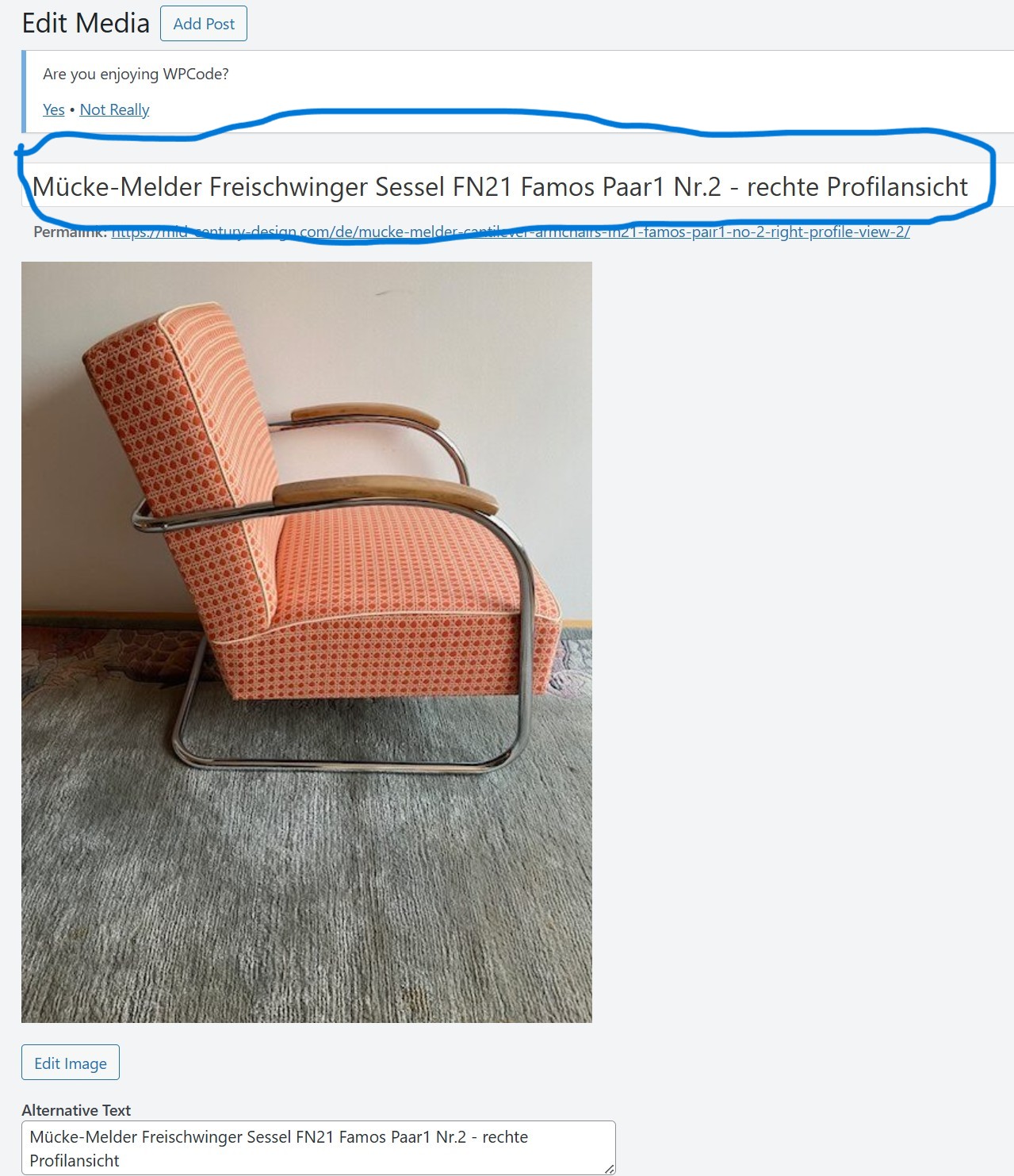 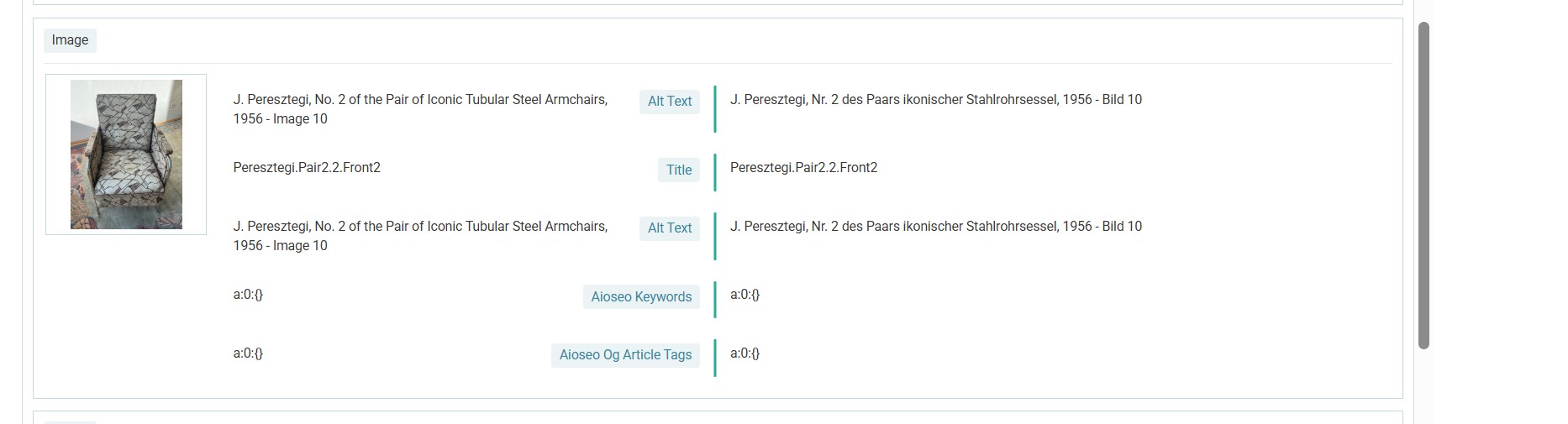 |
| December 3, 2025 at 6:15 pm #17631982 | |
|
Andreas W. WPML Supporter since 12/2018 Languages: English (English ) Spanish (Español ) German (Deutsch ) Timezone: America/Lima (GMT-05:00) |
My apologies, but without taking a closer look at the site, I will not be able to answer the question about duplicated Alt text segments on the Advanced Translation Editor. Could this maybe be related to the plugins Real Media Library (Free) or All in One SEO? I can offer to take a look at the site as an admin user. I'd like to request temporary access (wp-admin and FTP) to the website to investigate the issue further. You'll find the necessary fields below the comment section if you log in to leave the next reply. The information you provide will be private, meaning only you and I can see and access it. IMPORTANT If you don't see the "wp-admin / FTP" fields, your login credentials for the post and website will be set to "PUBLIC." Do NOT publish the information unless you see the required wp-admin / FTP fields. I may need to install a plugin called "All In One WP Migration" to create a copy of the website on which I can investigate the problem more thoroughly. I would also be very grateful if you could provide a staging site on your server for this purpose. If you have any questions about creating such a staging site, please contact your hosting provider. Please ensure that WPML is also registered on this staging site at https://wpml.org/de/account/websites/. If you are unable to provide such a copy of the website for testing, please let me know on this ticket. The private reply form looks like this: hidden link When replying again, click "I still need assistance". Video: hidden link Please note that we are required to request this information individually on each ticket. We are not permitted to access any login information that was not specifically provided in the private reply form for this ticket. |
| December 4, 2025 at 9:41 am #17633235 | |
|
alexZ-17 |
Hi Andreas, |
| December 4, 2025 at 1:25 pm #17634398 | |
|
Andreas W. WPML Supporter since 12/2018 Languages: English (English ) Spanish (Español ) German (Deutsch ) Timezone: America/Lima (GMT-05:00) |
Hi Alex, A staging site would be ideal, so that I can run tests without affecting the production site. I am suspecting here that it might be the case that you have on Alt text coming from the media library and another one that is actually saved inside the widget and therefore part of the actual content of the page. In this case, duplicated Alt texts would be expected, but surely not ideal. It depends on how the widgets handle it. Some widgets pull those texts from the database (media library), and others save them inside the content of the current page as part of the widget. I will be glad to take a closer look at this and will be awaiting your next reply. If you have issues with setting up a staging site, I could also provide access to a WPML test site where you could install the latest version of "WP Carousel" and we could try to replicate the issue there. The private reply form is enabled again. Best regards |
| December 11, 2025 at 3:37 am #17654181 | |
|
Andreas W. WPML Supporter since 12/2018 Languages: English (English ) Spanish (Español ) German (Deutsch ) Timezone: America/Lima (GMT-05:00) |
Hello, I will be going on a longer vacation at the end of this week. Could you please let me know if you need further assistance with the issue reported on this ticket? In case not, please feel free to close this ticket. Best regards |