
This is the technical support forum for WPML - the multilingual WordPress plugin.
Everyone can read, but only WPML clients can post here. WPML team is replying on the forum 6 days per week, 22 hours per day.
Tagged: Documentation request
This topic contains 5 replies, has 1 voice.
Last updated by Itamar 7 months ago.
Assisted by: Itamar.
| Author | Posts |
|---|---|
| August 23, 2025 at 6:33 pm #17342299 | |
 haiboZ |
Background of the issue: Symptoms: Questions: |
| August 25, 2025 at 6:17 am #17343771 | |
 Marcel Supporter Languages: English (English ) Spanish (Español ) German (Deutsch ) Timezone: Europe/Vienna (GMT+02:00) |
Hi, before your ticket is assigned to one of my colleagues, please allow me to walk you through some initial debugging steps. This will help speed up the support process. We can make it translatable using an XML-Config. Can you please post the code you have right now? Best Regards |
| August 25, 2025 at 4:21 pm #17345831 | |
|
haiboZ |
Hi Marcel, the code is quite simple. echo get_post_views('9712') + get_post_views('9710') + get_post_views('9708'); shortcode: [wp_code id="7"] Can I make XML-Config by myself ? Just in case if I update the code somewhen. regards |
| August 25, 2025 at 7:13 pm #17346248 | |
 Itamar WPML Supporter since 02/2016 Languages: Hebrew (עברית ) Timezone: Asia/Jerusalem (GMT+03:00) |
Hi, Haibo. I don't see any textual context in your shortcode; therefore, I'm unsure why you need to translate it. If you still want to register the shortcode for WPML’s awareness (even if no translation is needed), you can use this minimal config:
<wpml-config>
  <shortcodes>
    <shortcode>
      <tag>wp_code</tag>
      <attributes>
        <attribute>id</attribute>
      </attributes>
    </shortcode>
  </shortcodes>
</wpml-config>
You can place this code in WPML -> Settings -> Custom XML Configuration. You can do this yourself. Please read all about WPML's configuration files here: Please let me know if you have any further questions. Regards, |
| August 27, 2025 at 11:57 pm #17353054 | |
|
haiboZ |
Hi, I added the code in Custom XML Configuration and then saved it. But it doesn't work and I also don't see a automatically (should it?) created wpml-config.xml file placed in the root folder of child theme. see please at hidden link 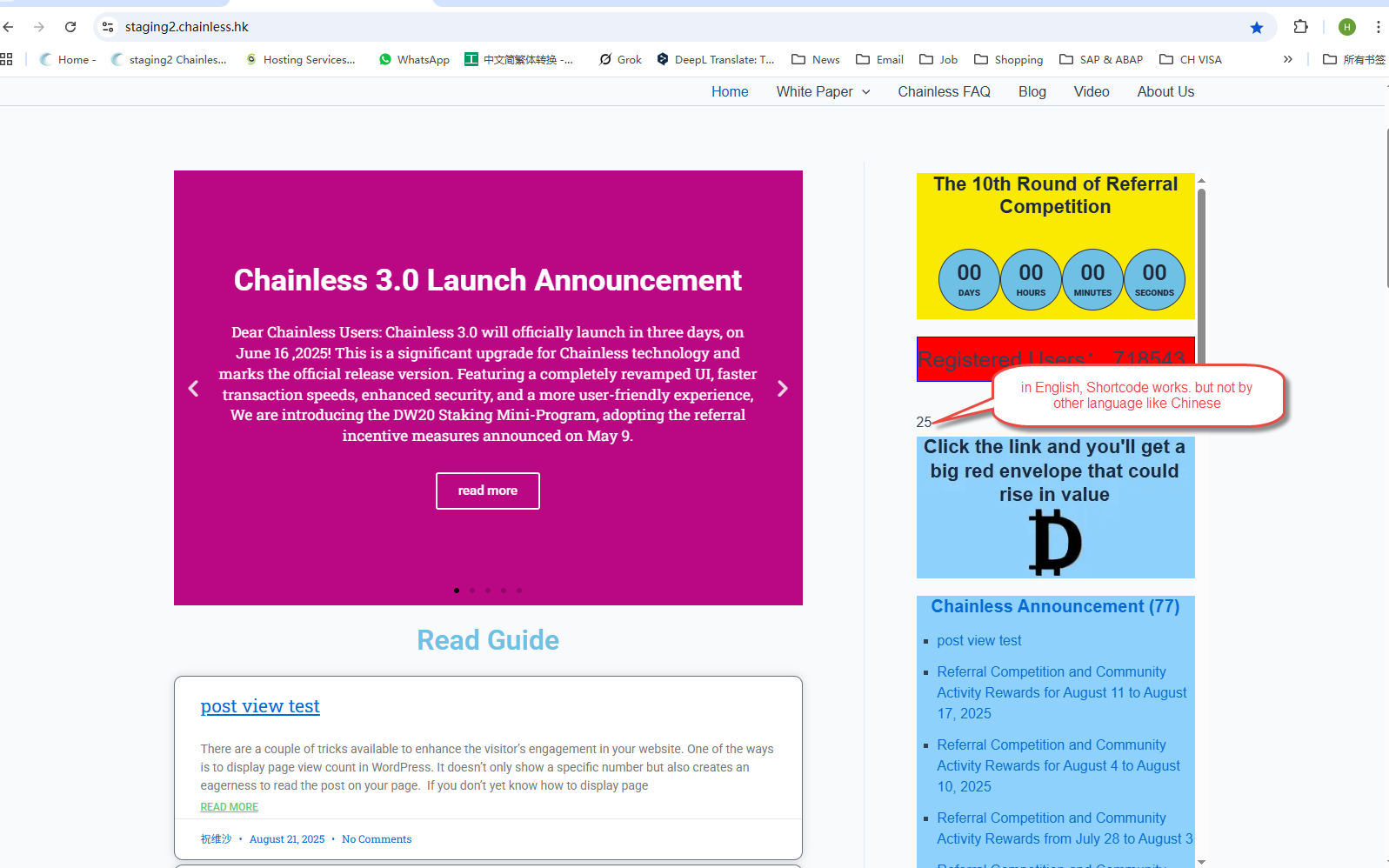 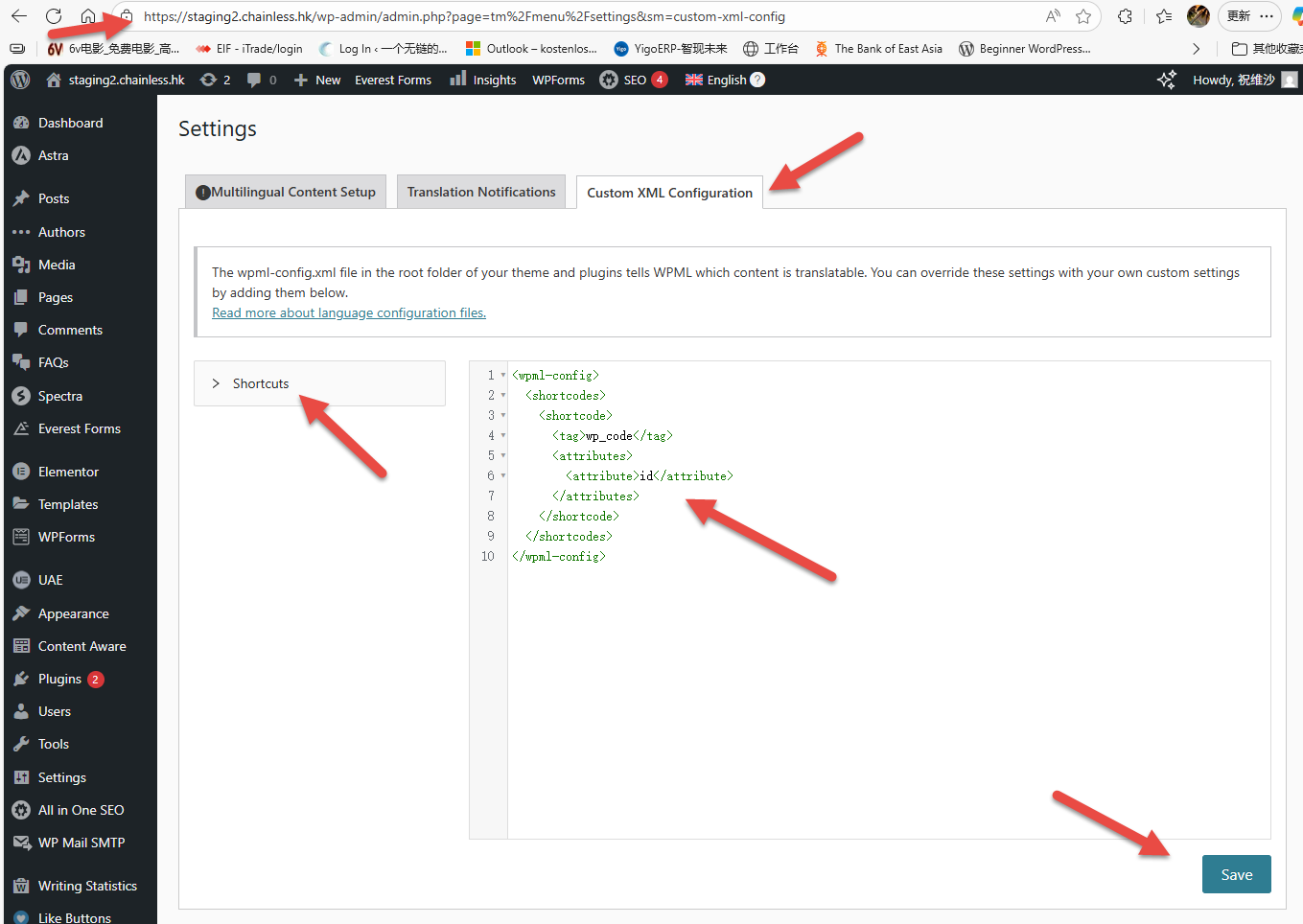 |
| August 31, 2025 at 7:39 pm #17360896 | |
|
Itamar WPML Supporter since 02/2016 Languages: Hebrew (עברית ) Timezone: Asia/Jerusalem (GMT+03:00) |
Hi, It is expected that no wpml-config.xml should be created when adding the XML code in WPML -> Settings -> Custom XML Configuration. I overlooked the fact that this is a sidebar widget. Please see our guide on translating widgets: https://wpml.org/documentation/getting-started-guide/translating-widgets/. You may need to look for the attribute's value (the "id") in WPML -> Strings Translation or in the strings section of the admin screens. Please read about it here: https://wpml.org/documentation/getting-started-guide/string-translation/finding-strings-that-dont-appear-on-the-string-translation-page/#register-admin-and-setting-strings-for-translation. Regards, |







