


Translate On-Page SEO Elements
Translate titles, meta descriptions, URL slugs, and more

Learn how to translate Yoast SEO meta information into more languages and optimize your site for multilingual SEO.
Translate On-Page SEO Elements
Translate titles, meta descriptions, URL slugs, and more
Optimize for SERP Features
Translate schema markup to appear in SERP features
Improve Indexing in Other Languages
Help search engines find your content with multilingual sitemaps
To use Yoast SEO with WPML, you need the following plugins:
WPML can translate on-page SEO elements you add to content with Yoast, such as:
To translate these elements, simply send the content they belong to for translation:
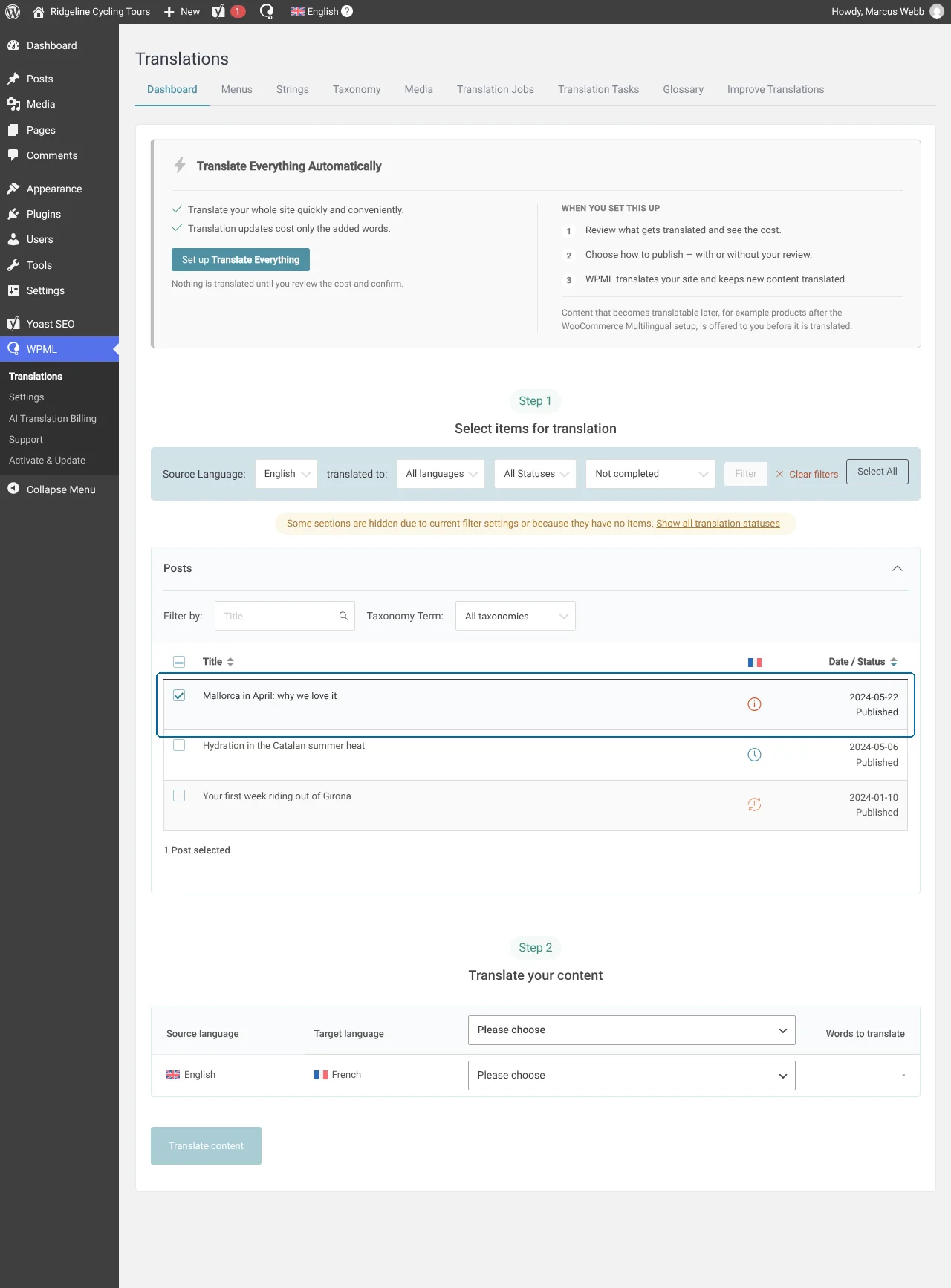
WPML will automatically translate on-page SEO elements along with the rest of your content.
To translate global SEO texts, like the breadcrumbs’ homepage label, follow these steps:
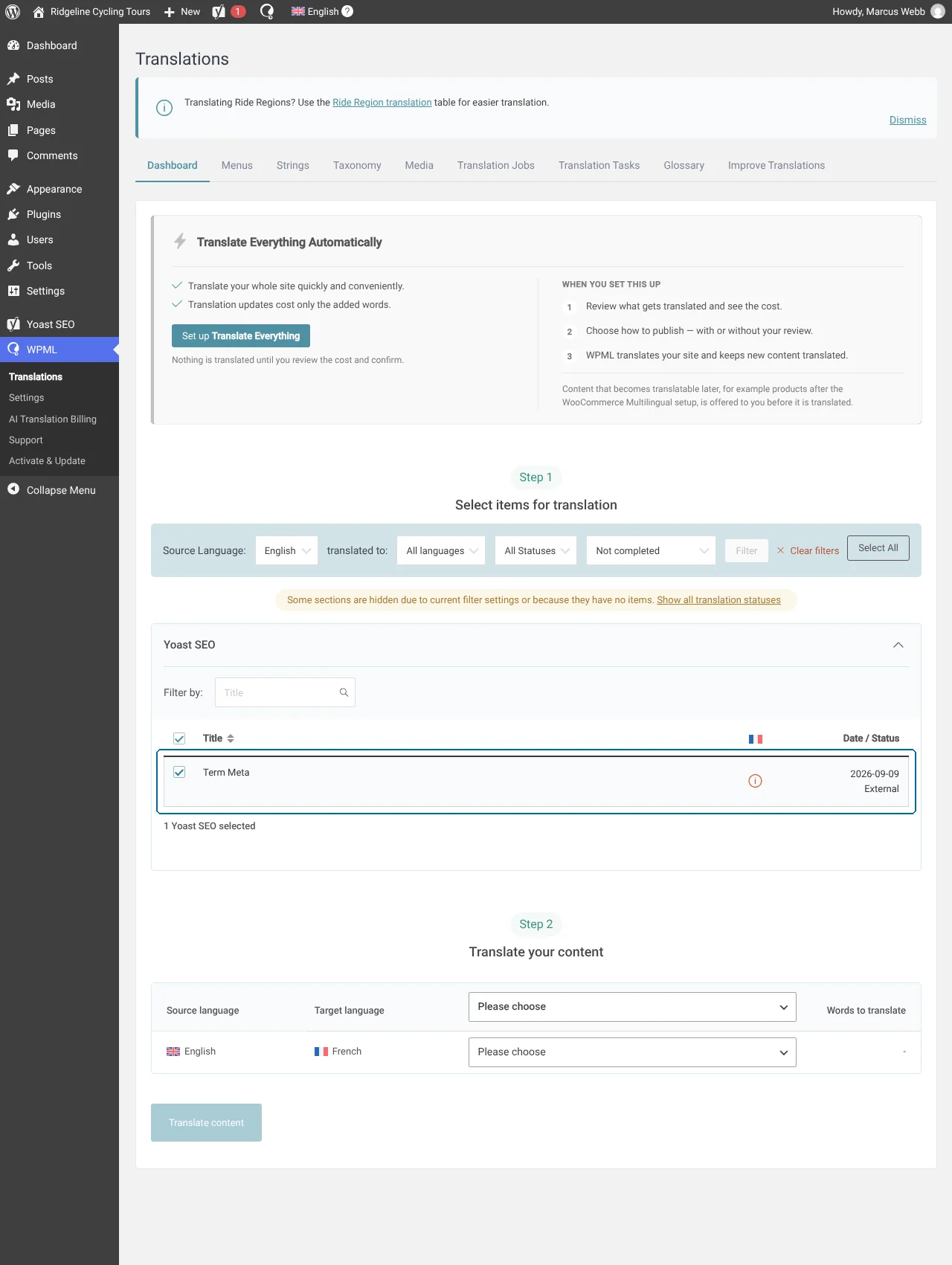
WPML SEO adds the Yoast SEO fields of each term to the term’s translation job. WPML translates them together with the term, for example when you translate a post that uses the term. To send the metadata of all your terms at once, use the Dashboard tab of WPMLTranslations.
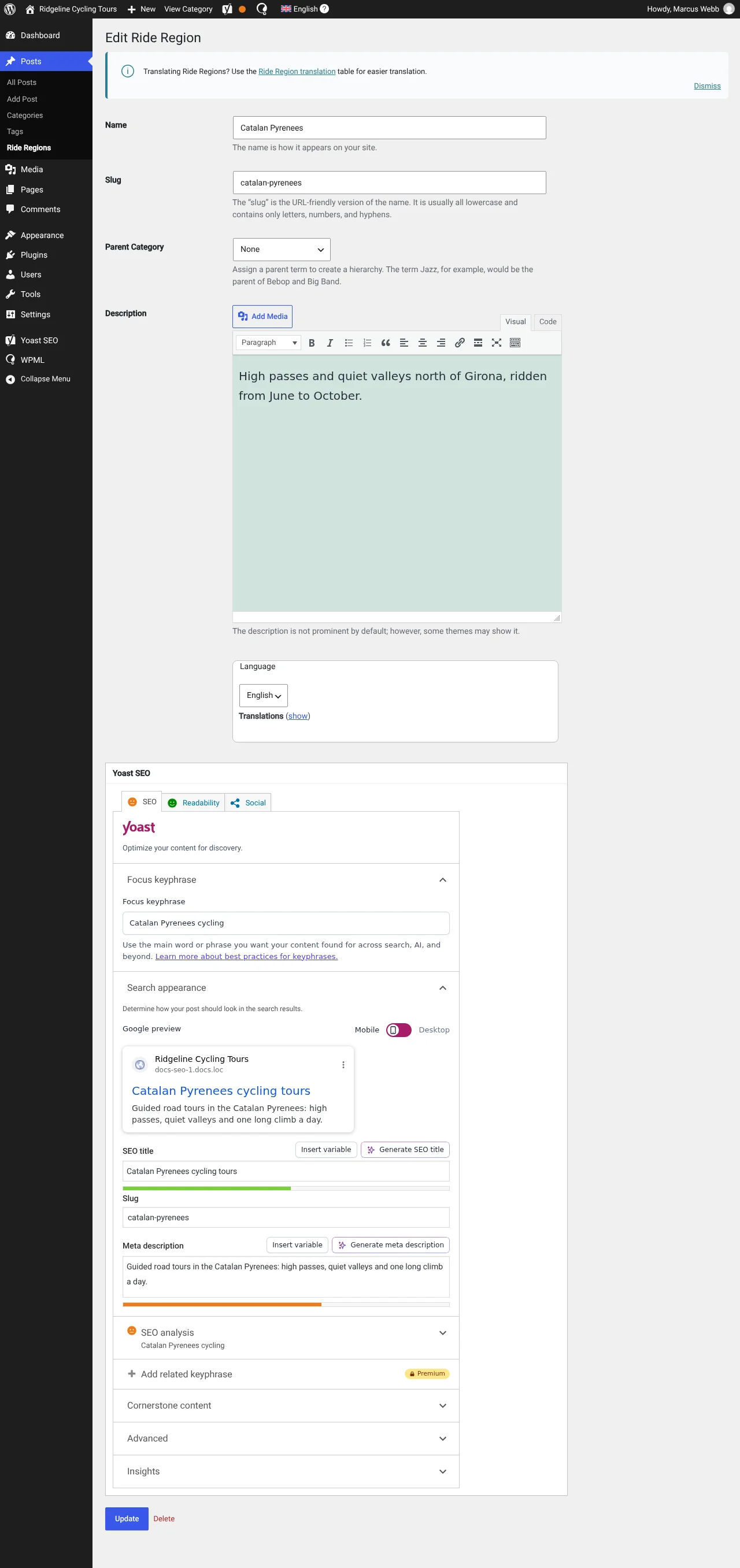
Let’s say you set a category’s SEO title and meta description. To translate this metadata:
1. Go to the Dashboard tab and scroll down to the Yoast SEO section.
2. Select Term Meta and send to translation. This translates all custom text added in Yoast SEO fields within individual taxonomies.
If you already typed a value in a translated term, WPML keeps your value. On the edit screen of a translated term, each field that WPML translates shows Translated by WPML and an Edit anyway button. To let WPML translate a field again, leave it empty.
If you don’t translate their metadata, translated categories will use the default (global) metadata added in Yoast’s settings. To translate the default metadata, go to WPMLTranslationsStrings and filter for SEO strings (admin_texts_wpseo_titles).
WPML can translate any kind of schema markup you create with Yoast SEO. This includes product, recipe, review, FAQ, and any other markups Yoast supports (opens in a new tab).
To translate your schema markup, simply send your content for translation. WPML will automatically generate the schema markup using your translations.
WPML works together with Yoast to automatically organize your original and translated content in a sitemap. There’s only one sitemap for all languages (unless you create separate domains for each language). With a different domain per language, each domain has its own sitemap that lists only the content in its language. WPML lists these sitemaps in the URLs and SEO section of the WPMLSettings page, so you can submit each of them to Google Search Console.
When Yoast SEO’s XML sitemaps are on, WPML SEO adds hreflang tags for every translation directly in the XML sitemap. When WPML SEO first runs with the sitemaps on, it turns off the hreflang tags in the page <head>, so search engines don’t get the same tags twice. If you turn off Yoast SEO’s XML sitemaps, WPML SEO turns the hreflang tags in the page <head> back on. If you turn the sitemaps on later, turn off the hreflang tags in the page <head> yourself, with the setting in step 2 below.
Note: This change is only visible in the XML source.
If you open your sitemap in a browser, you won’t see the hreflang tags in the human-readable view. This is expected. To confirm the tags are there, view the page source – you will see the hreflang tags correctly included in the raw XML.
If you prefer hreflang tags in the page <head> instead, follow these steps:
1. Stop WPML from adding the hreflang tags to your sitemap, by adding this line to your wp-config.php:
define( 'WPML_SEO_ENABLE_SITEMAP_HREFLANG', false );
2. Go to WPMLSettingsURLs and SEO and scroll down to SEO Options. There, enable the Display alternative languages in the HEAD section setting.
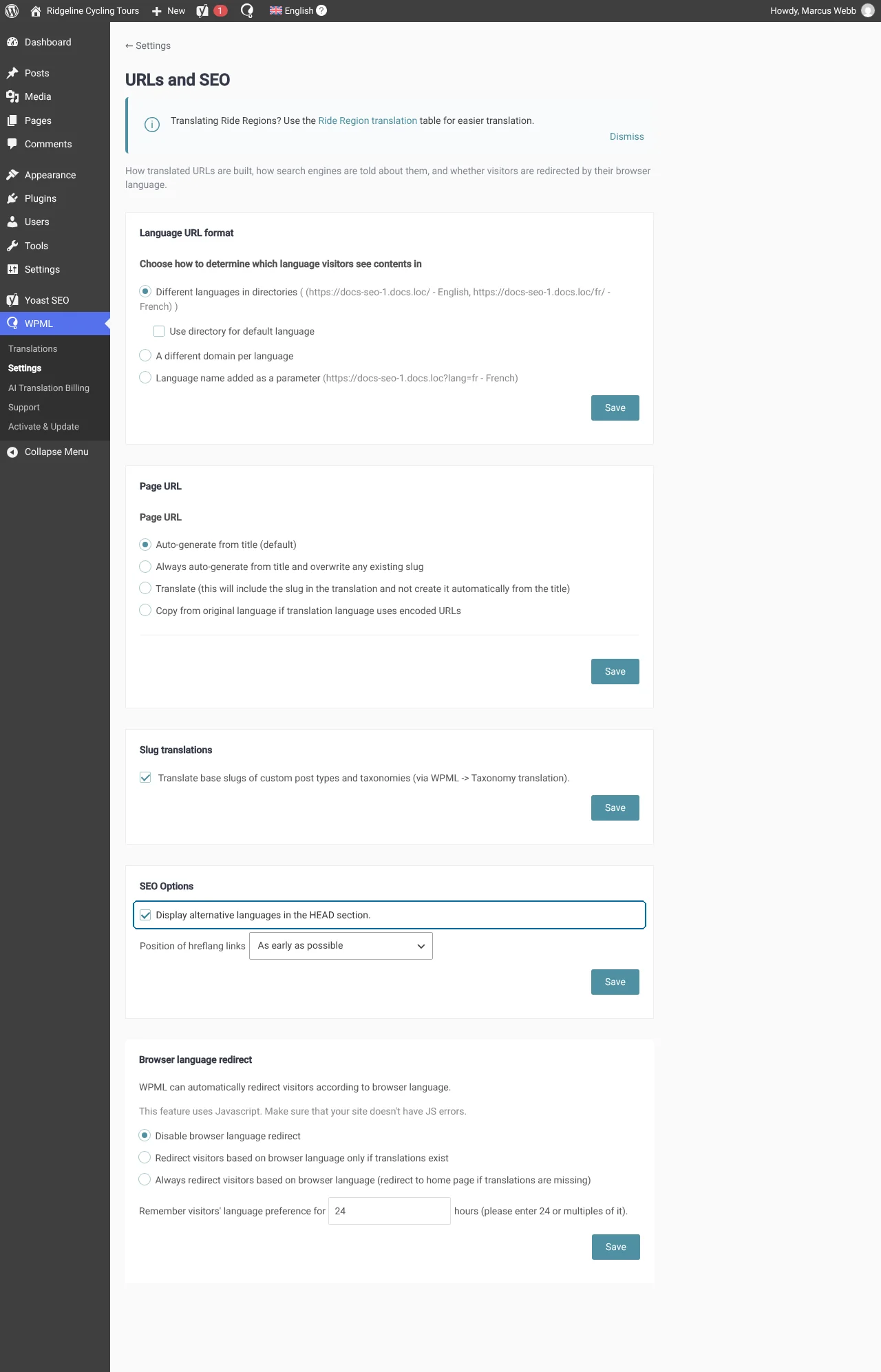
WPML also supports an x-default hreflang attribute that defines where you send users if their language isn’t included in other hreflang tags.
If a post type uses the Display as translated option, a page with no translation shows the original content in the secondary language. Search engines treat this page as a duplicate of the original. Its canonical URL and og:url point to the original page, and the XML sitemaps don’t list it.
To use Yoast SEO with WPML, you need WPML’s Multilingual CMS or Multilingual Agency plan.
To learn more about our plans, visit our pricing page.
Are you having an issue translating Yoast SEO? Visit our Known Issues and Solutions to find a fix for your problem.
Still need help? Ask a support question.
Written by